EASY TASKS
Nowadays, it's impossible to cope with a huge number of tasks without a reliable assistant. For having such an assistant, we created Uspacy Tasks.

Co-founder and product director
Uspacy tasks help effectively distribute resources to all members of the work process and control compliance with deadlines.
Nowadays, it's impossible to cope with a huge number of tasks without a reliable assistant. For having such an assistant, we created Uspacy Tasks.
Co-founder and product director
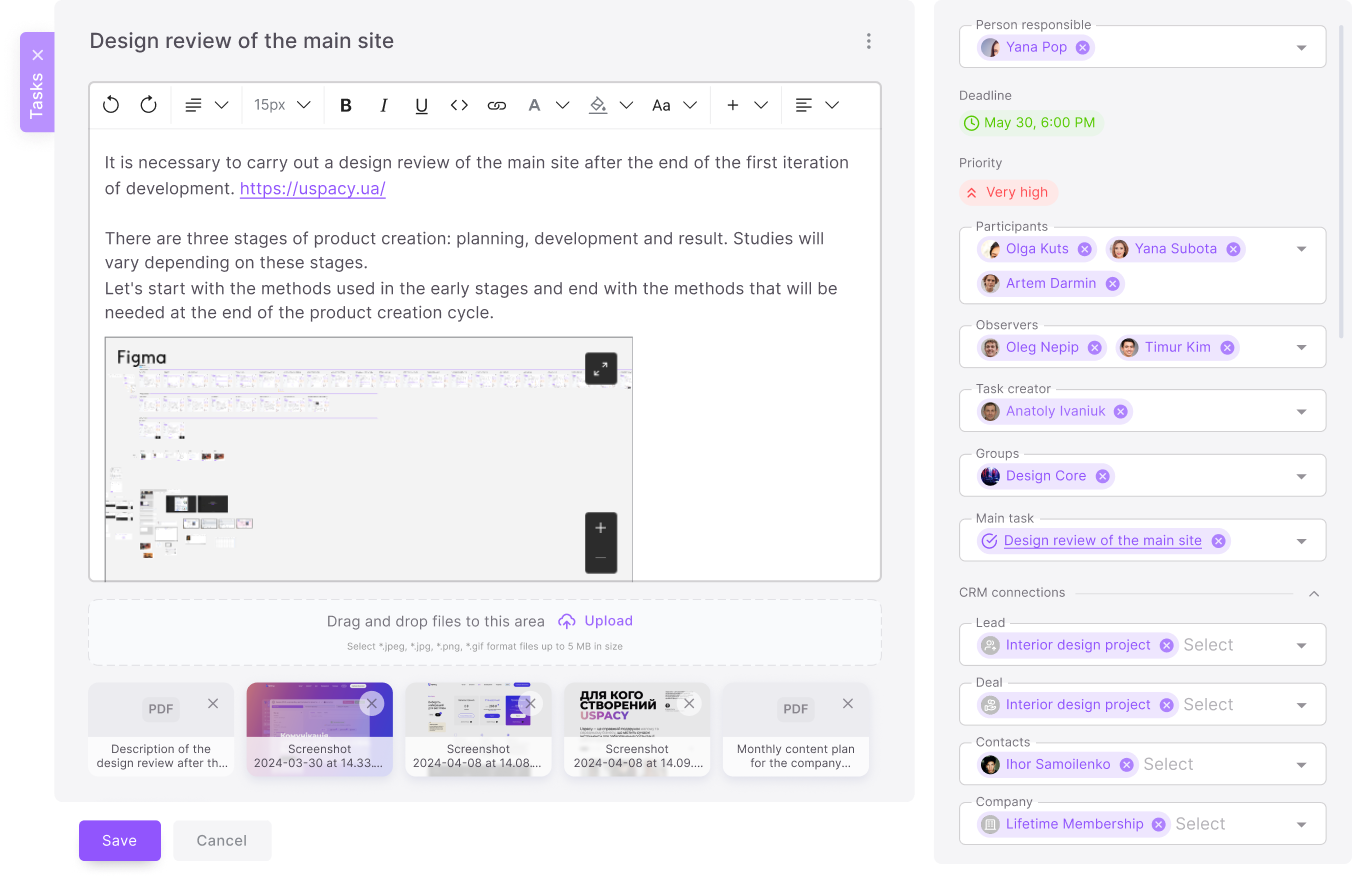
Use the quick and complete creation form to create tasks. Quick form allows you to assign responsible persons and specify priority. Complete - adds a description and attaches files.
Assign a Person responsible, Participants or Observers to make teamwork as effective as possible.
Bind tasks to CRM entities to see your workload.
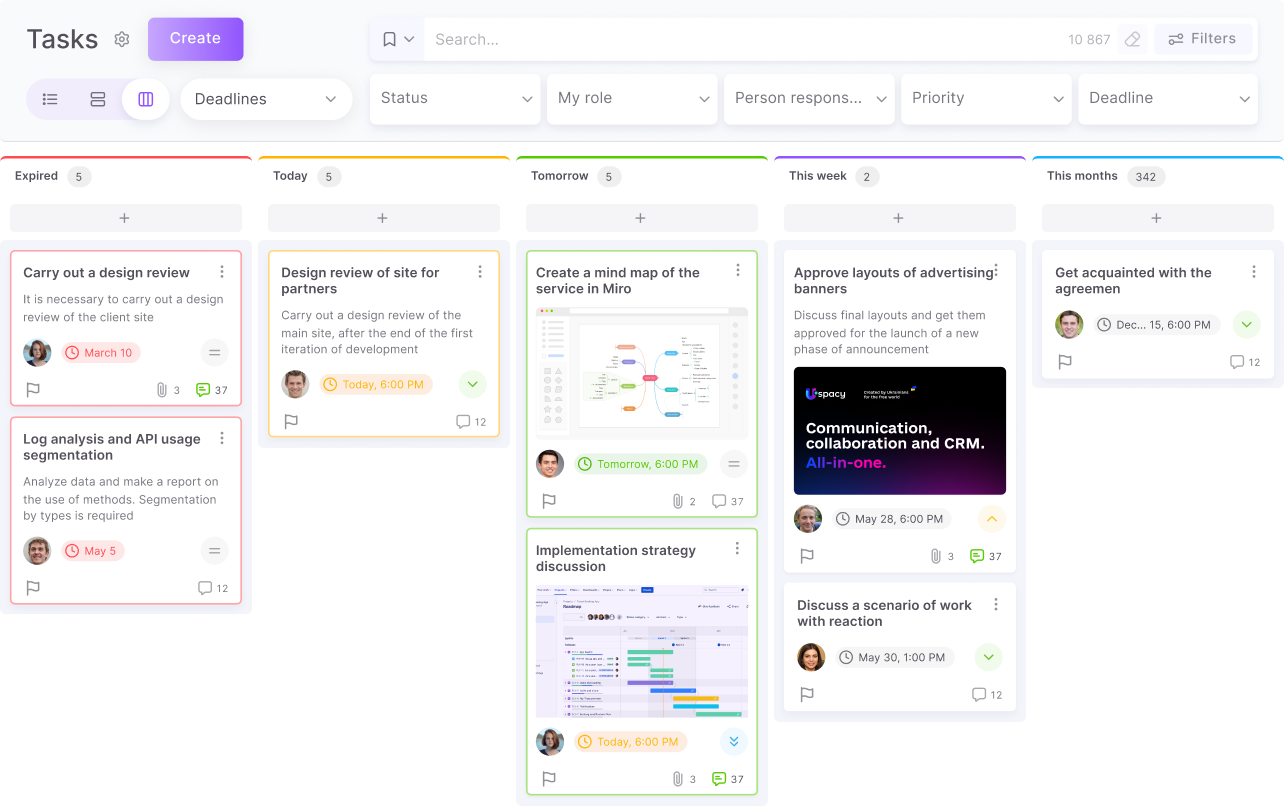
Customize the view of tasks both on the Kanban board and in the List, create a Hierarchy view of tasks or represent them in a more complex layered list.
Use mass actions in Tasks.
Try the automated Deadlines board, which can group your tasks by the deadline date on its own.
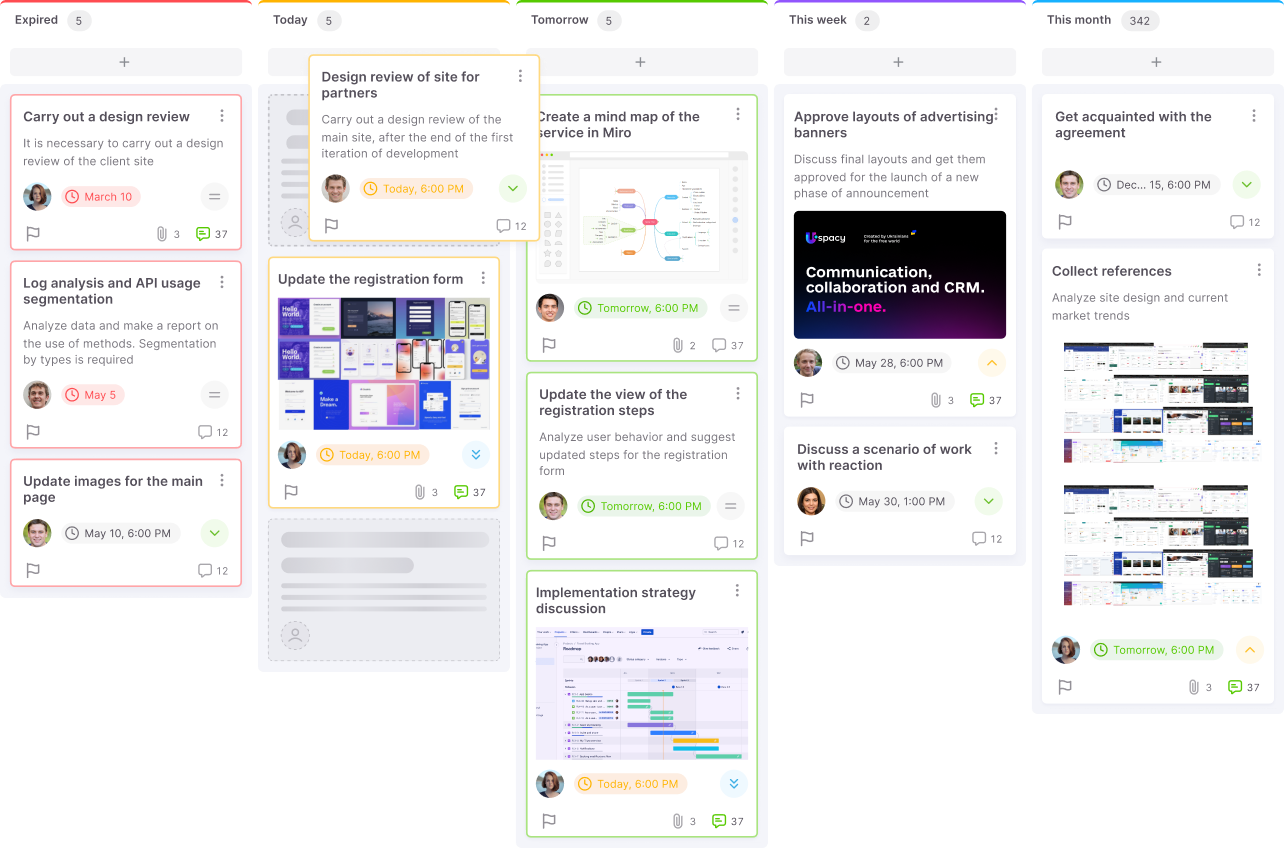
Personalize the Kanban board by changing the name, color, and just move tasks by dragging columns. If you prefer the classic view, then use Lists.
Use Smart and Saved filters to focus only on current tasks. Choose the most complex filtering criteria to find exactly what you need.
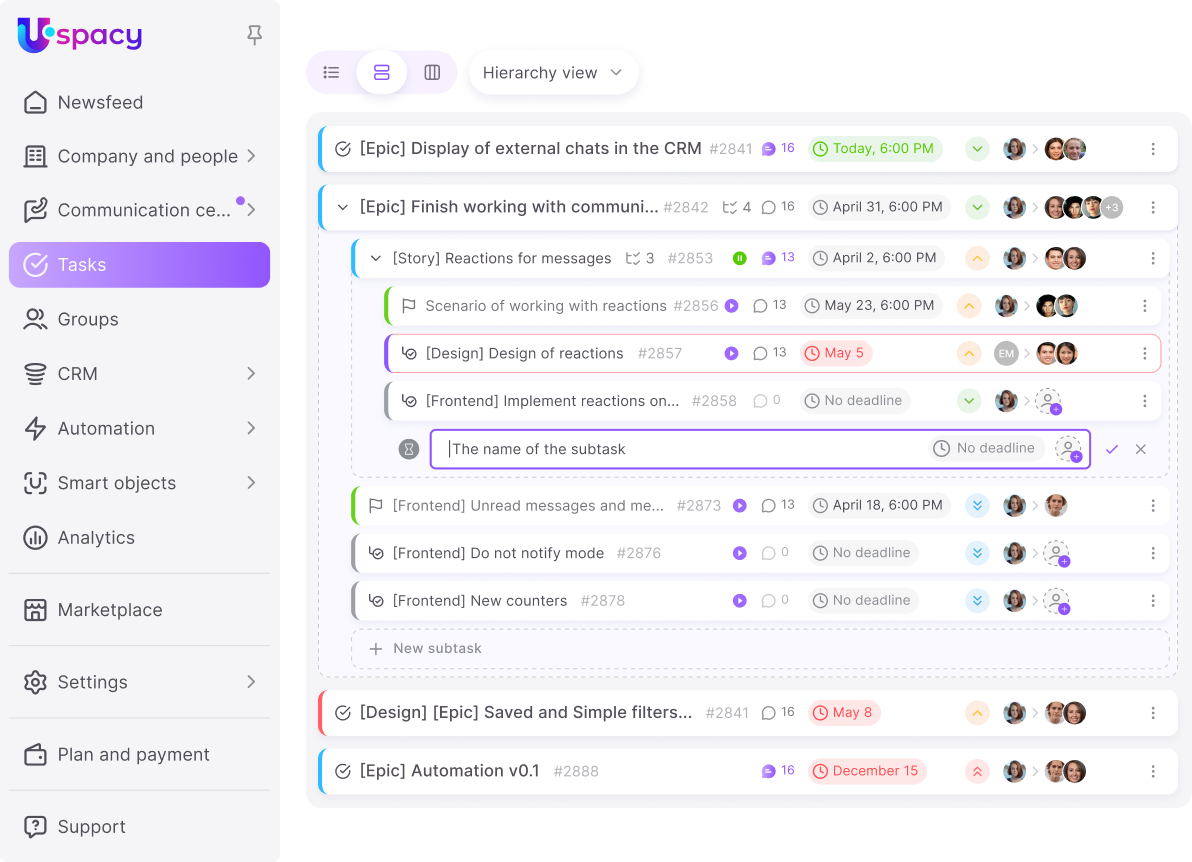
If a task is too large, divide it into smaller ones using subtasks. You can edit them, specify deadlines and attach files as well.
Subtasks make it possible to assign participants, observers, and persons responsible.
Involve the necessary number of employees.
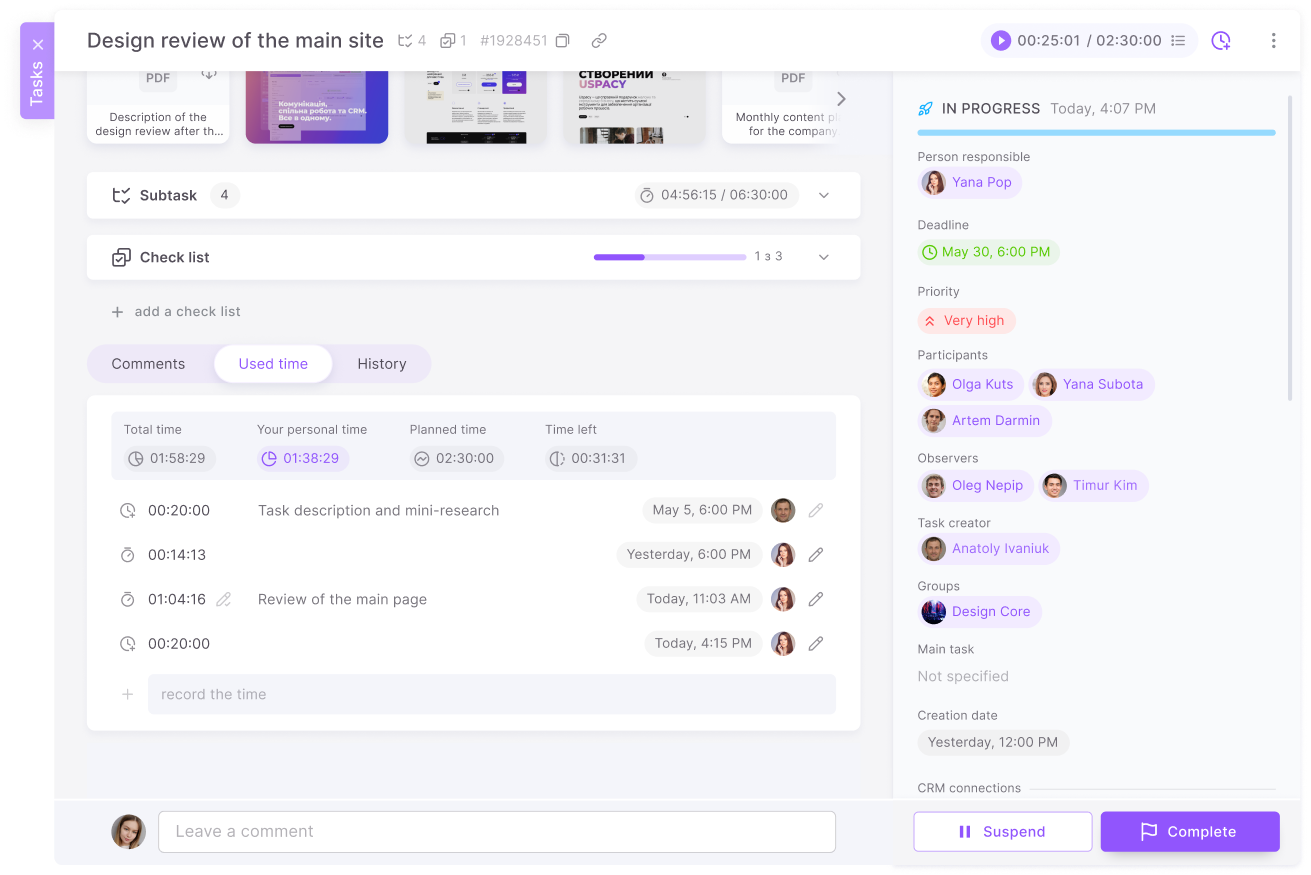
Time tracking in tasks allows to accurately calculate time needed for a specific stage of work, which helps to allocate resources and avoid delays.
Evaluate the resources spent on specific tasks, plan their sequence, and allocate time to complete projects within the set deadline.
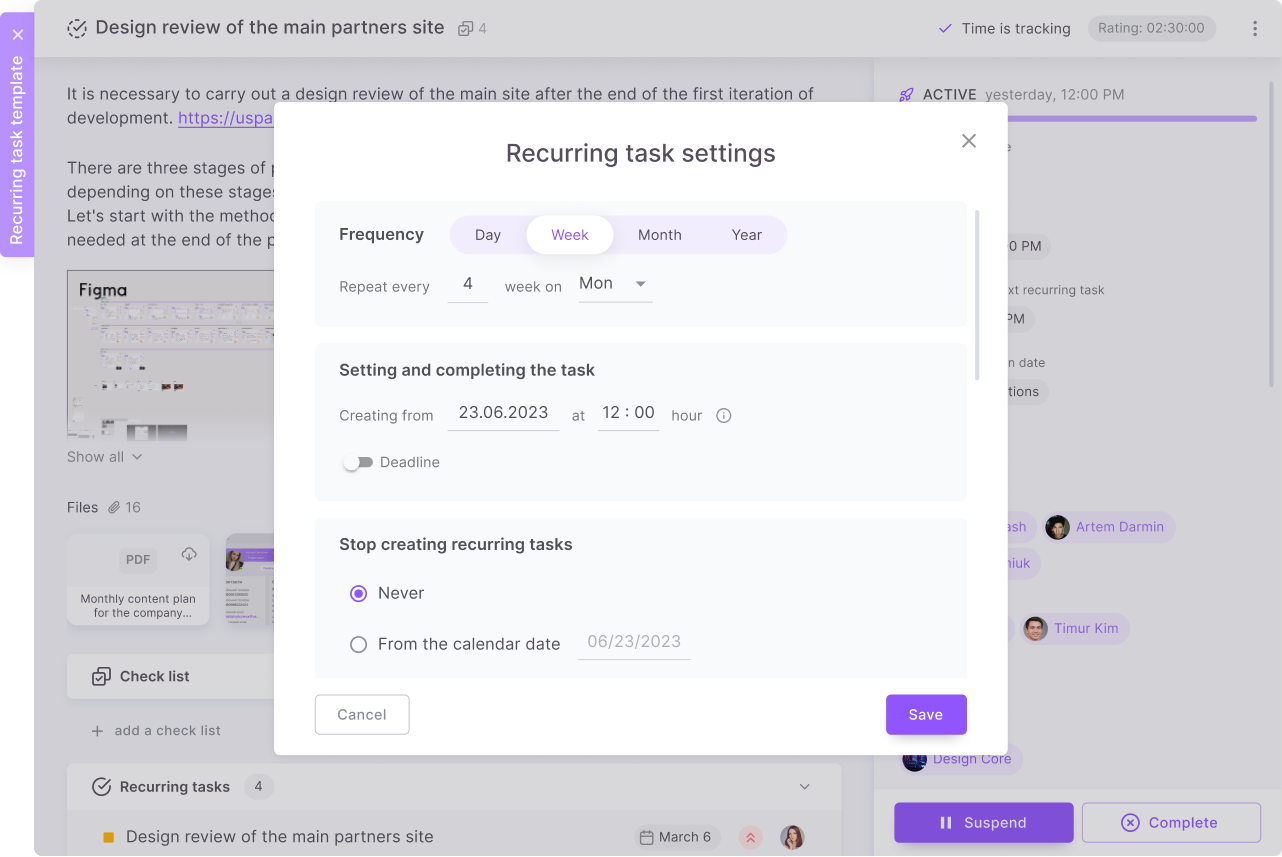
There is no need to set the recurrence of tasks all the time. Just make a recurring one that will be automatically created based on specified criteria. Simplify the routine tasks, especially when there is a certain standard for them.
It could be a support request or a standard task in the new employee adaptation process.
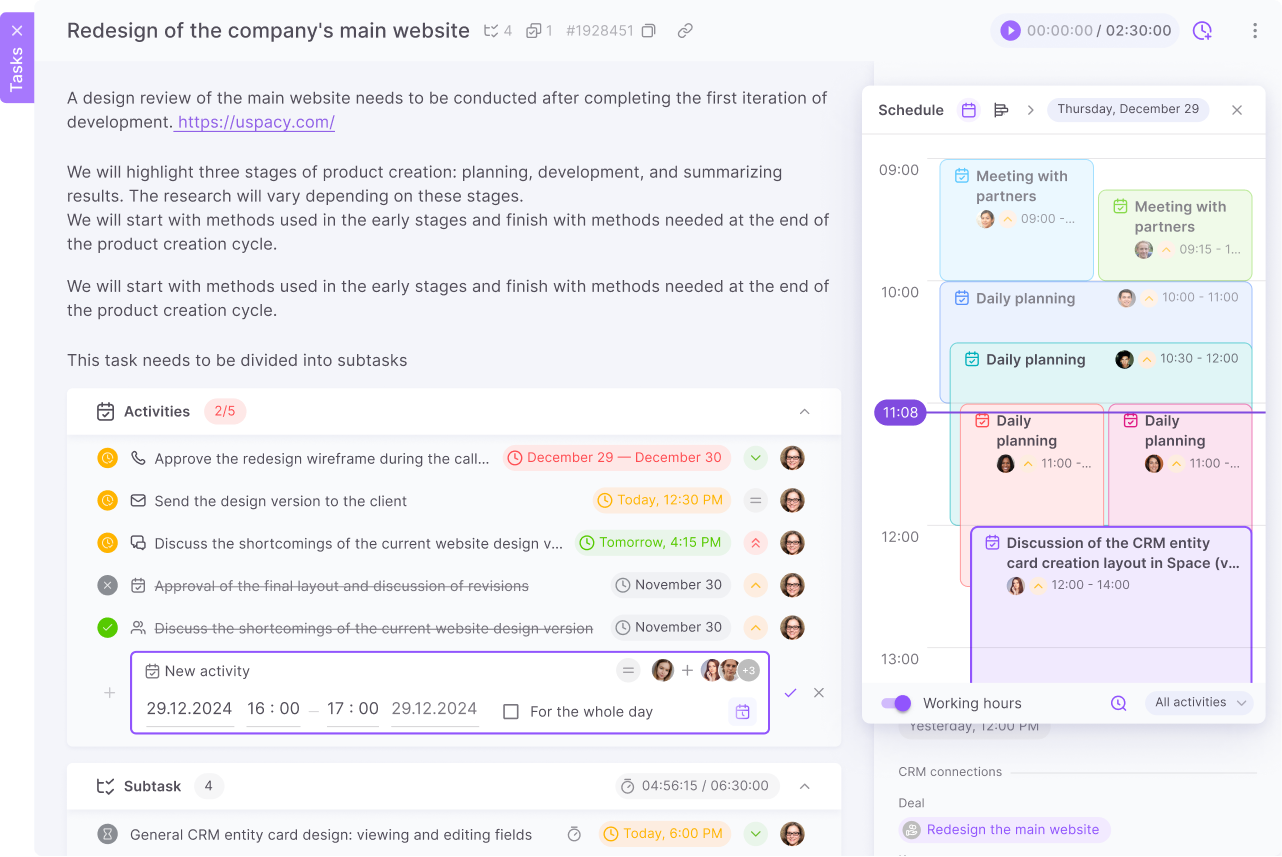
You can schedule activities at Uspacy not only for CRM and Smart Objects but also for Tasks, providing flexible project planning.
New acivities are created directly in the task card, which significantly reduces time spent on planning your work.
The connection between the activity and its related tasks is always displayed in the cards of these elements, so the risk of losing information while working with Uspacy is minimal.
Tasks in Uspacy — plan teamwork and monitor progress
Tasks help teams quickly turn agreements into concrete actions with assignees, deadlines, descriptions, files, and clear statuses.
Team members can discuss details in comments, create subtasks, track time, and view work in a convenient format — either as a list or on a board.
However, Uspacy is more than just a task manager. Alongside tasks, there are CRM, activities and availability schedules, communications, automations, and analytics, which help teams not only assign tasks, but also connect them to real business workflows. The team sees what needs to be done, who it matters to, how it impacts the process, and what result should be achieved.
This way, every employee understands their priorities, managers see the bigger picture, and work remains manageable even during busy periods.
Uspacy is growing and developing at an incredible speed
Learn about product development plans