P&L (Profit and Loss) and CRM: How to link closed deals to a company’s real costs
May 8, 2026
7-minute read

Dmytro Suslov
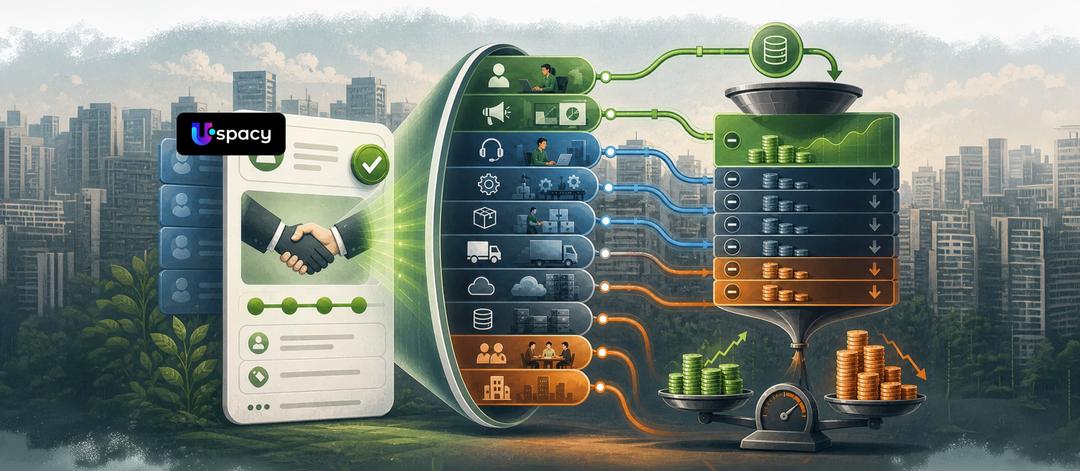
Sales only make sense when they generate profit, not just impressive-looking revenue in reports. That is why the combination of CRM and P&L gives a business a real picture: which deals are profitable, where margin is being lost, and which decisions truly improve financial performance.
High revenue does not necessarily mean a healthy business. A P&L (Profit and Loss statement) shows how much a company actually earned over a period after accounting for revenue, cost of goods sold, and other expenses. That is why it should not be viewed separately from CRM, but alongside it—as a tool that helps evaluate not only sales volume, but also their financial outcome.
In the case of Uspacy, it’s important to clarify expectations upfront. The platform does not replace a management accounting system and does not generate a full P&L report “out of the box.” Its role is different: to consolidate data on deals, amounts, stages, owners, related activities, and custom fields in one place, giving businesses a high-quality foundation for further financial analysis.
This is exactly where Uspacy delivers practical value. The CRM—with deals and multiple funnels, analytics, no-code tools, automation, Smart Objects, API, and integrations—helps structure commercial data and transfer it into the company’s financial systems. In other words, Uspacy does not perform management accounting in the traditional sense, but it creates a reliable foundation for linking sales with costs and understanding not just revenue, but the real financial substance of each deal.
Why CRM shows “attractive” numbers while P&L shows the real ones
A CRM almost always starts with revenue. In Uspacy, a deal moves through the funnel, storing interaction history, amount, responsible person, and other parameters. For sales teams, this makes perfect sense—they can track activity pace, funnel potential, and customer status.
However, a P&L report goes deeper. It doesn’t answer the question “how much was sold,” but rather “how much the company actually kept.” This is where cost of goods, commissions, logistics, marketing expenses, sales bonuses, taxes, and a share of fixed costs come into play. This is also where margin is formed—the portion of revenue remaining after variable costs, showing whether a deal can cover fixed expenses and generate profit.
This is where the issue becomes visible. In Uspacy, you can see deal amounts across funnel stages directly on the kanban board, but that number alone does not equal profit. If a company doesn’t add the cost layer, it can easily scale an unprofitable model. More sales, more workload—but no real increase in cash.
Example:
Without P&L in CRM: a deal worth $100,000 is closed, and the manager receives a 5% bonus — $5,000. On the dashboard, everything looks great.
With P&L: cost of goods — $75,000, logistics — $8,000, taxes — $5,000. The actual profit is $12,000. The $5,000 bonus takes nearly half of the earnings. This means the issue isn’t the sale itself, but the compensation model and pricing strategy.
How to integrate cost tracking directly into CRM deals
In Uspacy, it makes sense to implement this directly within the deal record. The platform allows you to work not only with standard fields but also with custom ones. Moreover, for CRM entities and Smart Objects, you can configure required fields to ensure that deals cannot be closed without key financial data.
In practice, it looks like this: fields such as “Cost of goods”, “Payment processing fee”, “Logistics”, “Sales bonus”, and “Contractor costs” are added to the deal record. If a company sells specific products or services, Uspacy allows you to work with products within deals and Smart Objects, while the kanban board displays total amounts by stage and even separates totals by different currencies. This provides a solid foundation for cost tracking in CRM and an initial assessment of profitability.
Indirect costs require a different approach. Expenses such as rent, back-office operations, software subscriptions, or administrative salaries should not be allocated randomly. In Uspacy, it is more effective to create a Smart Object such as “Project,” “Cost center,” or “Business unit.” These entities can be customized with their own parameters, and deals, tasks, and activities can then be linked to them.
This creates a structured approach to management accounting. For example, a service company can allocate fixed costs not to each individual sale, but to a project or client segment. From there, it becomes possible to see which deals within that segment generate real margin and which only create the appearance of strong revenue.
Automation: from raw data to a profit and loss report
Manual tracking in spreadsheets breaks down quickly. One manager forgets to include logistics costs, another misses a bonus, and accounting updates the data later. As a result, financial analytics are delayed, and decisions are made only after the problem has already become systemic.
Uspacy’s strength here lies in the fact that it is not just a CRM, but a comprehensive set of tools. Its analytics include the “Company rhythm” dashboard, where executives can track key metrics such as leads, sources, revenue, average deal size, and average deal duration. This is not a full P&L yet, but it is the right operational layer on top of which costs can be added—allowing profitability to be monitored continuously, not just once a month.
Next comes financial automation. Uspacy supports conditional logic and workflows, incoming and outgoing webhooks, and an open API. Through these capabilities, deal data can be sent to a financial system, payment platform, document management tool, or external BI model—and then returned to the CRM as a financial status, cost value, or margin risk indicator. There is also a marketplace with integrations for payments, document management, and automation.
This is how business owners can identify a cash flow gap more quickly—a situation where sales exist on paper, but there isn’t enough actual cash to cover required payments. The root cause is often not weak sales, but the lack of a unified data flow between revenue, actual costs, and incoming payments. The combination of Uspacy, automation, and integrations eliminates this gap at the process level—not through team “heroics.”
What management decisions the P&L + CRM combination enables
When P&L logic is layered onto data from Uspacy, a deal is no longer just a record of a closed transaction. The CRM contains the deal amount, funnel stage, responsible person, interaction history, related tasks, and customer data. This creates a foundation for prioritizing deals by profitability. Instead of looking at abstract “sales success,” managers can identify which deals are worth scaling and which ones only create a positive-looking dashboard.
The second decision is the review of the product portfolio and sales conditions. Uspacy helps consolidate deals, products, and related business entities in one system, making it possible to see not only sales volume but also the real economics of each direction. It quickly becomes visible which products drive revenue but underperform on margin due to logistics costs, service, contractors, or commissions. This makes it easier to decide whether to increase prices, adjust the offer, or discontinue low-margin items that generate turnover without profit.
The third decision is the shift to fair incentive models and transparent performance tracking. Uspacy analytics brings together deals, managers, sources, time periods, and related business entities into a single view. This allows leaders to evaluate not just sales volume, but the actual value each deal brings to the company. It creates the foundation for a new compensation model where bonuses depend not on gross revenue, but on sales quality, margin, and final contribution to profit. In this logic, CRM becomes a tool not for chasing numbers, but for controlled and profitable growth.
The fourth decision is cash flow planning and early detection of liquidity pressure. Uspacy supports data import and export, integrations with payment services, delivery systems, document workflows, and other tools, as well as no-code and automation capabilities for building custom workflows. This allows companies to consolidate sales, documents, expenses, and payment status in one system faster. This is how the P&L + CRM combination helps not only analyze past performance but also detect risks early—before they lead to a cash flow gap.
Conclusion
The integration of CRM and P&L represents a shift from sales management to profit management. This does not require waiting for a perfect ERP system. It is enough for the CRM to include the right cost fields, a structure for allocating indirect expenses, automated data transfer, and dashboards that show not only deal amounts but also deal profitability. In Uspacy, this already has a practical foundation: CRM, analytics, no-code tools, automation, integrations, and an open API.
The starting point should be a simple audit: which costs can already be tracked within a deal, which fields should be made required, what should be moved into Smart Objects, and what should be transferred via integrations. After that, Uspacy will no longer function only as a sales tracking system, but will become the foundation for management accounting, financial discipline, and decisions that increase not just top-line revenue, but actual net profit.
Updated: May 8, 2026
FAQ
What is P&L and how is it different from a CRM sales report?
Why is revenue not equal to profit?
Why connect P&L with CRM?
Where to start with implementing a P&L + CRM connection?
Can Uspacy independently calculate full P&L and manage financial accounting?
Uspacy is improving and developing at an incredible speed
Learn about product development plans
Uspacy roadmap 🚀