CRM systems: how to choose the right business solution in 2026
October 23, 2026
8-minute read

Dmytro Suslov
Choose a CRM based on how well it works for your business. Test the process from lead to deal closure, evaluate how easy it is for your team to use, and explore its potential to scale. Find a system that helps your team deliver results every day.
CRM systems offer sales funnels, automation, integrations, and analytics. At first glance, their capabilities may seem similar, but features with the same names can work in very different ways. The availability of a feature alone does not indicate how easy it will be for your team to use.
That’s why the selection process should start with your business processes. How do leads come in? Who manages the customer relationship? What information do sales representatives need, and what does management need to monitor? The answers will help you compare solutions based on their practical value and avoid spending money on features that will go unused.
Define your business needs before choosing a CRM
The phrase “we need a CRM” is too broad to guide your choice of a system. Start by identifying exactly what needs to change: stop losing leads, organize agreements, schedule follow-ups, or gain access to reliable sales data
For a B2B company, a typical scenario involves a lengthy proposal approval process with several client representatives. Sales representatives need to keep track of requirements, negotiation history, and next steps. Managers need visibility into deal status and the reasons for delays.
An online store should evaluate how orders are received, how product data is transferred, and how payment and delivery statuses are updated. A service-based business needs a connection between selling a service and delivering it: once the terms are agreed upon, the team should receive the relevant tasks, deadlines, and agreed-upon details.
Divide your requirements into those that are essential for launch and those that can be addressed later. For example, capturing leads from your website may be necessary from day one, while advanced repeat-sales automation can wait until your database is organized. Once you have defined your business scenarios, you can move on to evaluating the system’s capabilities.
CRM features to evaluate before making a decision
Communication tools, integrations, automation, and mobile access all affect day-to-day operations. Evaluate each of these capabilities by testing specific tasks your team will perform.
Start with customer and deal management. Is it easy to find communication history, record agreements, and schedule the next follow-up? Can managers access the metrics they need without manually compiling data? Evaluate flexibility in the same way: add a custom field, modify sales funnel stages, restrict access, and configure the automation you need.
The statement “integration available” also requires clarification. What data is transferred between services? In which direction, and when? For example, with a telephony integration, verify that calls are logged and linked to the relevant customer. For an online store, check whether the integration transfers order details, contact information, and the required status updates.
Evaluate mobile access based on real work scenarios. After a meeting, can a sales representative find the customer’s record, document the discussion, and schedule a follow-up from a smartphone? For an international team, also check interface languages, multi-currency support, date formats, and time zones. Functionality should be evaluated alongside implementation and ongoing maintenance requirements.
Migration, security, and cost: what to consider before implementation
Switching to a new CRM involves data, access permissions, and established workflows. To understand the preparation required, determine in advance what needs to be transferred and which tasks your team will be responsible for.
Prepare a test dataset containing contacts, companies, and deals with custom fields. Separately, check interaction history, files, and relationships between records. Whether these can be migrated depends on the source system and the migration method. Confirm the supported formats and the level of assistance available from the provider. After importing the data, verify its accuracy and ensure it is ready for ongoing use.
Review access permissions for different roles: what can a sales representative, department manager, and administrator see? Ask about account security, backups, backup retention periods, and recovery procedures. Also clarify which data can be exported, in what format, and under what conditions.
If your company is subject to the GDPR, evaluate how personal data is processed. Review the relevant agreement with the provider, information about any third-party service providers involved, and the procedures for returning or deleting data when the relationship ends. Any claim of compliance should be supported by clear documentation and established procedures.
Calculate the total cost over your chosen period, such as one year. In addition to the subscription, include setup, migration, paid integrations, training, and ongoing support. Account for future expenses: how will the cost change as your team grows, and which limits might require you to upgrade to a more expensive plan? Find out whether documentation and support are available in your preferred language and during your employees’ working hours. Let’s look at how these requirements come together in a modern CRM, using Uspacy as an example.
Uspacy — a modern CRM for sales and team collaboration
Uspacy brings together tools for sales, team collaboration, and process management in a single AI-powered workspace. CRM, tasks, chats, calendars, documents, marketing, and analytics all operate in one shared environment. This reduces switching between services, duplicate information, and the need for separate products. The team gets a single access point for day-to-day work, while managers gain visibility into how employee activities connect to business results.
The CRM helps manage the customer journey from the first inquiry to deal closure and repeat sales. Sales representatives work with leads, contacts, companies, and products; maintain communication history across connected channels; schedule activities; and involve colleagues through tasks. Forms, email campaigns, and database segmentation support customer acquisition and retention. Document generation and payment integrations streamline the sales process, while analytics help teams evaluate performance and identify bottlenecks.
Automation and artificial intelligence help reduce the time spent on routine tasks. Conditional actions and a process builder let teams configure workflows, task creation, data updates, and notifications. AI transcribes calls, summarizes conversations, drafts emails, and helps create tasks from messages and notes. The MCP server allows external AI assistants to connect to and work with Workspace data. Custom fields, sales funnels, Smart Objects, ready-made integrations, and an open API make it possible to adapt the platform and expand its capabilities as the business grows.
Implementation resources include migration tools, documentation, support, and assistance from integration partners. Mobile and desktop apps complement the browser experience, while access permissions, two-factor authentication, and backups help protect information. Businesses can start with their core requirements and gradually add capabilities based on their subscription plan. Interface languages, training materials, and support arrangements should be verified for each specific team.
Choosing a CRM: compare features through practical testing
Choose two or three solutions and test them using the same typical sales scenario. Prepare identical test data for each system: a customer inquiry, a description of the customer’s needs, contact information, and a sample sales proposal.
Run a brief test in each system:
- Send a website inquiry to the CRM. Check which fields are populated, whether the source is recorded, and how the inquiry is assigned to a team member.
- Process the inquiry and create a deal. Add the customer’s requirements, deal value, and deadlines. Note which information must be entered more than once.
- Record the outcome of the conversation. Document the agreed-upon details, attach the proposal, and schedule a call. Check how the sales representative will know when it is time to follow up.
- Involve a colleague. Create a task for a technical estimate or approval of the terms. Make sure the assignee can access the necessary information and the sales representative can see the result.
- Evaluate management oversight. Find deals assigned to a specific sales representative, overdue activities, and stalled sales. Assess whether the situation can be understood without additional explanations from the team.
Separately, test additional capabilities. For example, configure automatic task creation when a deal changes stages, generate a document from a template, create a payment link, or use AI to summarize a call. Check whether these actions can be performed within the CRM, what configuration they require, and how much manual work they save.
Have a sales representative complete these tasks independently after a brief introduction to the system. Track the time required, confusing steps, manual data transfers, and the need for assistance. An administrator should separately review field settings, access permissions, and integrations, and identify any features that may incur additional costs.
The test should produce a clear assessment: can the deal move through the entire workflow, where do difficulties arise, and what needs to be configured before launch? Agree on implementation timelines, limitations, and support terms with the provider before making a purchase.
Conclusion
When choosing a CRM system, focus on your business needs, test results, and clear terms of use. Features deliver value when they help your team work consistently and achieve results.
Start with one process, test it in practice, and account for implementation and future growth costs. This will make it easier to choose a solution that meets your current needs and supports your business as it grows.
Updated: October 23, 2026
FAQ
How do you choose a CRM system for your business?
Which CRM features should you check before implementation?
How can you determine whether a CRM system fits your company’s processes?
Can you migrate data from another CRM system?
What is included in the total cost of a CRM system?
How can you evaluate data security in a CRM system?
What features does Uspacy offer?
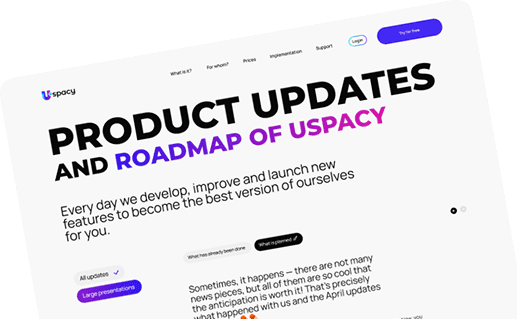
Uspacy is improving and developing at an incredible speed
Learn about product development plans
Uspacy roadmap 🚀