Required fields in CRM mean that certain fields in element cards must be filled out before changes are saved.
This option ensures the completeness and quality of the data. That is, all the necessary information for work with CRM entities will be specified. In addition, processes are being standardized. That is, the requirement to fill out required fields helps to follow certain established procedures in the company, which makes processes more consistent.
In Uspacy CRM, the title of the entity element is a required field.
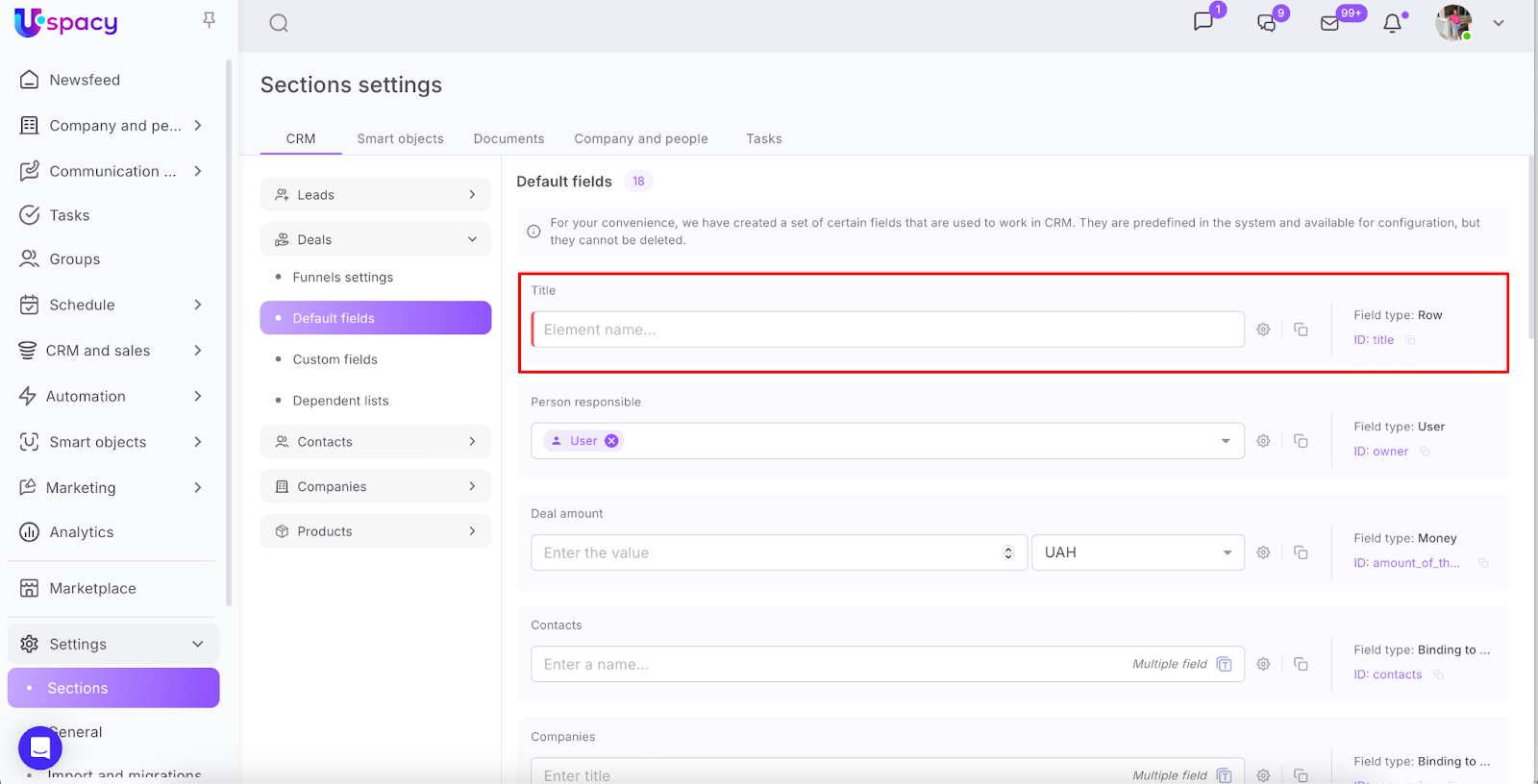
But it's possible to manage the required fields for other default fields as well (besides the system ones: Completed by, Completion date,Date of first completion, Changed by, Update date and UTM tag fields). And,of course, for custom fields.
💡Please note that fields can now be made required for all CRM entities except products.
This option is also available for Smart Objects.
🔍 You can read more about the features of this tool in the articles of our Knowledge base.
How to make a field required?
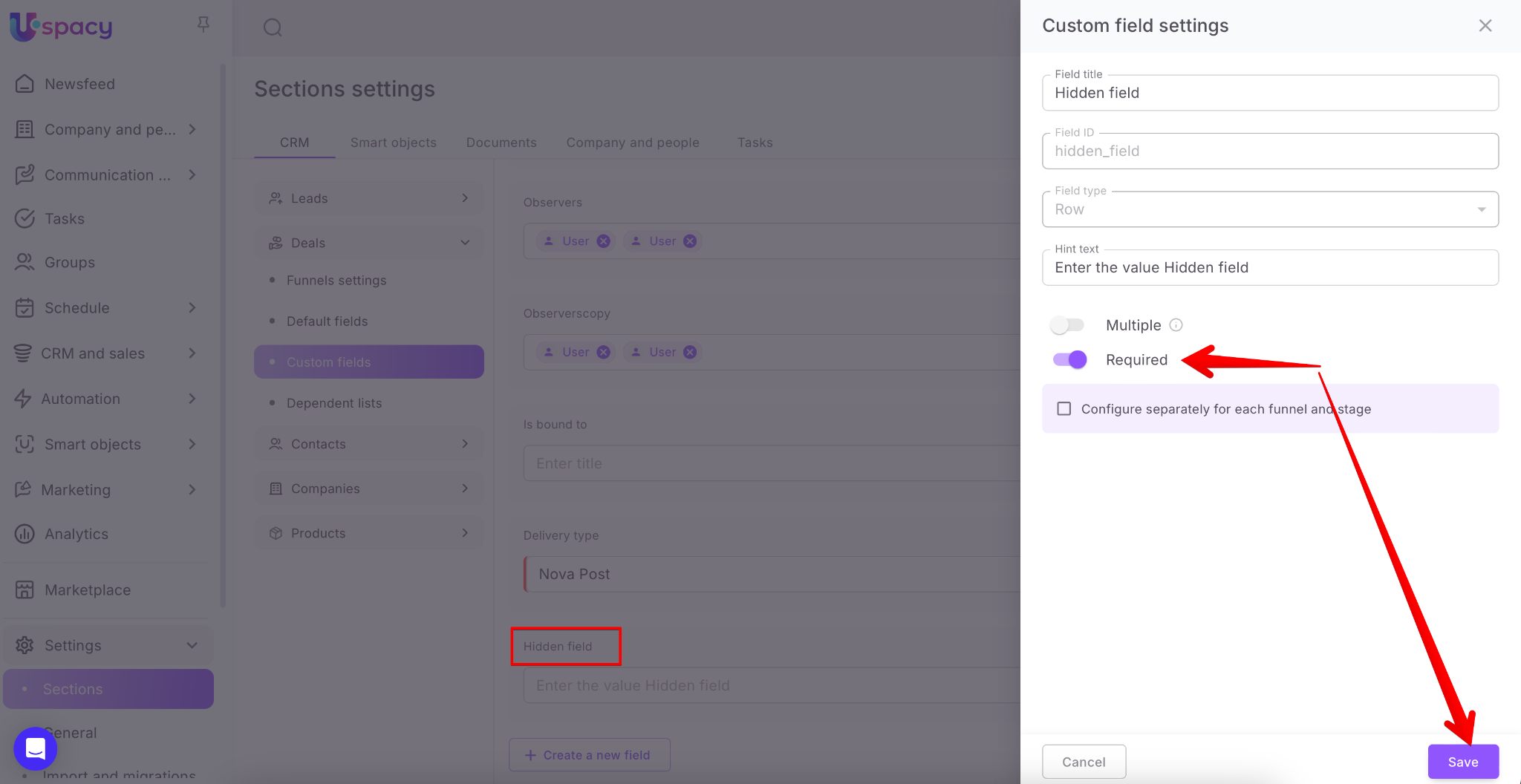
While creating or editing a field, you need to activate the option that makes it required.
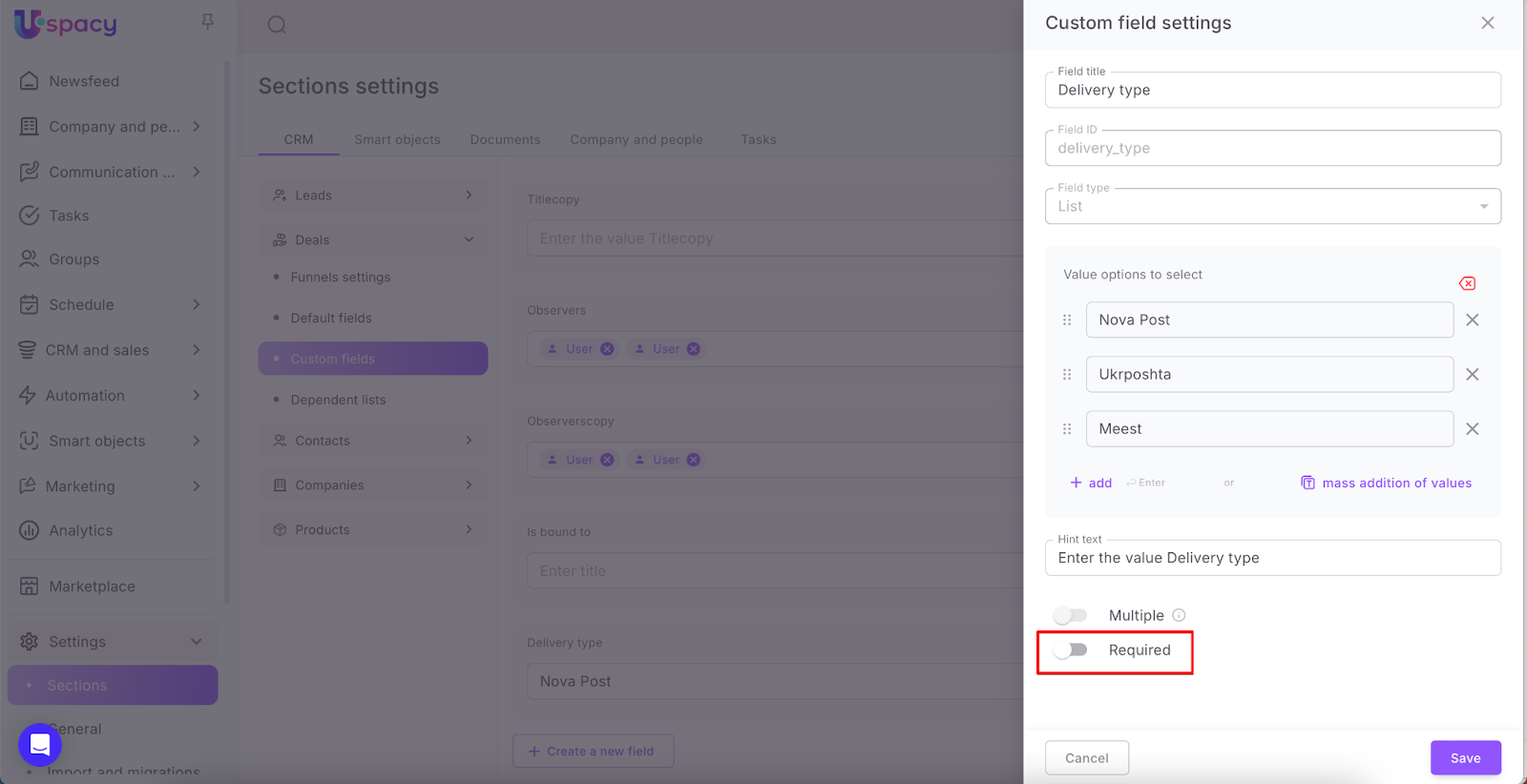
To do this, drag the toggle button to the appropriate position and save.
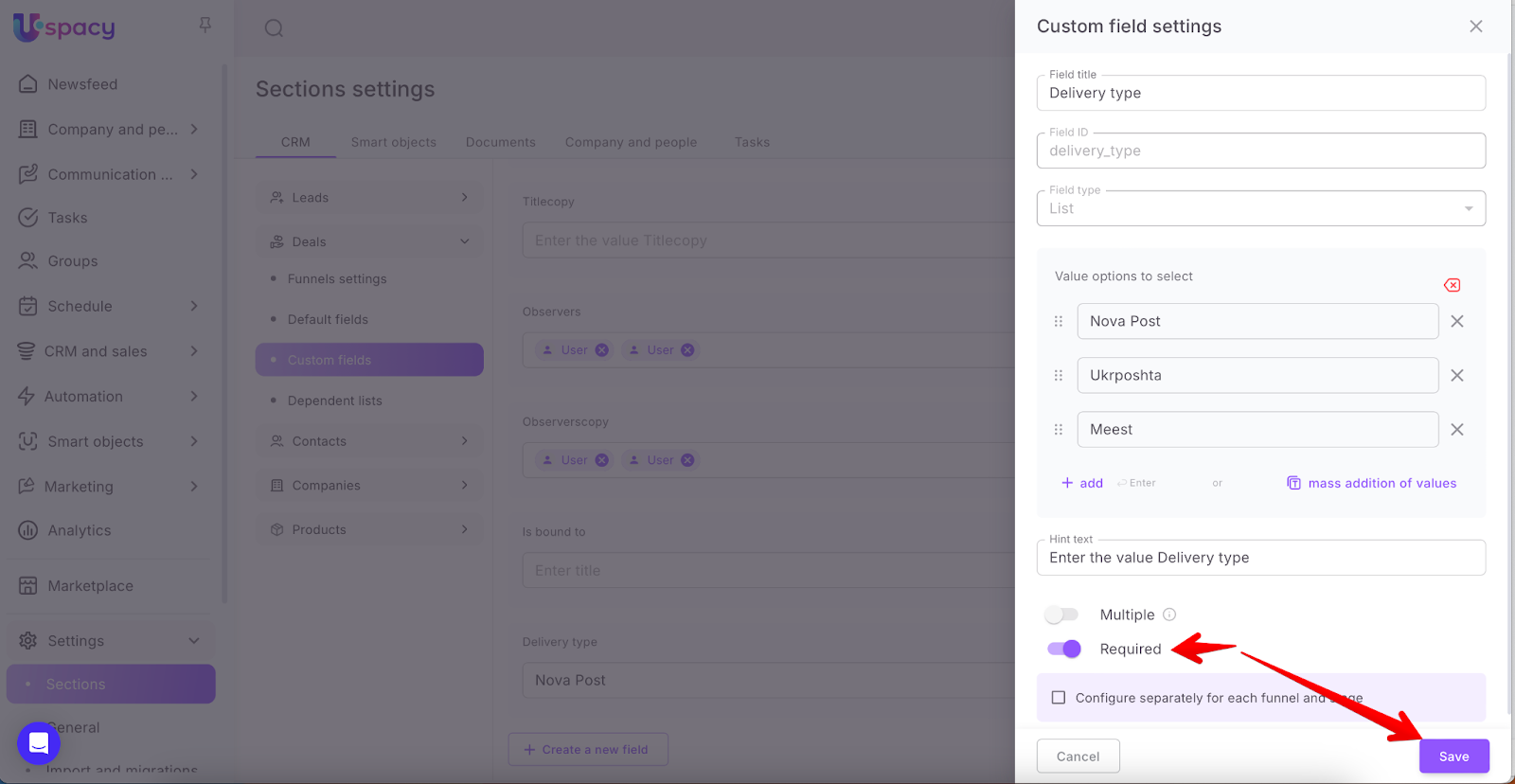
Required fields for specific funnels (directions) and stages
If you are a user of the Professional plan, you have the ability to additionally configure the required field for each existing funnel (direction) and specific stage within deals, leads, and smart objects.
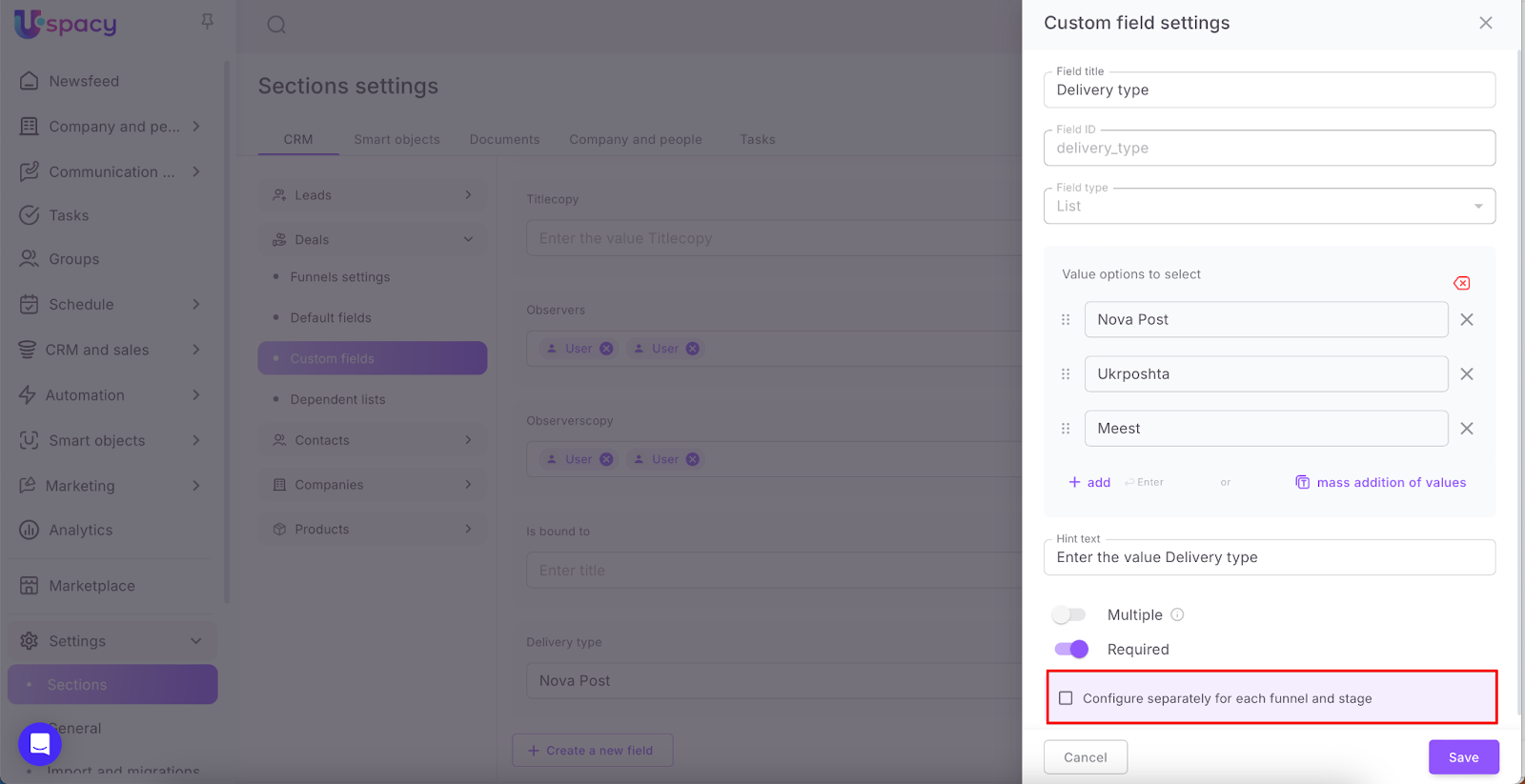
To do this, just check the box in the relevant field. A form for configuring will appear.
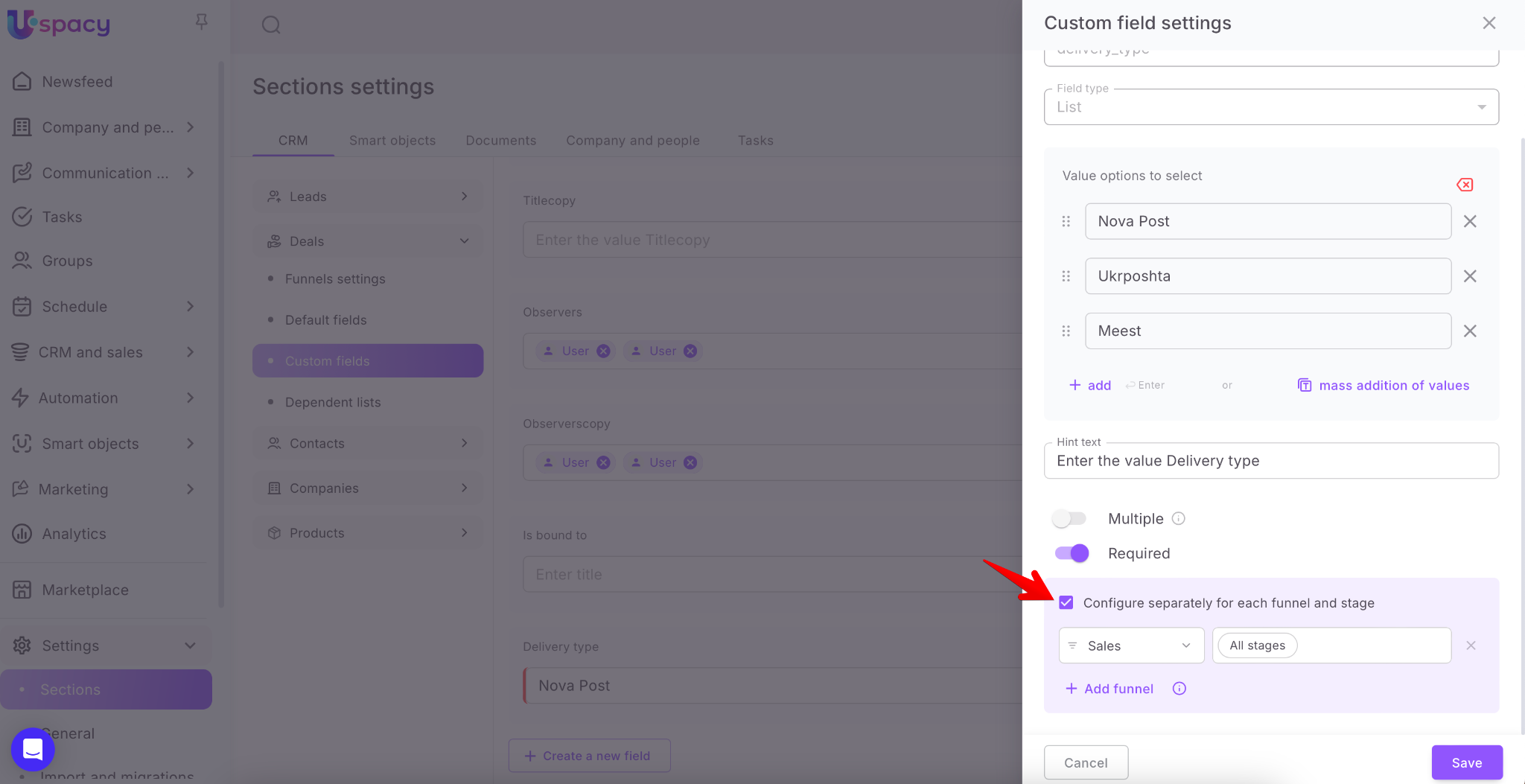
In this form, you can select which funnels and stages (all, one, or several) need this field to be required.
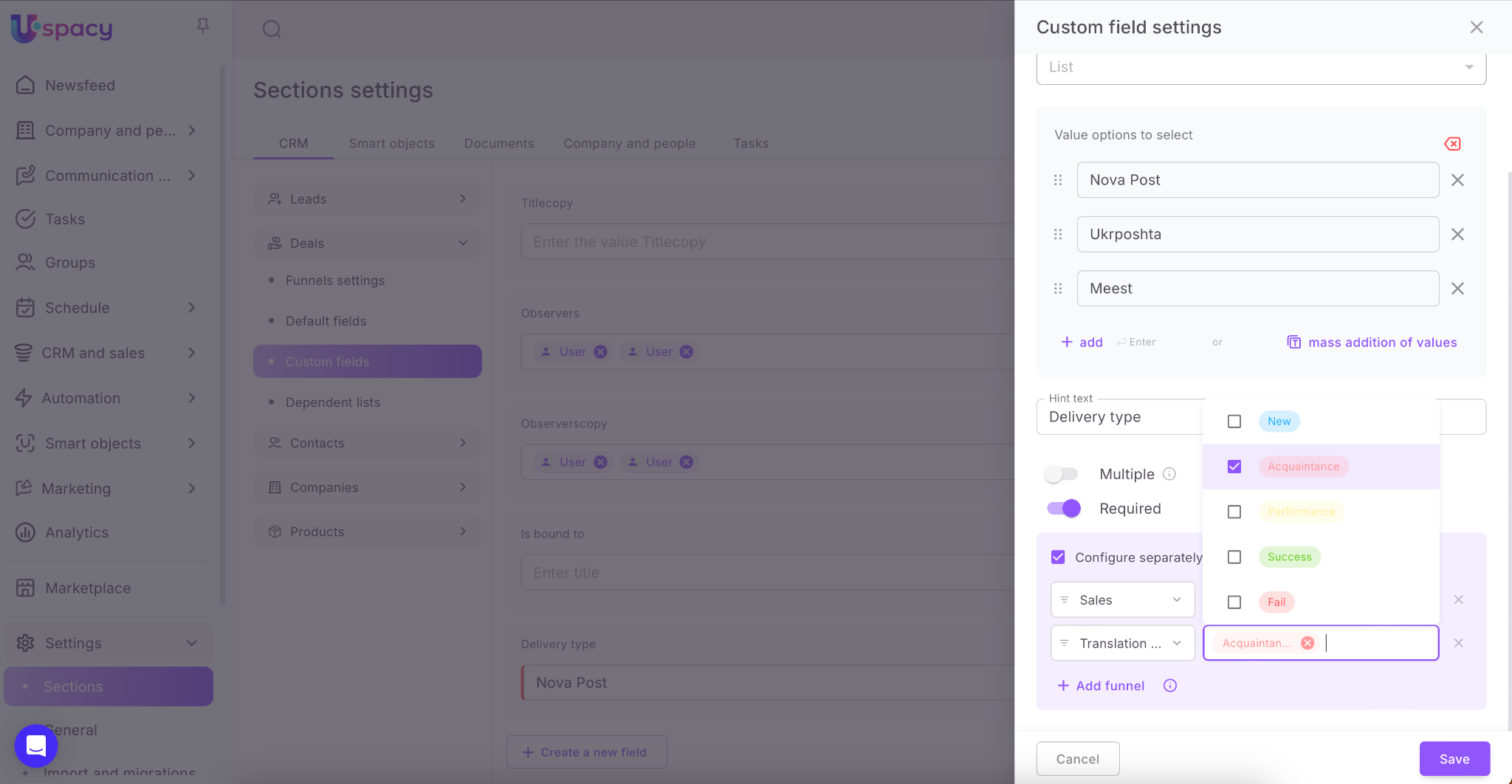
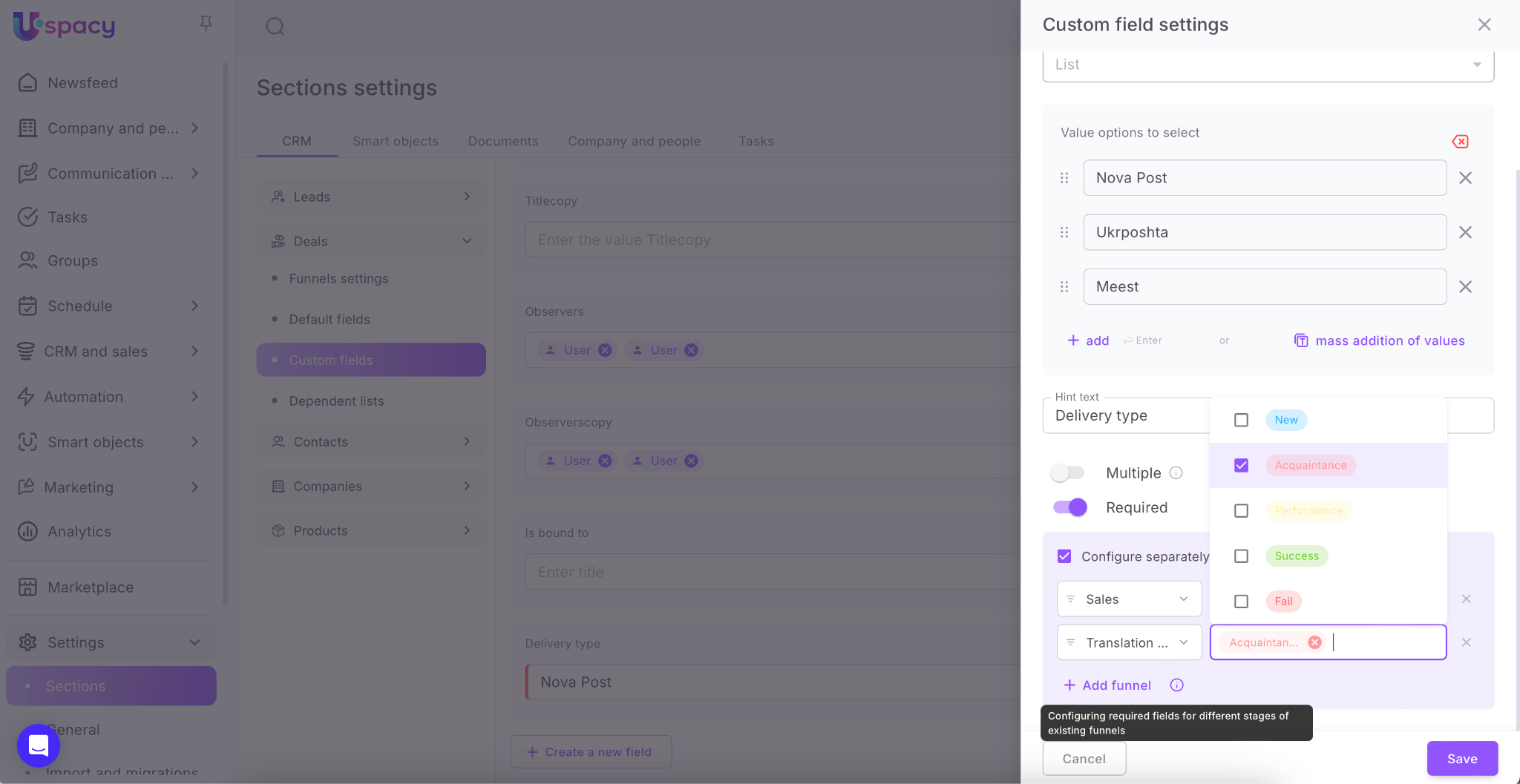
Please note that the Add funnel button does not create a new funnel in Space, but allows you to include one of the existing funnels in the configuration process.
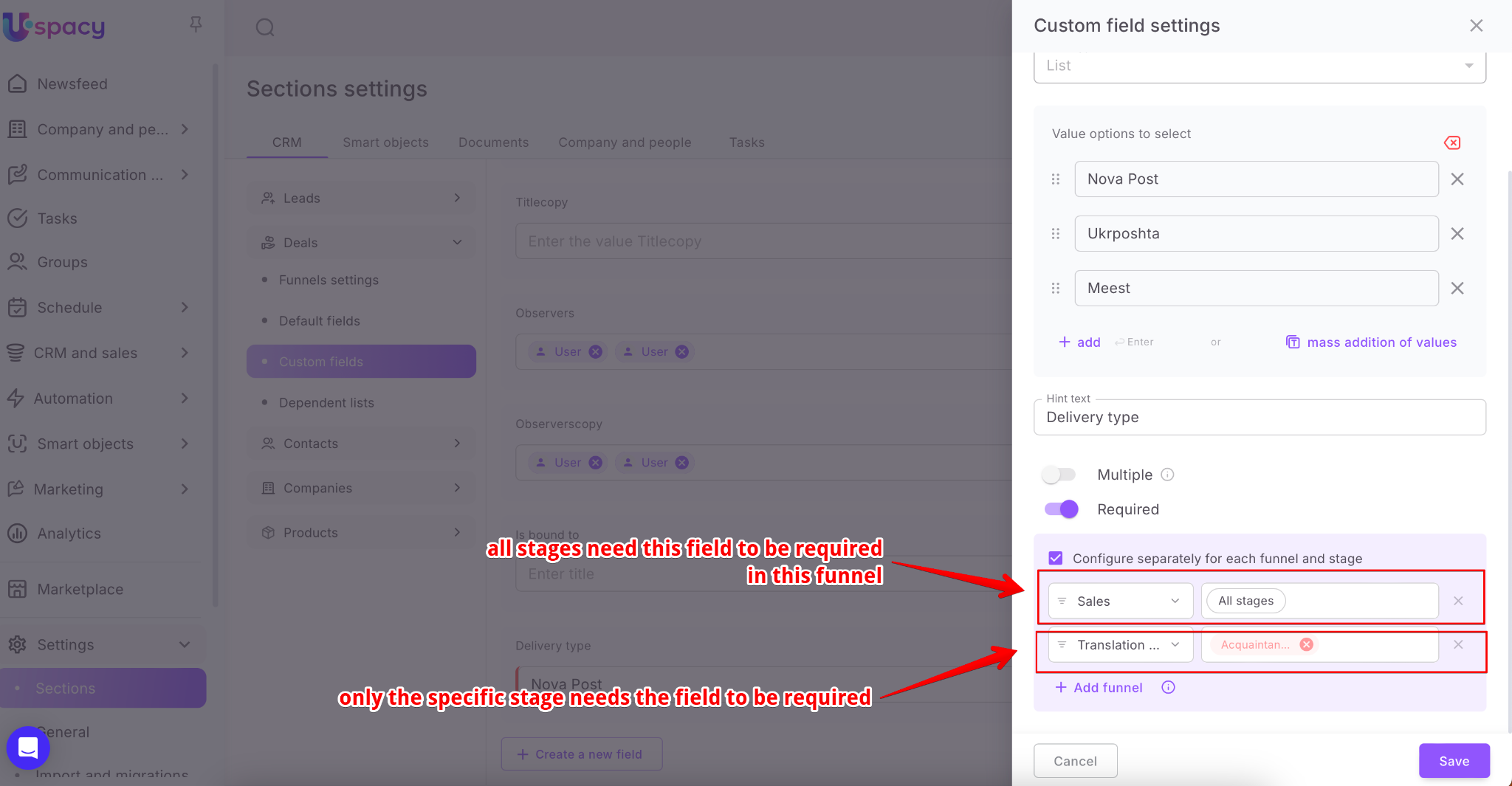
Once all parameters are set and saved, the requirement to fill out this field will apply only when an element from a specific funnel is at the selected stage or is going to be changed to a specific stage.
After that, the changes will be applied at once, and the field on the settings page will get a corresponding red mark.
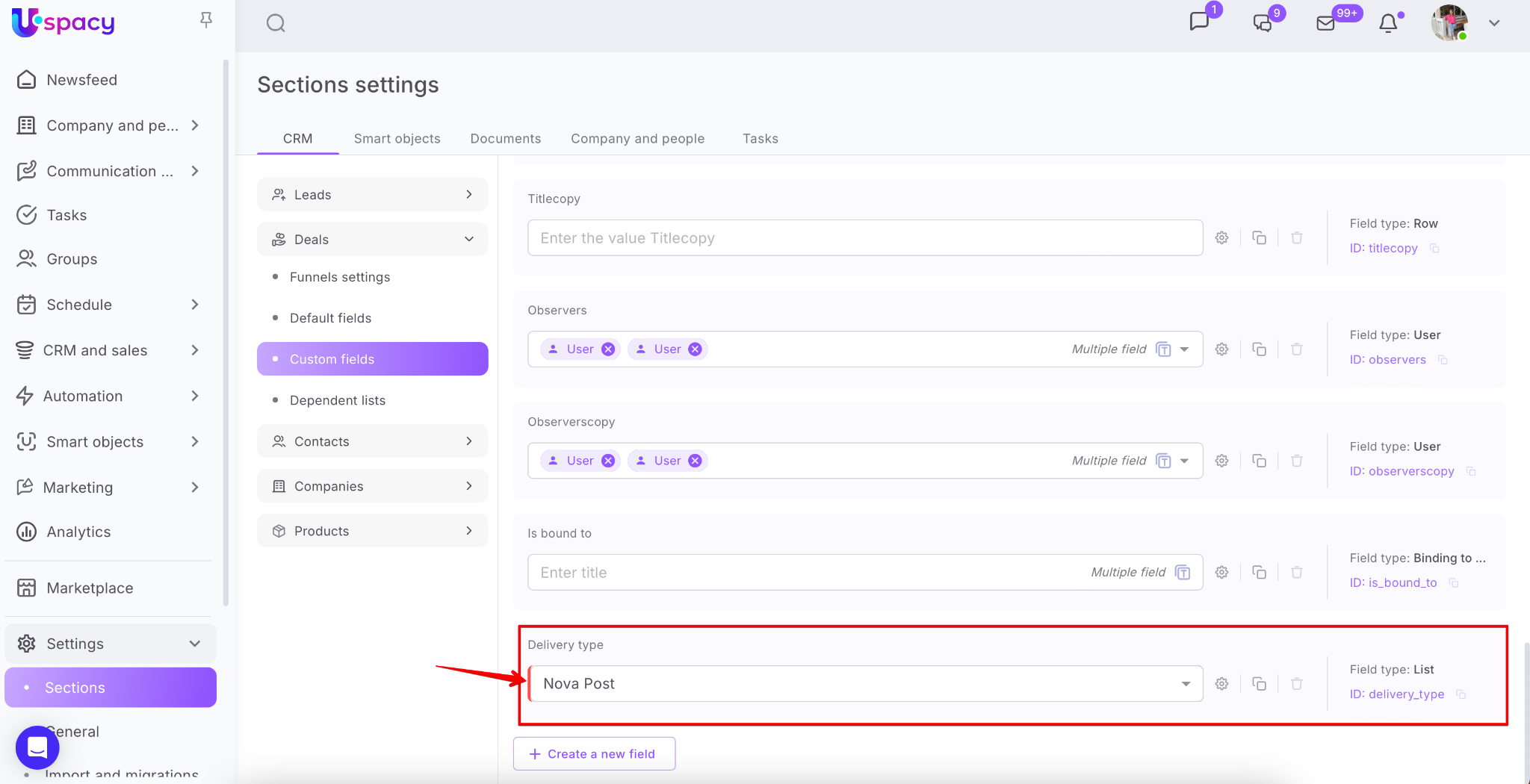
💡If you create a field or configure an existing one directly in the CRM card, it will get a red mark immediately after saving the changes.


If you additionally configure the required field for each funnel and stage, the characteristic marker in the card will appear only when the element reaches the corresponding stage.


Display features
Since only the Space owner and administrators have permissions to CRM settings, only they can manage the required fields.
But the CRM card can be configured by each user individually. When a field is created or an existing one is configured and required is activated for it, the display rules are as follows:
🟣 If a new field with a required option was created through the settings page, it will be displayed in the main section of the CRM card.

🟣 If a new field with a required option was created directly in the CRM card, it will be displayed in the section it was created.

💡For other Space users, this field will be included in the main section of the card. If necessary, they can move it on their own.
🟣 If an existing field that is hidden in the CRM card is made required, it will automatically be moved to the main section of the card.
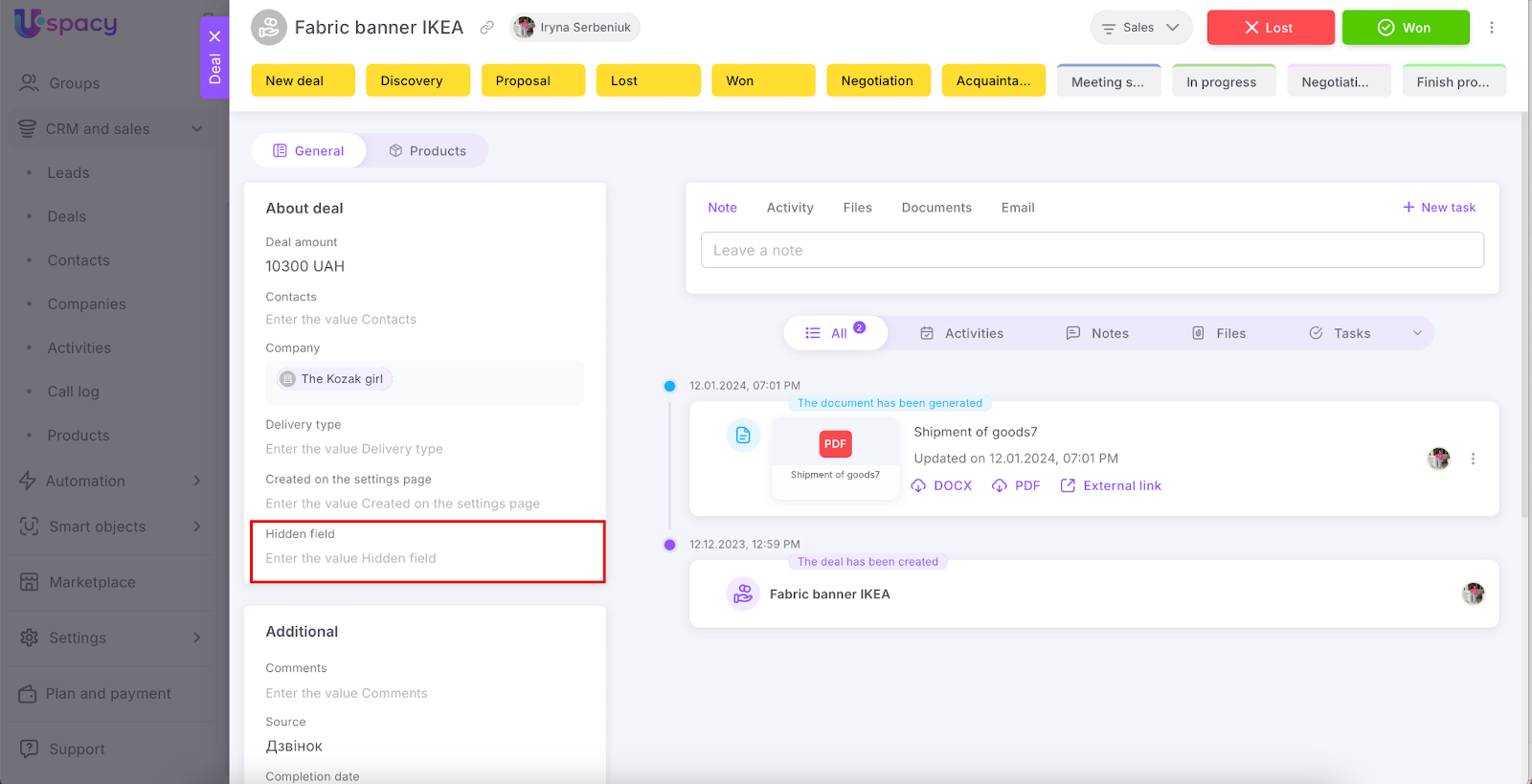
💡If this field is not hidden for other Space users, but is included in a certain section in the card, then its location will not change.
🟣 If an already existing field, which is in the Show only filled fields in the CRM card, is made required, then it automatically switches to the Always show mode.


🟣 Fields that are required in the CRM card cannot be hidden or switched to Show only filled fields mode.

How to work with required fields?
As soon as a field becomes required, it must be filled out.
🟣 In the CRM and Smart Object card, when creating an element or when making any changes, you need to fill out the required fields to save everything, in case they are not already filled. It will not be possible to leave them empty.
If the option Configure separately for each funnel and stage is activated for leads and deals, the fill-out requirements will apply according to the specified parameters. The same applies to Smart Objects (SО).

If you try to save without filling out the required fields, the system will notify you about that. And the error will be highlighted as well.

You can fill out the required fields directly in the warning window. Then Save and continue.

💡 Of course, if it's not very convenient for you, then just close the warning window first, and then fill out the fields directly in the card.

As a result, you can continue working in CRM.

🟣 When creating leads or deals on the board, all required fields must be filled out.
If the option Configure separately for each funnel and stage is activated, the fill-out requirements will apply according to the specified parameters.
It will not be possible to leave them empty, because the system will open a warning window. Here you need to fill them out anyway.

🟣 When converting a lead, all required fields must be filled out in the lead itself.
If the option Configure separately for each funnel and stage is activated for deals, the fill-out requirements will apply according to the specified parameters.


If required fields are also configured for entities whose elements will be created as a result of processing, then fill them out as well.
If the option Configure separately for each funnel and stage is activated for deals, the fill-out requirements will apply according to the specified parameters.

Otherwise, you will not be able to complete the conversion.

🔍You can read more about lead conversion in the following article.
🟣 When changing the stage in leads, deals and smart objects (in any place, i.e. in a CRM or call card, on a Kanban board, in a list, when working with email or external channels) it is necessary that all the required fields of the element were filled at the time of its change.
If the option Configure separately for each funnel and stage is activated, the fill-out requirements will apply according to the specified parameters. The same applies to Smart Objects (SО).

If this is not done, the system will open a warning window. Here, you need to fill out the required fields.

🟣 When importing to CRM, you need to map the required fields of the entity at Uspacy to the columns of the file, if they are not already mapped. Without it, it will not be possible to start the data transfer process. The system will notify you about that.
If the option Configure separately for each funnel and stage is activated for leads and deals, and the corresponding required parameters are set, this will not affect the launch process. In other words, there will be no requirement for their mapping.
🔍 You can read more on how to import data from a file to CRM in the following article.
🟣 At the same time, required fields will not affect the automatic creation of entity elements. That is, there will be no requirement to fill them out when creating a new lead or a deal in case of receiving a new email, when creating a new lead through a call or through the chat of External Lines.
If you have additional questions or you need to contact the support, send a request to this email [email protected]
Created: August 23, 2024 / Updated: September 19, 2025