
If you use the same payment purpose for multiple transactions, you can save it in your payment provider's connection settings. Uspacy will then automatically populate this text whenever you create a payment, so you won't have to enter it manually each time.
If needed, you can also edit the purpose for an individual payment before generating the payment link. For example, you can add an order number or specify which product or service the client is paying for.
How to set up a default payment purpose?
Go to the Marketplace, open the app for the payment provider you want to use, and navigate to its settings. Expand the connection for which you'd like to configure a payment purpose.
In the Typical payment purpose field, enter the text you want to use by default. For example, "Payment for goods" or "Payment for services." Click Save.
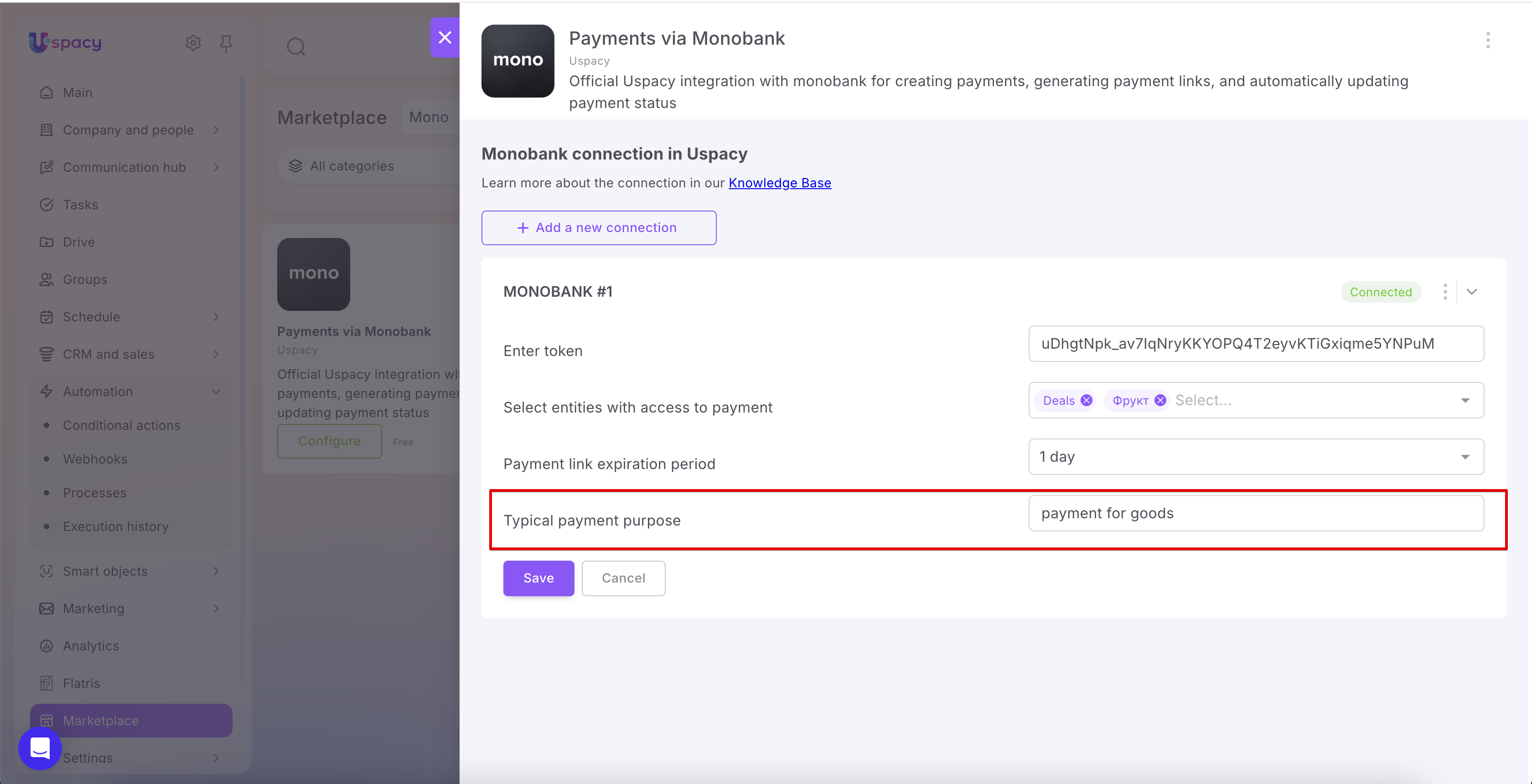
💡 The default payment purpose is configured separately for each connection. If you use multiple accounts with the same payment provider, you can set a different purpose for each one.
How does it work when creating a payment?
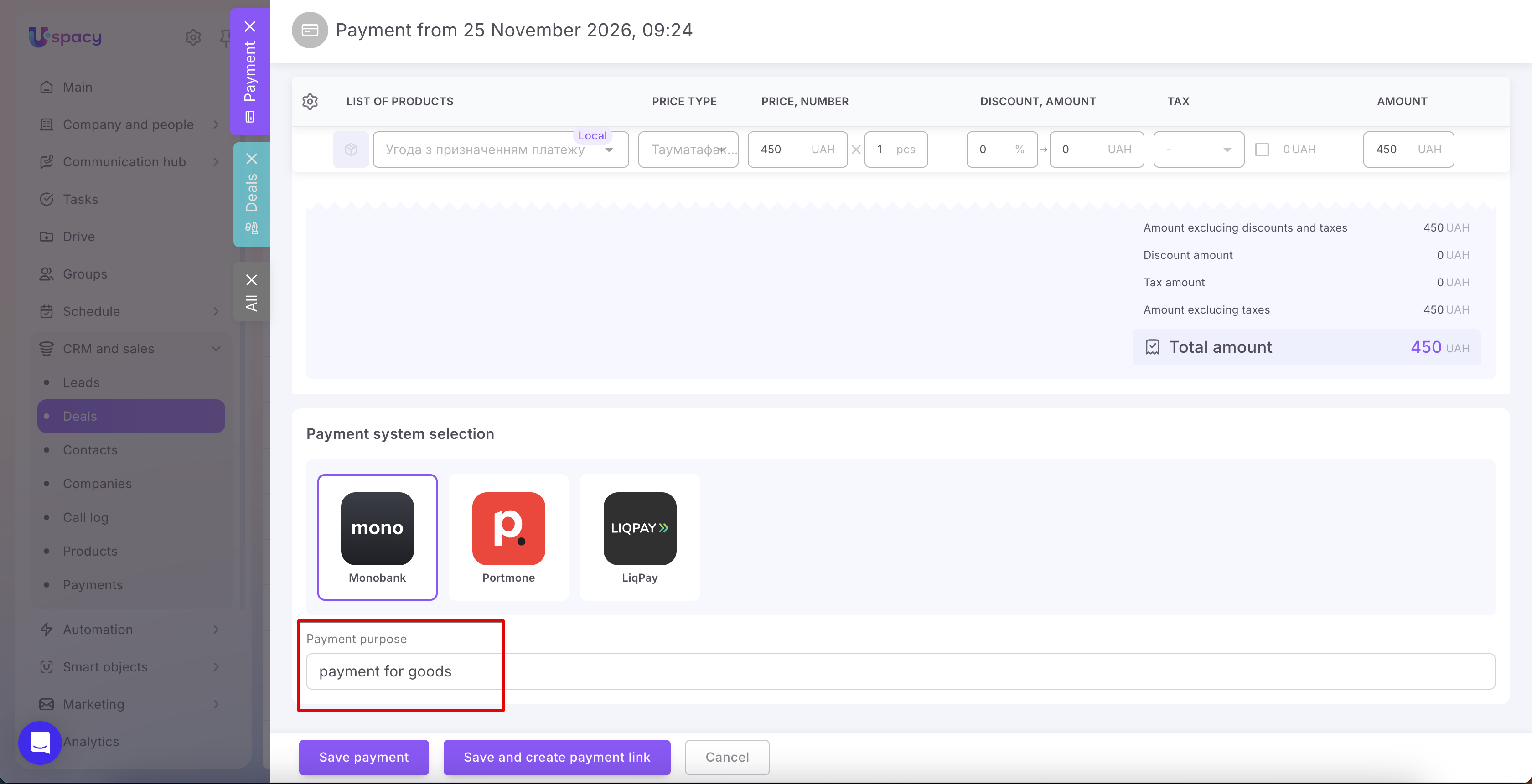
Create a payment and select the payment provider and the connection you want to use. The Payment purpose field will be automatically populated with the text saved in that connection's settings.
For example, if you've saved "payment for goods" for your Monobank connection, this text will automatically appear in the payment creation form.
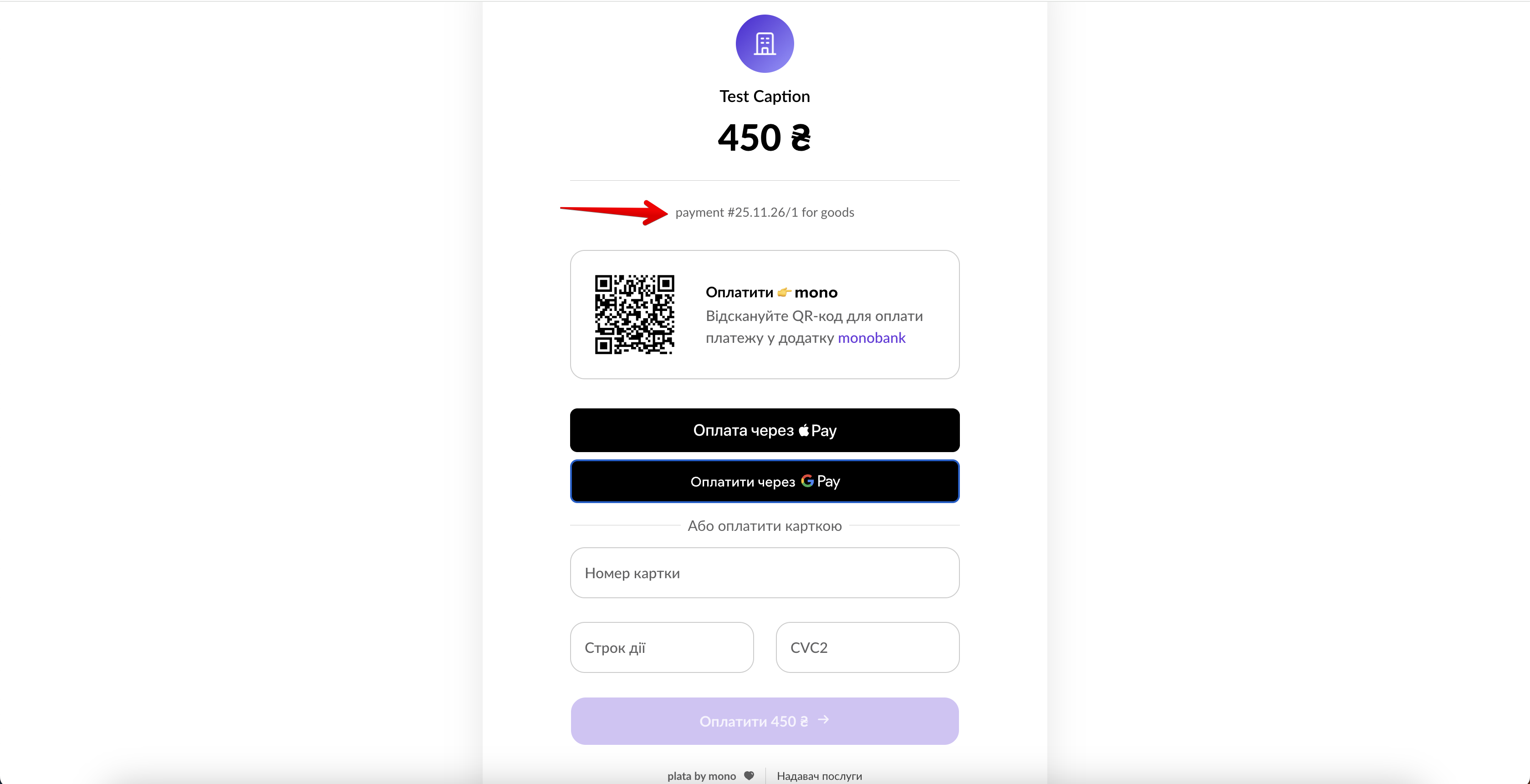
You can keep the default purpose or edit it for the current payment. For example, you can enter "payment #25.11.26/1 for goods" to include the order number.
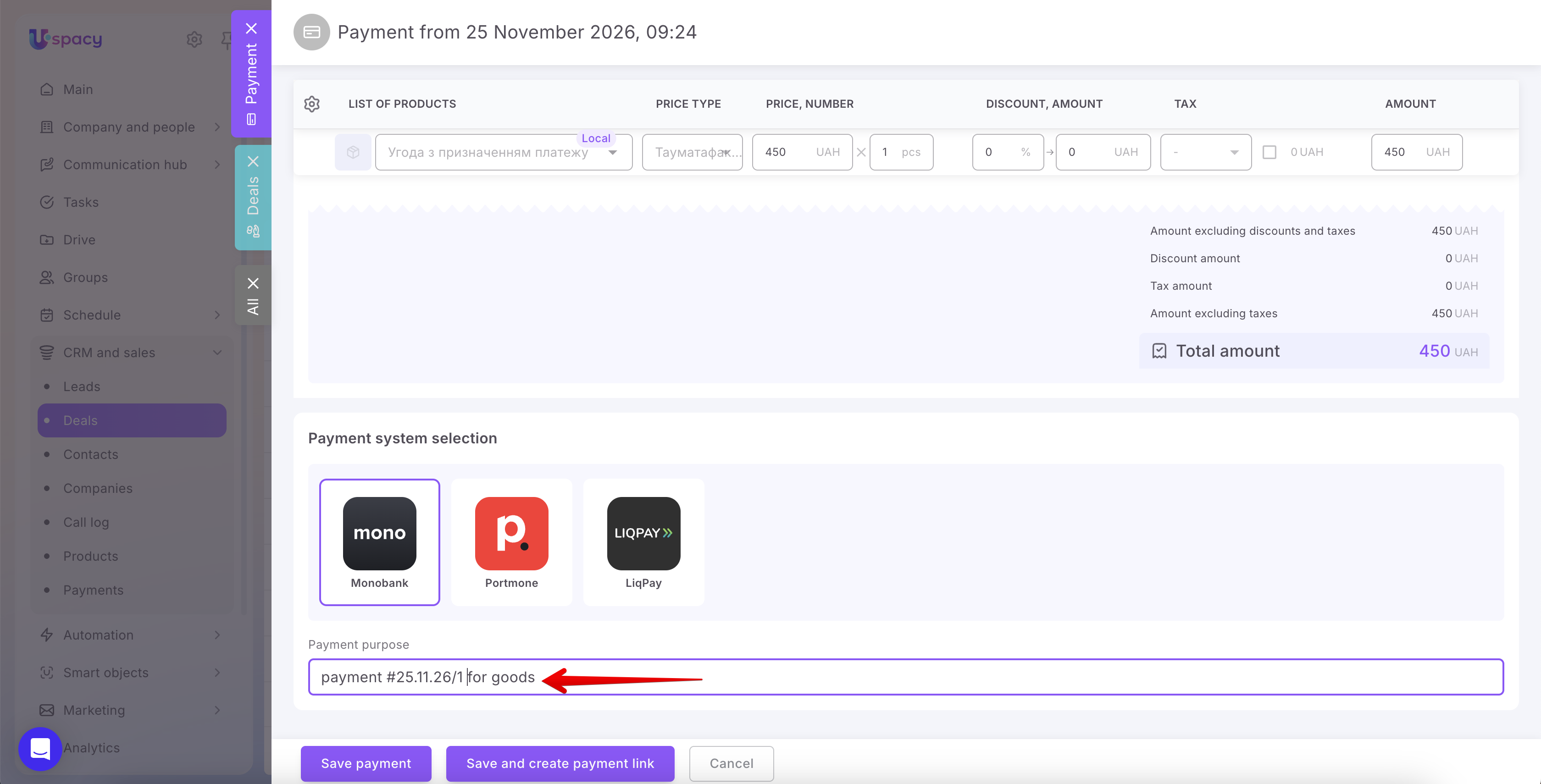
Once you've reviewed the details, simply save the payment or proceed directly to generating the payment link.
Where is the payment purpose displayed?
You can view the payment purpose in the payment record, within the payment creation entry. The payment method and selected connection are displayed alongside it.
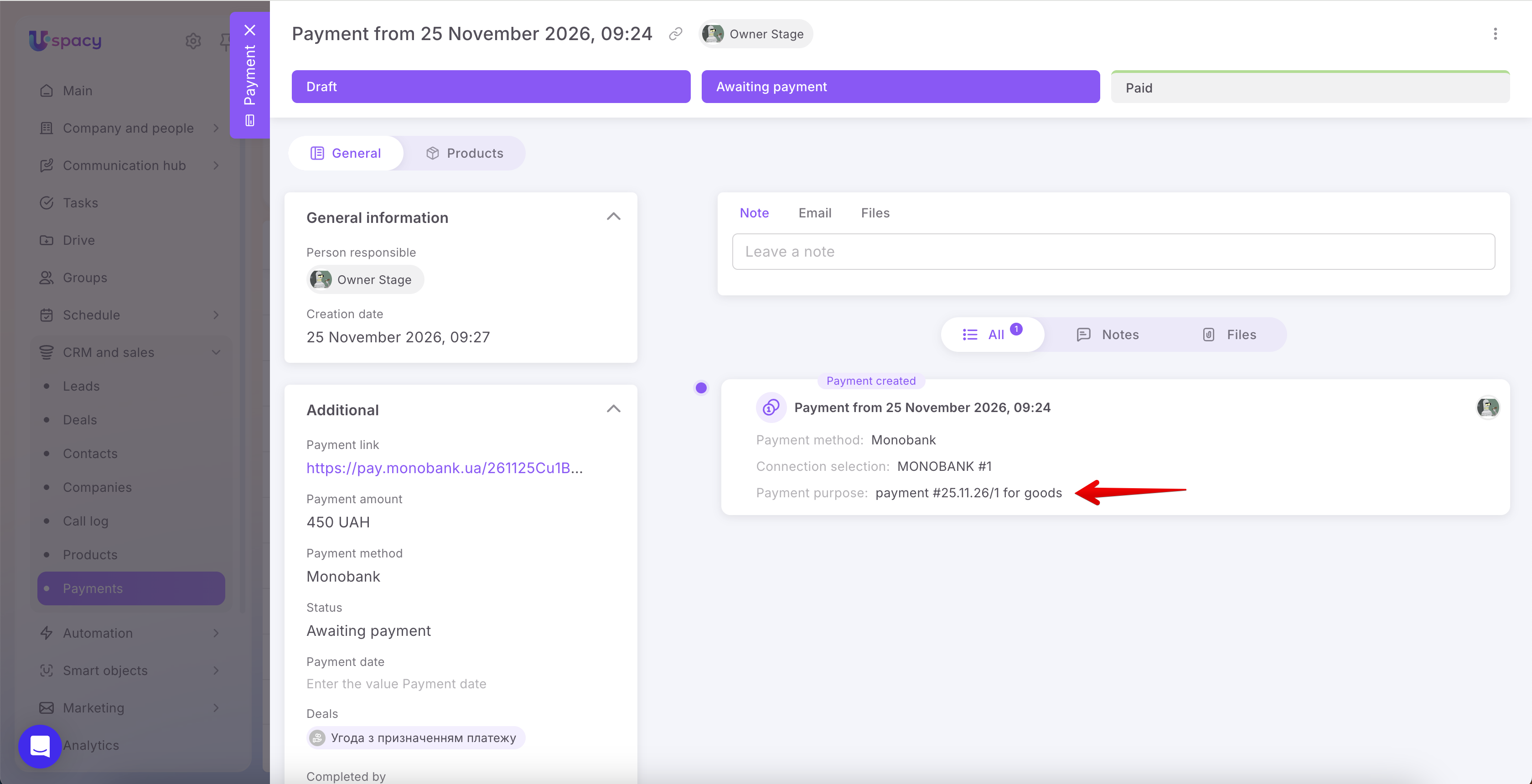
The payment purpose is also sent to the payment provider. Clients will see it on the payment page after following the payment link. For example, in Monobank, the purpose appears below the payment amount.
In summary, setting a default payment purpose helps you create payments faster and maintain consistent wording across each connection. The ability to edit the purpose before generating a payment link also makes it easy to include details specific to an individual order.
If you have additional questions or you need to contact the support, send a request to this email [email protected]
Created: November 24, 2026 / Updated: November 25, 2026