
When working in a team, it’s often helpful to quickly understand whether a colleague is currently online or has already finished their workday. This makes it easier to choose the right way to communicate — send a message in chat right away or leave it and not expect an immediate reply.
To support this, Uspacy provides user activity statuses. They show whether a person is currently online, when they were last active, or possibly 🧐 that they haven’t logged into the Space since this feature became available.
What is it?
An activity status is an indicator that helps you understand a user’s presence in the Space:
- whether the person is currently online;
- when they were last online;
- or that they haven’t logged in since the update (status “a long time ago”).
How does it work?
Uspacy can display one of the following statuses:
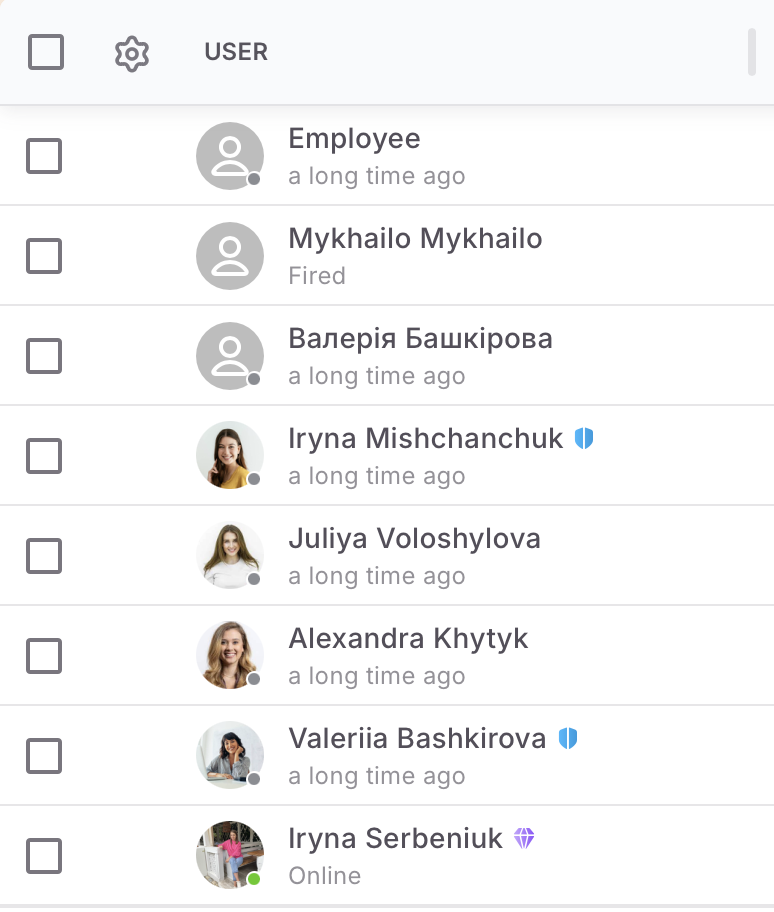
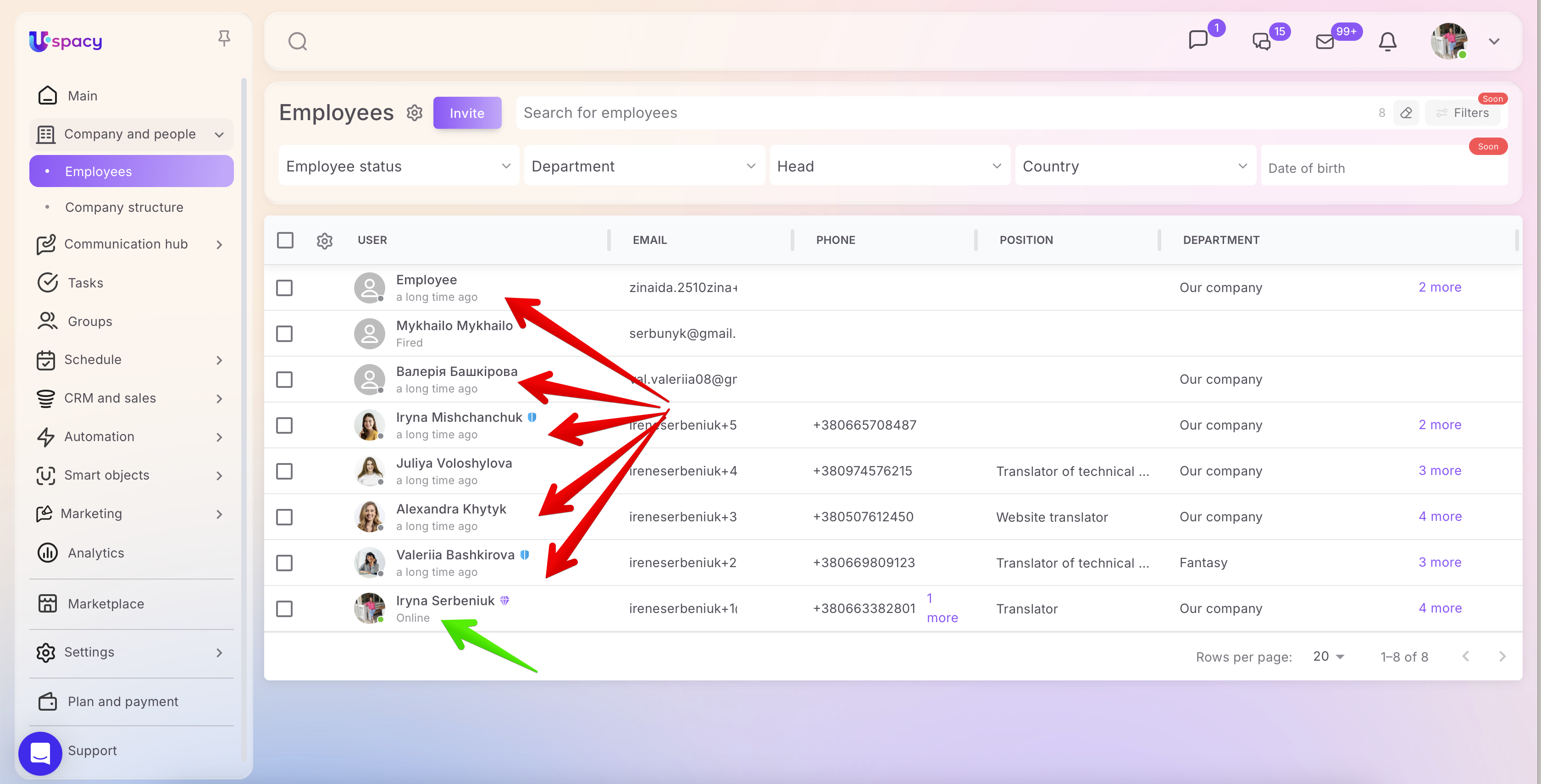
- Online — the user is currently active in the Space.
- Online 10 minutes ago, Online on Feb 26, 2026 at 17:03 — the system shows the time or exact date when the user was last online.
- a long time ago — the user has not logged in since this update became available in your product.
☝🏻 Important: Activity status is not displayed for fired or invited users.

💡 In group chats, you can rely only on the color indicator: Green — online, Gray — currently offline.

3. In the user profile
Both in the short and full profile view, but only the color indicator is shown there.


Activity statuses in Uspacy help you quickly understand whether a colleague is currently online and when they were last active. The most convenient places to check them are the Employees and Chats sections, where this indicator is especially useful for everyday team communication.
If you have additional questions or you need to contact the support, send a request to this email [email protected]
Created: March 5, 2026 / Updated: March 9, 2026