
As your company grows, with more people, tasks, and processes to manage, keeping everything under control becomes increasingly challenging. That’s why throughout October, we focused on making Uspacy even more capable of handling the day-to-day workload, giving you a clearer picture of your business, and freeing up more time for important decisions.
🟣 Goals and plans in Analytics — a new feature for those who want more than just numbers: they want to understand how well they’re performing. Generating $1 million in sales sounds great. But if your target was $2 million, the picture looks a little different. You can now set targets for entire teams or individual employees and track their progress directly in your reports.


🔍 Learn more in the article “Goals and plans in Analytics.”
🟣 Not every task needs to be visible to the entire company. Task access permissions let you control who can view, create, and edit tasks. This ensures that every employee has access to the information they need to do their job, while confidential matters remain private.


🔍 Learn more in the article “Task permissions.”
🟣 “Make it look good, do it ASAP, and make sure everything works.” Sound familiar? AI-powered task enhancements can turn vague requests like these into clear, actionable instructions. Fix typos, improve wording, shorten or expand descriptions, or even generate a checklist — all with a single click.


🔍 Learn more in the article “Improving task descriptions with AI.”
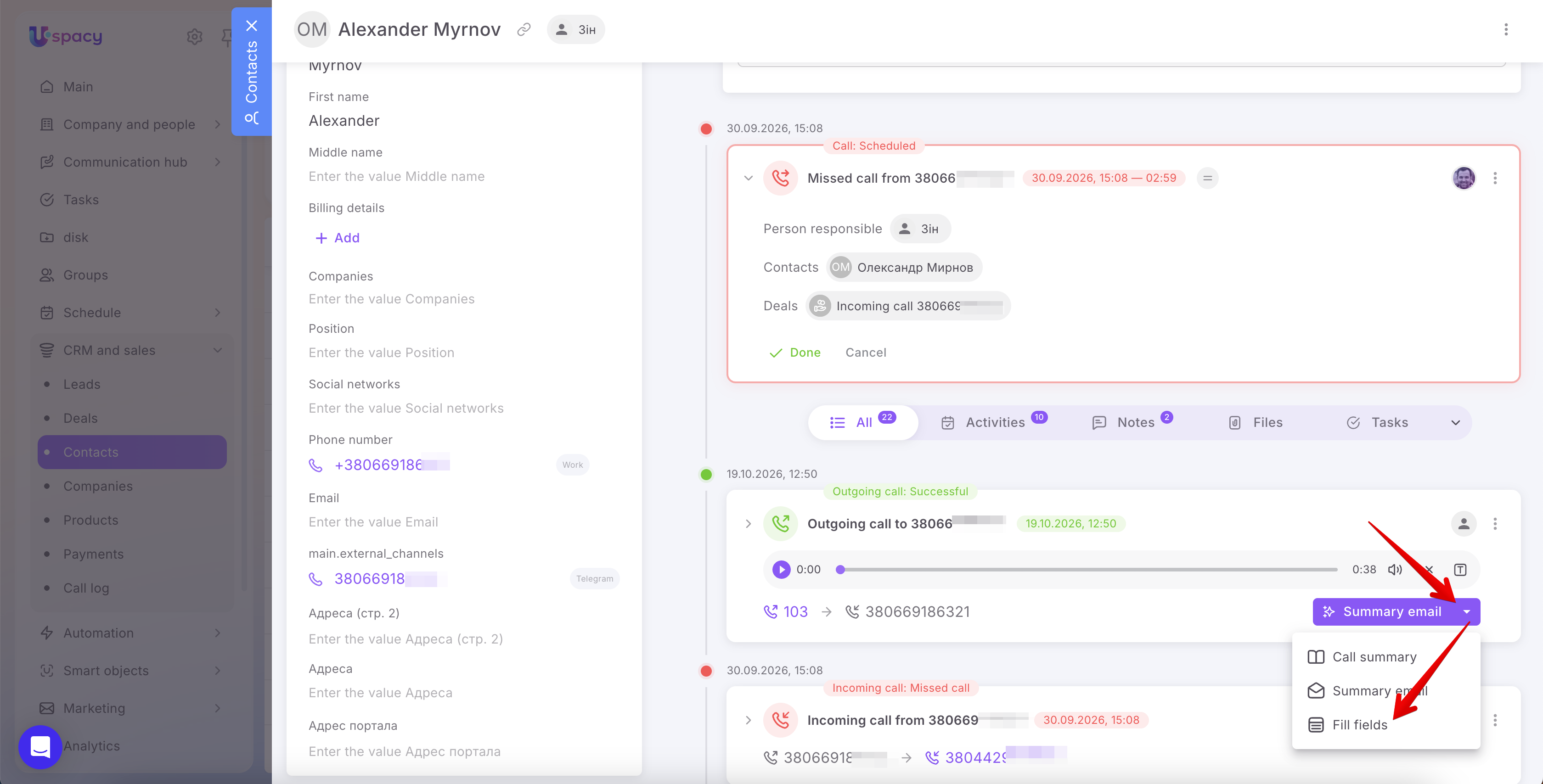
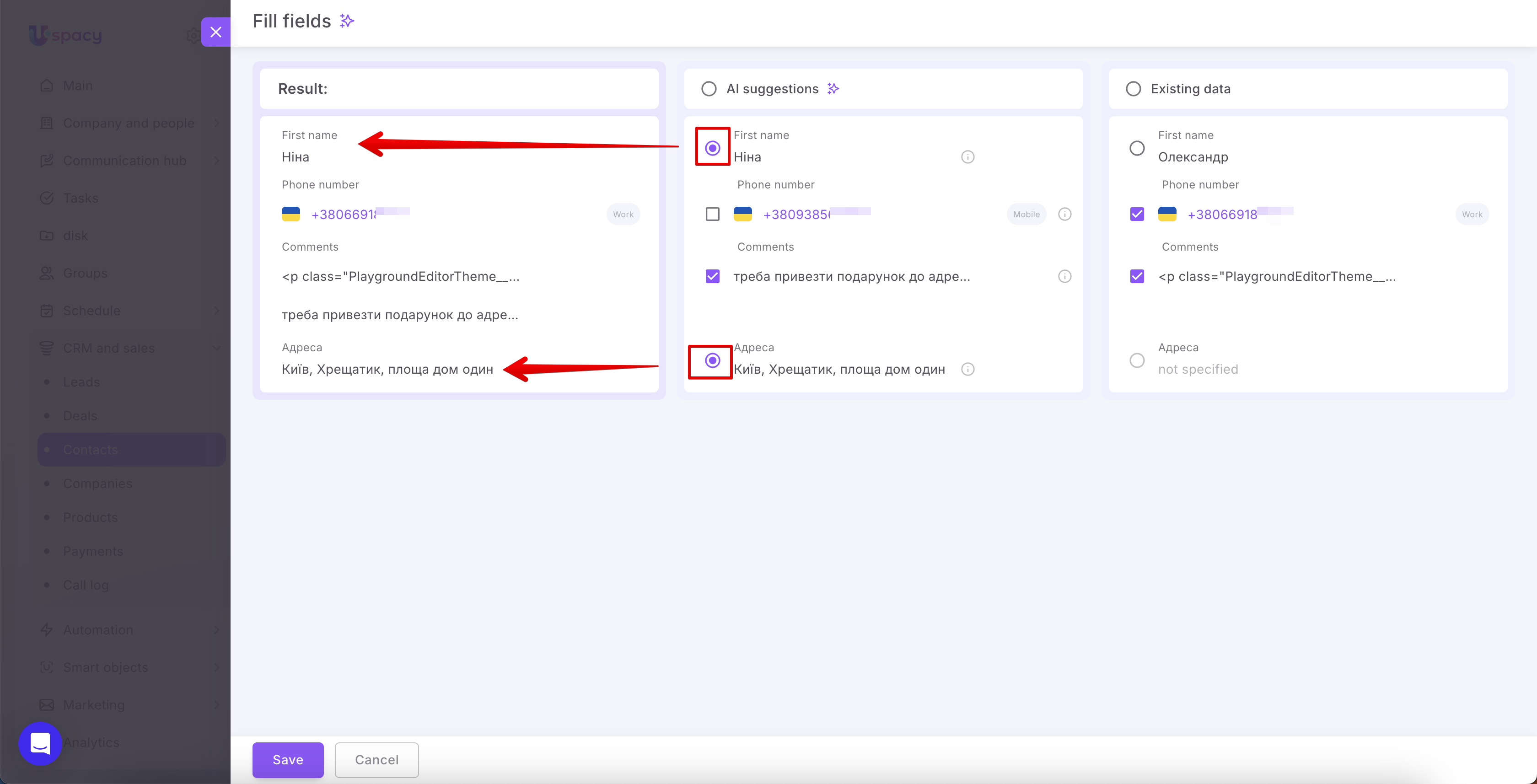
🟣 AI-powered CRM record completion based on call data is a feature sales managers are sure to appreciate. AI can now analyze recorded client conversations and automatically populate CRM records with the relevant information gathered during the call.
🟣 CRM access through custom fields makes it possible to involve more than just the record owner in working with CRM entities. Other employees listed in custom fields of the User type can also be granted access. For example, both the sales manager and the project manager can access the same deal — no need to compete over who gets to be the primary owner.

🔍 Learn more in the article “CRM access through custom fields.”
🟣 A separate currency for each funnel — a small change with a big impact for international businesses. Use UAH for sales in Ukraine, EUR for European markets, and USD for the US market. Each market gets its own currency, helping managers avoid confusion and keep financial data accurate.

🟣 User profile field permissions let administrators decide which employee profile details users can view and edit themselves and which remain under administrator control. Because updating a phone number is one thing, but appointing yourself CEO is quite another.

🔍 Learn more in the article “User profile field permissions.”
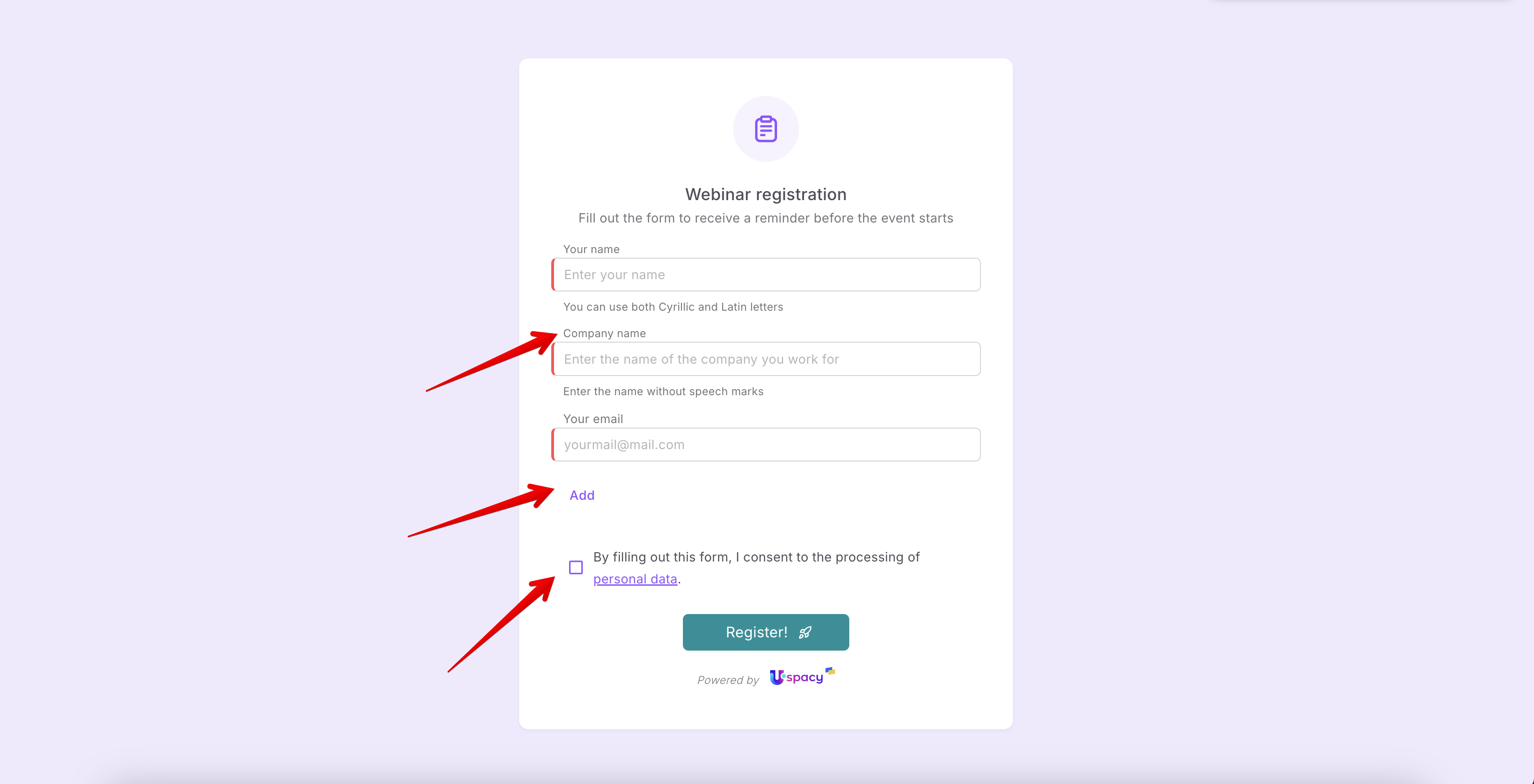
🟣 Form interface language is especially useful for businesses working with clients from different countries. After all, if you're selling to English clients, there's no reason to make Ukrainian language proficiency the first requirement for getting to know your business.

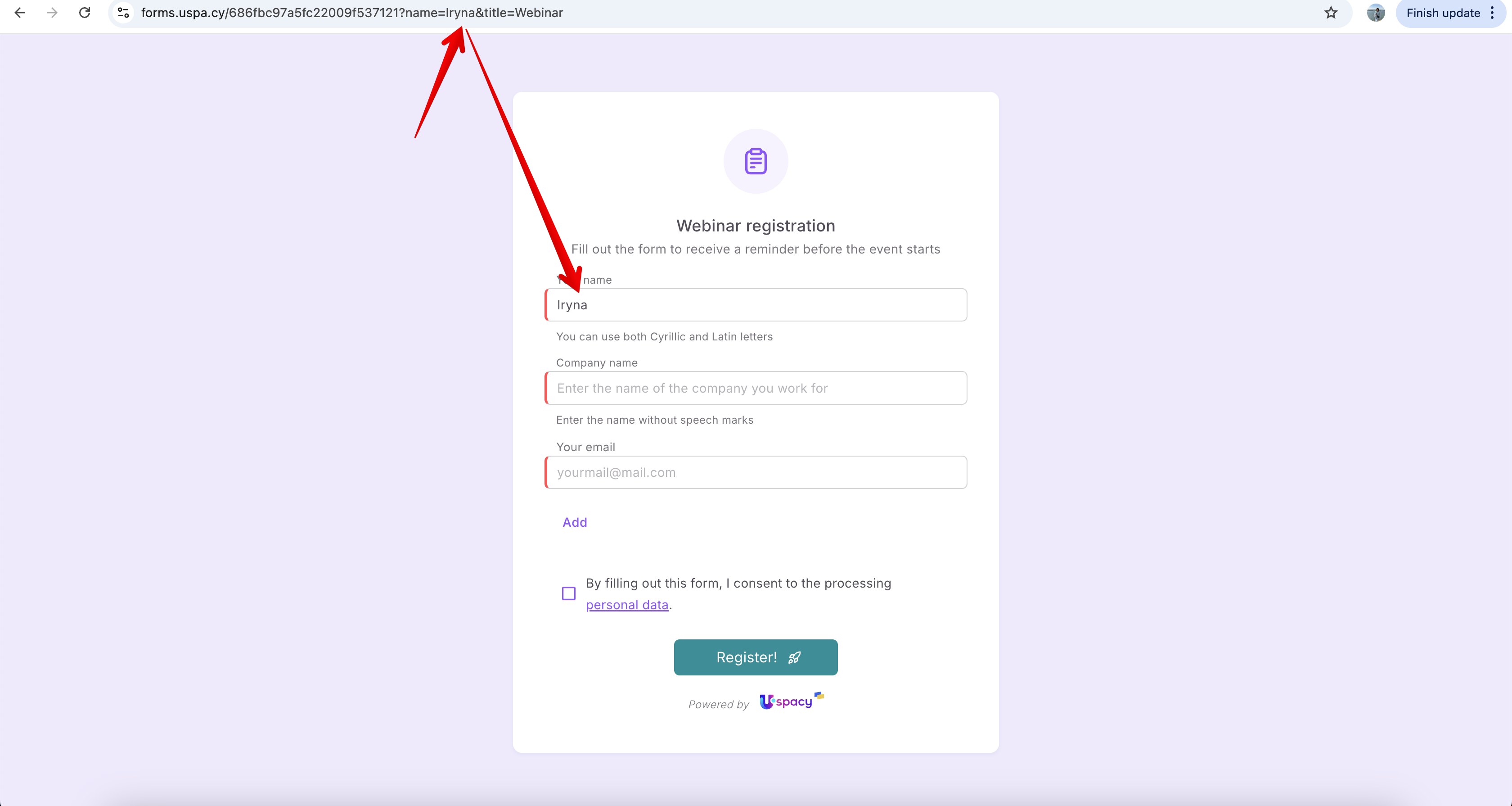
🟣 URL parameters in forms are a real game-changer for marketers. Forms can now read parameters from a page URL and pass them directly into CRM fields. Traffic source, advertising campaign, partner referral — customers simply submit a form, and you already know where they came from.

🟣 Mention everyone in a chat — simply type @all or +all to get the attention of everyone in the conversation. Just don't overdo it: your colleagues might not appreciate the fifth daily announcement that the coffee machine is out of coffee.
🟣 Welcome messages in Telegram help you make a great first impression. You can now configure an automated greeting that clients receive when they start a conversation with your bot. Because even automated communication should begin with a personal touch.

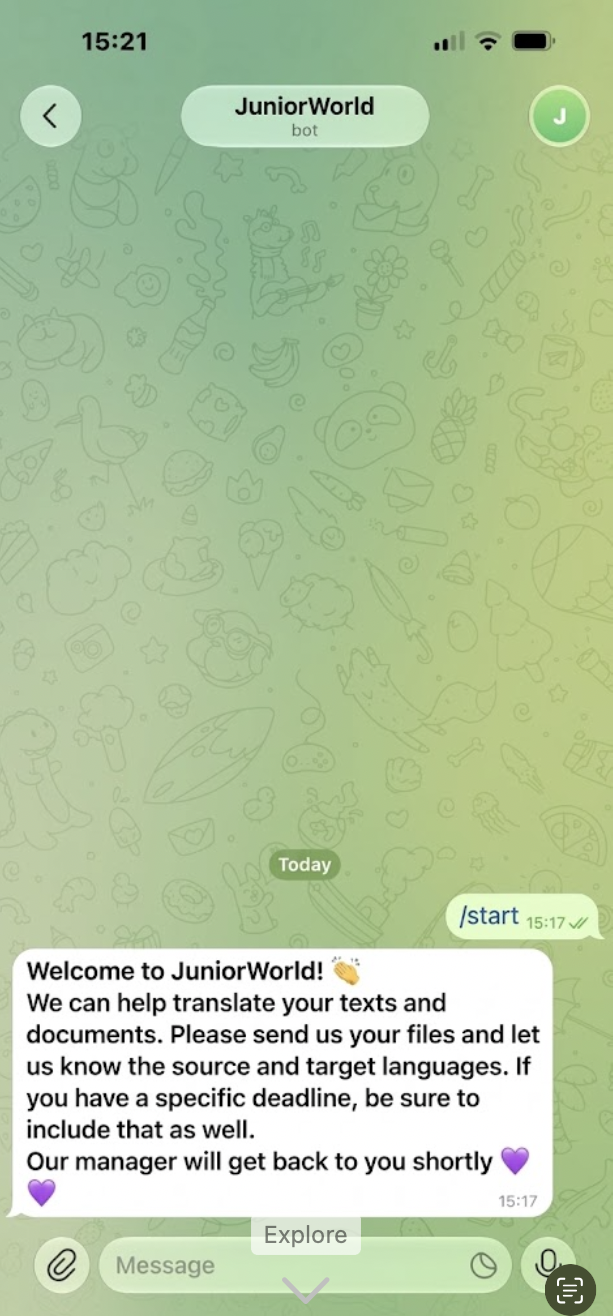
🔍 Learn more in the article “External Lines: Telegram. How to connect?”
🟣 Error highlighting in Processes and Conditional Actions is a welcome improvement for anyone who has ever spent half a day figuring out why an automation wasn't working. Uspacy now highlights configuration errors before you launch an automation. Less troubleshooting, more productive automation.
🟣 Notifications about automation activation and deactivation help you stay informed whenever someone enables or disables a Process or Conditional Action. Automations are supposed to run independently, but that doesn't mean they should operate behind everyone's back.
🔍 Learn more in the article “Automation execution history.”
🟣 Cloning activities in Automations lets you automatically create copies of meetings, calls, and other activities using Processes and Conditional Actions. Why repeat the same manual work when Uspacy can do it for you?
🔍 Learn more about the cloning action in these articles:
🟣 Multiple accounts for the same payment provider — a new feature for companies operating under multiple legal entities or business lines. You can now connect several accounts from the same payment provider simultaneously. One Uspacy workspace, more ways to accept payments.
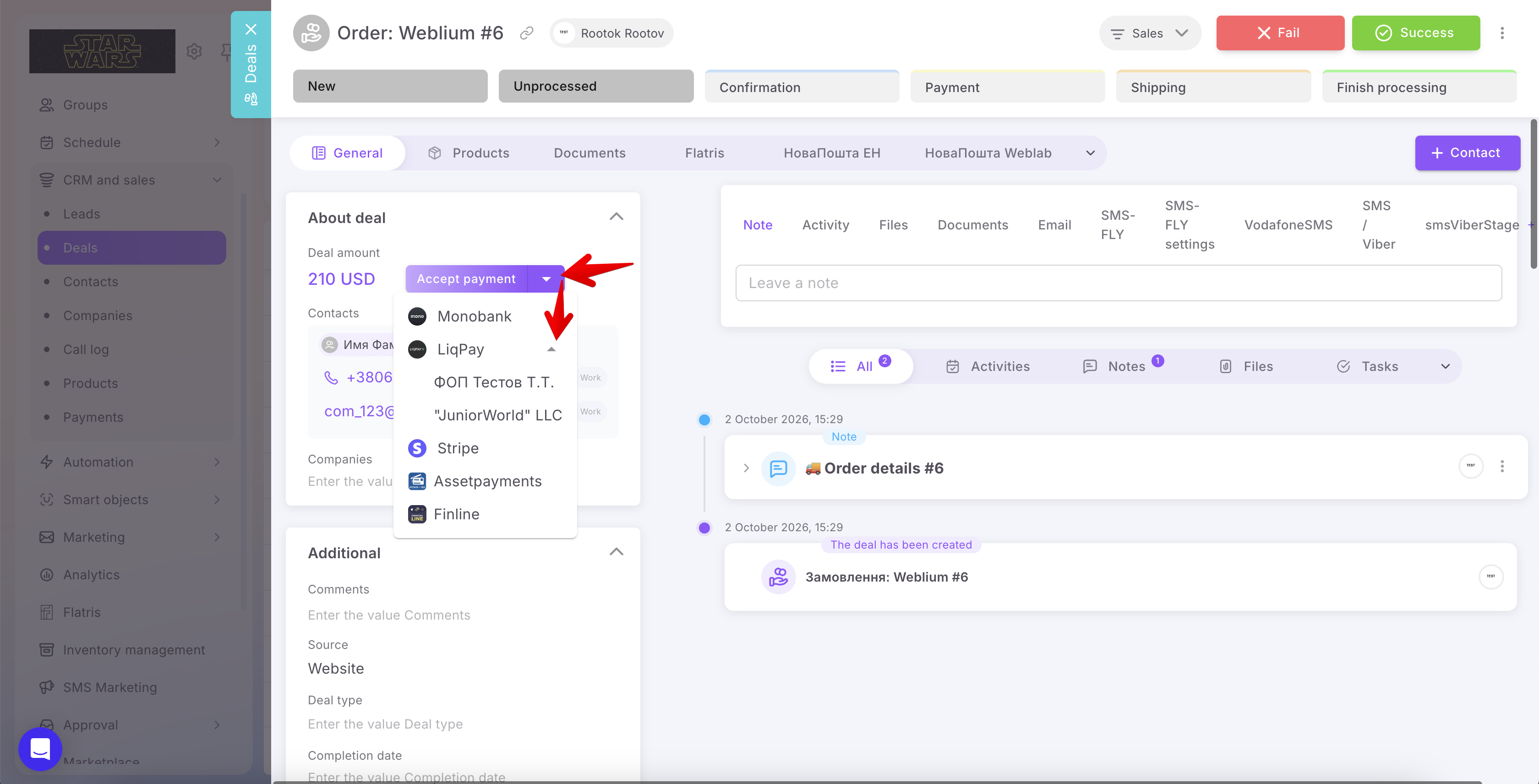
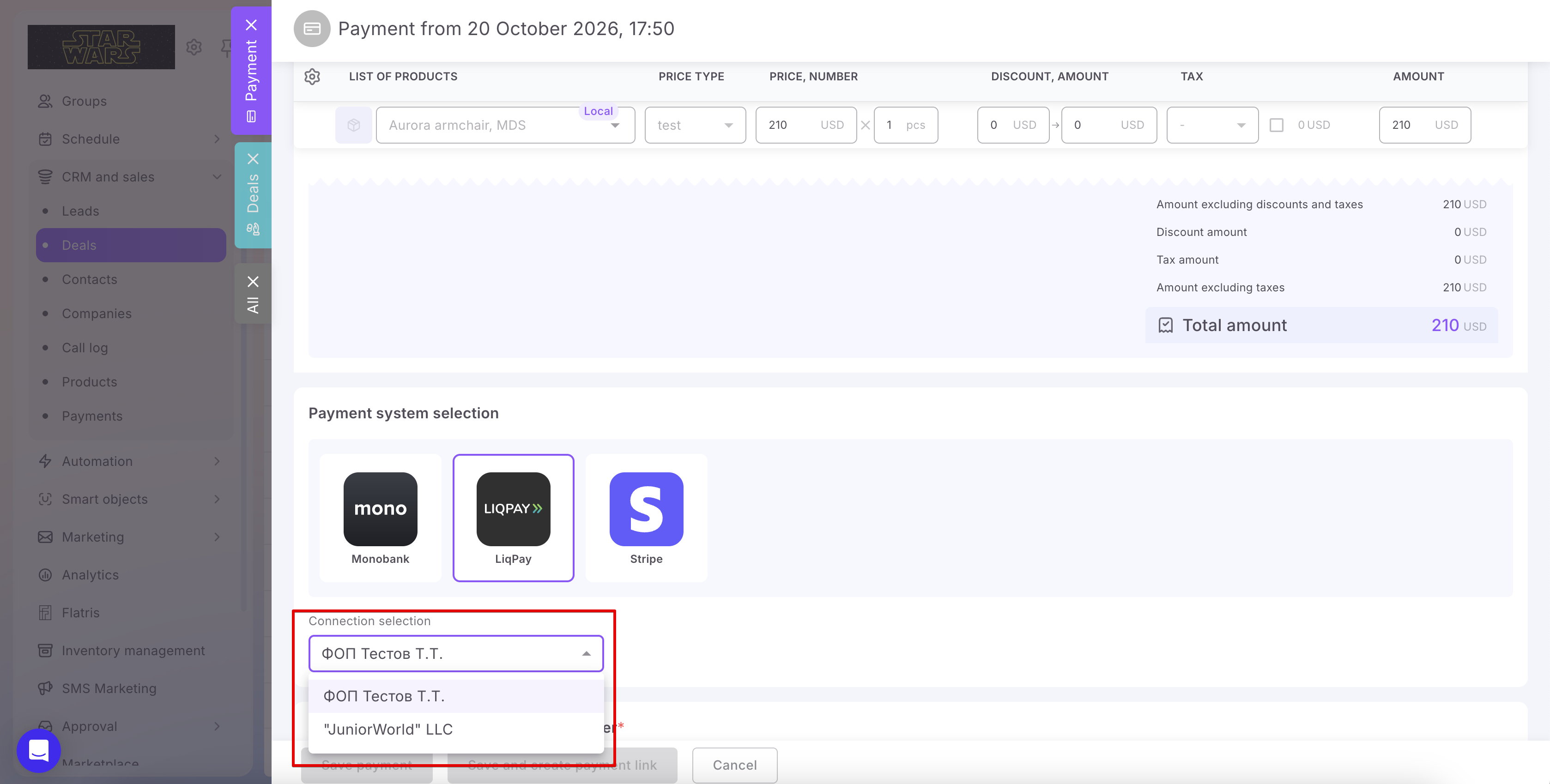
🔍 Learn more in the article “Connecting multiple payment system accounts.”
🟣 Updated Weblium integration — website submissions from Weblium will now automatically flow into your Uspacy CRM. A client submits their contact details on your website, and your sales manager can get straight to work.
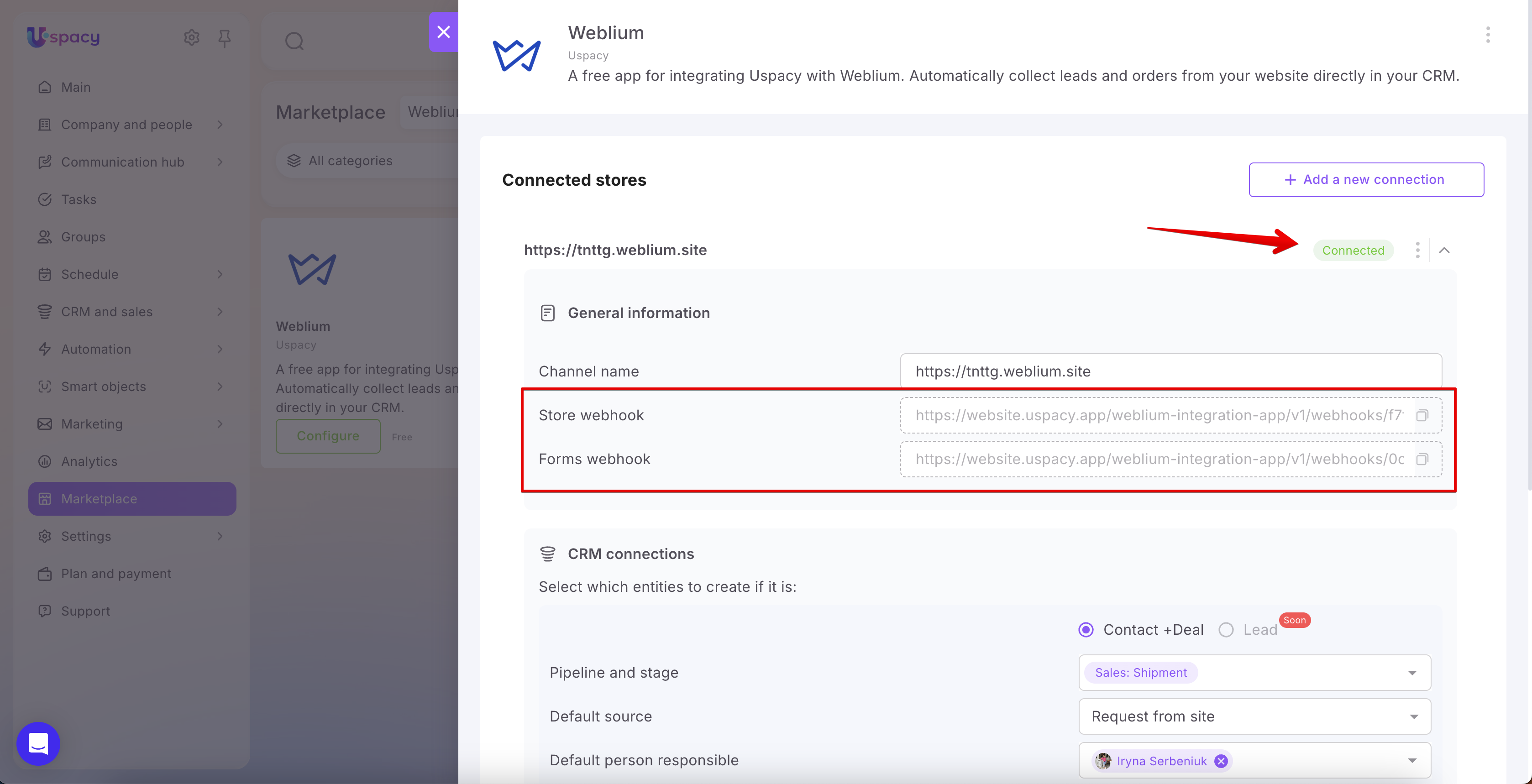
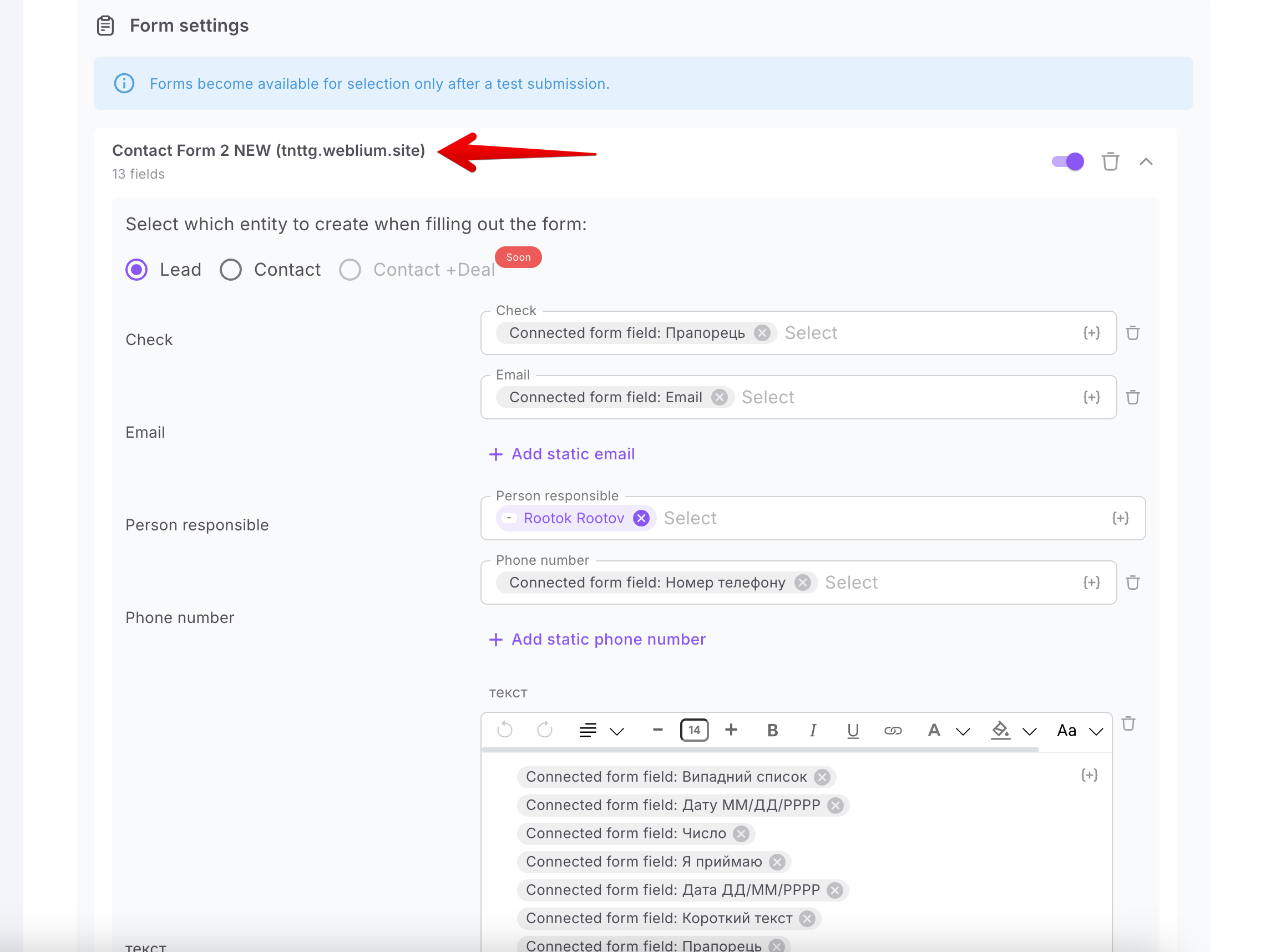
🔍 Learn more in the article “Weblium integration: How to connect and set it up?”
All October updates are now available! Make the most of these new features, build more efficient business processes, and focus on what matters most.
If you have additional questions or you need to contact the support, send a request to this email [email protected]
Created: October 30, 2026 / Updated: October 30, 2026