
Throughout May, we delivered several major updates, refined long-awaited improvements, and made everyday work in Uspacy even more seamless and convenient. As always, we've gathered all the highlights in one place to showcase what our team has been working on over the past few weeks.
🟣 Major May release: Facebook Lead Forms integration. Leads generated through Facebook Lead Forms can now be automatically transferred directly into Uspacy CRM. No third-party integrations required, and your lead data stays up to date as long as your Facebook ads are running.

🔍 Learn more about the Facebook Lead Forms integration in the article "Integration with Facebook Lead Ads: How to connect and set it up?"
🟣 Monobank integration. Our new Monobank integration allows you to create payment links and automatically receive payment status updates. No more waiting for accounting confirmations to find out whether an invoice has been paid.
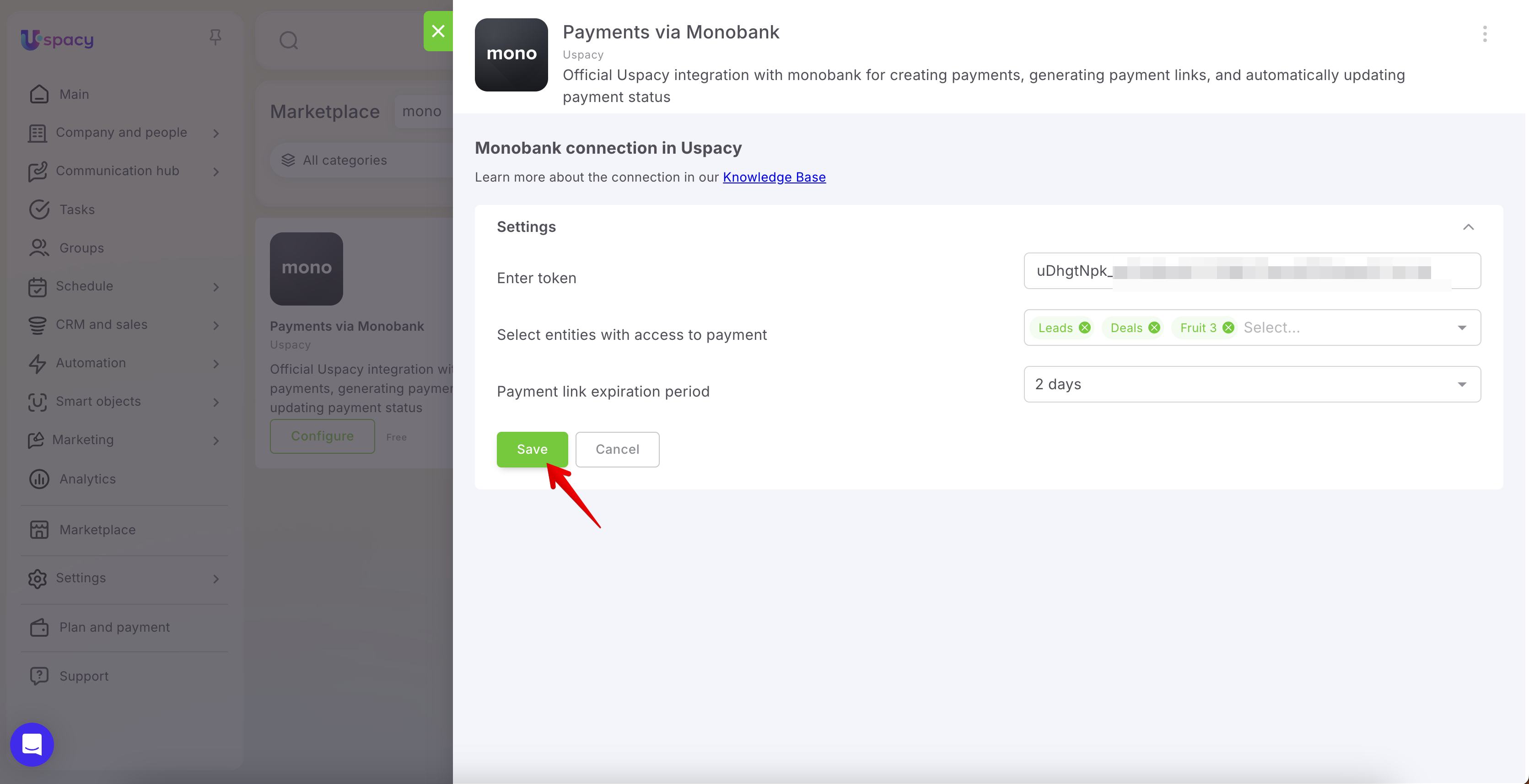
🔍 Learn more about the Monobank integration in the article "Payments via Monobank".
🟣 Data tables analytics reports. We've introduced data tables in analytics reports, making it easier to view detailed data in a tabular format. This is especially useful when precise figures matter just as much as overall trends. We've also added support for average values in analytics reports, allowing you to analyze metrics such as average order value, average quantity, and other key business indicators.


🔍 Learn more about creating custom reports in the article "How to create your analytical report?".
🟣 JustCall integration. Uspacy now integrates with JustCall, one of the world's most popular telephony providers.

🔍 Learn more about setup and configuration in the article "JustCall Telephony in Uspacy".
🟣 Real-time updates in Activities. Live updates in the Activities module keep schedules and team activities synchronized in real time, ensuring everyone stays on the same page.
🟣 "Typing..." indicator in chat. A small but welcome improvement: chat conversations now display a typing indicator, bringing the experience closer to the messaging apps users interact with every day.
🟣 The Creation date and Date of first contact fields are now available in the Request log, helping teams measure response times and evaluate client service performance.

We've also added filtering and sorting capabilities, making it easy to find conversations based on various criteria and organize them for more efficient analysis.


🔍 Learn more about the Request log in the Communication hub in the article "Requests log in the Communication hub".
🟣 Custom field filtering in the employee list. You can now filter employees using custom fields, making it much easier to find colleagues in large organizations based on skills, specialties, certifications, or other custom criteria.

🔍 Learn more about search and filters in the employee list in the article "Filters and search for employees in the list".
🟣 One-click copy for phone numbers and email addresses. A small but highly practical enhancement: you can now copy phone numbers and email addresses directly from tables in CRM, Smart Objects, and the Employee list with a single click—no need to open the record first.

🟣 Mention employees using "+" as well as "@". We've expanded mention functionality to support both @ and + when tagging colleagues in comments and messages. It's a small improvement that offers greater flexibility and convenience for different user preferences.

🟣 Duplicate detection when creating related records. Maintaining clean data just got easier. Uspacy now checks for duplicates even when creating related records. For example, if you're adding a new contact directly from a deal card, the system will automatically detect and warn you if that client already exists in your database.
🔍 Learn more about duplicate management in Uspacy in the article "Work with duplicates in CRM".
🟣 New social networks options: TikTok, Threads, and YouTube. Fields of the Social networks type now support TikTok, Threads, and YouTube links. This is especially useful for marketing agencies and businesses that actively collaborate with influencers and content creators.

🟣 Variables and constants in Processes. Variables and constants are now available in Processes, bringing workflow automation to a whole new level and making it much closer to full-fledged programming—without writing code.

🔍 Learn more about this feature in the article "Variables and constants in Processes".
🟣 Value codes for List and Label fields. You can now assign and display value codes (IDs) for List and Label field types. This means field options can contain not only display values but also associated codes that remain visible after creation. This enhancement significantly simplifies integrations and data exchange with external systems.


All May updates are now available. Explore the new functionality, optimize your company workflows, and focus on what matters most.
If you have additional questions or you need to contact the support, send a request to this email [email protected]
Created: June 1, 2026 / Updated: June 12, 2026