
More than twenty—that's not the temperature outside (although we'd certainly welcome that during the summer heat), but the number of new features and improvements released in Uspacy throughout July. From small enhancements to major updates, here's everything that's new.
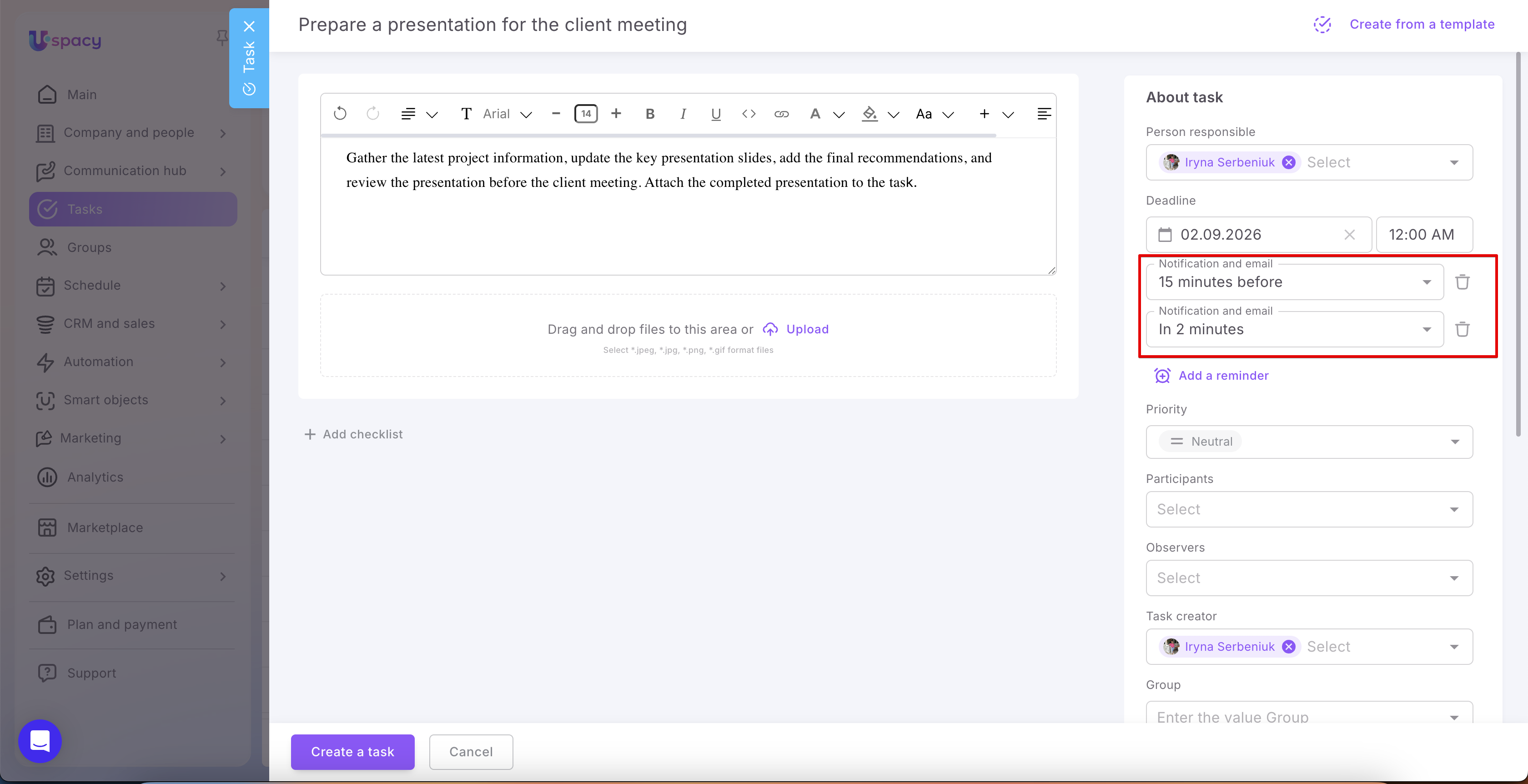
🟣 Reminders for Activities and Tasks. One of the most anticipated features is finally here! You can now configure reminders for upcoming events and task due dates. Select exactly when you'd like to be reminded before an event or deadline, and decide how you'd like to receive the reminder—in Uspacy, by email, or both. No more forgotten meetings or missed deadlines.

🟣Activities now include additional completion information, showing who completed the event and when, as well as who completed it first and when. We've also added more places where you can quickly copy a link to an event.
🟣 We've significantly optimized the Kanban board for Tasks. Dragging cards, switching between columns, and loading Kanban boards are now noticeably smoother and faster.
🟣 Automated document generation in Processes and Conditional Actions. The new document generation option for Processes and Conditional Actions lets you fully automate document creation from templates. Contracts, invoices, completion certificates, and other documents can now be generated automatically when specific conditions are met or when a process reaches a particular stage.

🟣 Contact Channels in the website chat widget. The website widget now supports Telegram, Viber, and Instagram communication channels. Visitors can immediately continue the conversation in their preferred messenger, while operators continue managing all conversations directly in Uspacy.


🔍 Learn more in the article “Contact options in the website chat widget.”
🟣 Multiple connections for the same telephony provider. You can now connect multiple accounts from the same telephony provider, including Ringostat, Unitalk, and others. This is especially useful for organizations with multiple branches, brands, or departments that use separate accounts with the same provider.


🔍 Learn more in the Telephony section of the Knowledge Base.
🟣 Analytics reports for Calls. New calls analytics reports make it easy to analyze call volume, call duration, employee activity, and other key telephony metrics directly in the Analytics section.
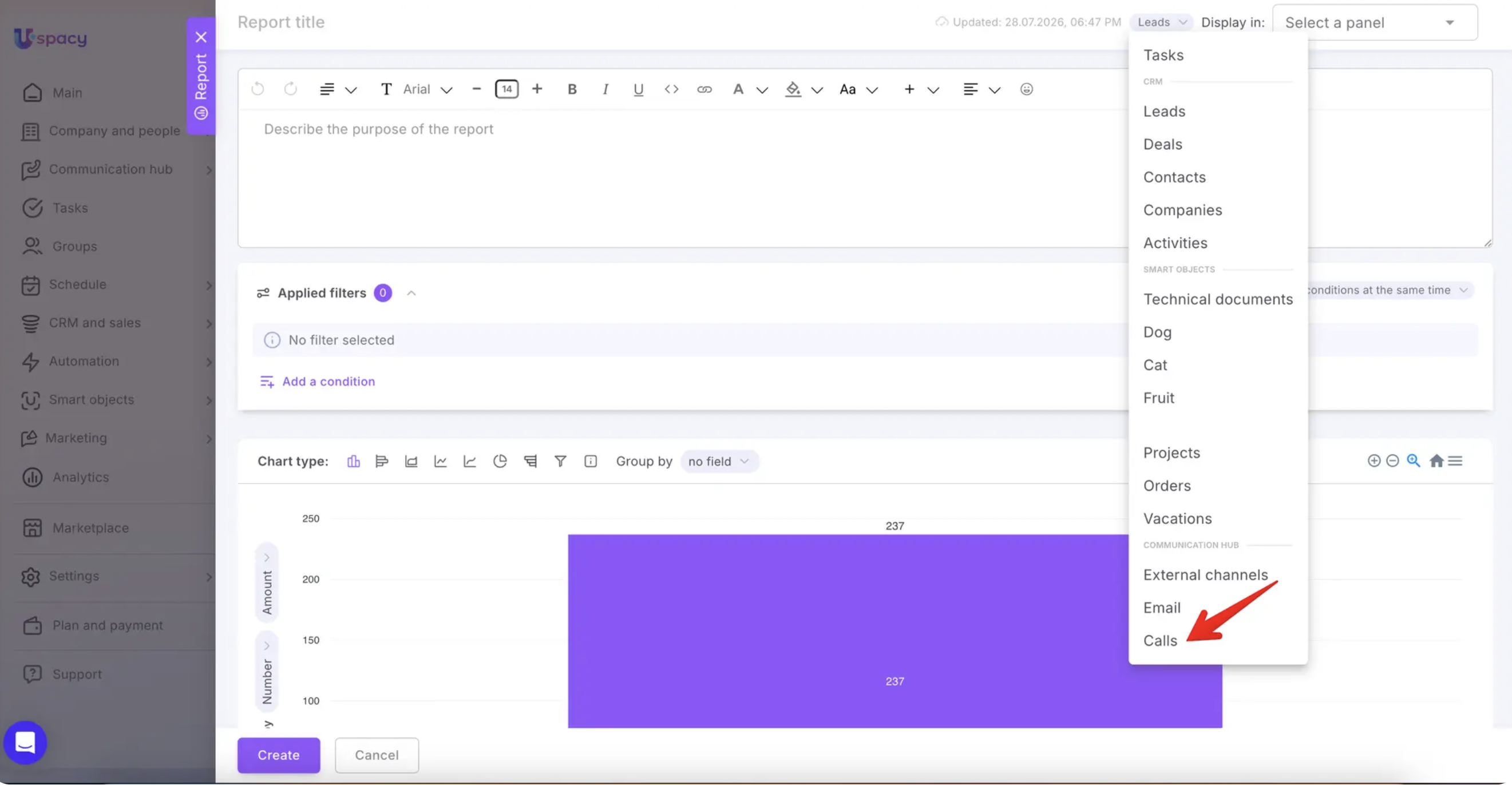
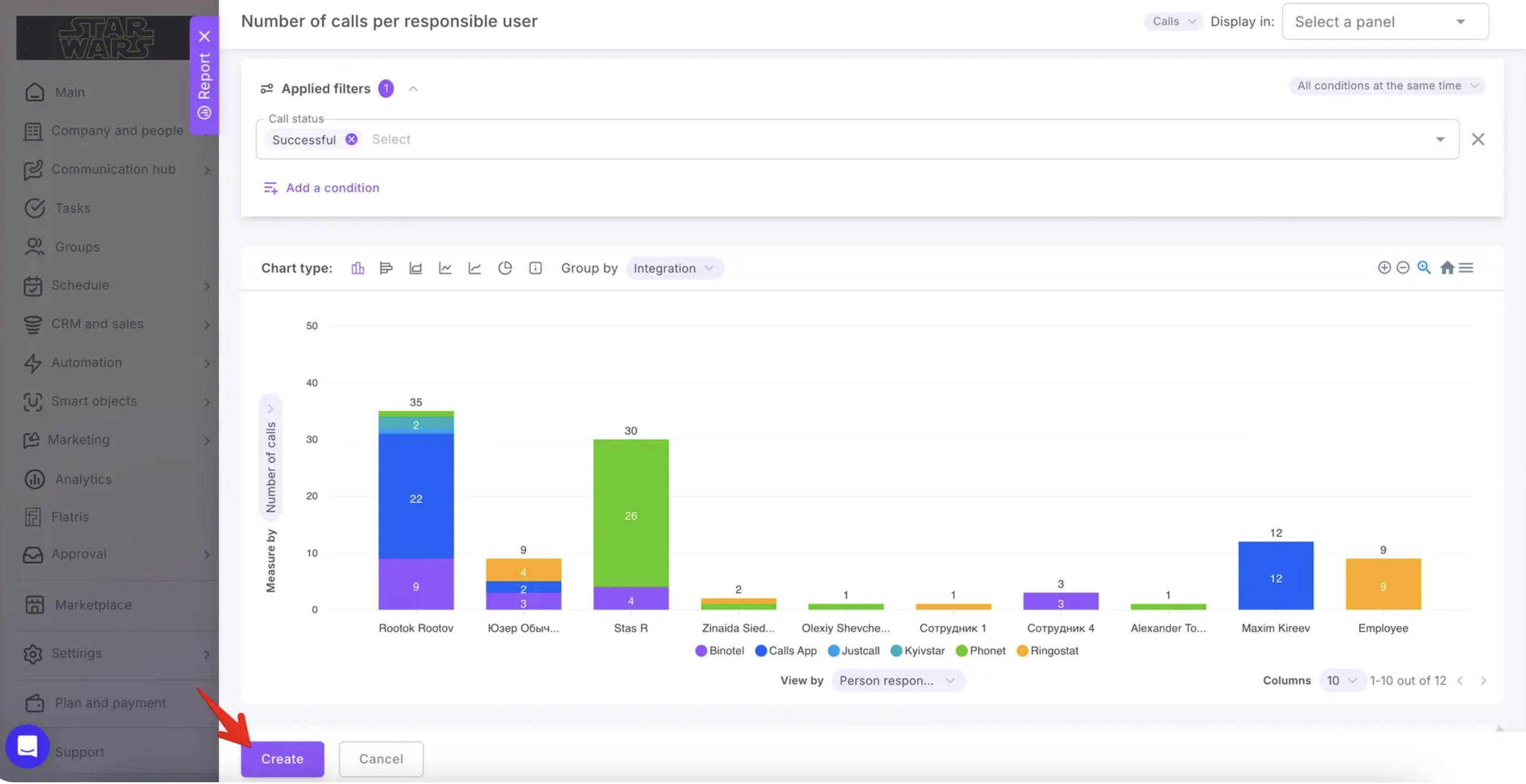
🔍 Learn more in the article “Analytics reports for Calls.”
🟣 New payment system integrations. We've significantly expanded Uspacy's payment capabilities with integrations for:
- LiqPay
- Portmone
- WayForPay
- Stripe
You can now generate payment links and track payment statuses using your preferred payment provider.
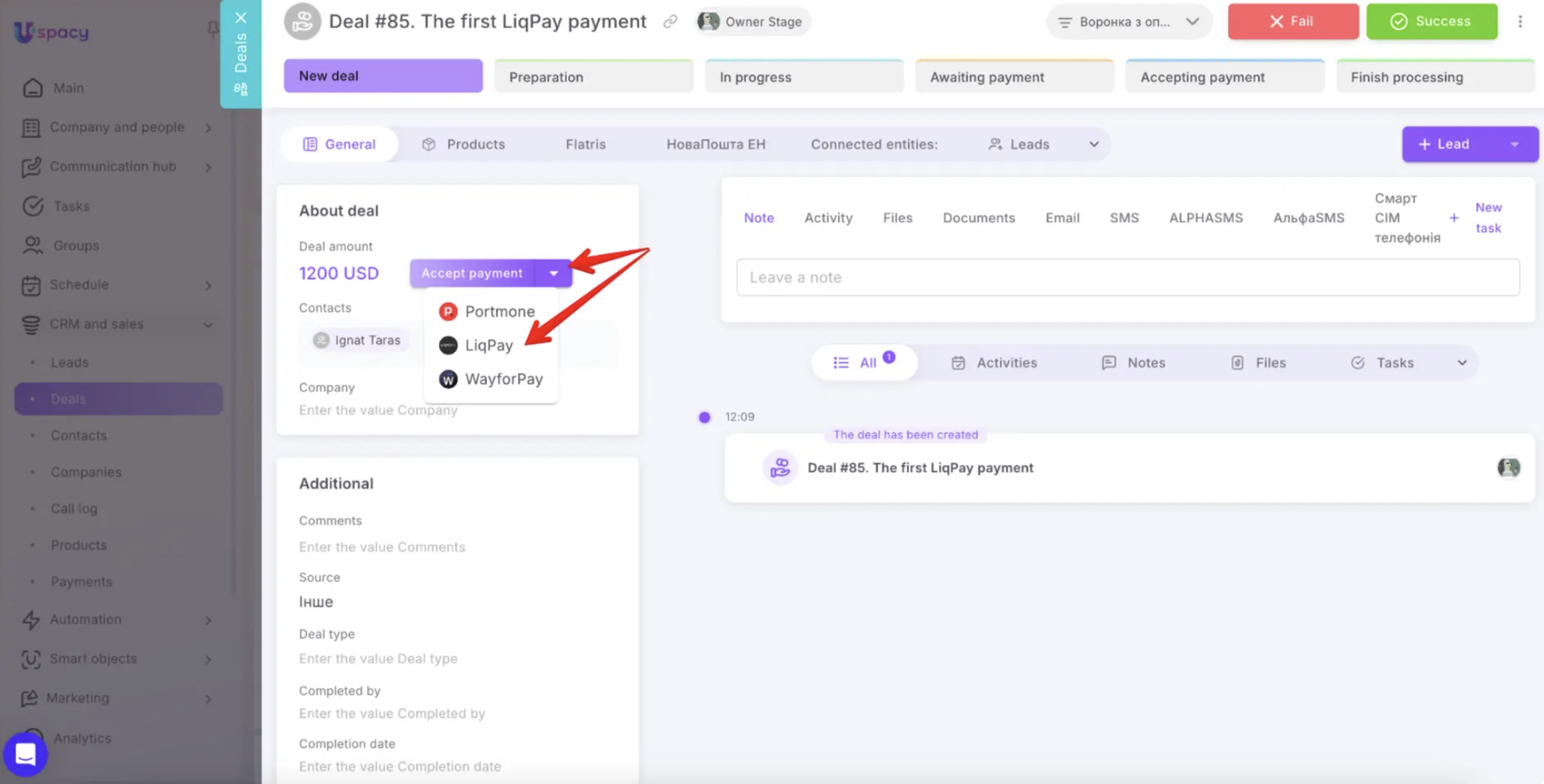
🔍 Learn more in the Payments section of the Knowledge Base.
🟣 You can now sign in with your Google account in just one click—no need to remember another password. It's fast, secure, and familiar.
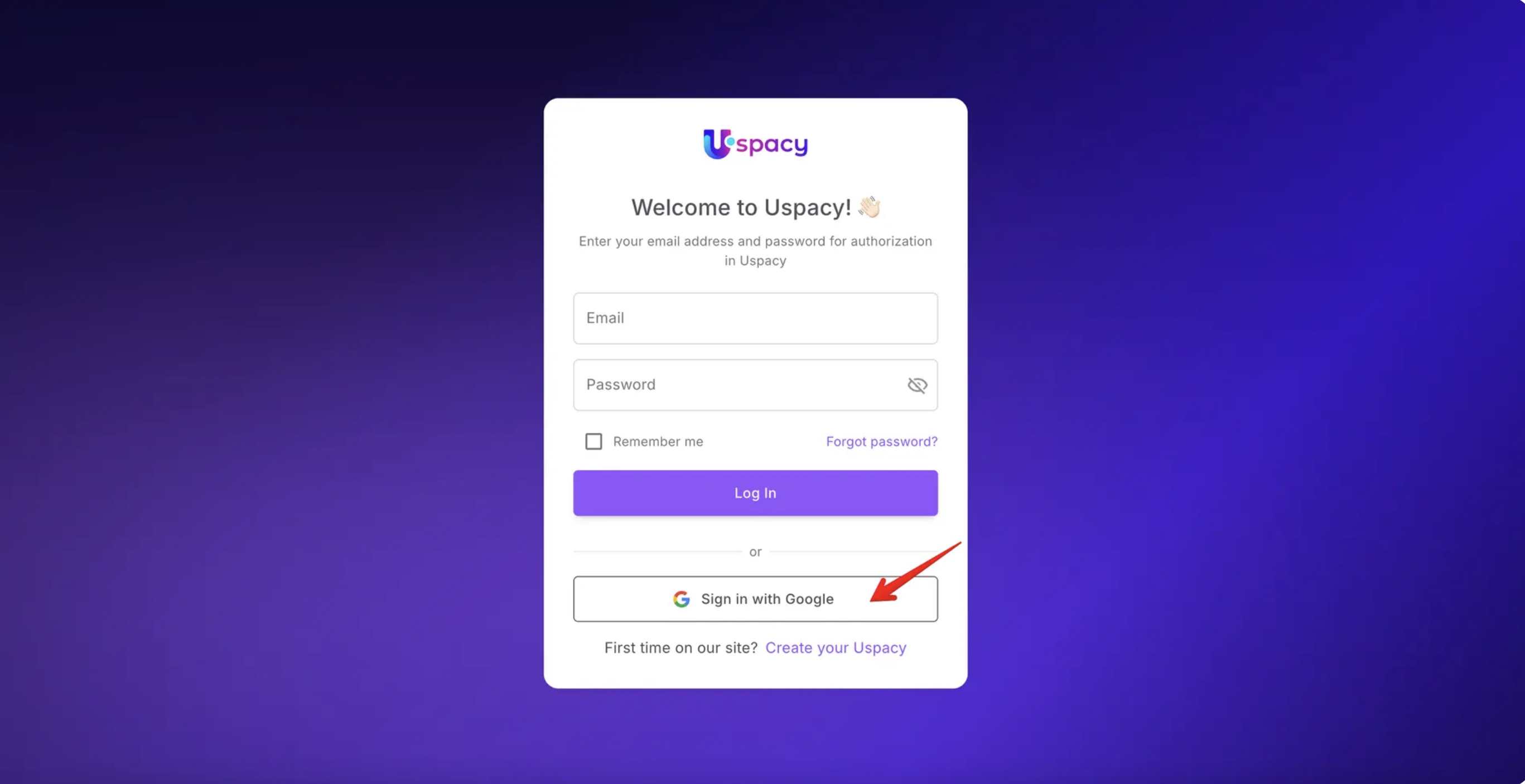
🔍 Learn more in the article “Sign in to Uspacy with Google.”
🟣 User activity statuses. User activity statuses help your team instantly see who's available and who's currently busy.
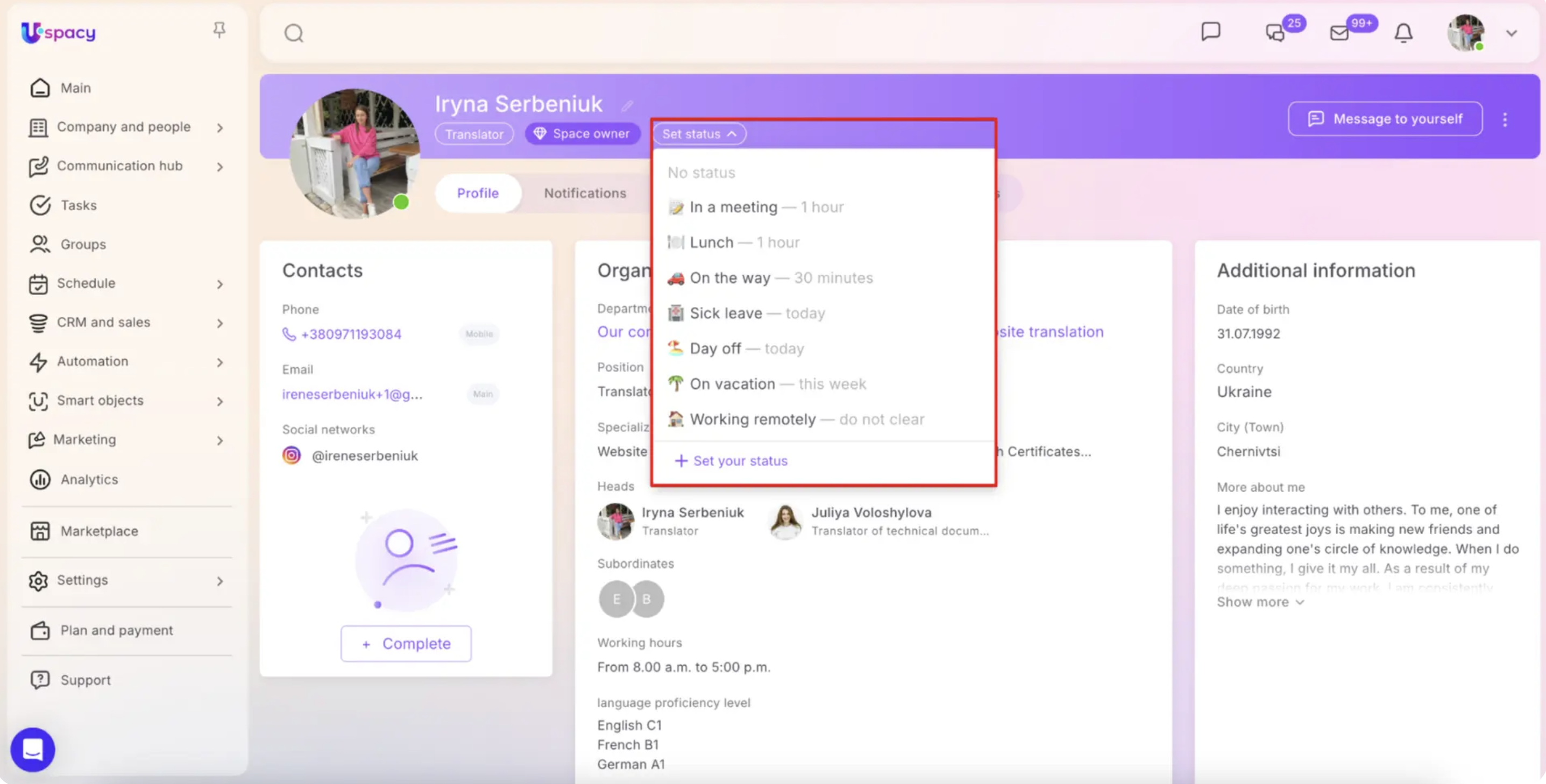
🔍 Learn more in the article “User activity statuses in Space.”
🟣 Mark all chats as read. You can now mark every chat as read with a single click. Clear your unread counter instantly and start your workday with a clean slate.
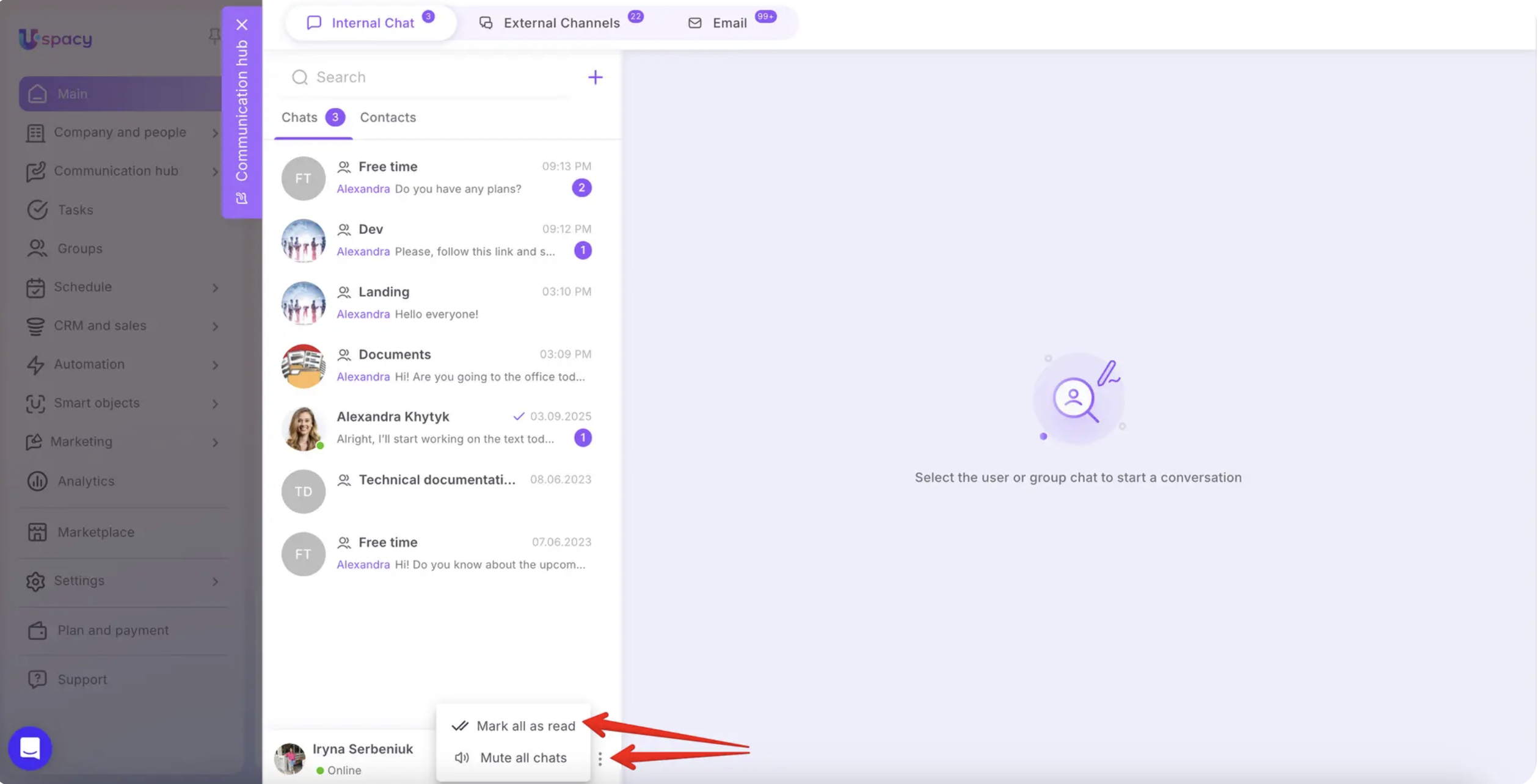
🔍 Learn more in the article “Communication in chats.”
🟣 Mailbox moderation by Space administrators. Space administrators can now manage every mailbox within the Space. This makes it easier to help colleagues configure their mailboxes while ensuring compliance with your organization's email standards.


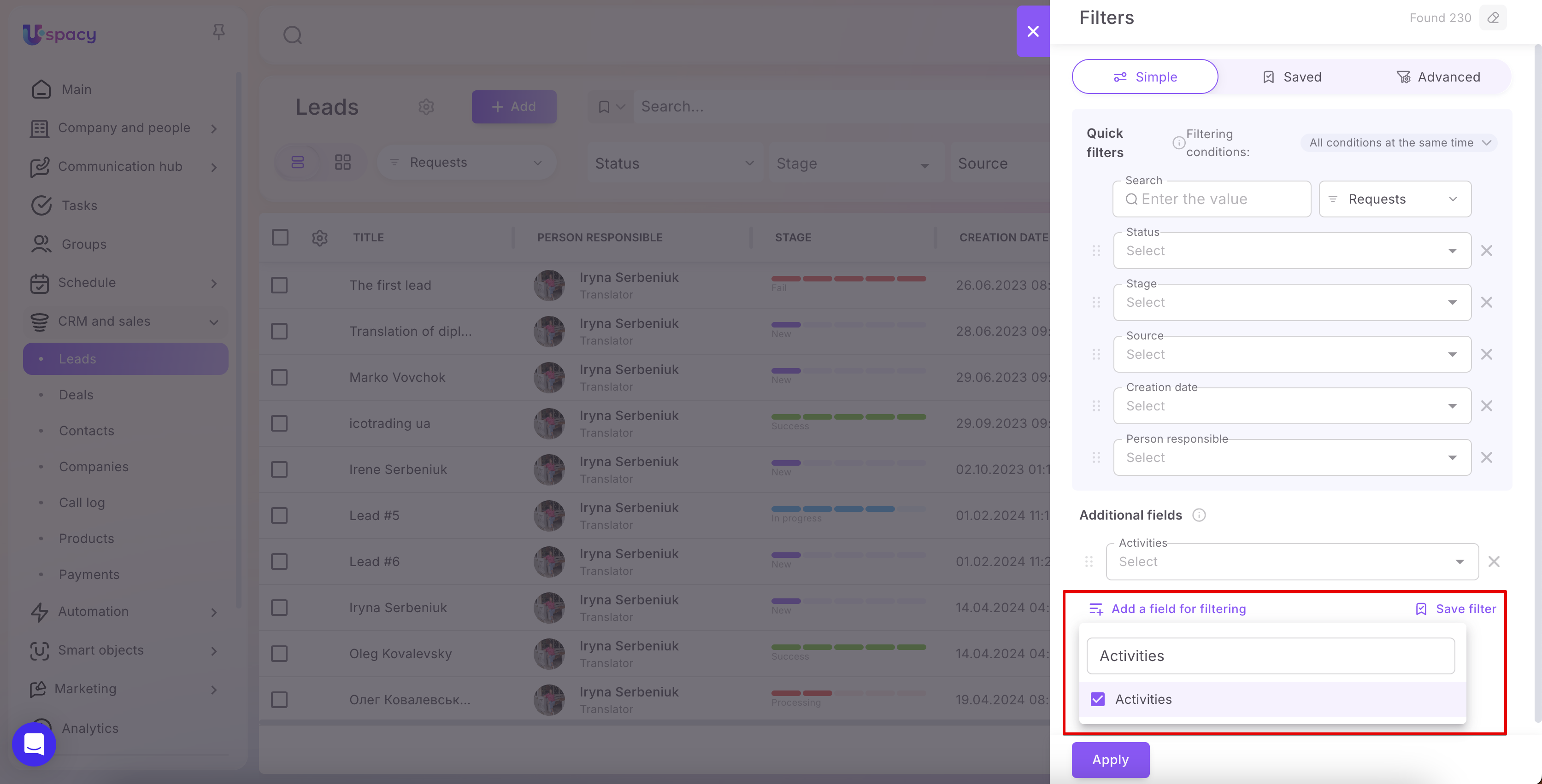
🟣 New "Activities" filter for Leads. A new Activities filter has been added to Leads, allowing you to filter leads based on scheduled events and their parameters. This makes it easier to organize work and stay on top of planned activities.
🟣 Products can now be added directly while creating a lead, deal, or smart object—there's no longer any need to save the record first.
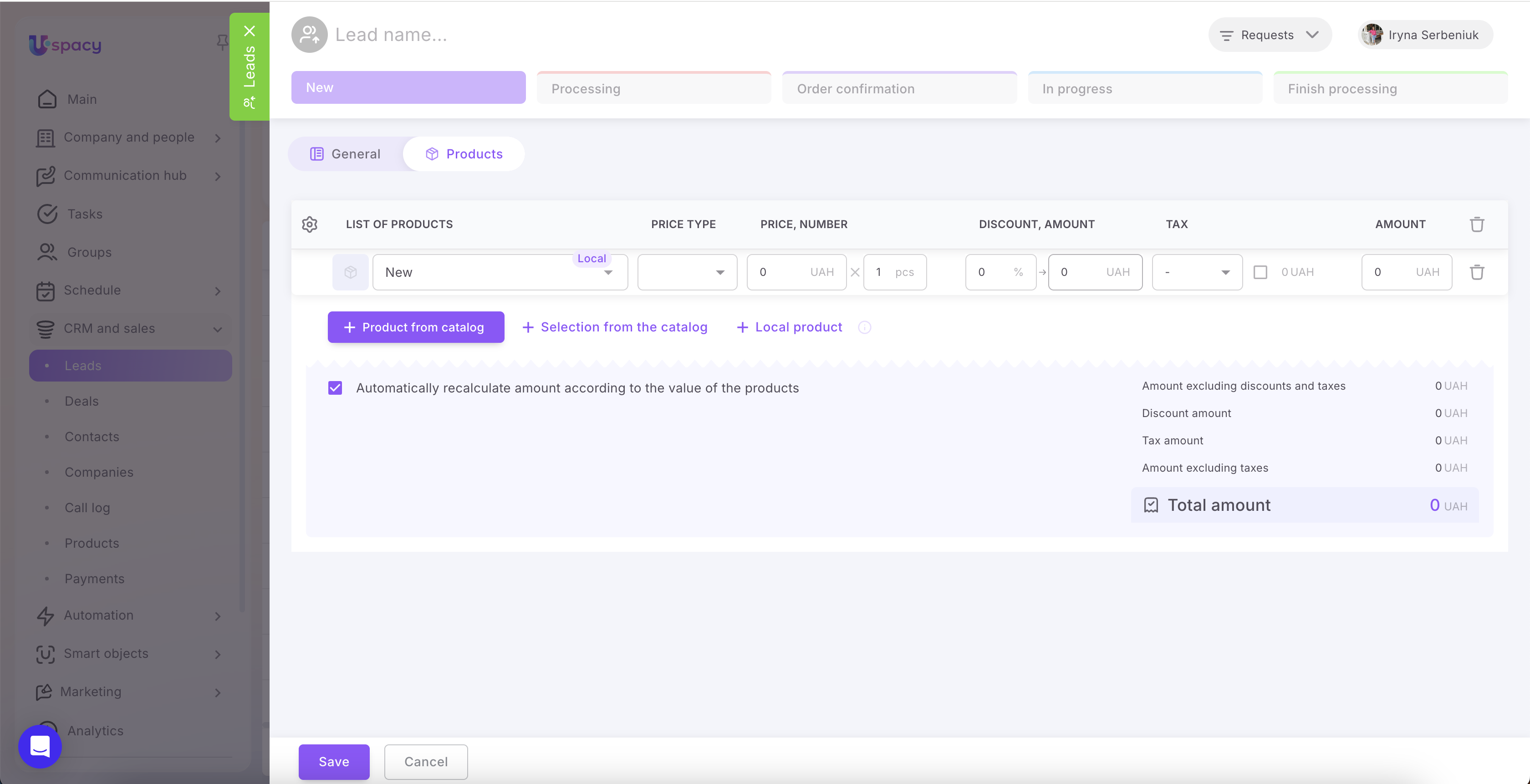
We've also introduced partial-name search when adding products, making it much faster to find the right element.
🔍 Learn more in the Products section of the Knowledge Base.
🟣 The Requests log now includes an improved filter panel, making it easier to search, filter, and analyze customer requests.
🔍 Learn more in the article “Requests log in the Communication hub.”
🟣 Chat notes. You can now add internal notes to any chat. Chat notes help you capture important context, agreements, and client-specific information for yourself and your teammates without exposing it to the client.
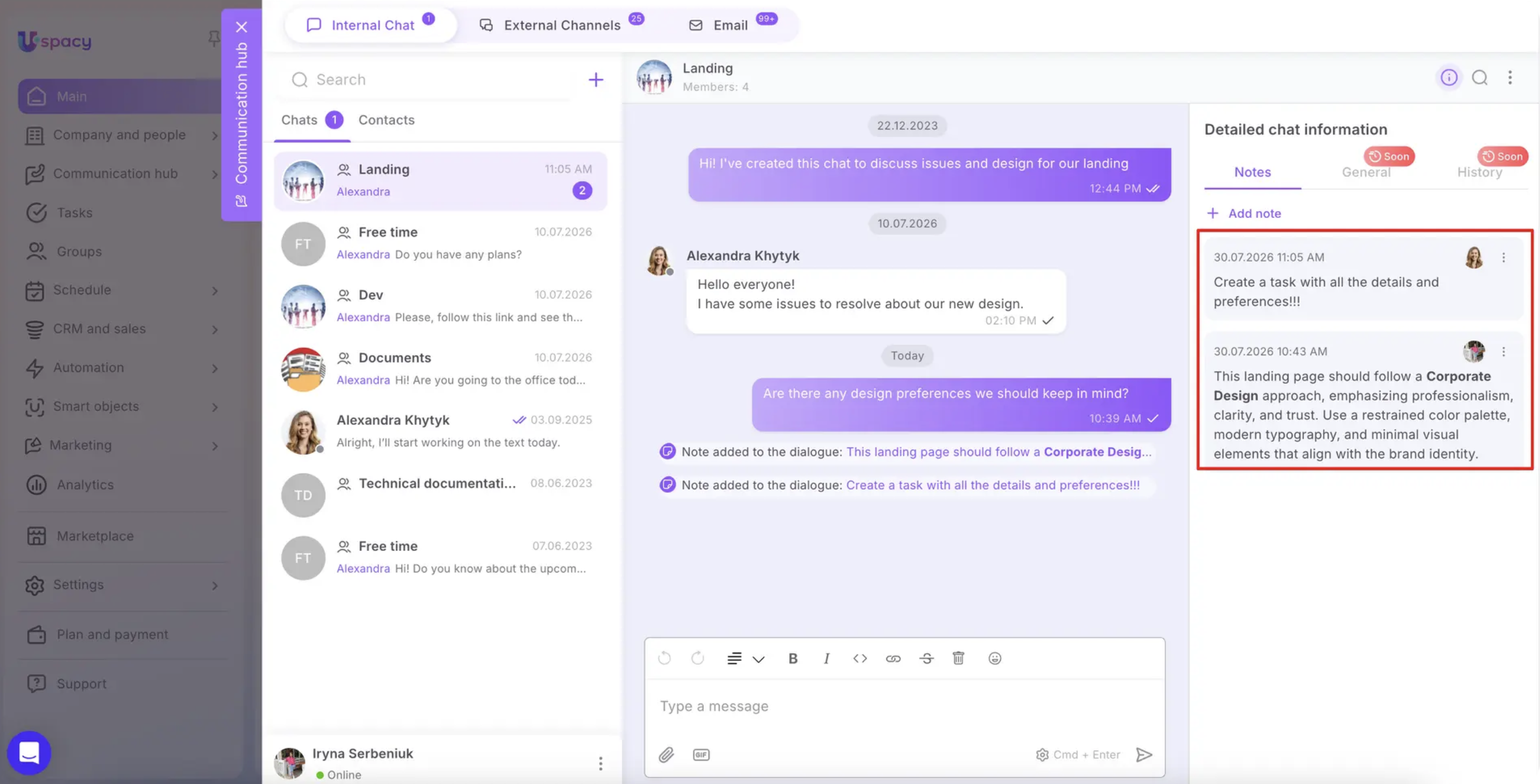
🔍 Learn more in the article “Notes in Uspacy chats.”
🟣 Comments in tasks and the news feed are now automatically saved as drafts, helping prevent accidental loss of your work.
🟣 Manual reindexing. Administrators can now start reindexing manually whenever needed. Your Uspacy administrators will definitely appreciate this one.

🔍 Learn more in the article “How to launch reindexing in Space tools.”
All July updates are now available. Explore the new features, optimize your company's workflows, and spend more time focusing on what matters most.
If you have additional questions or you need to contact the support, send a request to this email [email protected]
Created: July 31, 2026 / Updated: August 5, 2026