If you’re planning to switch to a commercial plan in Uspacy, you can place an order and get an invoice for payment directly within your Workspace.
Purchasing and payment
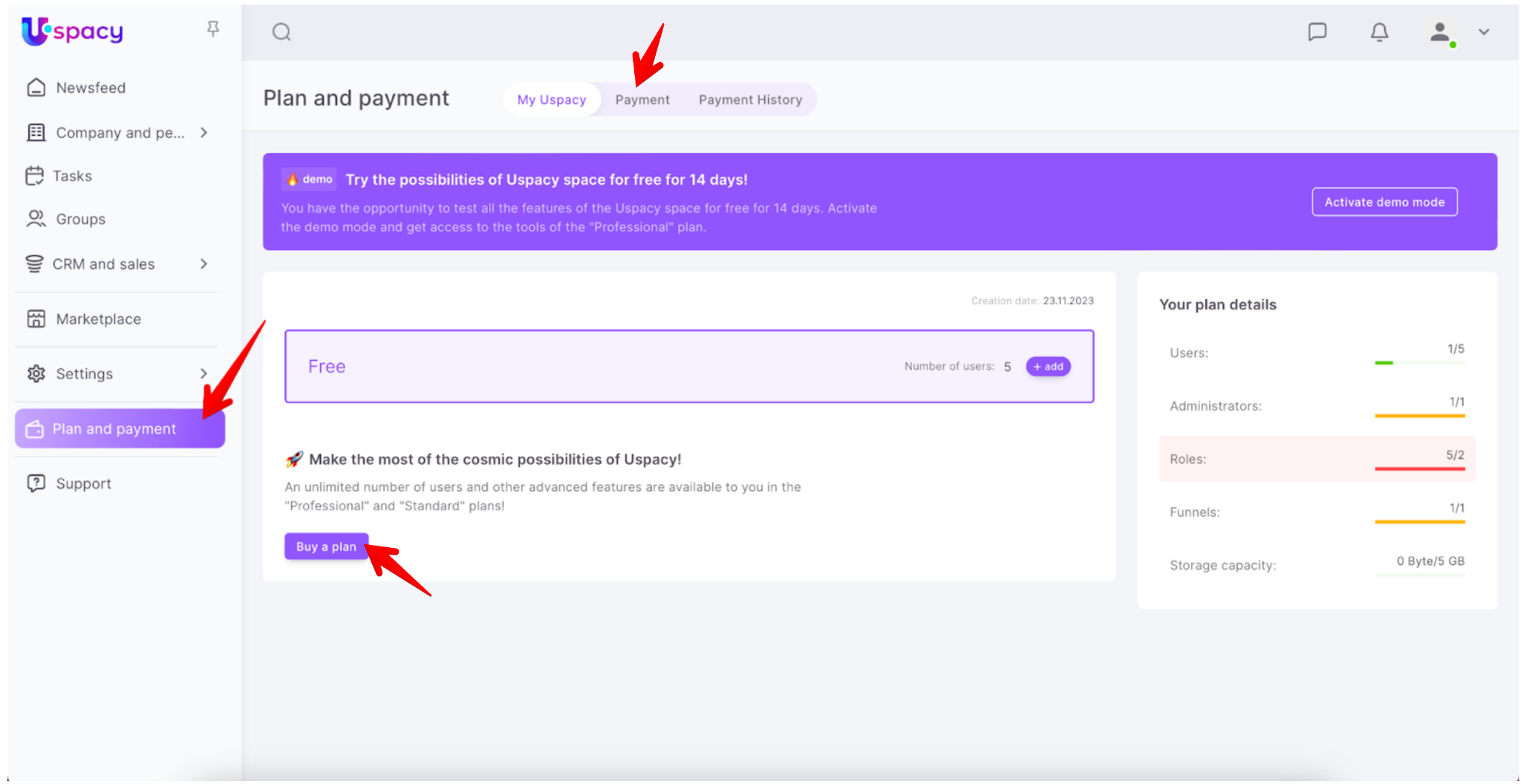
To do this, go to the Plan and Payment section. On the opened page, click Buy plan or switch to the Payment tab.
❗️ Note: Only administrators and the Workspace owner have access to the Plan and Payment section.
Here, select the plan you want to purchase.
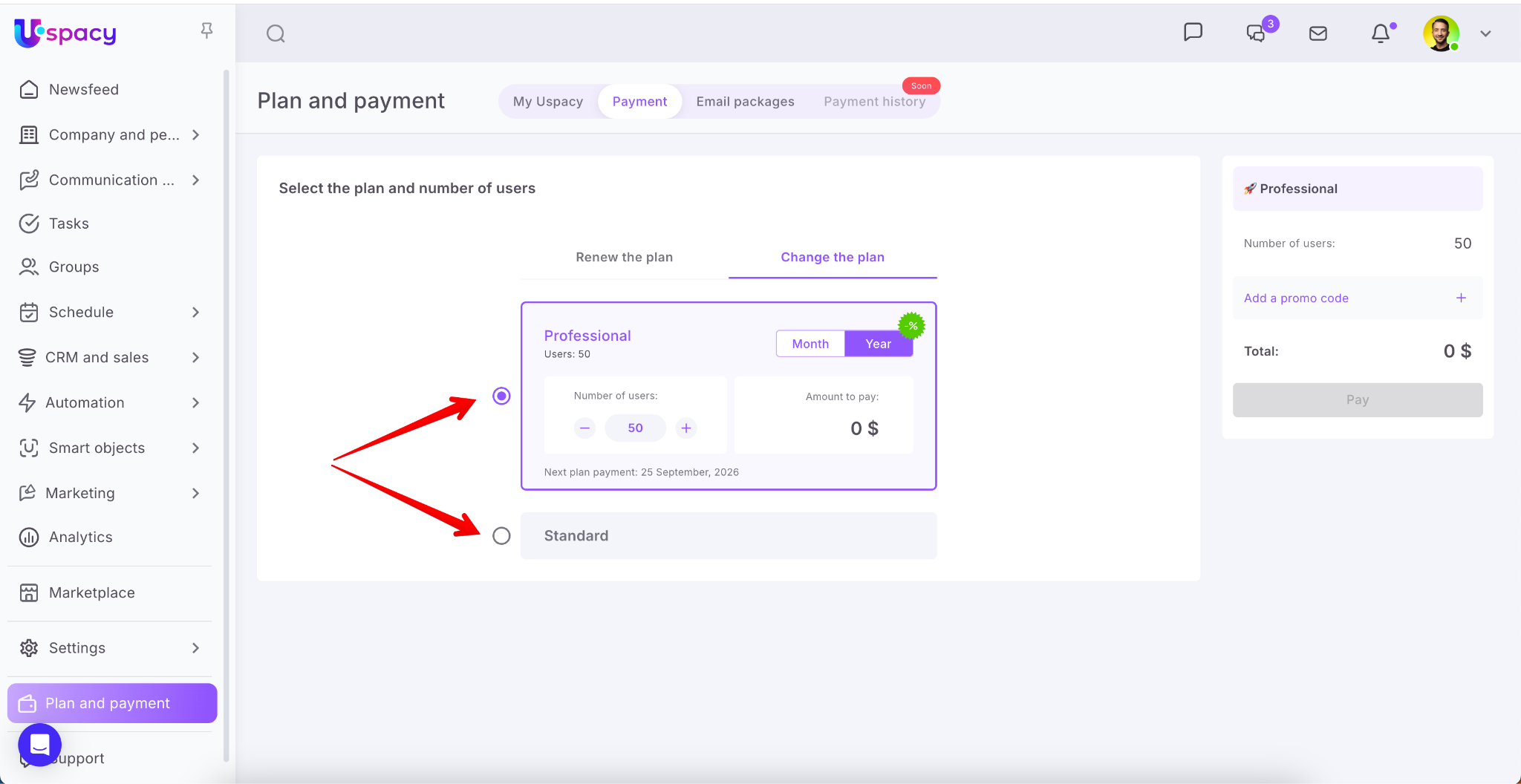
🌟 You can learn more about the features of the Standard and Professional plans on a dedicated page of our website ➡️ HERE.
Specify the number of users in the Workspace.
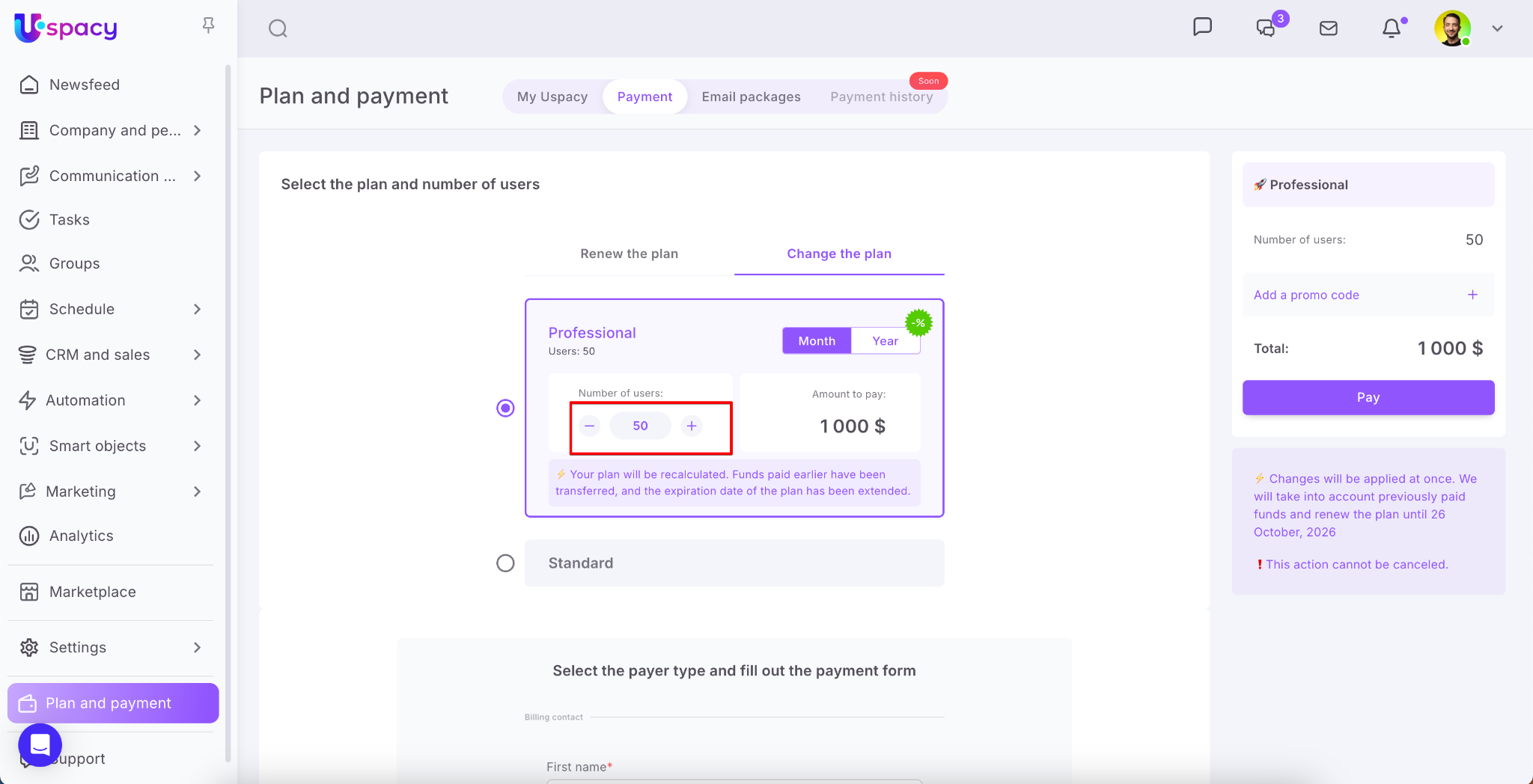
Next, select the billing period – monthly or annually.
💡 The final cost of the plan is calculated automatically and depends on the number of users, discounts, and subscription period.
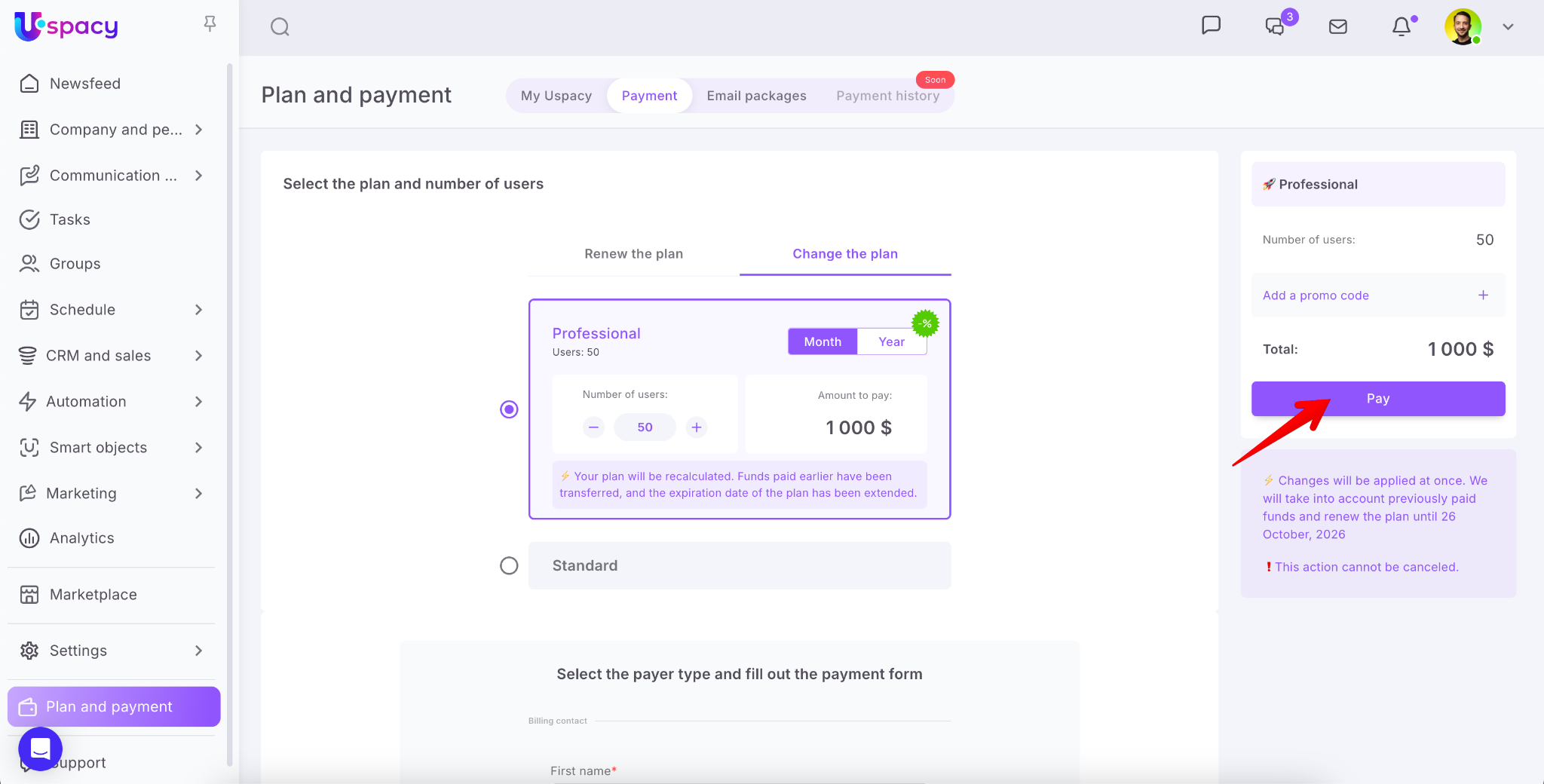
Next, enter the payer’s information and click the Pay button. After that, you will be redirected to the payment page via the Stripe payment system.
How to cancel automatic subscription renewal?
To do this, go to the Plan and Payment – My Uspacy section and click the appropriate button.
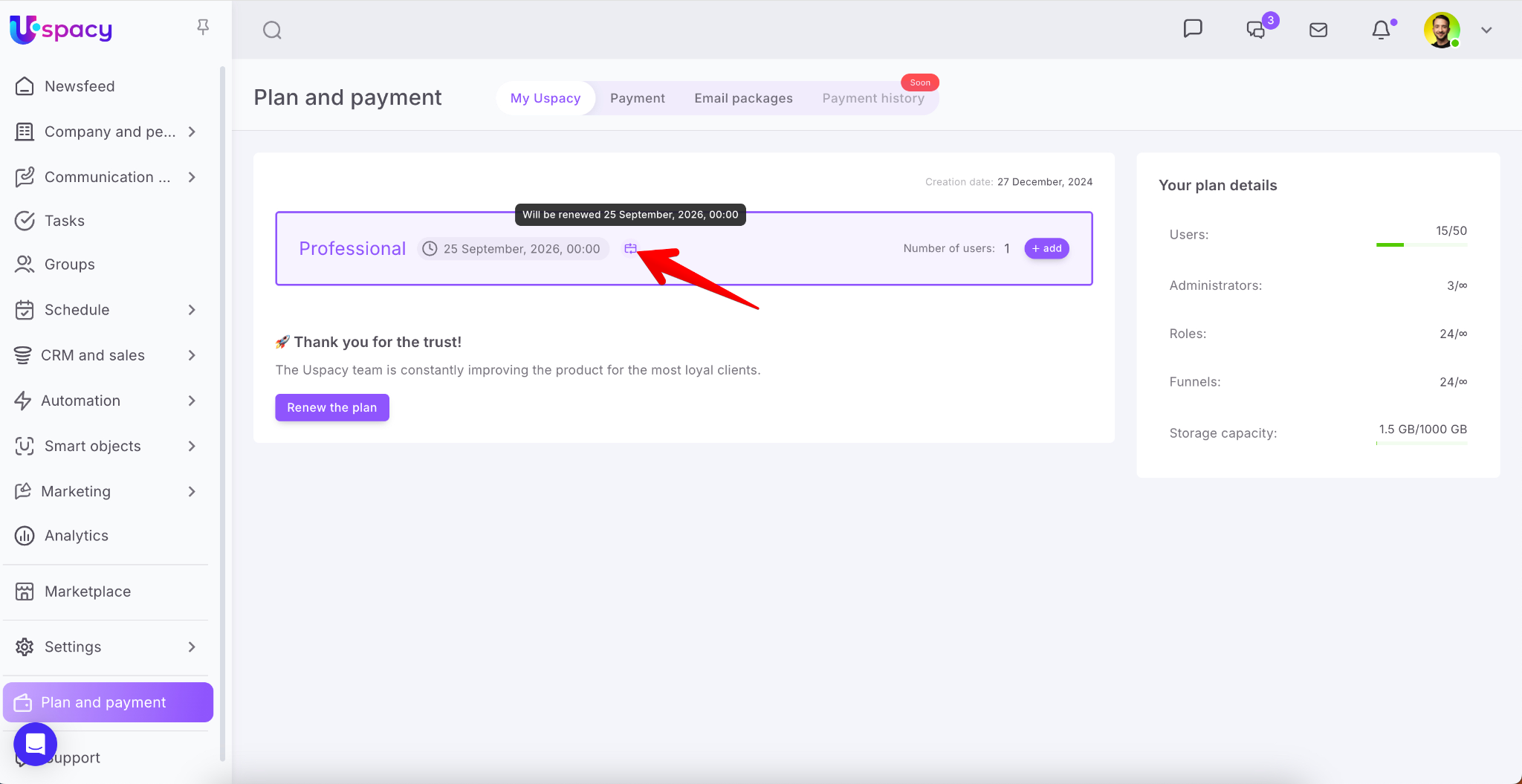
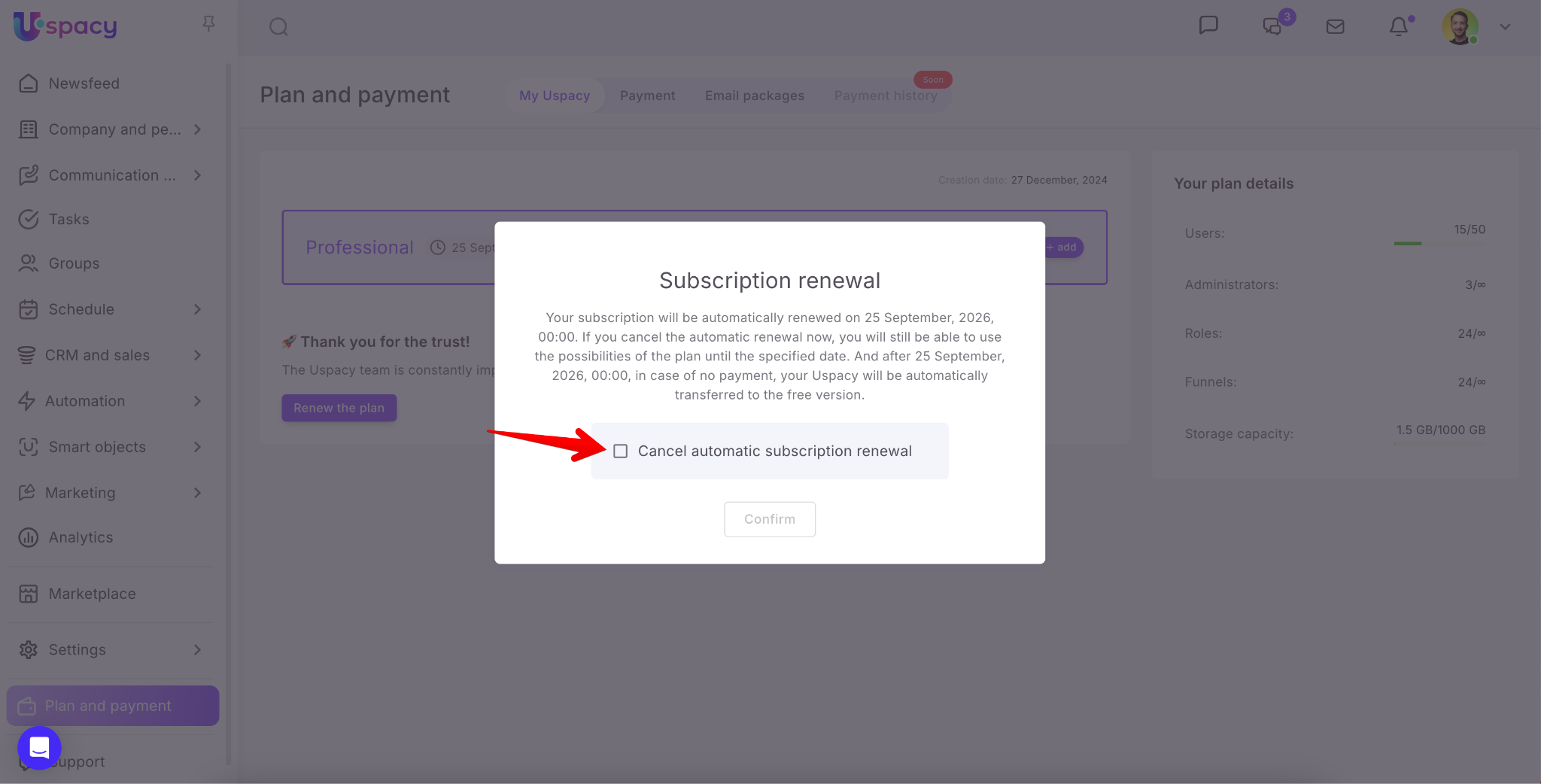
The system will inform you about the consequences of canceling automatic subscription renewal. If you agree, check the confirmation box.
Then click the Confirm button.
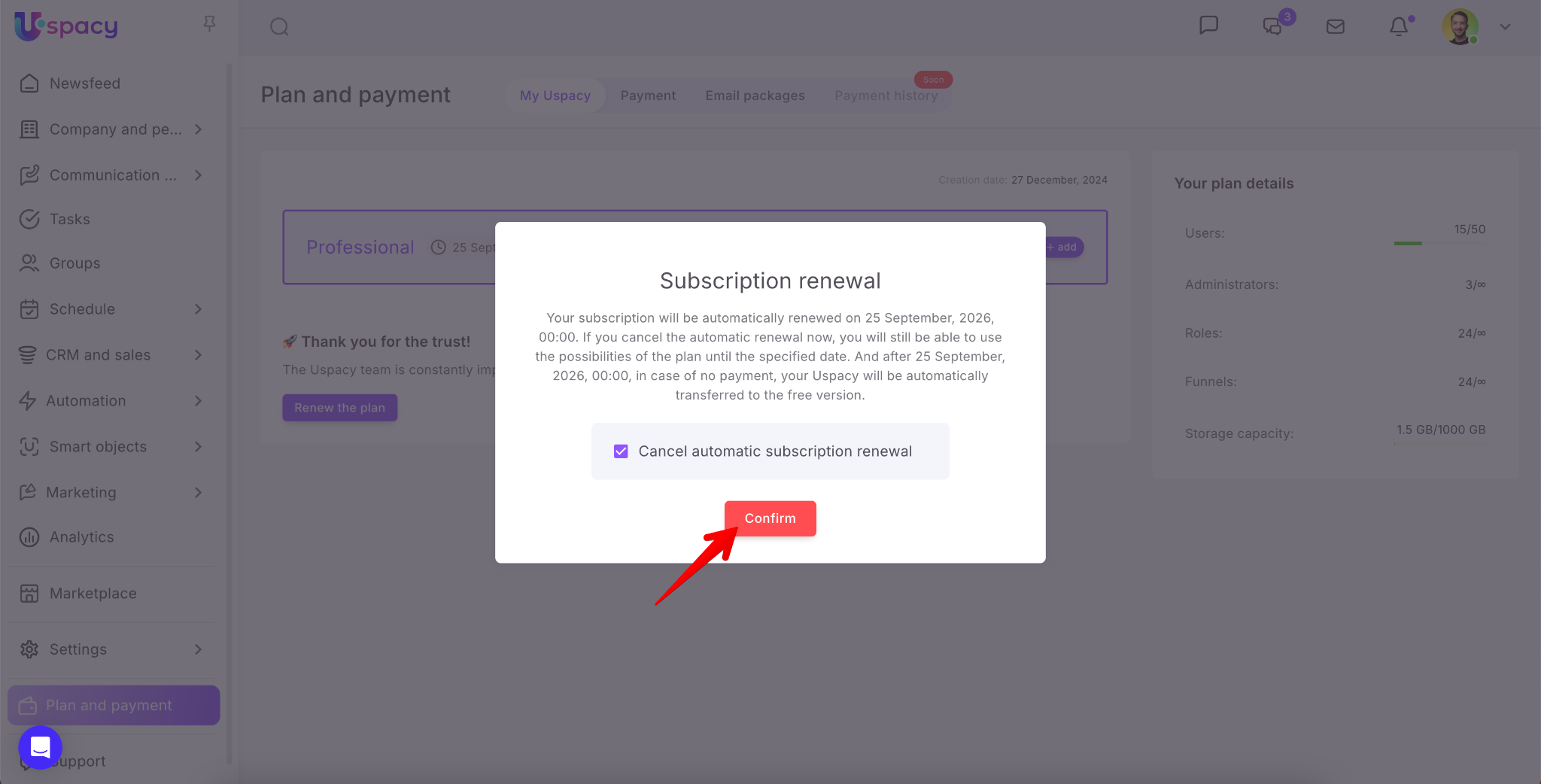
After that, the automatic renewal of your subscription will be canceled, and the button will disappear.
Plan renewal
If you’ve already used a commercial plan and made a payment before, the Renew the plan option will become available to you.
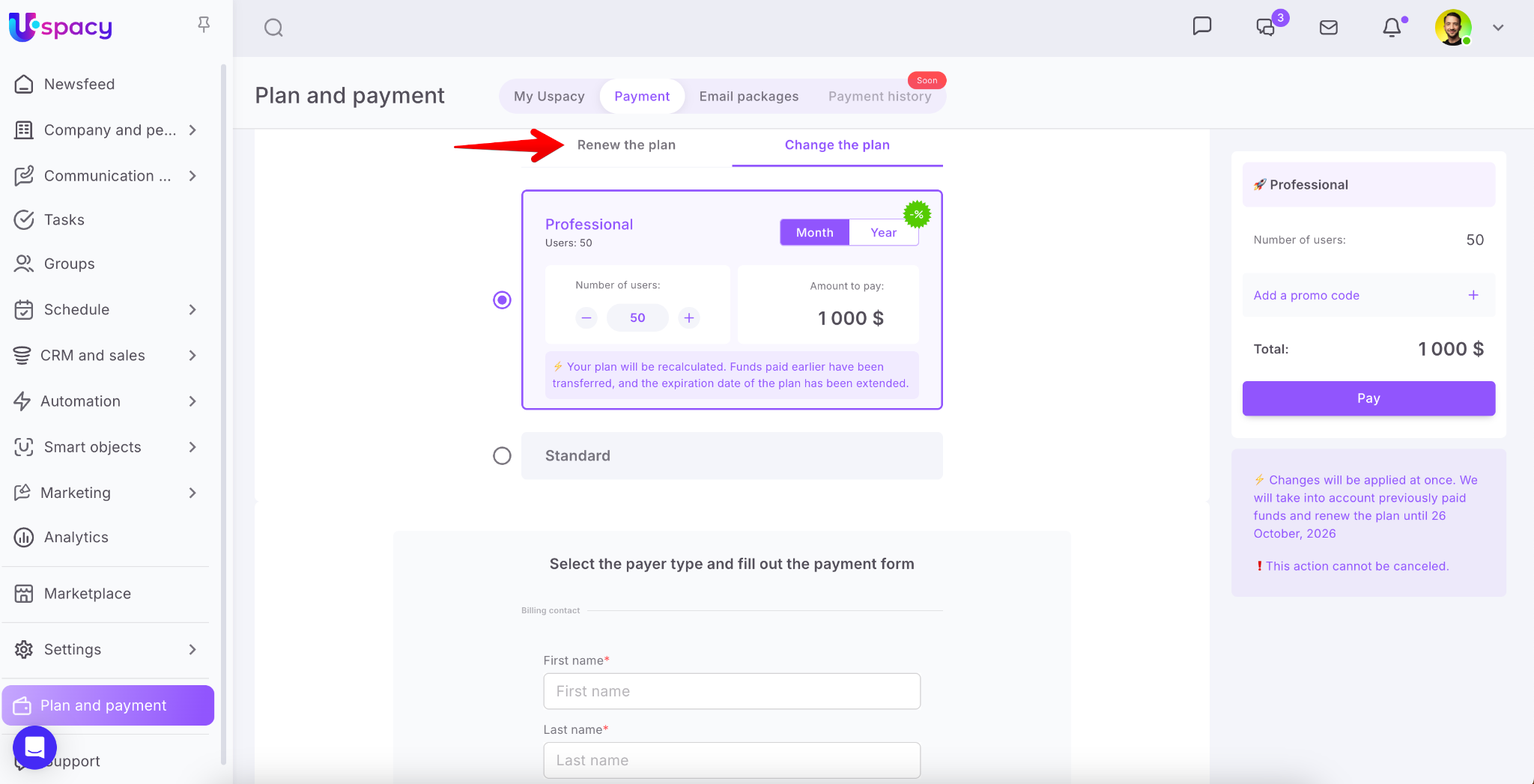
What does this mean? It’s quite simple – your current plan will be extended for the same period as your previous order. You can add more user seats as needed.
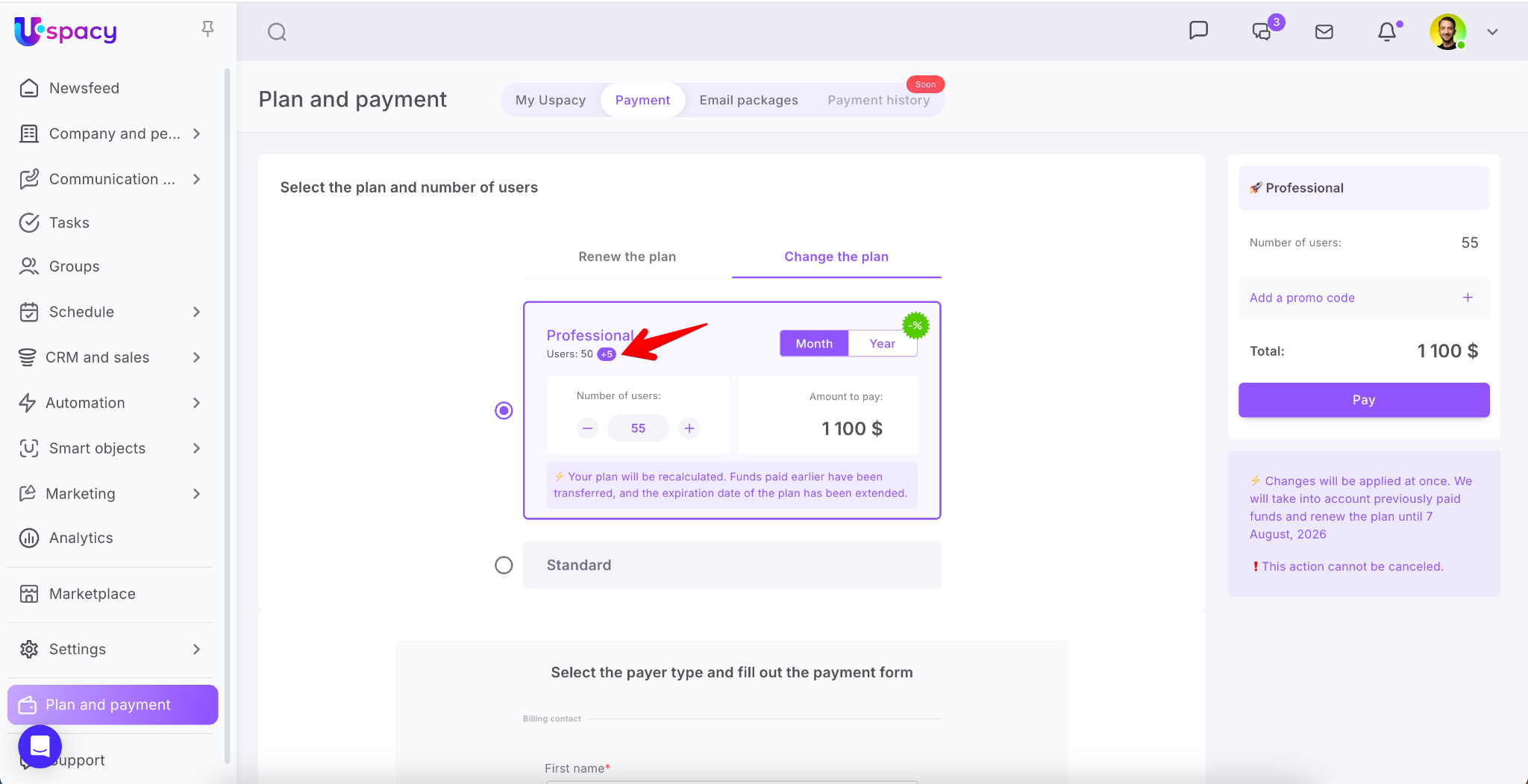
Or reduce the number of seats, if necessary.
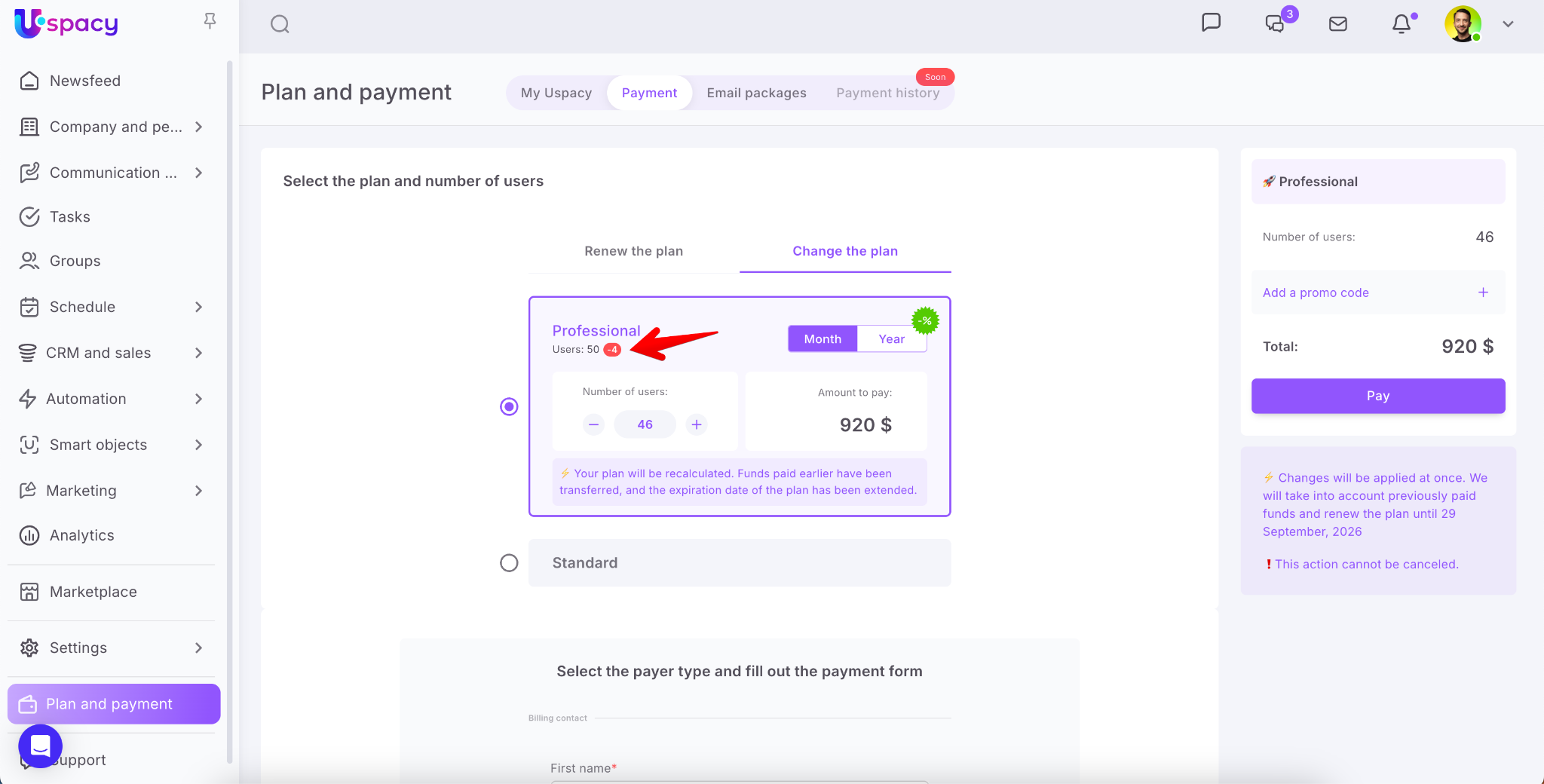
💡 Please note: When renewing, you cannot change the plan type or its duration — you can only manage the number of users who will have licensed access to your Workspace.
Changing the plan
If you’ve already used a commercial plan and made a payment, the Change the plan option will also be available to you.
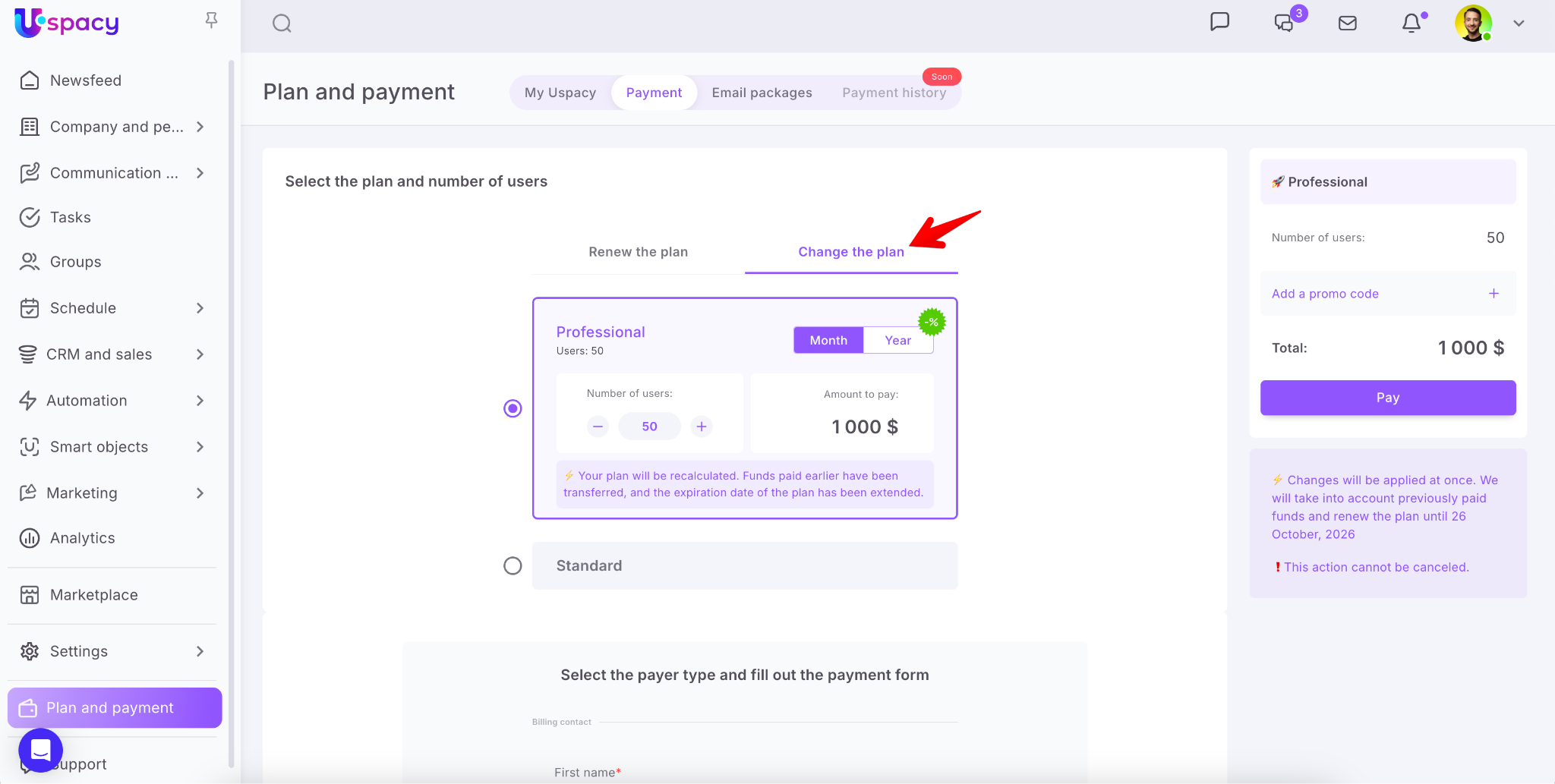
Unlike renewing a plan, changing it allows you to select adifferent plan and billing period. You can also increase or decrease the number of user seats.
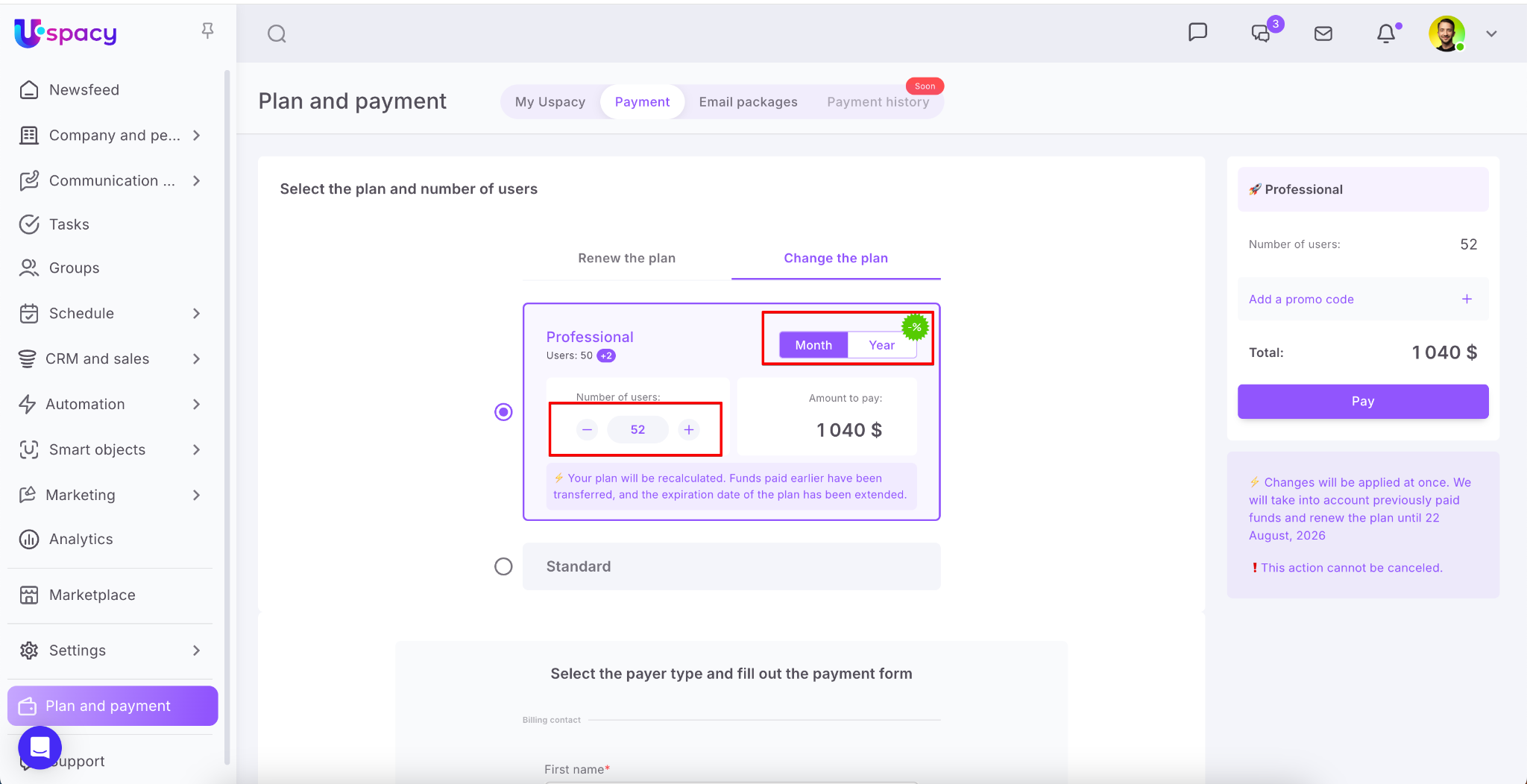
💡 Note: You can downgrade your plan or reduce the number of users on your current plan for free. To do this, click the Apply changes button.
However, if you want to upgrade your plan, extend the billing period, or add more users, you’ll need to pay the full amount of the new order.
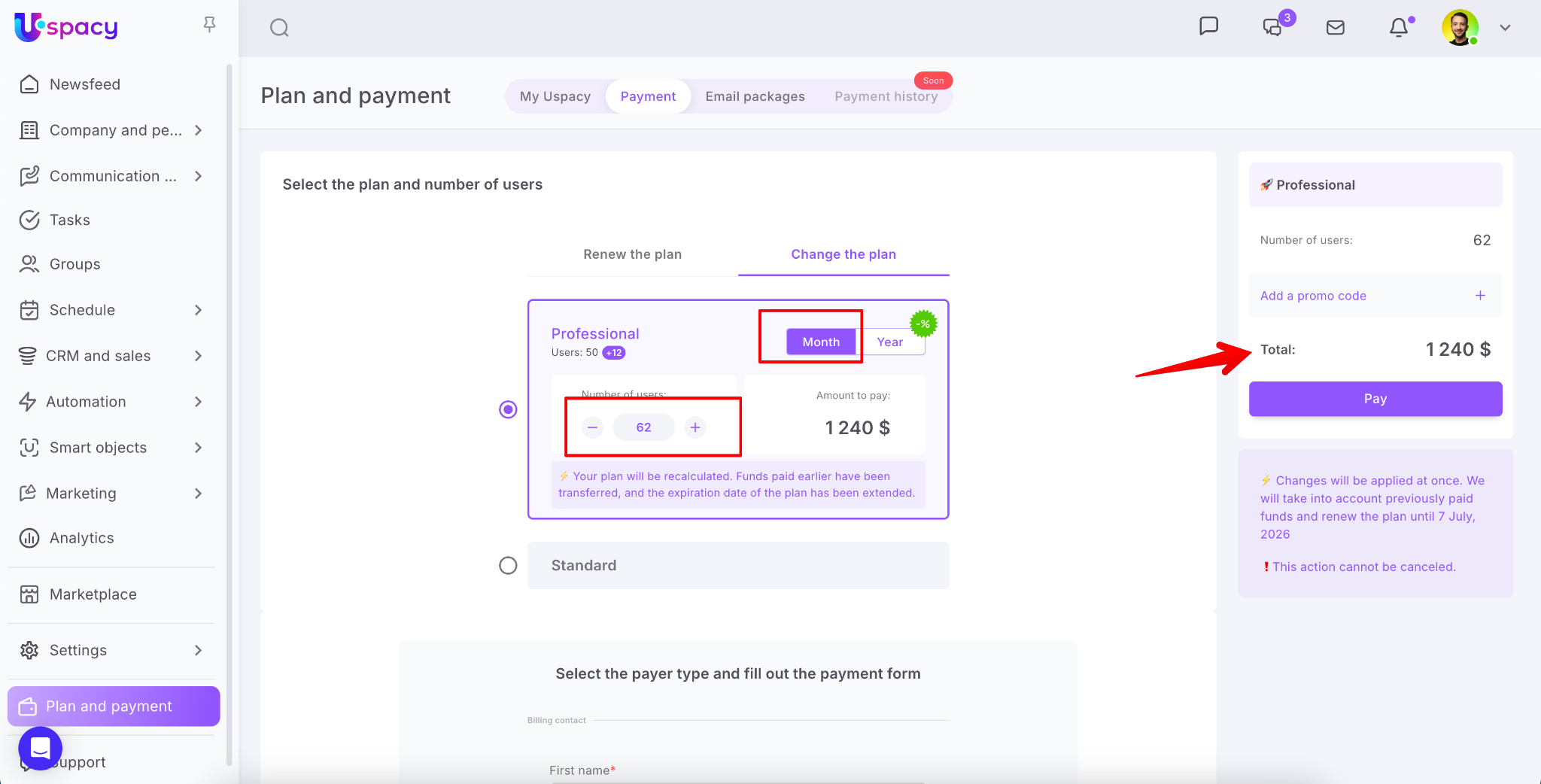
Funds rollover for the plan
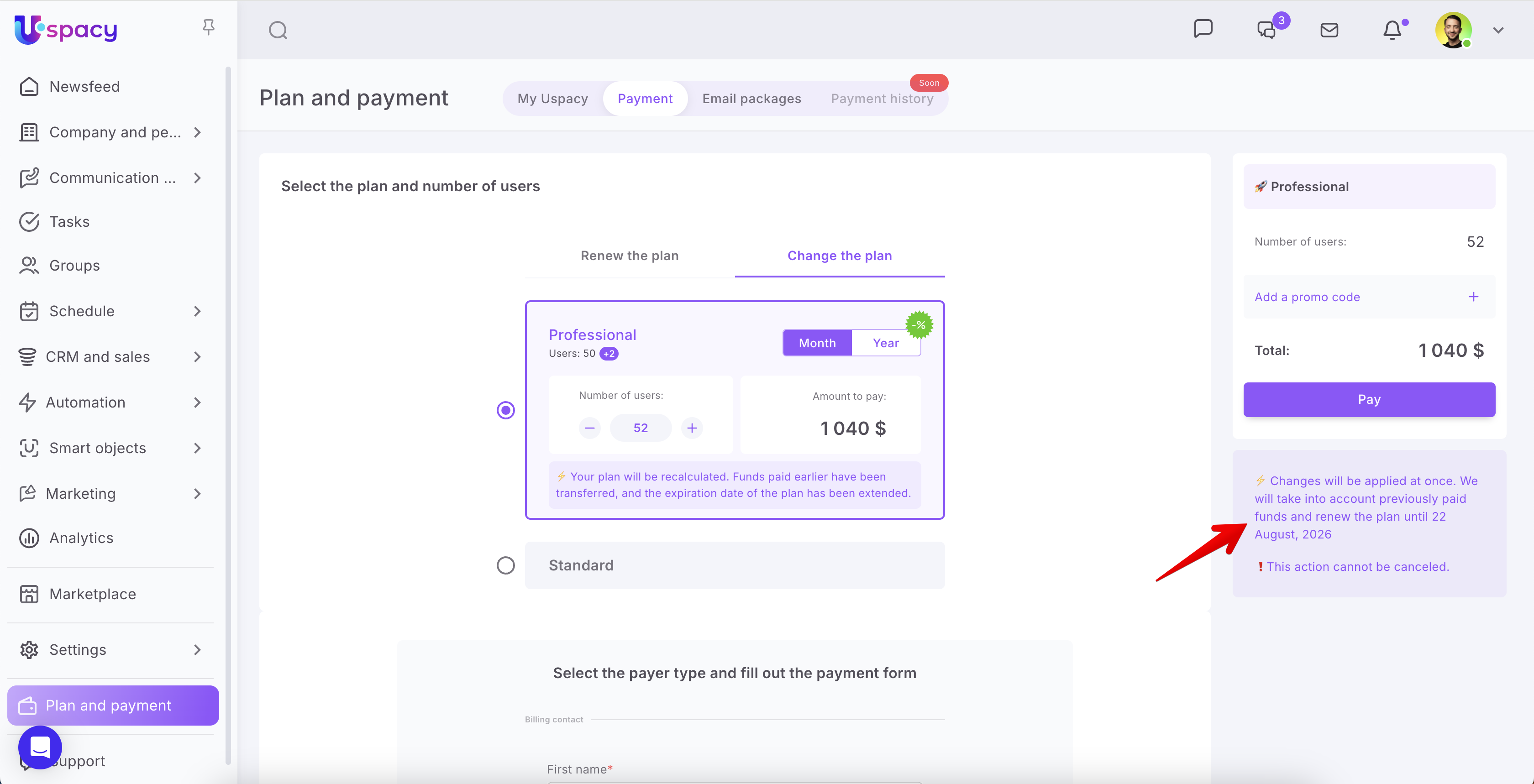
On the payment page, you can see the date of your next scheduled plan payment.
However, if you want to renew or change your plan before that date, you can go ahead and do so.
💡 The remaining days on your current license won’t be lost.
Any unused funds will be credited toward your new order, and the subscription period will be recalculated accordingly based on the remaining days.
If you have additional questions or you need to contact the support, send a request to this email [email protected]
Created: May 23, 2023 / Updated: February 8, 2024