The administrator and users with certain permissions can create departments and subdepartments in the company structure.
How to create a new department?
To do this, click the Create button in the Company and people section, on the Company structure page.
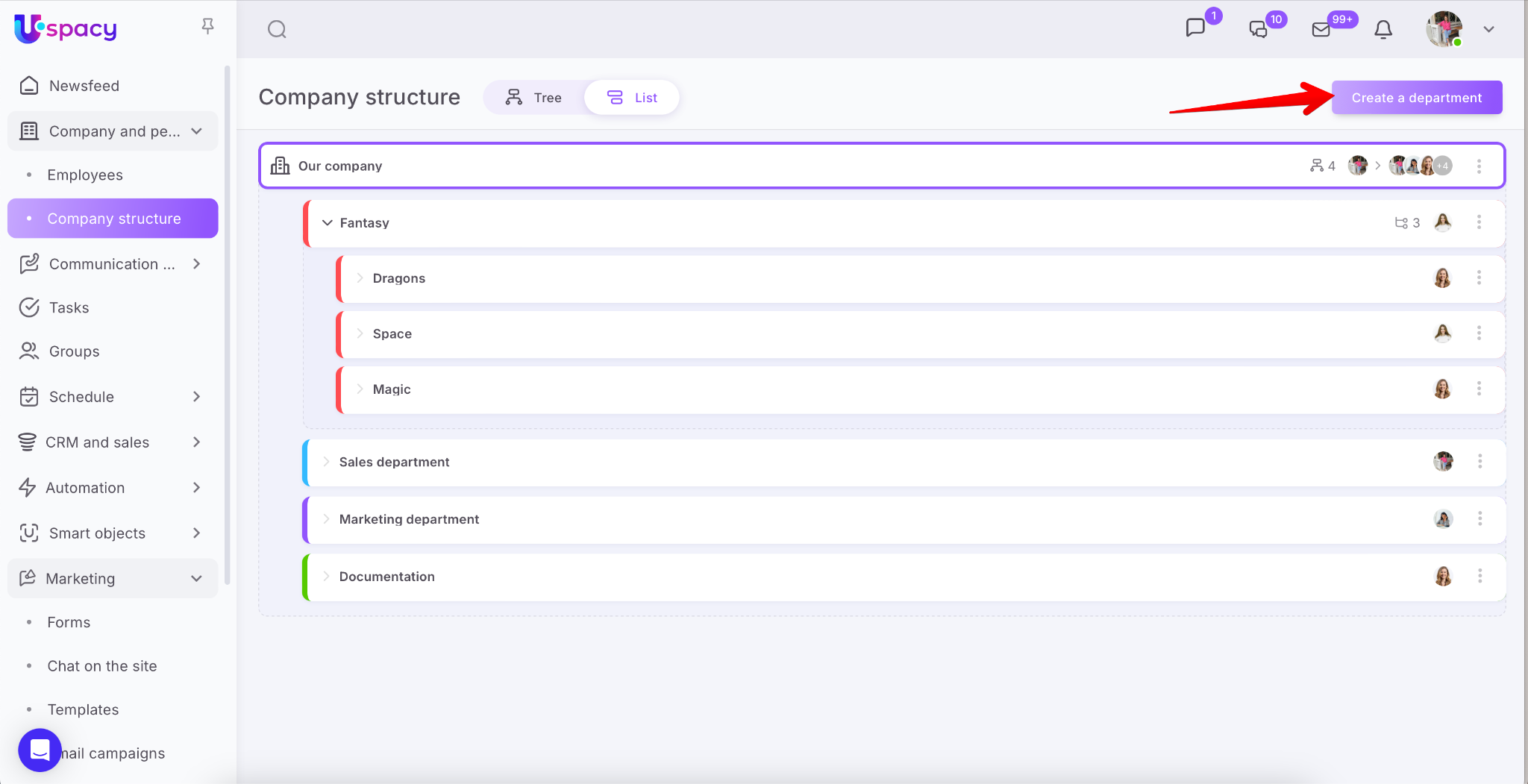
The window for creating a department will open. Here you need to fill out the fields one by one to add general information, indicate its place in the company structure, as well as its staff.
- General information block. Here you need to specify the name and add a description of the new department.
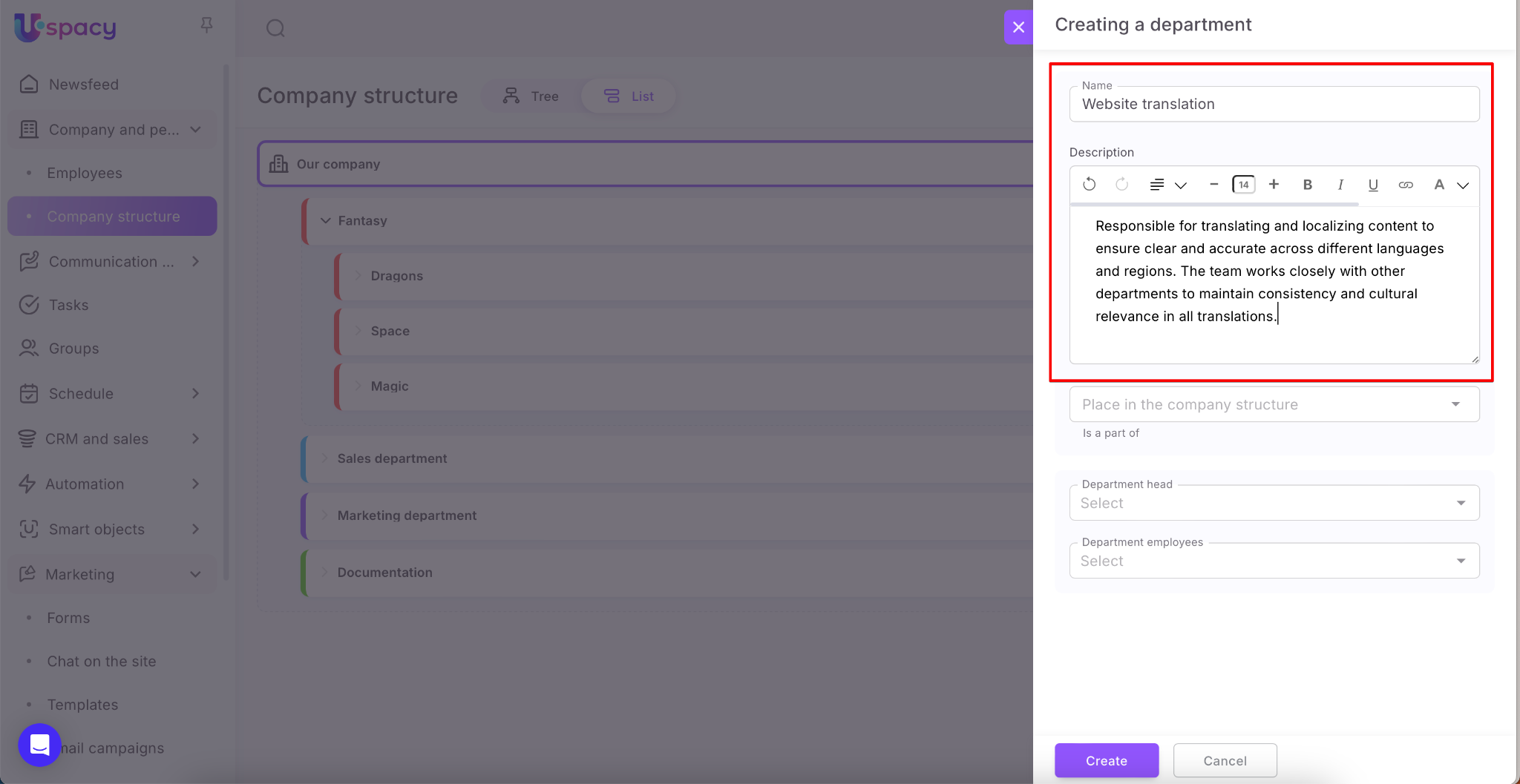
💡 The Name field is required. The Description field includes a built-in text editor that allows you to format the content to your preference.
🔍 You can learn more about the features of the built-in text editor in this article.
- The Place in the company structure block allows you to select the parent department from a list, indicating where the new department will be placed.
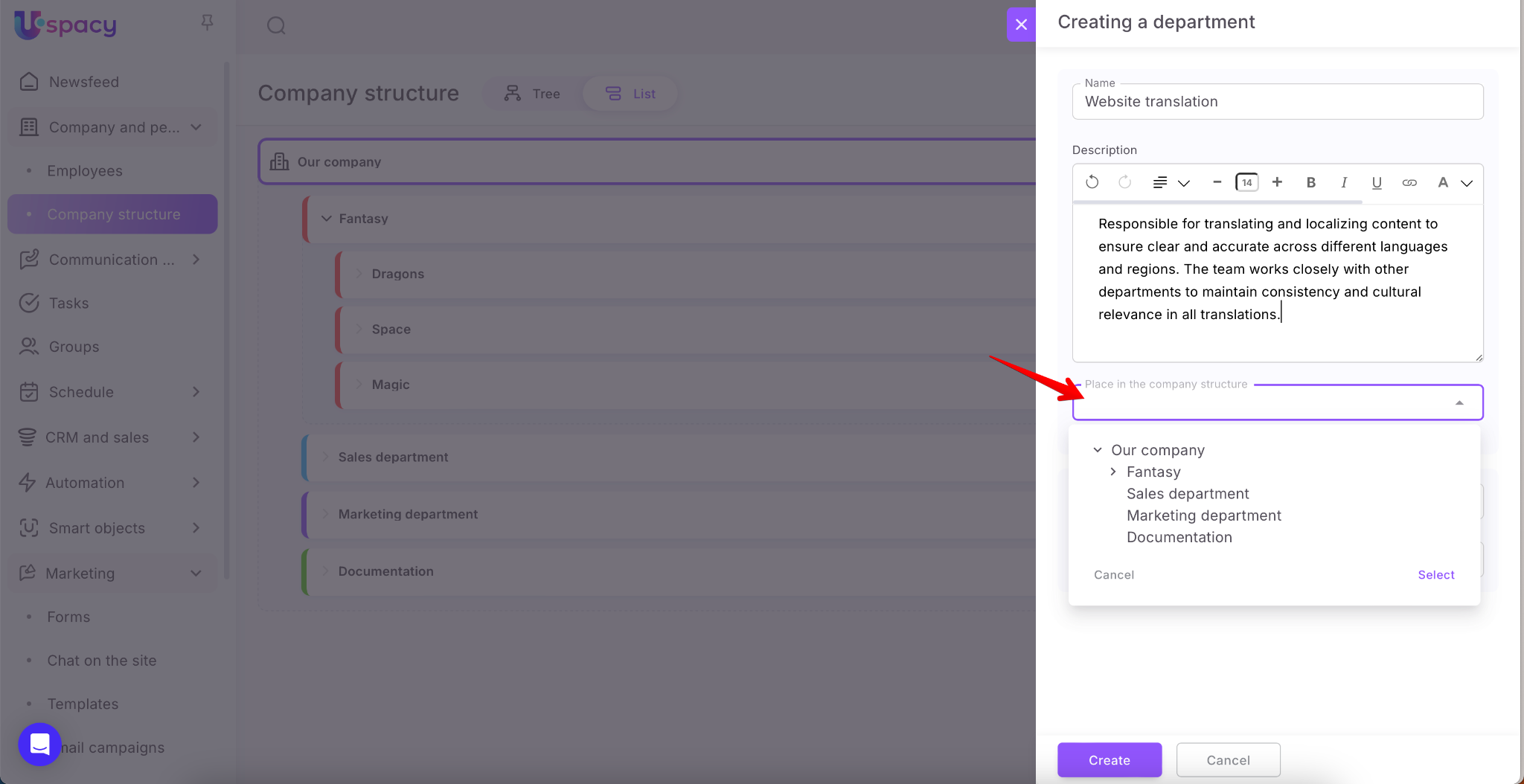
In order for a new structural subdepartment to become a department, it is necessary to select the main department of the company, which is at the top of the list, as the main structural department for it.
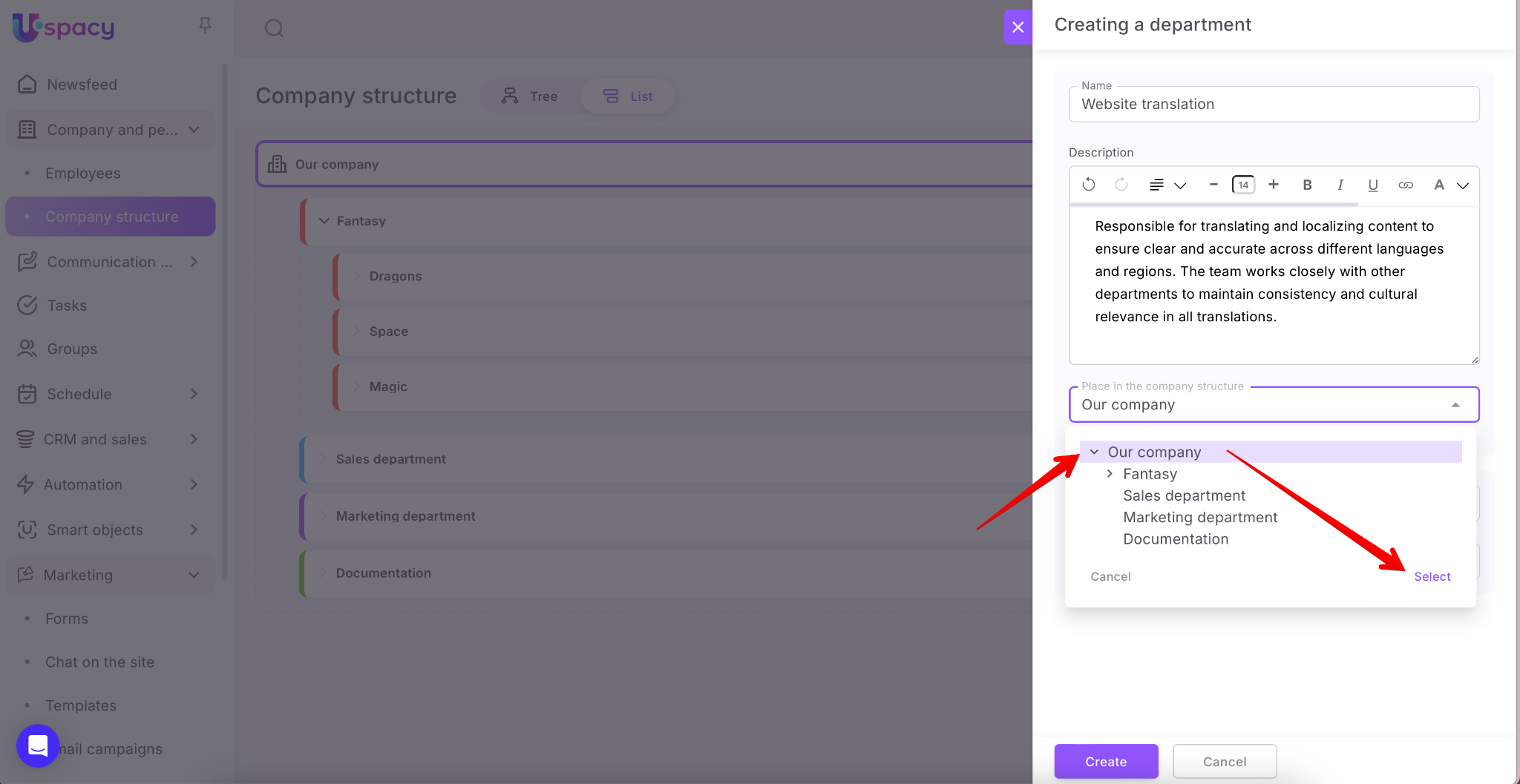
Or create a department through the menu of interaction with the main department using the Add item.
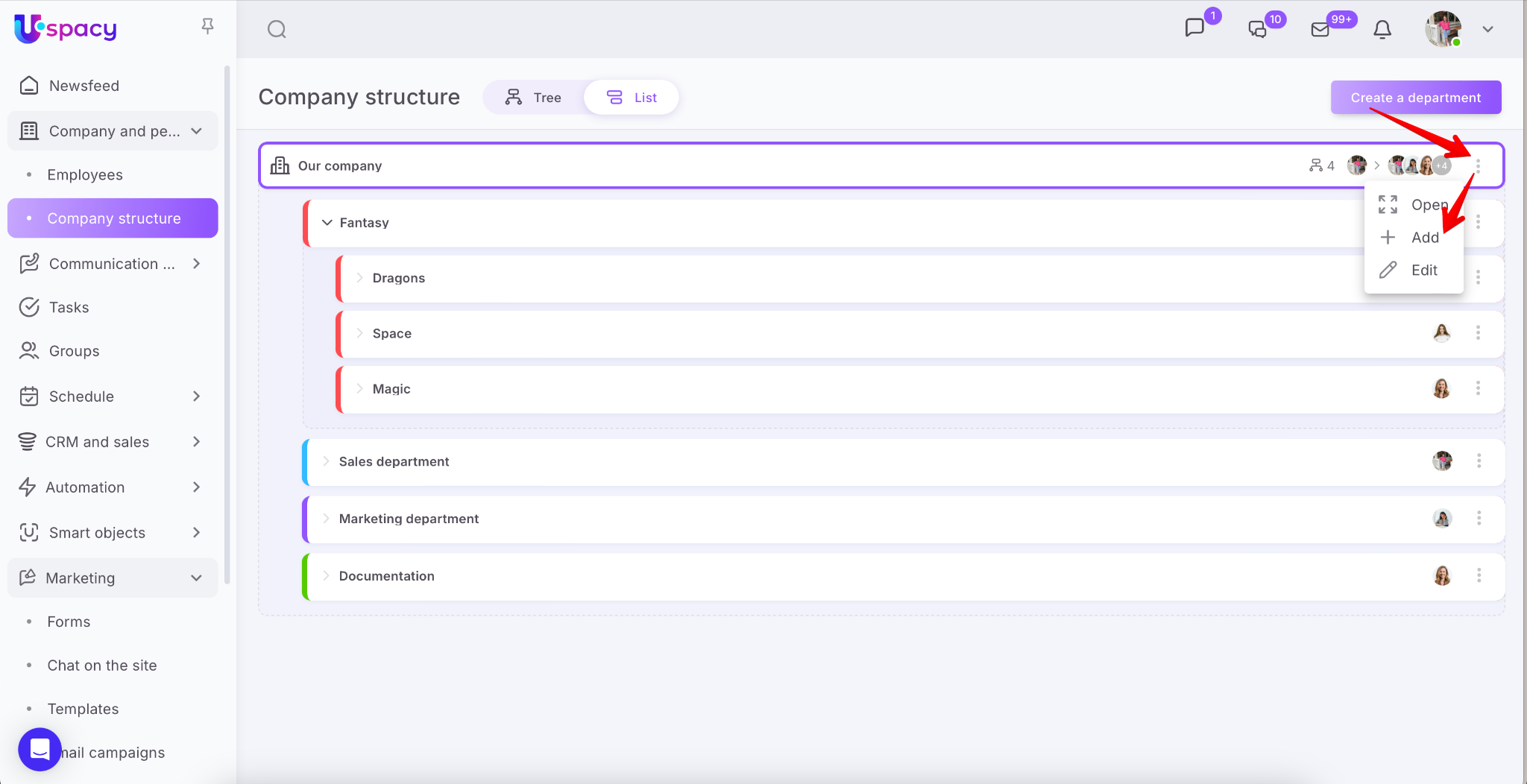
In the creation card, the Place in the company structure block will be missing. Because the main department of the company automatically becomes a superior structural subdepartment.
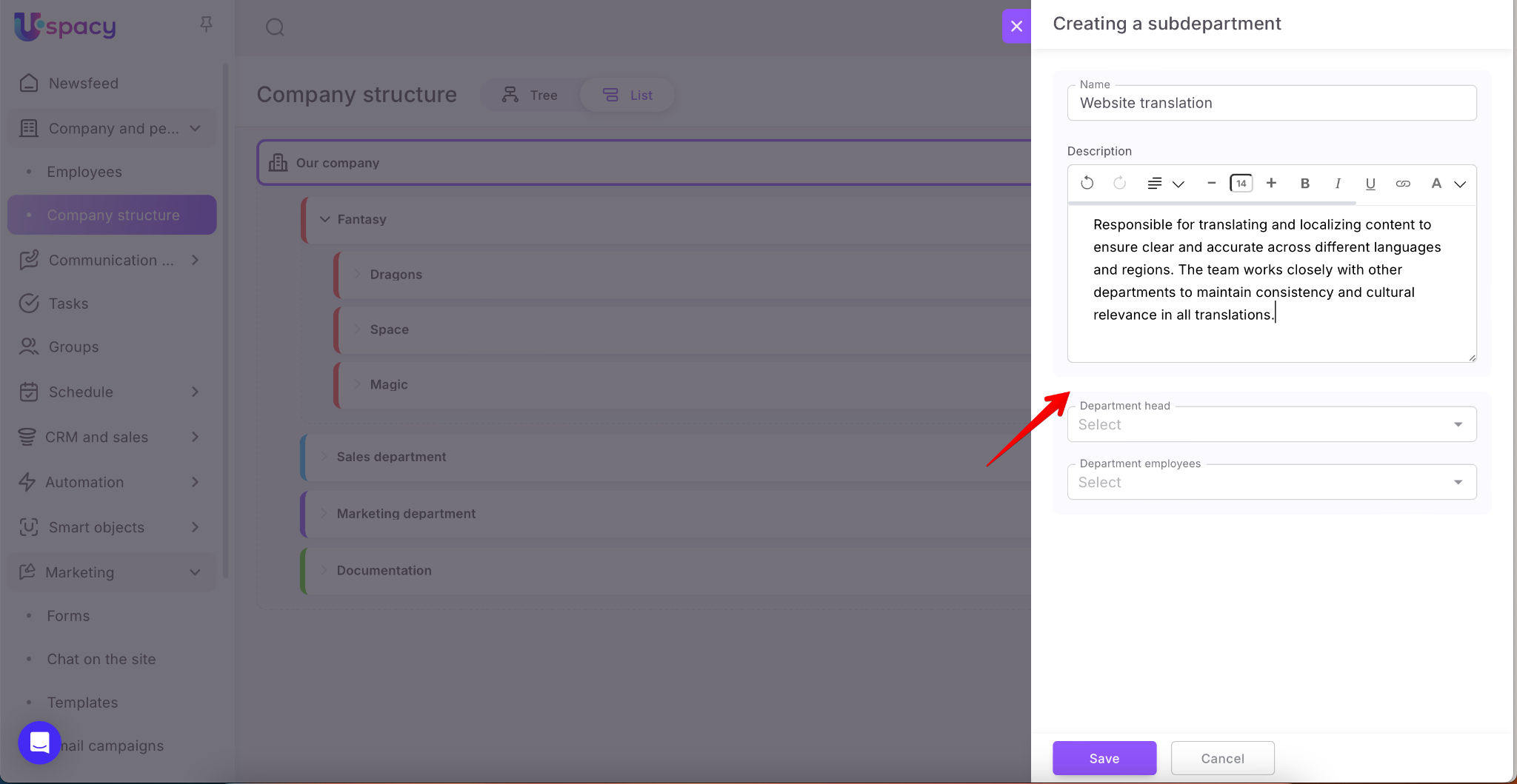
- Department staff block. First, you need to specify the user who will be the head of the department.
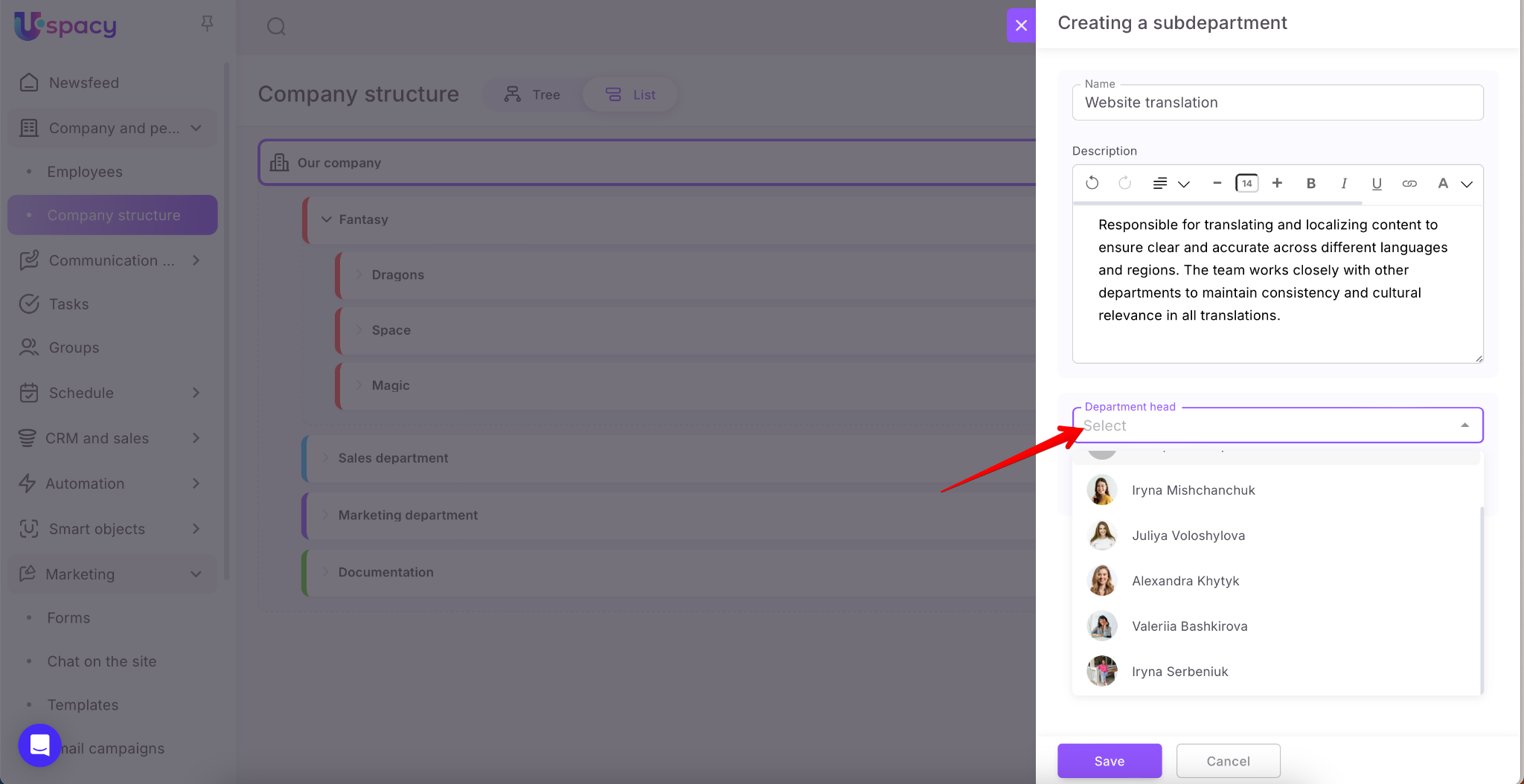
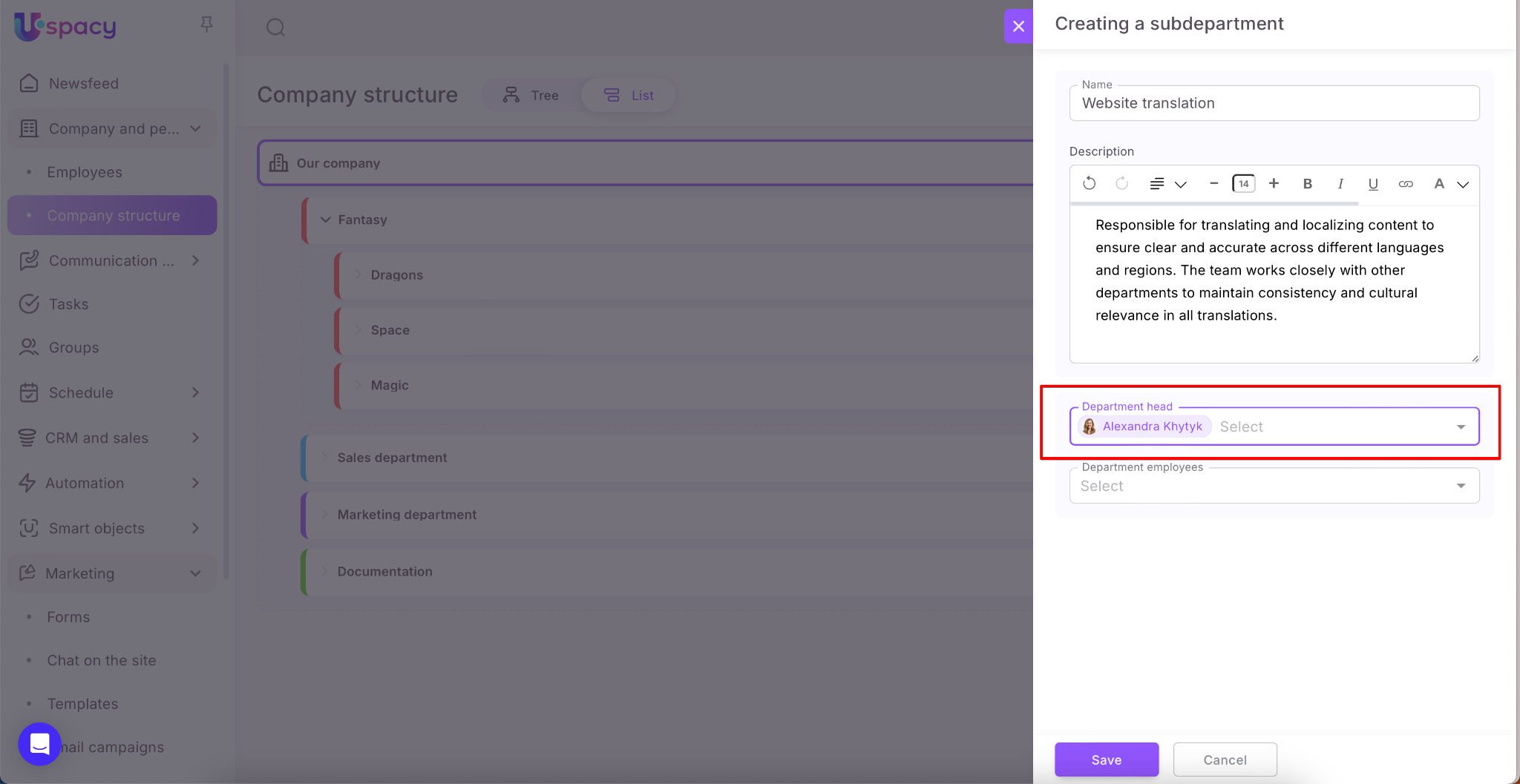
💡 The Head field is required.
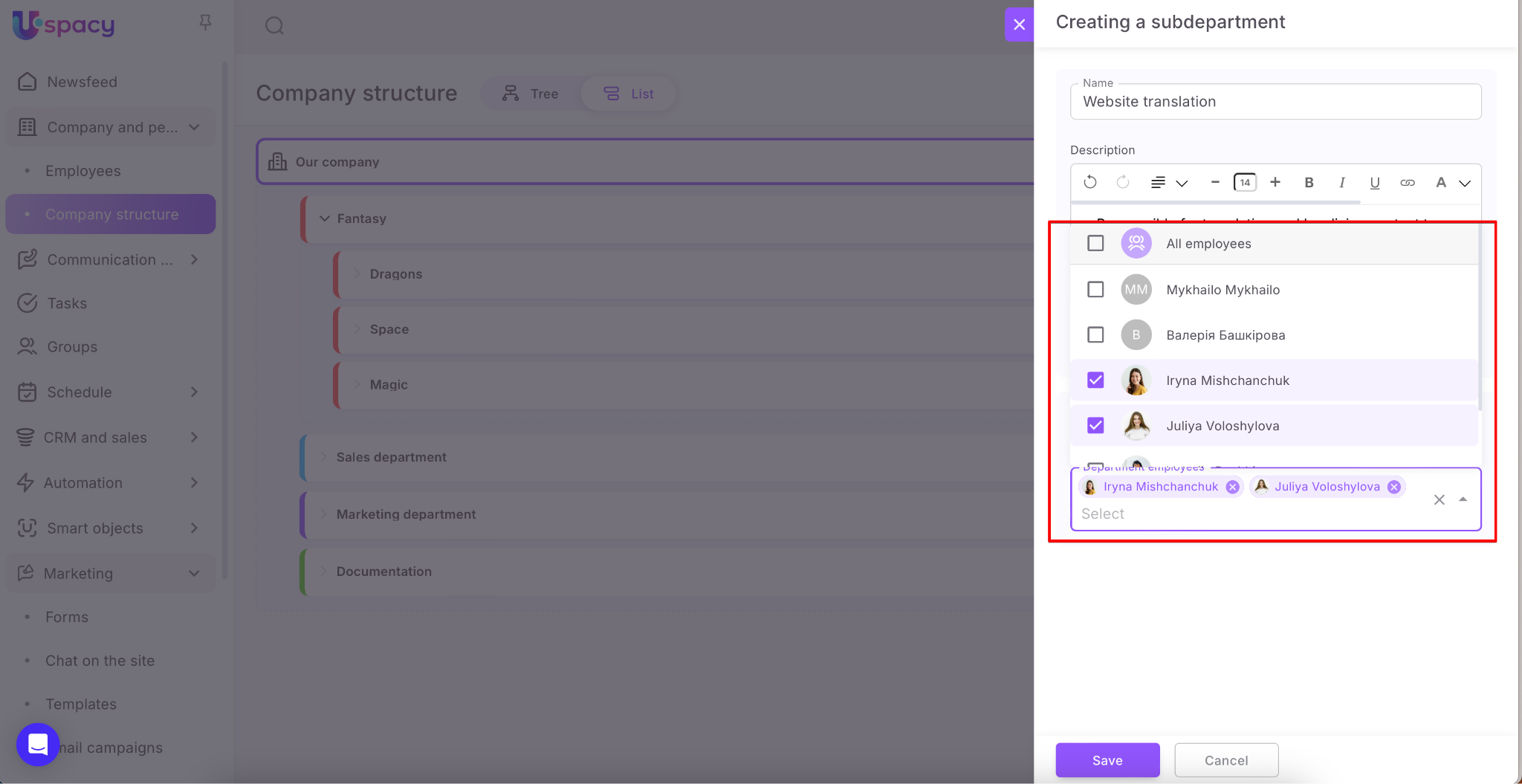
Next, all employees who must be assigned to this department are specified.
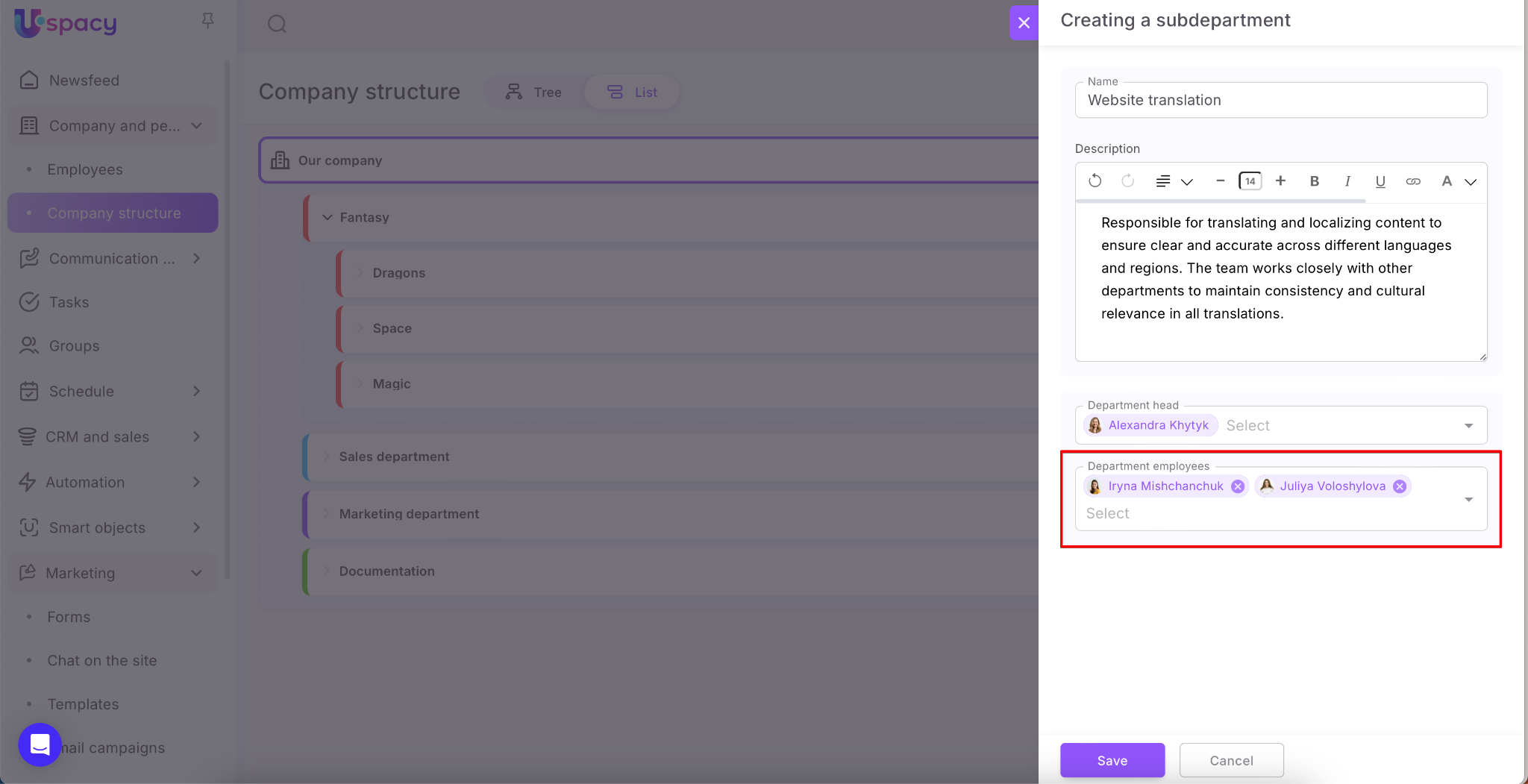
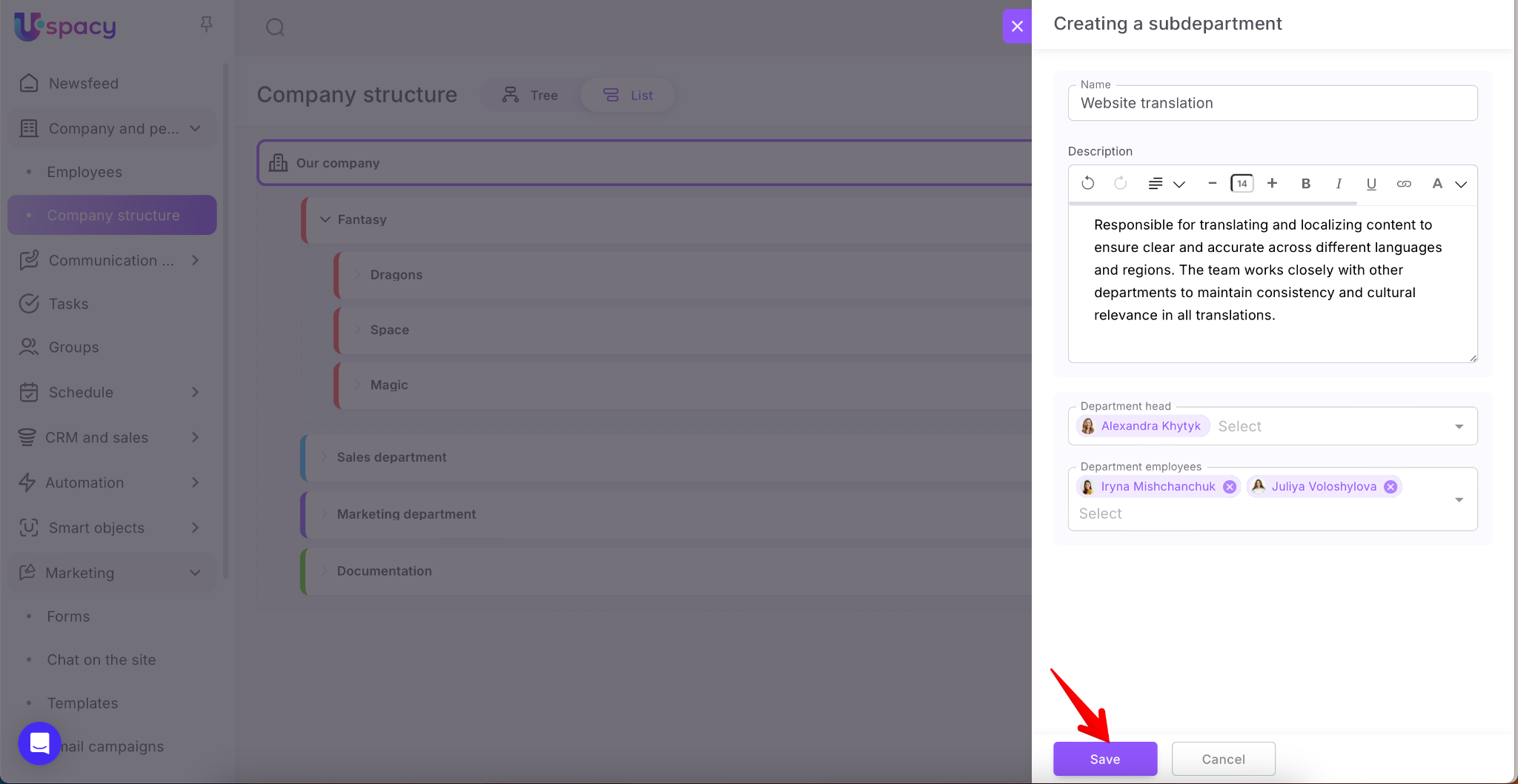
Once all fields are filled out, click the Save button.
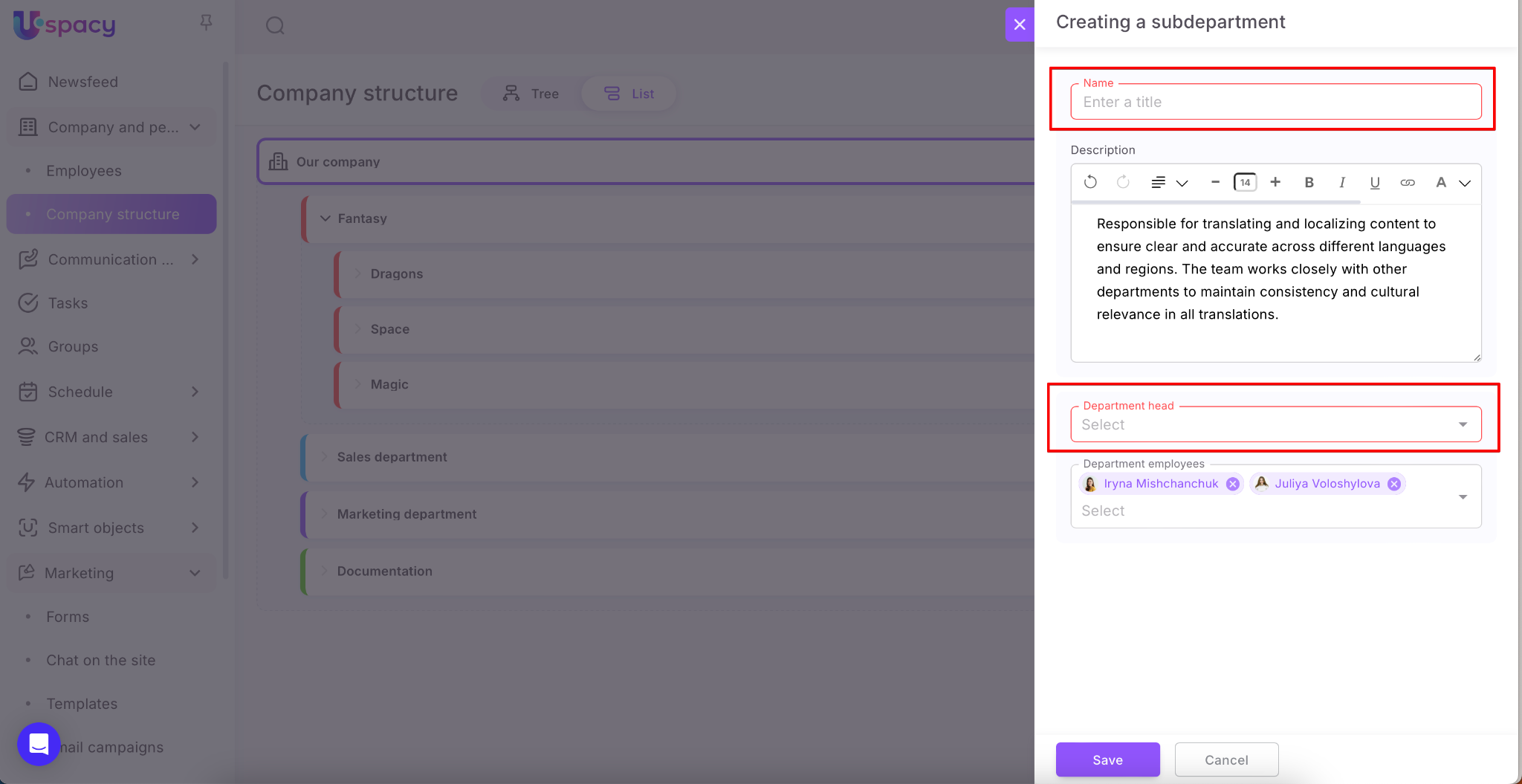
If the Name and Head fields are left empty, the system will highlight them in red and prevent the department from being created.
The new department will become part of the company structure and will appear on the page immediately.
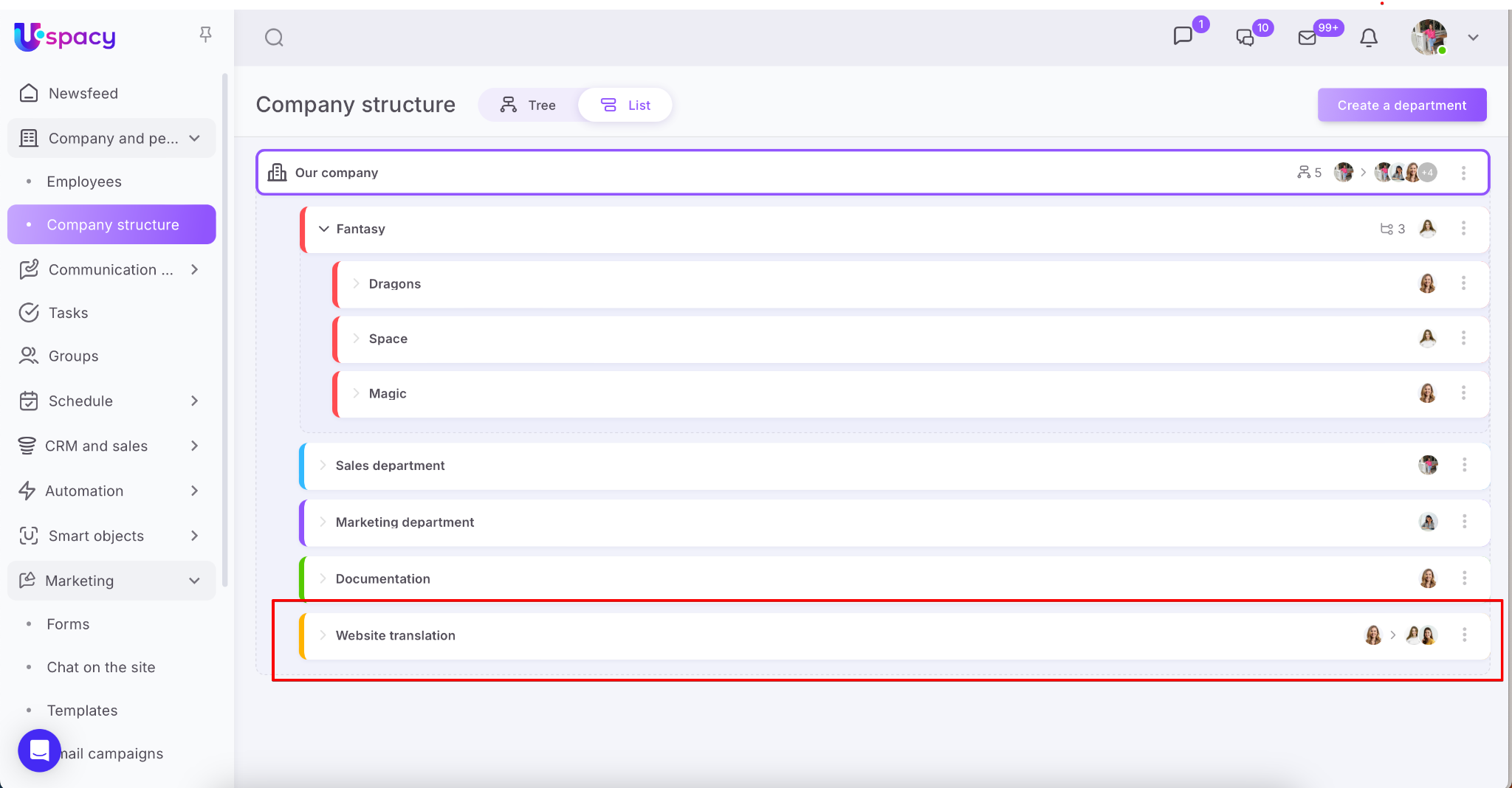
How to create a new subdepartment?
This can be done in two ways:
1. The first is similar to creating a department, but with a little difference. It consists in choosing a place in the company structure.
For a subdepartment, the superior structural department can be only a department or another subdepartment.
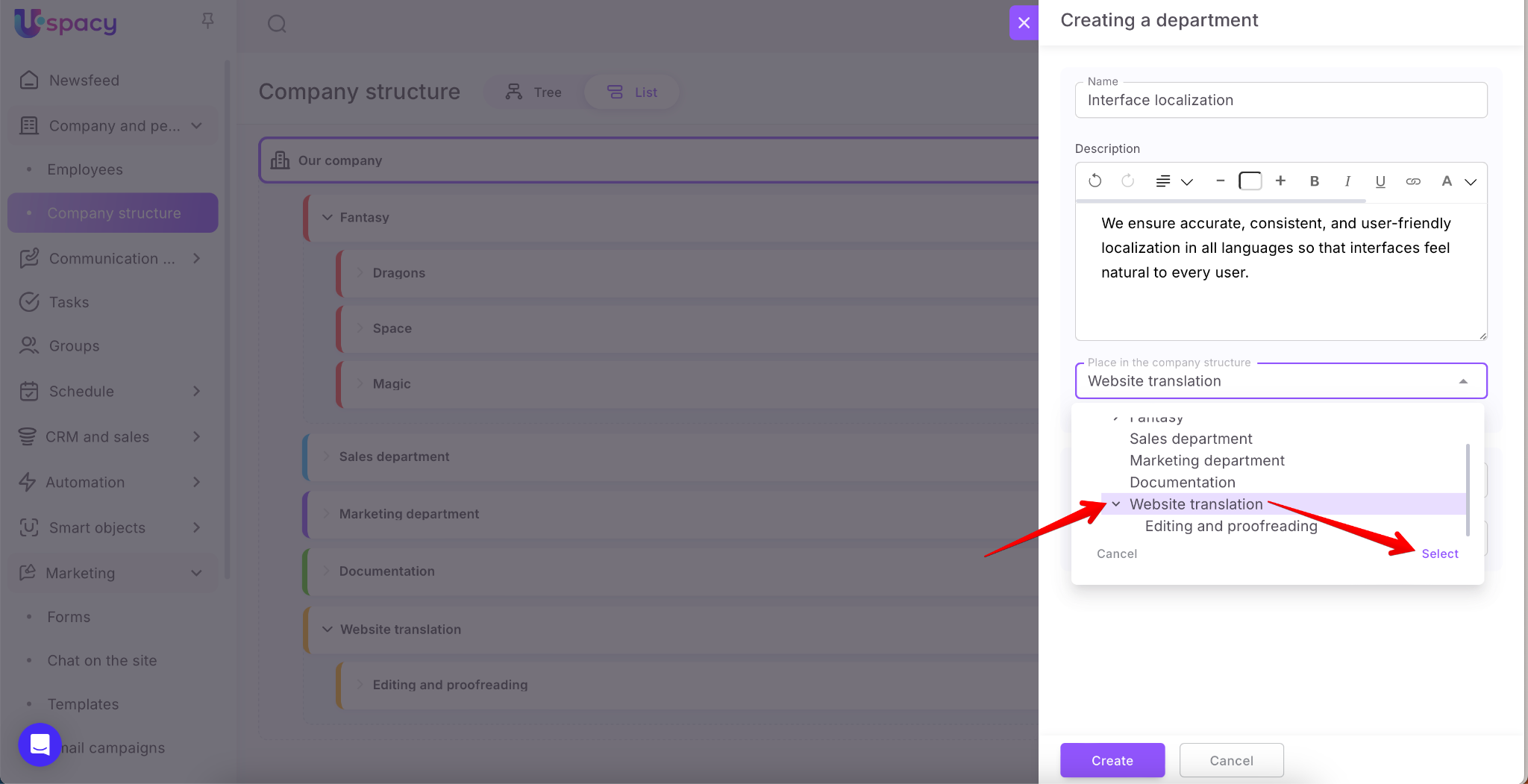
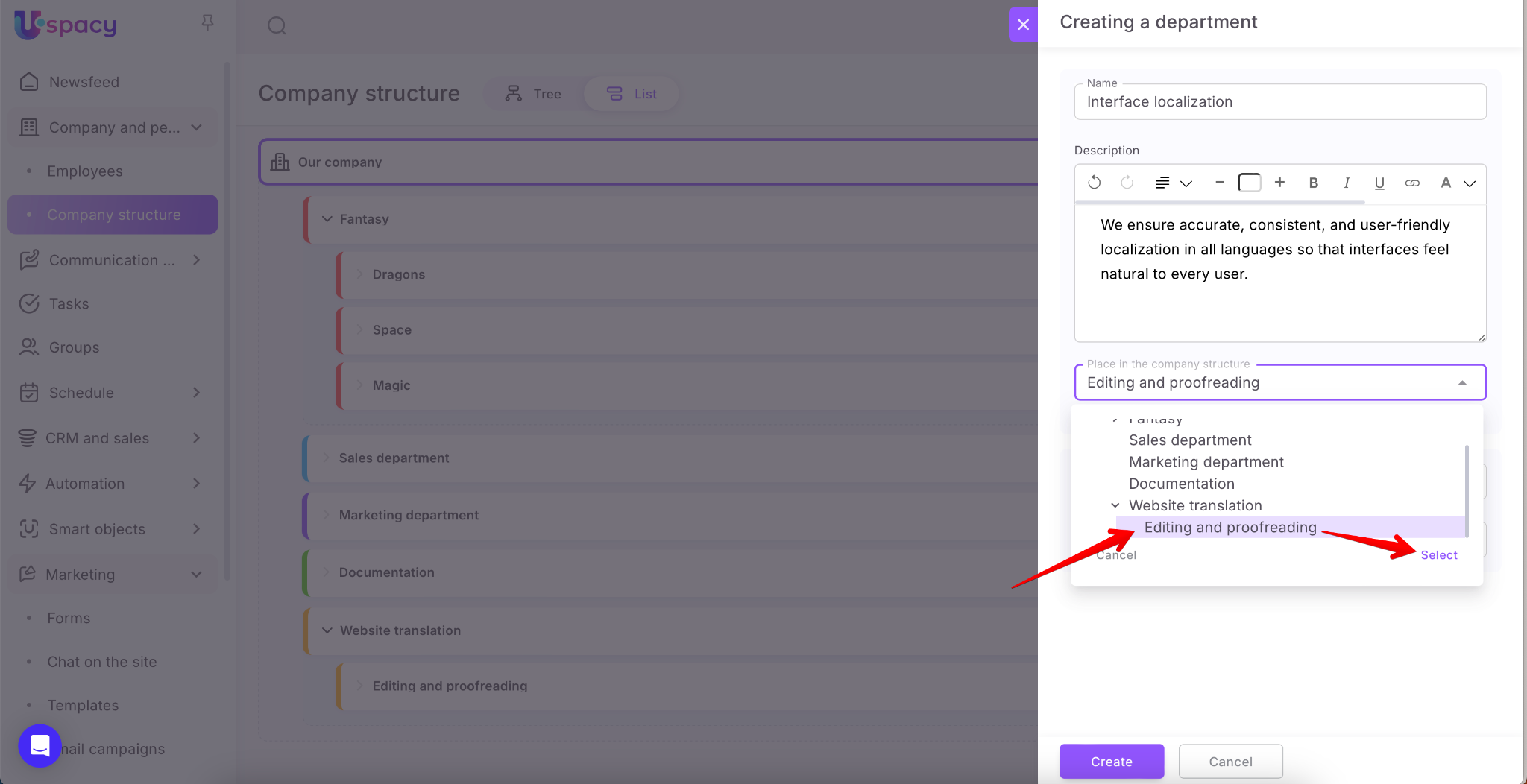
2. The second - using the Add item in the menu of interaction with the department.
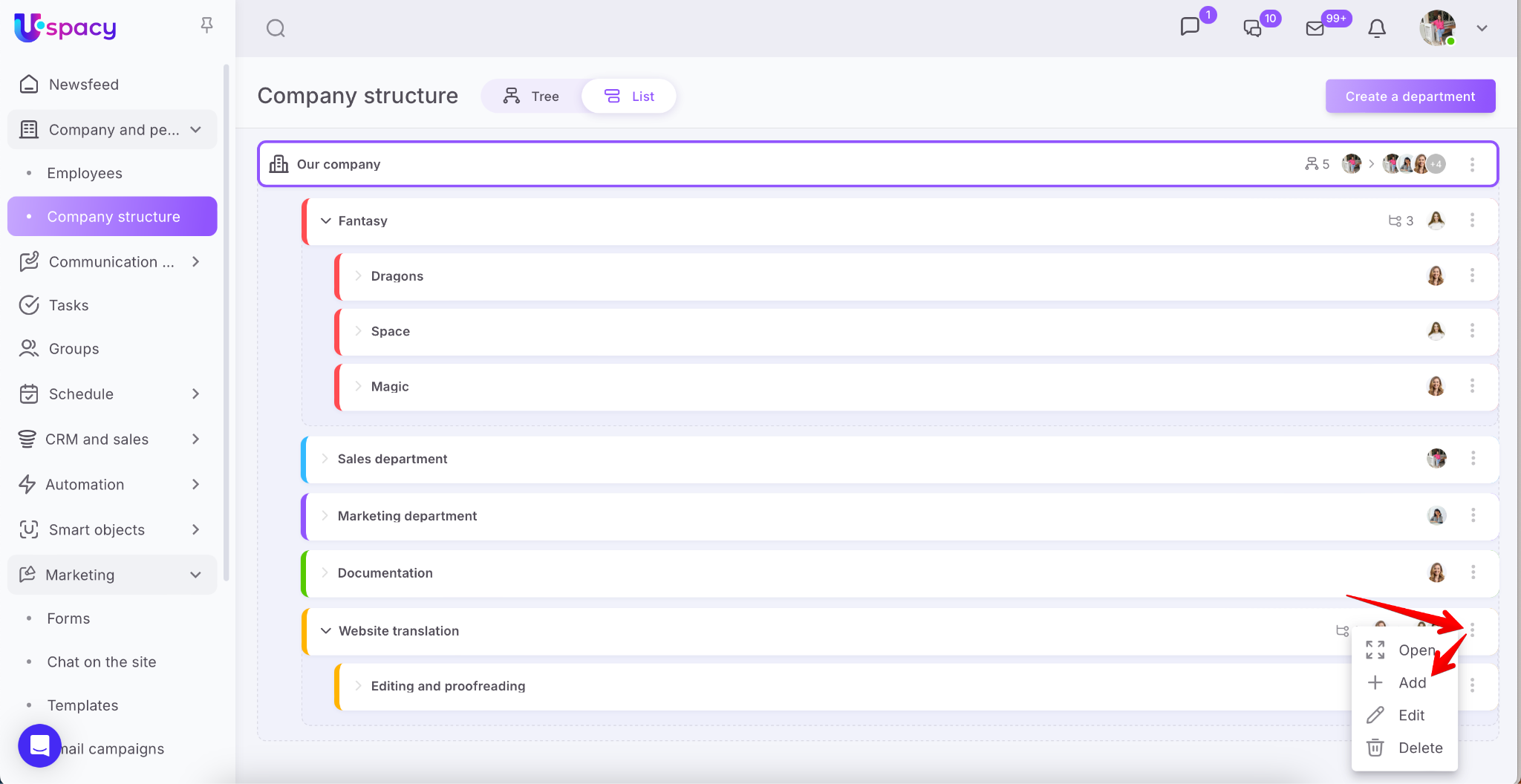
The Department field to which it belongs is filled out automatically. The structural department for which the subdepartment is created will be specified there.
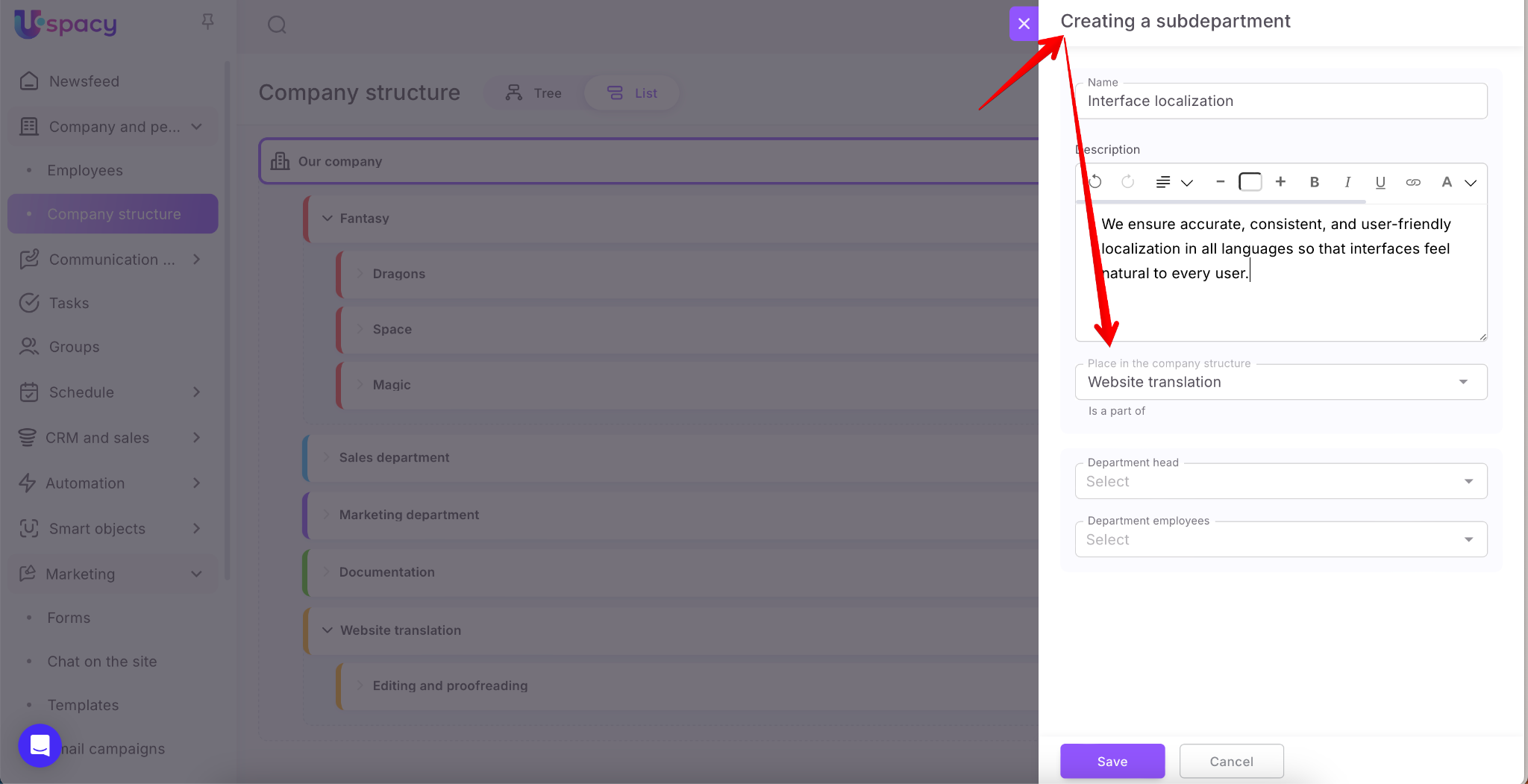
The new subdepartment will become part of the company's structure and will be part of the superior structural department.
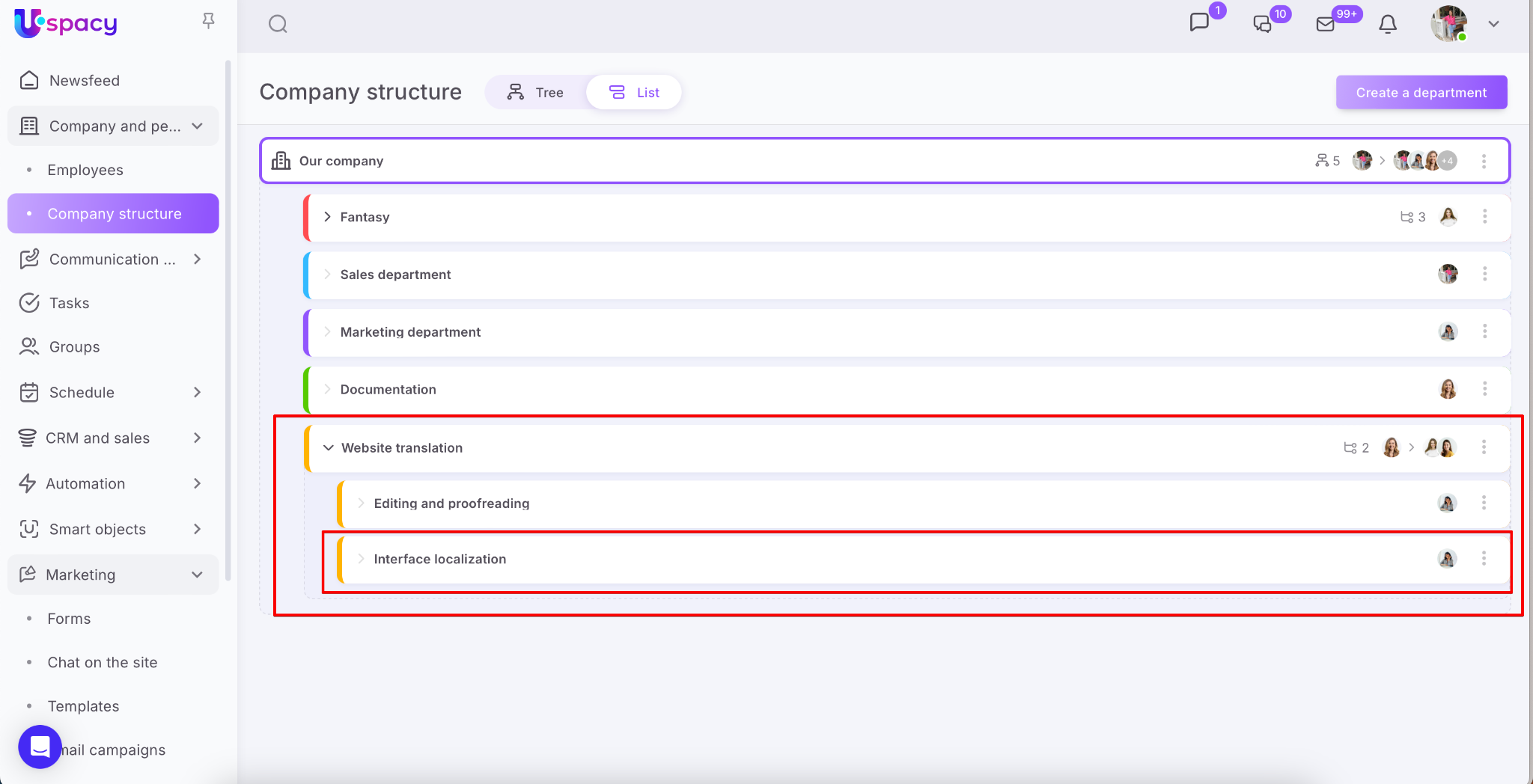
If a subdepartment is created in a department, then it will look like this:
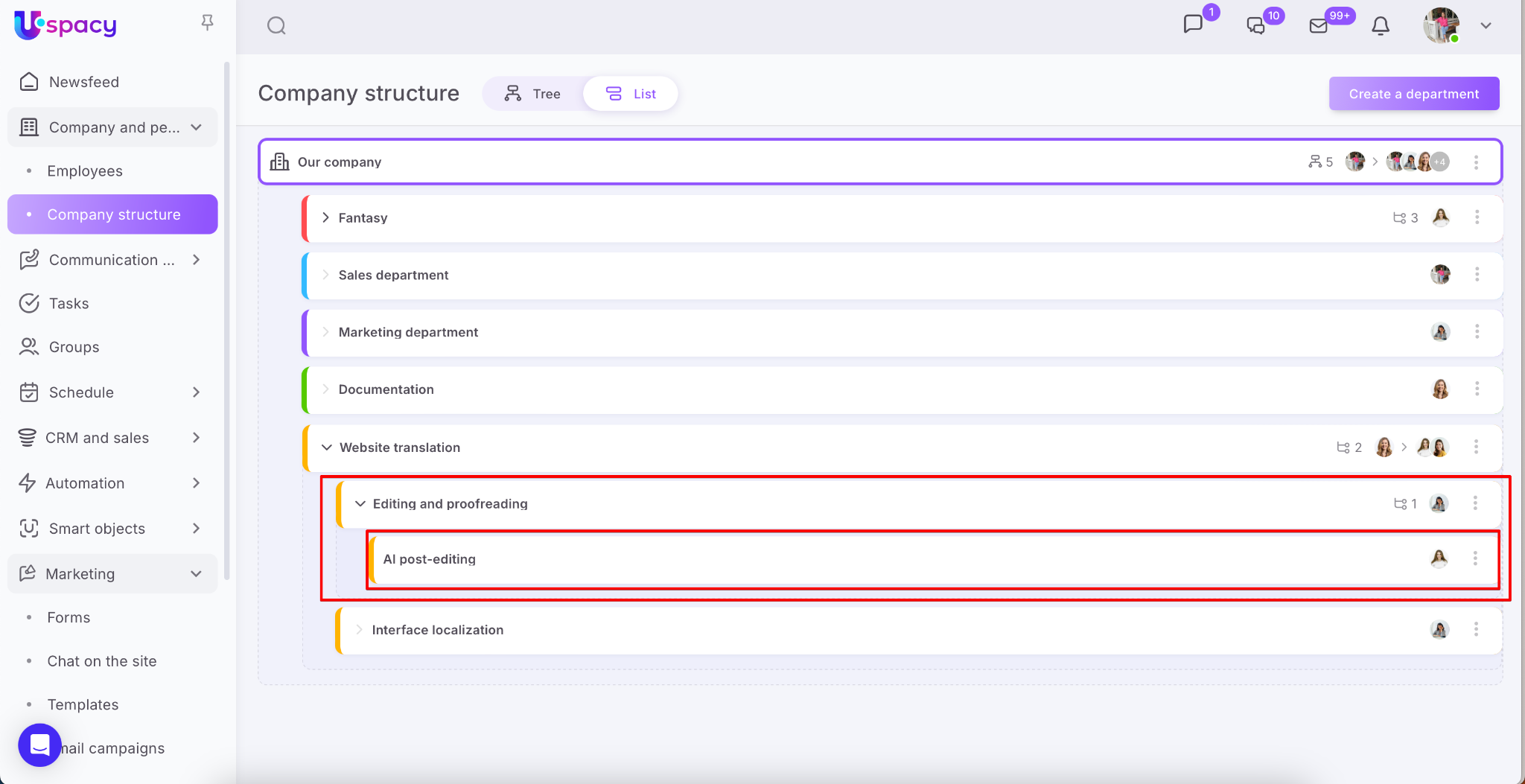
If a new structural department is created in a subdepartment, then it will look the following way:
In the first case, the subdepartment will be in the second level of subordination.
In the second case, the subdepartment will be in the third and the last level of subordination.
In Uspacy, you can build a branched company structure, but it is limited to three levels of hierarchy, which does not take into account a separate main department.

For the third level of subordination, it is not possible to create a structural department of a lower level. The Add item will be missing in the full interaction menu.
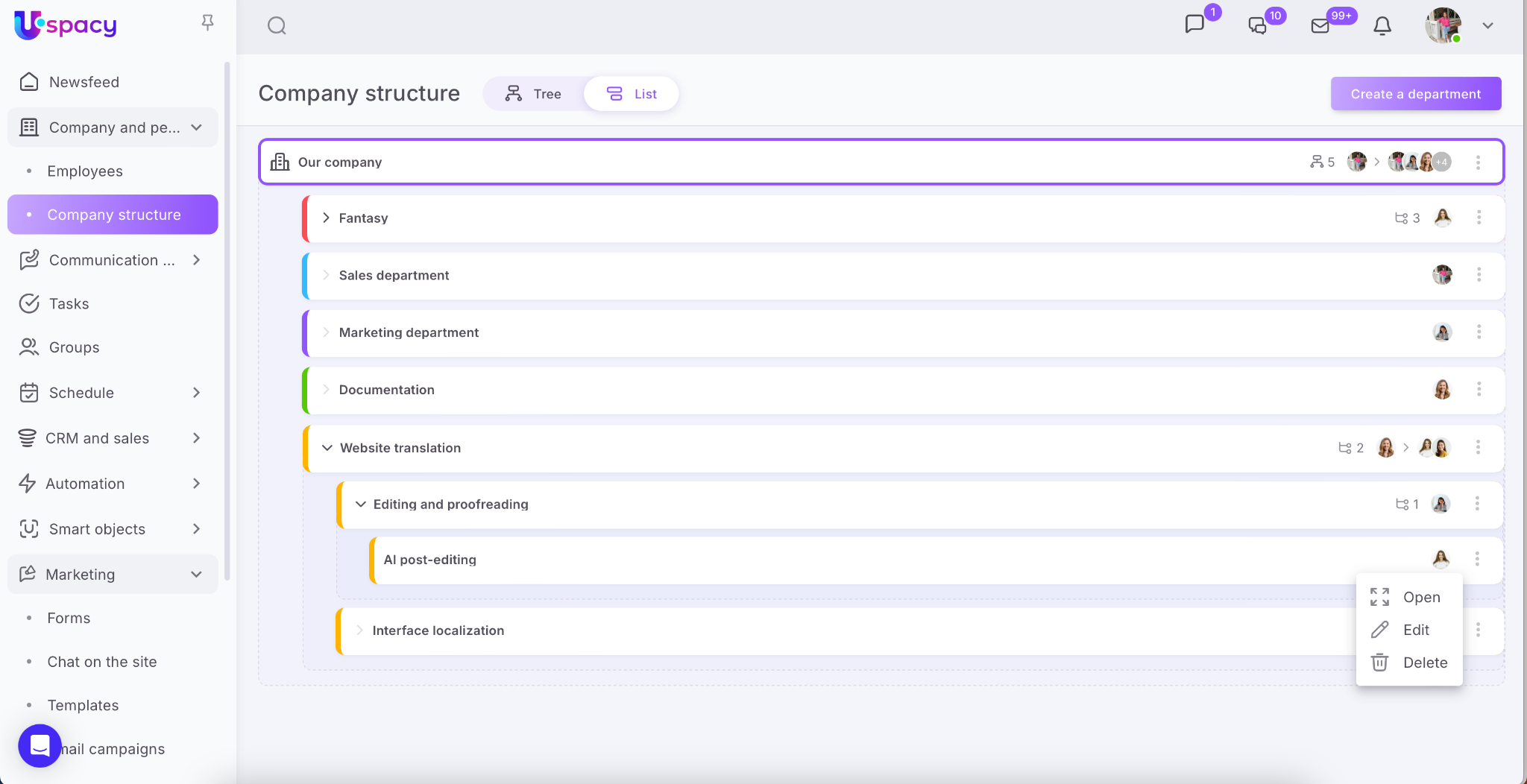
When selecting a department, which will include a new one, it is impossible to use a level 3 structural department as a superior. The system will make it inactive.
If you have additional questions or you need to contact the support, send a request to this email [email protected]
Created: February 22, 2023 / Updated: October 9, 2025