Modern business requires modern solutions. Working with various acts, contracts, invoices, commercial proposals, etc. is an urgent need that cannot be ignored or considered unnecessary.
Therefore, in order to simplify and help improve processes in the company that are related to documentation, we created the Document generator.

What is it and how does it work?
The document generator is a special system functionality, the purpose of which is to simplify, speed up and standardize the creation of printed forms in the entities of the Space.
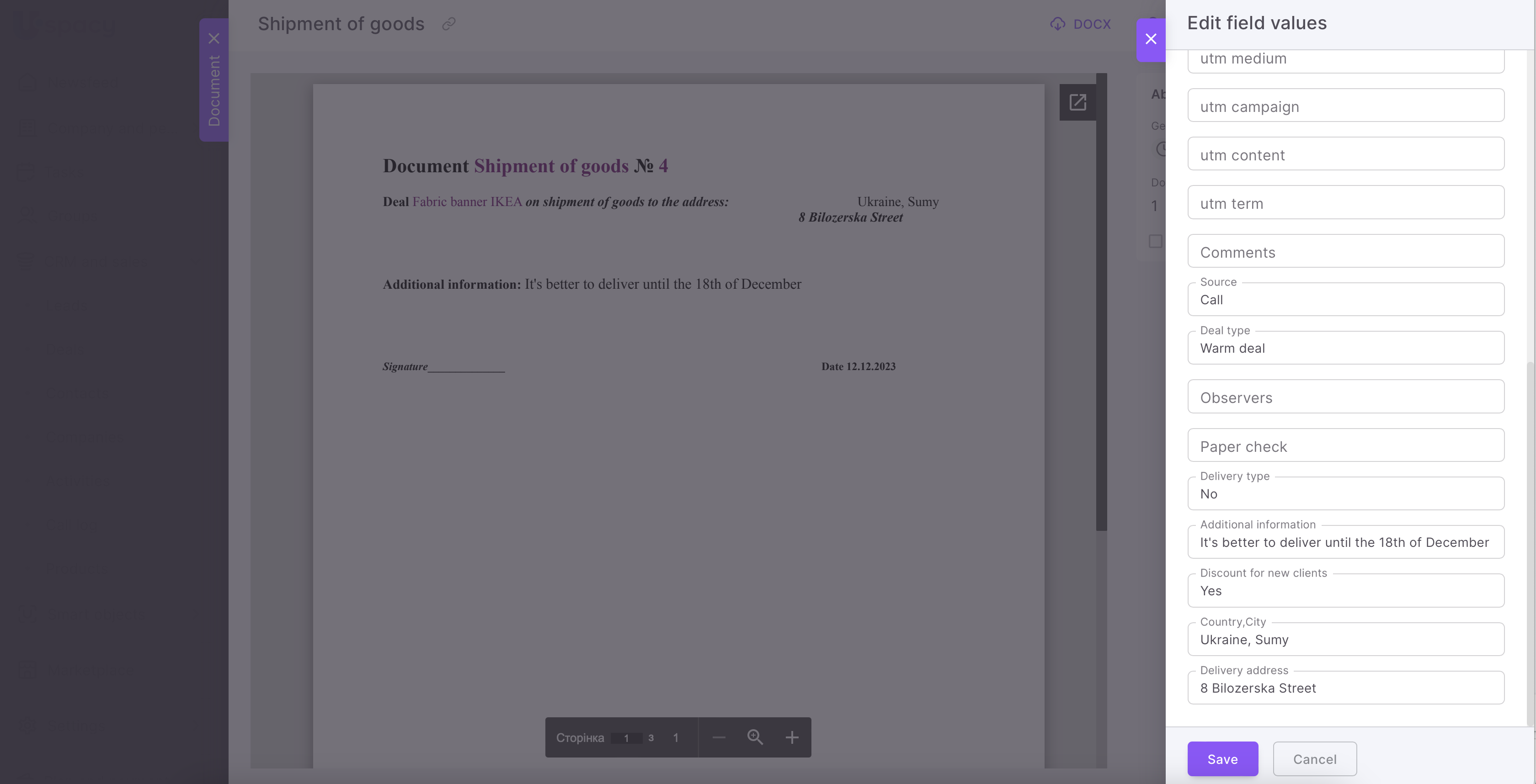
It substitutes the values of defined fields from the system entities into a pre-formed template for a certain type of document.
🔍 You can read more about creating and uploading templates in the following article.
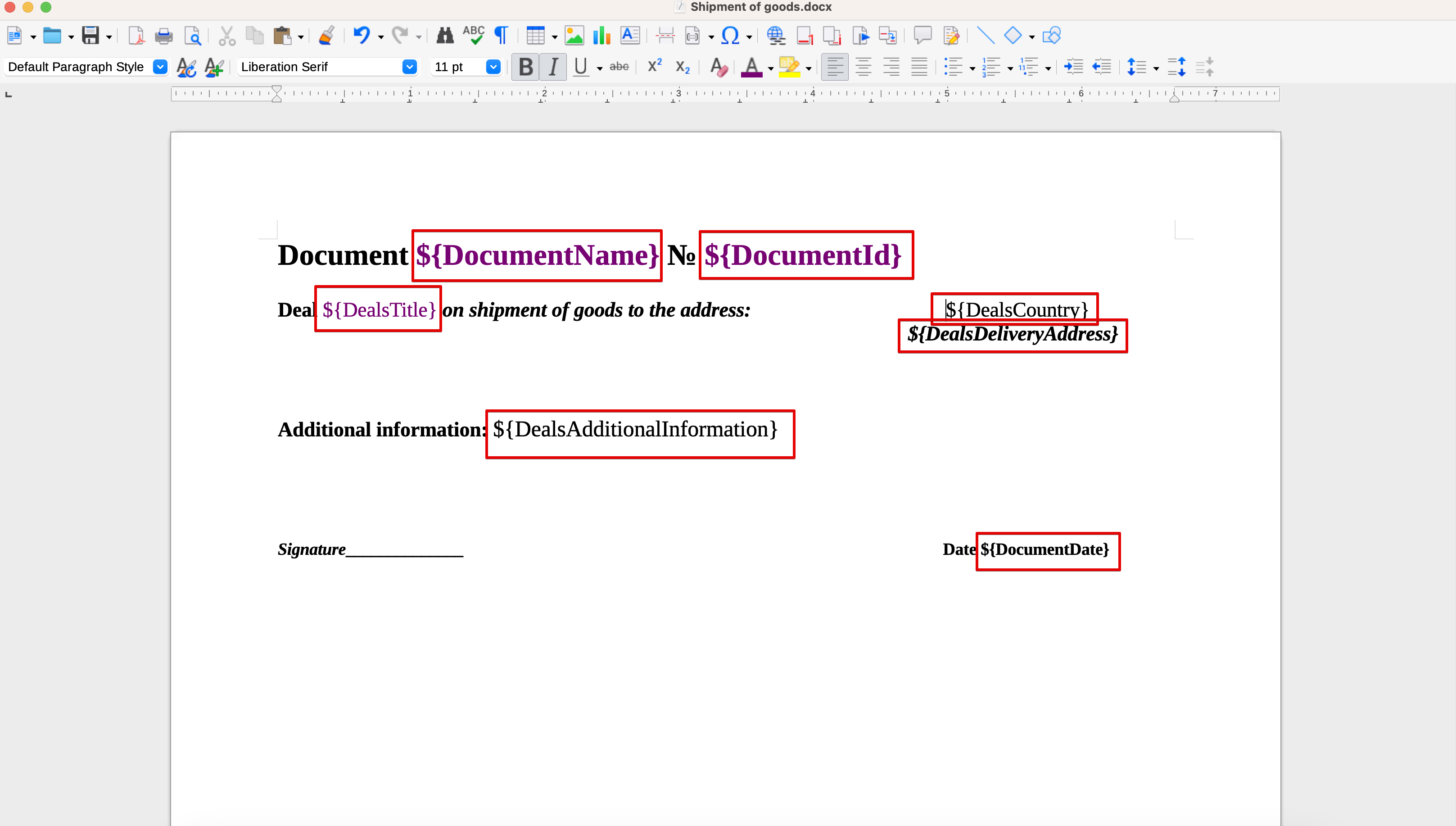
Thus, the system user enters information only in the fields of the entity cards, and the document generator forms the necessary documents using the values from these fields.
🔍You can read more about documents generation in CRM in the following article.
🌟You can work with the document generator and upload your own templates using any of the plans. The only difference is their number.
The Free plan includes 1 template.
Standard - 5.
Professional - unlimited.
Settings of the document generator
Before proceeding to the direct use of the capabilities provided by the document generator, you should learn more about its parameters.
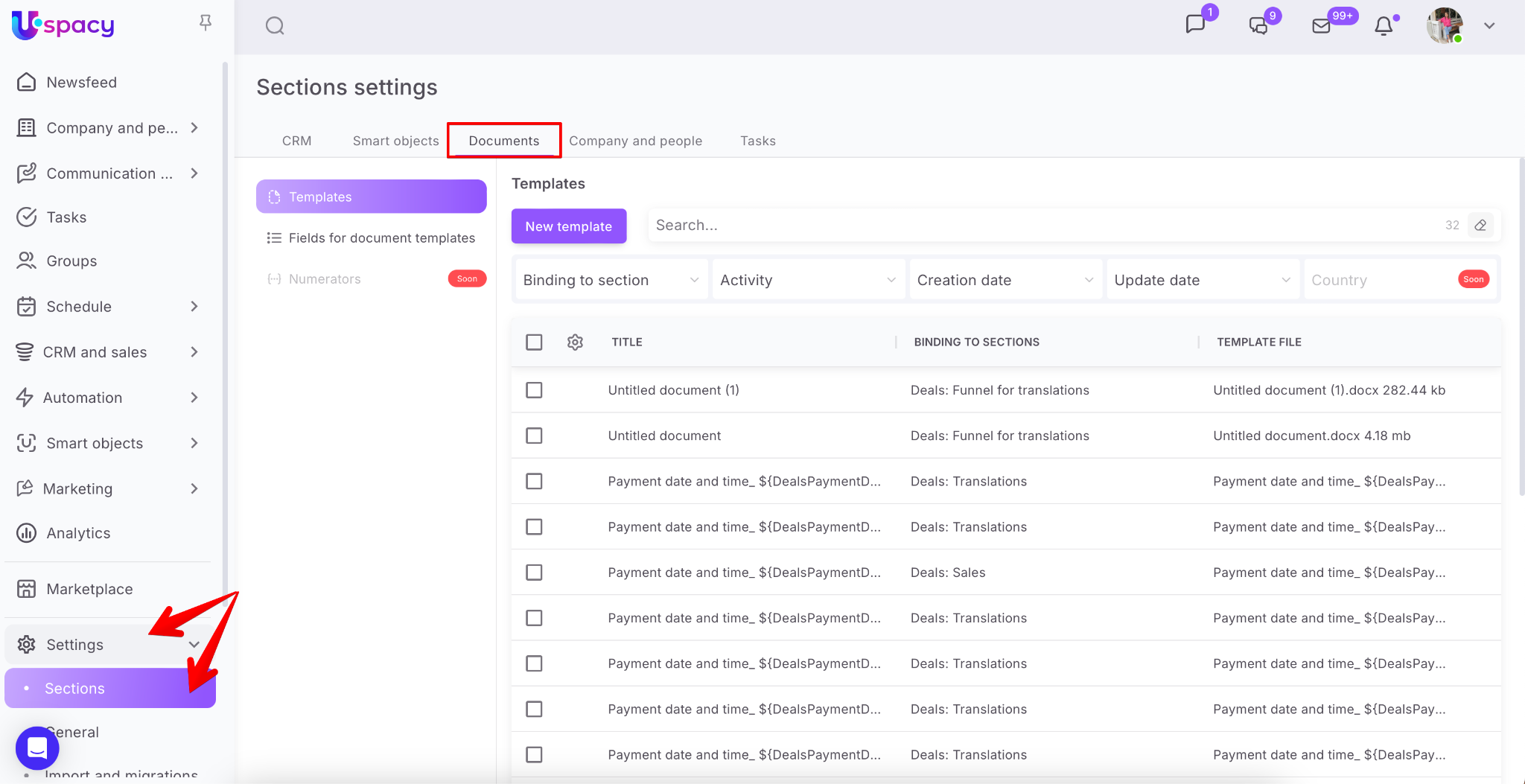
To manage the settings of this tool, go to Sections settings, open the Documents tab.
🌟 Only the administrator or Space owner has access to it.
Here you will see two blocks. The first is Templates. It contains a list of all the templates loaded in Space (1). It also provides the possibility to create new ones(2).
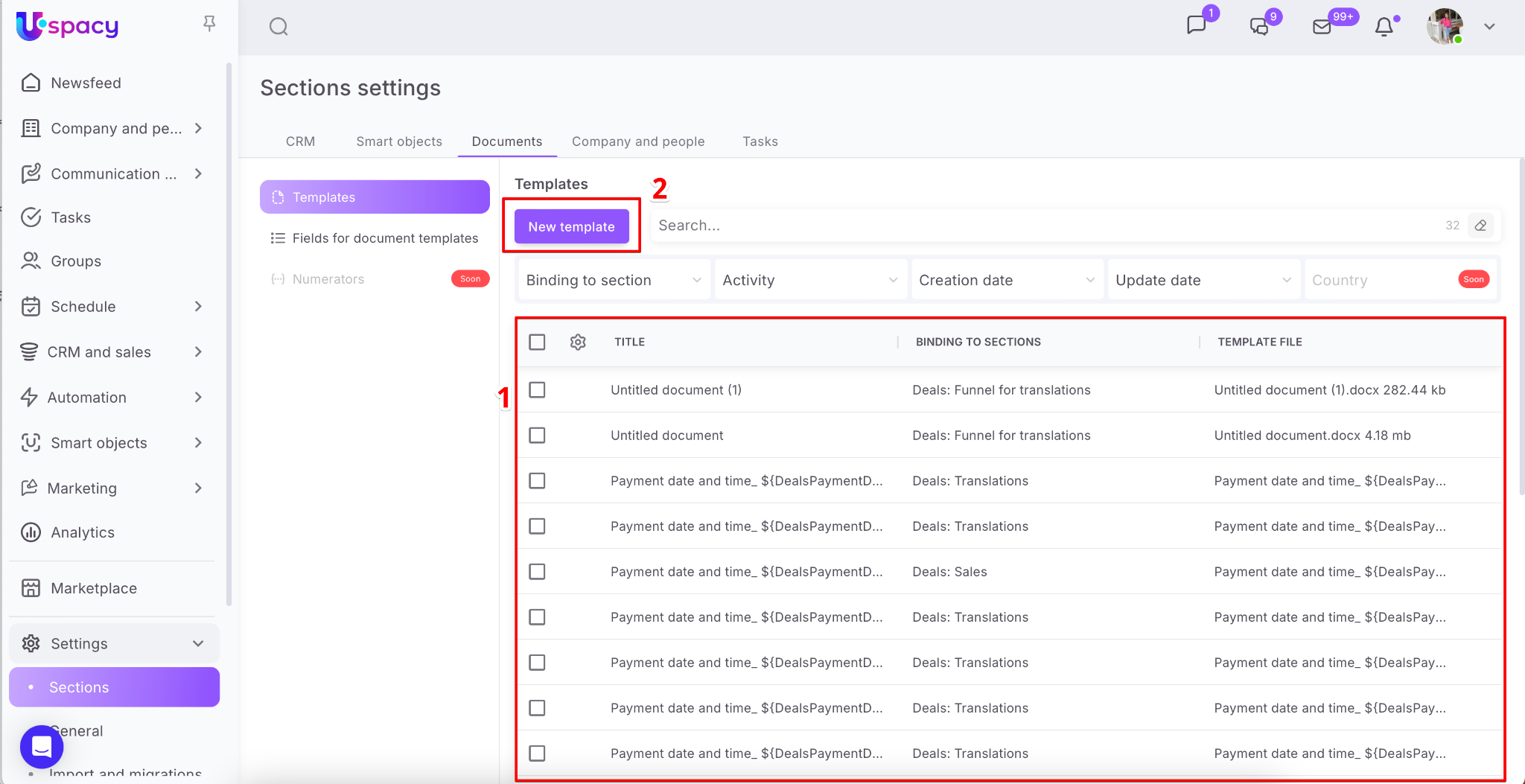
List of templates
It has the form of a table consisting of rows and columns. A row is each individual template. The column is a component that characterizes it. For example, displays the name of the template, its binding to a section, or information about the file that contains it.
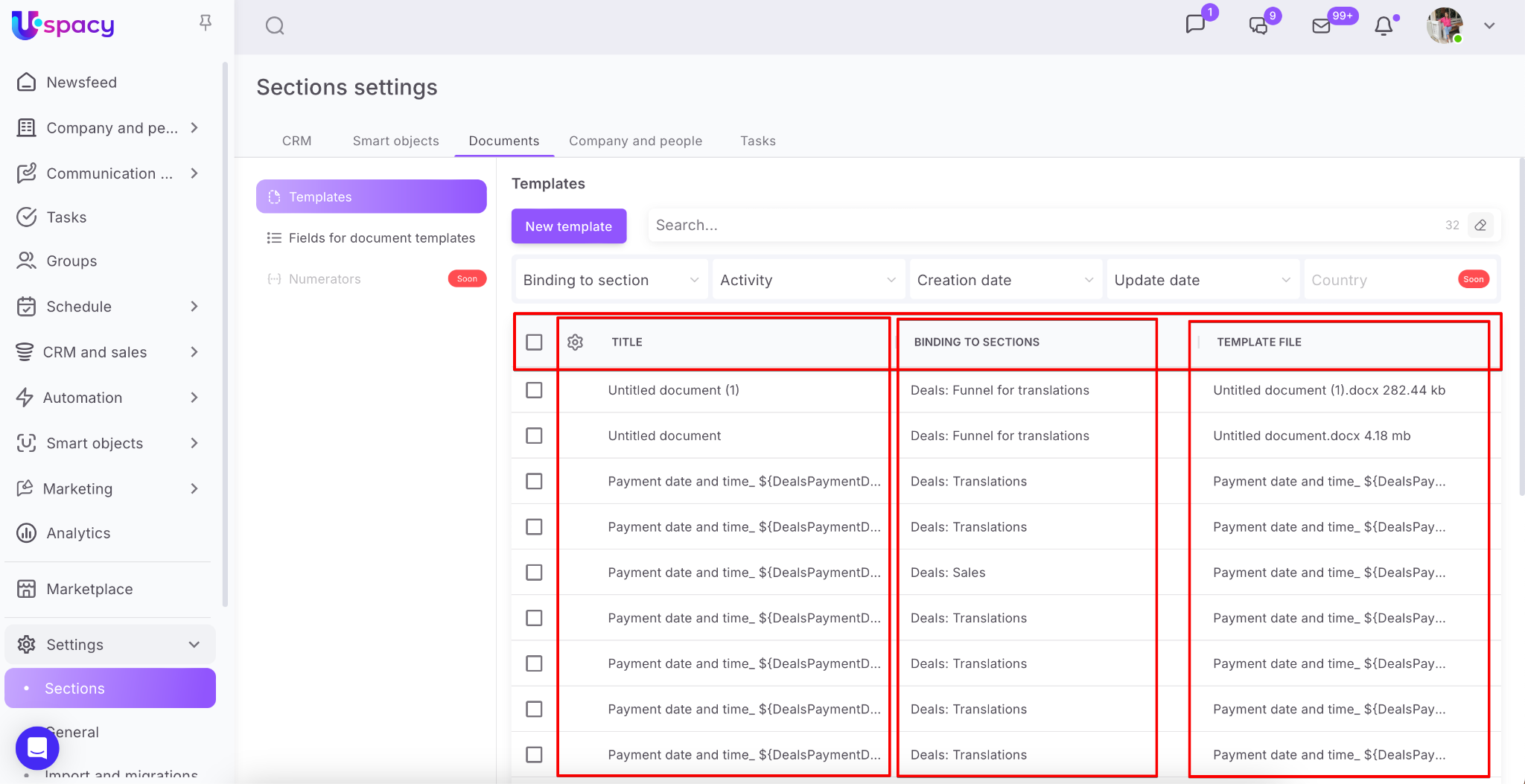
You can configure the display of these characteristics in the list. To do this, click on the gear and activate or deactivate the desired ones by dragging the toggle buttons to the appropriate positions.
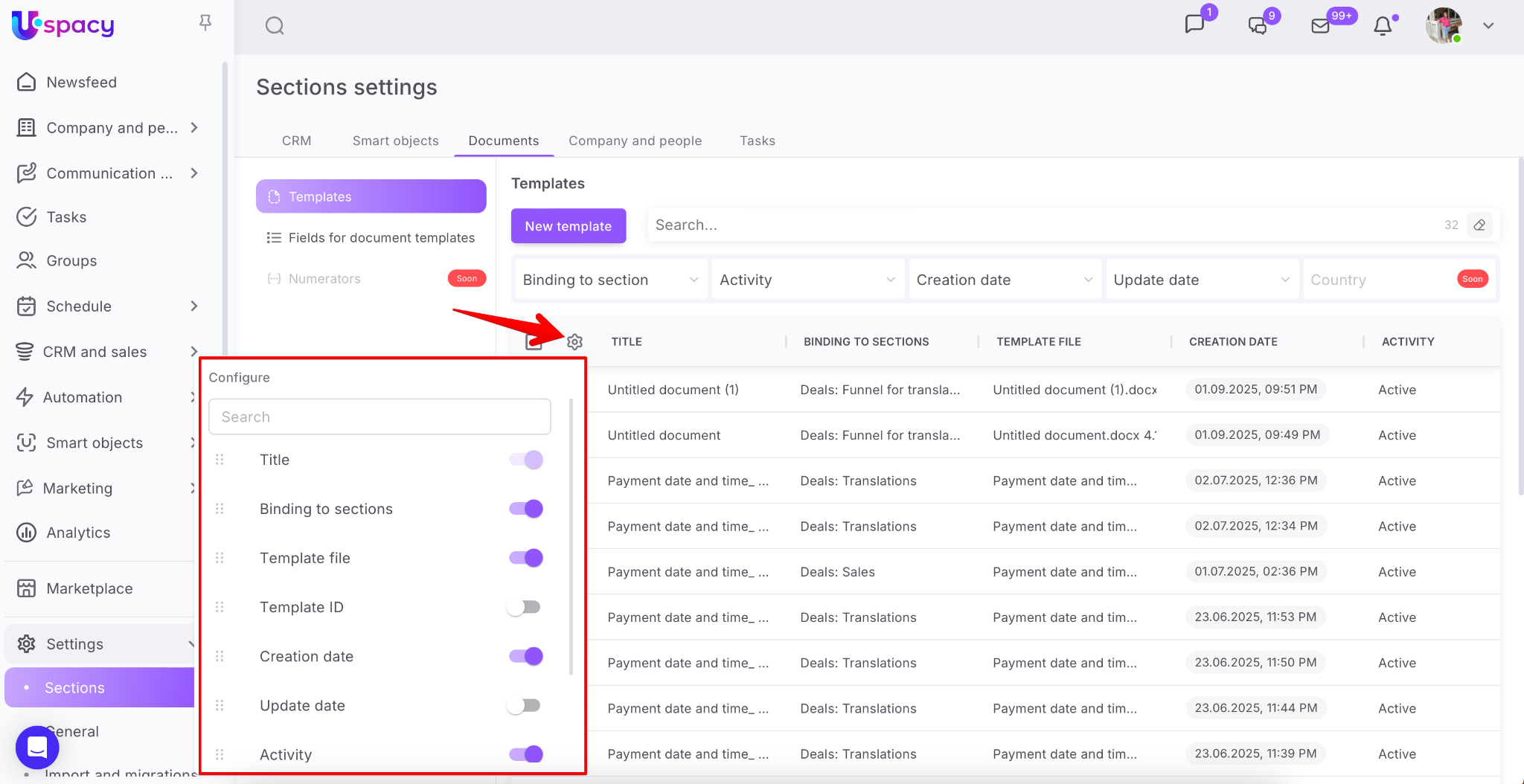
Only the Title is required, it is not possible to disable the display of the title. All other characteristics can be either hidden or, on the contrary, configured so that they are visible.
When you hover the cursor on the title of the template in the list, a button to call the interaction menu appears.
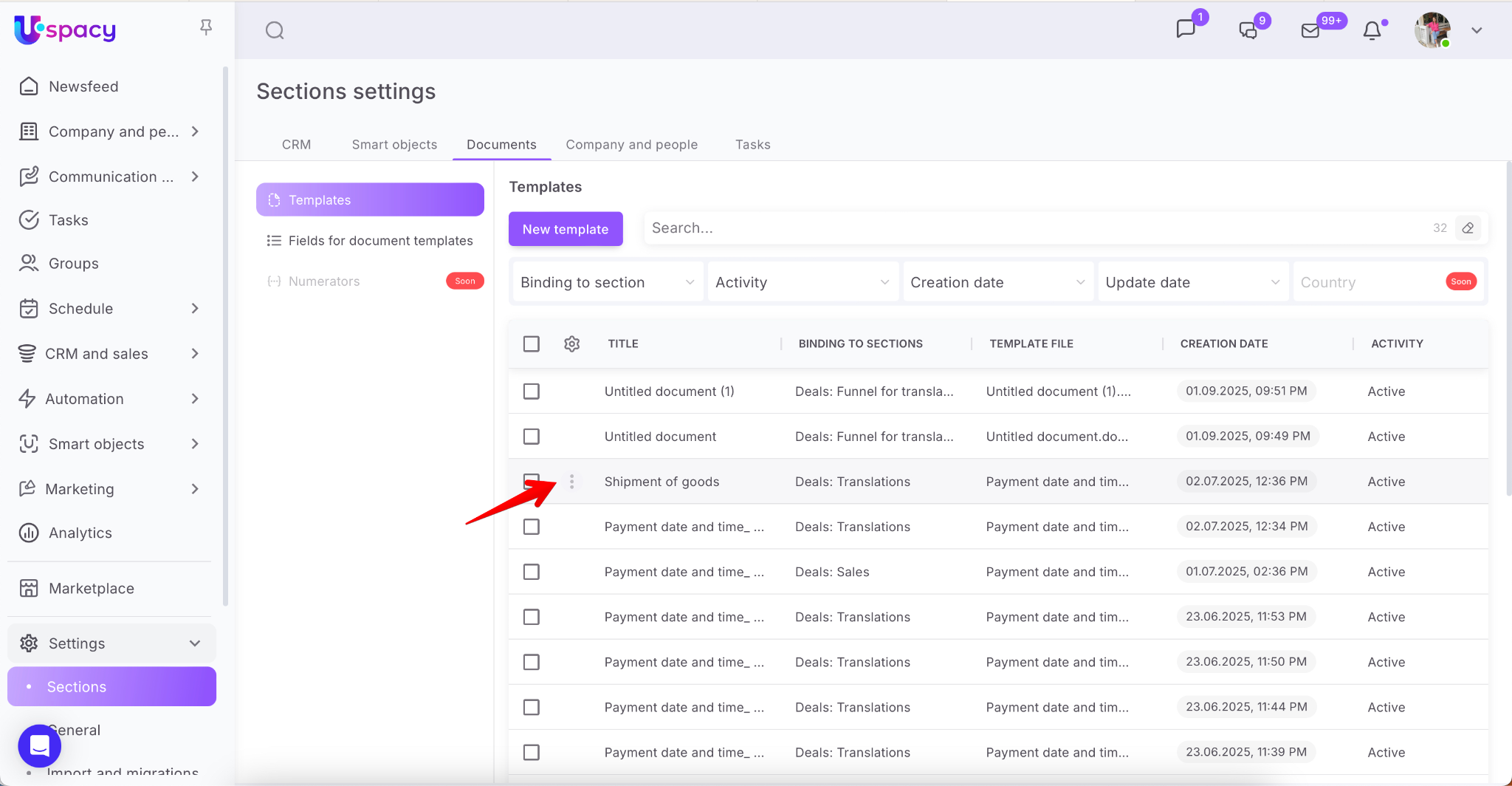
It contains such items as Edit, Deactivate and Delete.
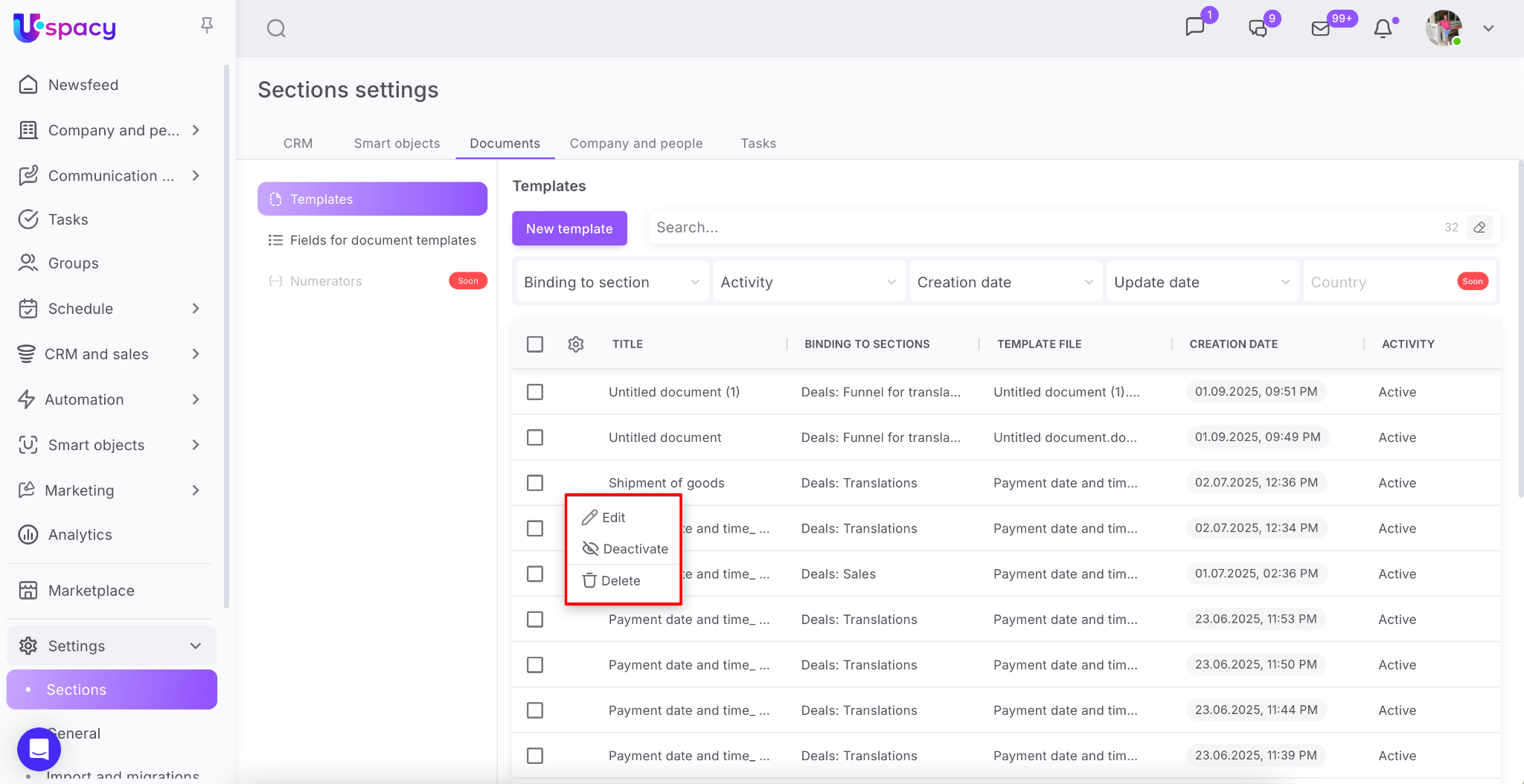
Editing involves making changes to the system parameters of the template.
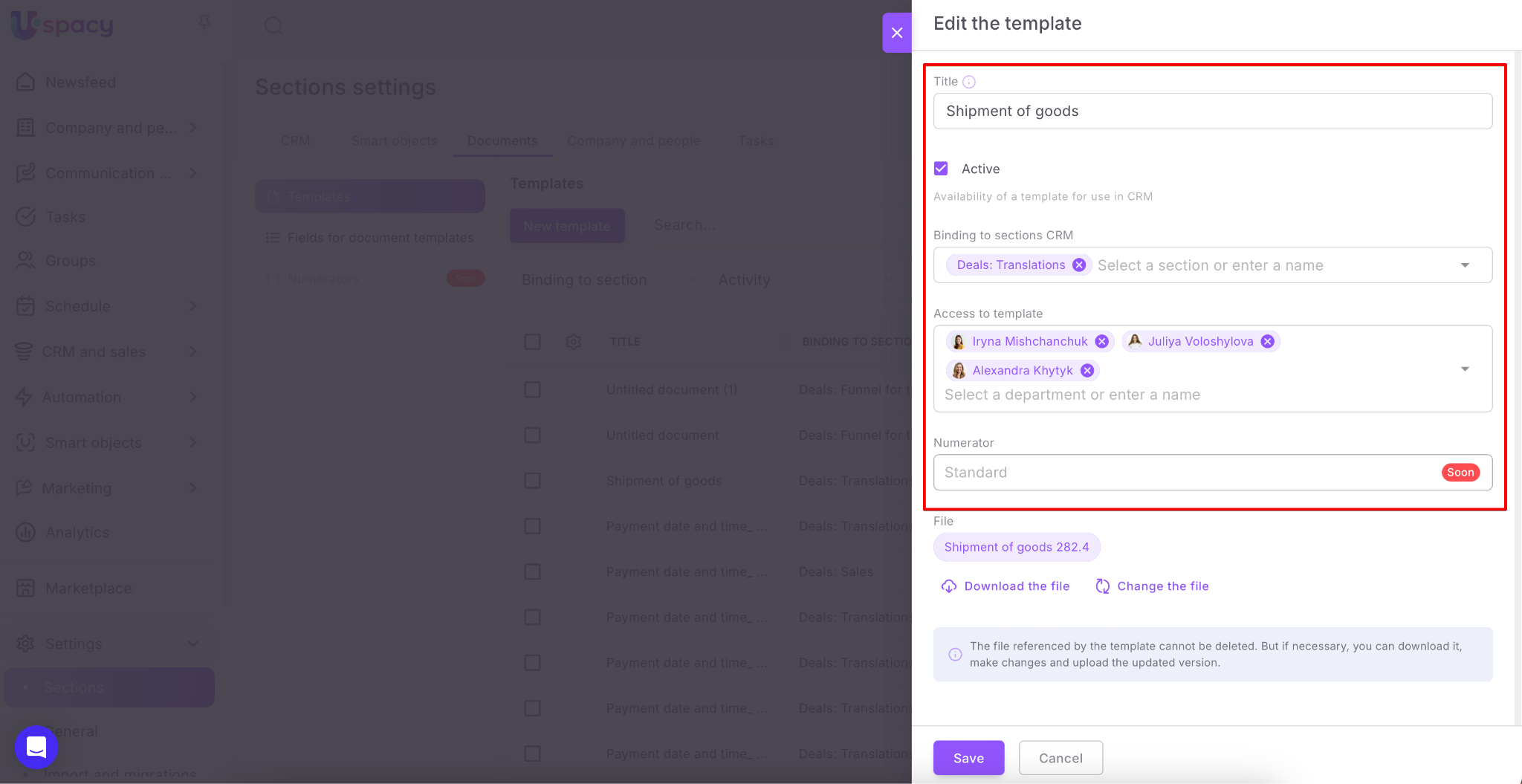
And also to the file in which this template is contained.
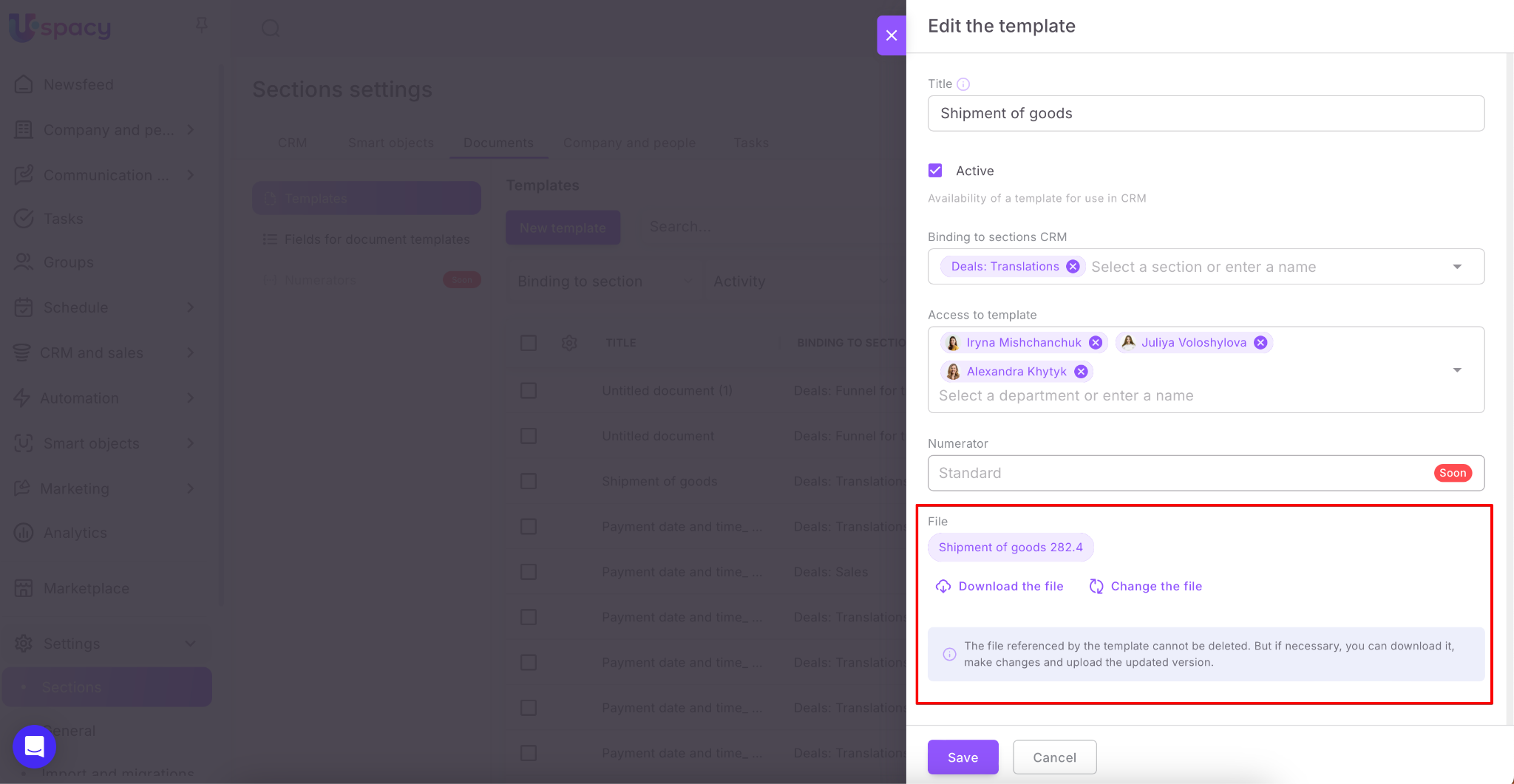
💡 That is, you can edit the template file and update it in the system without deleting it.
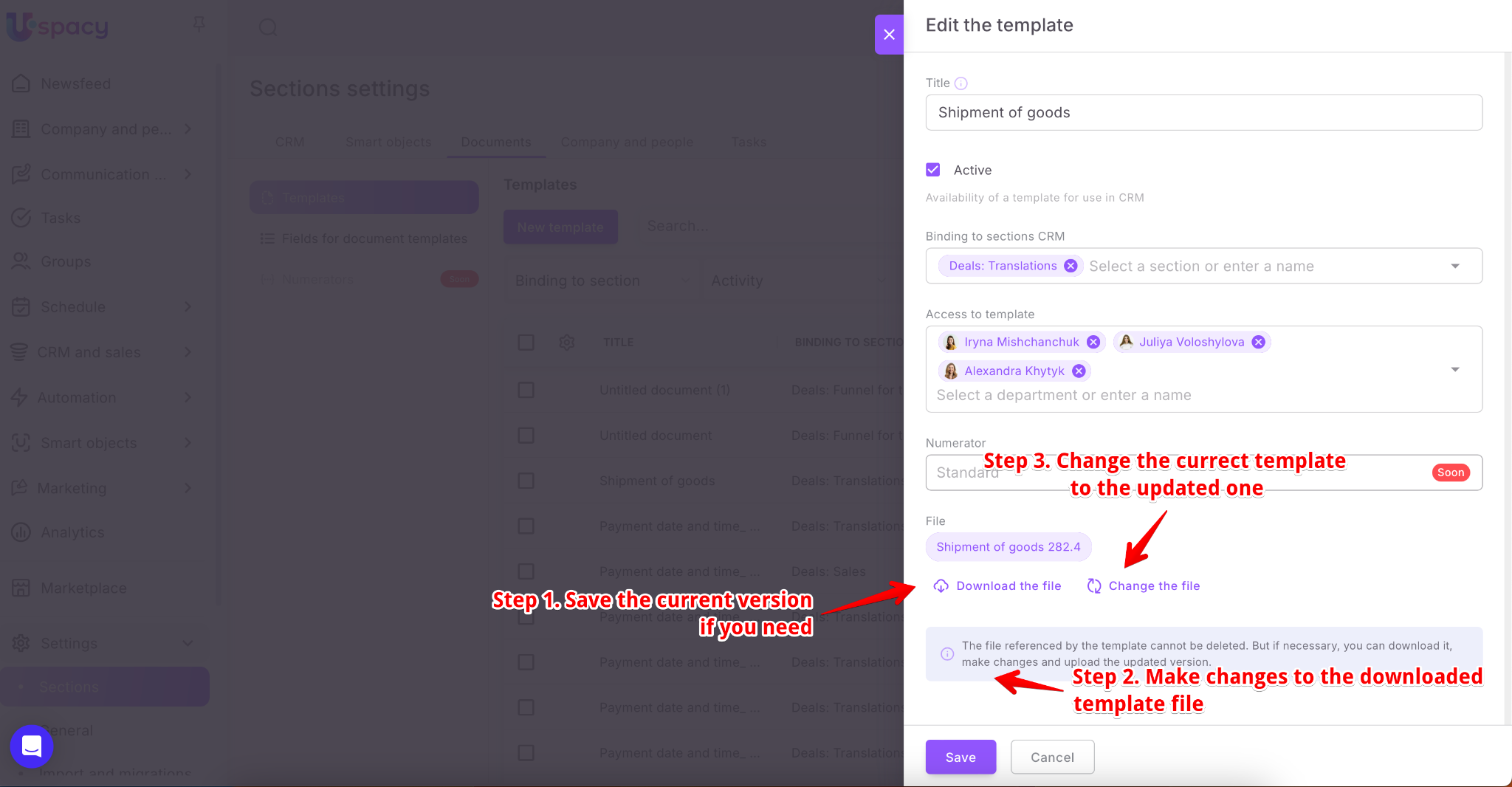
After that, documents will be generated on the basis of the updated version. Those that were formed earlier, according to the old template, will remain unchanged.
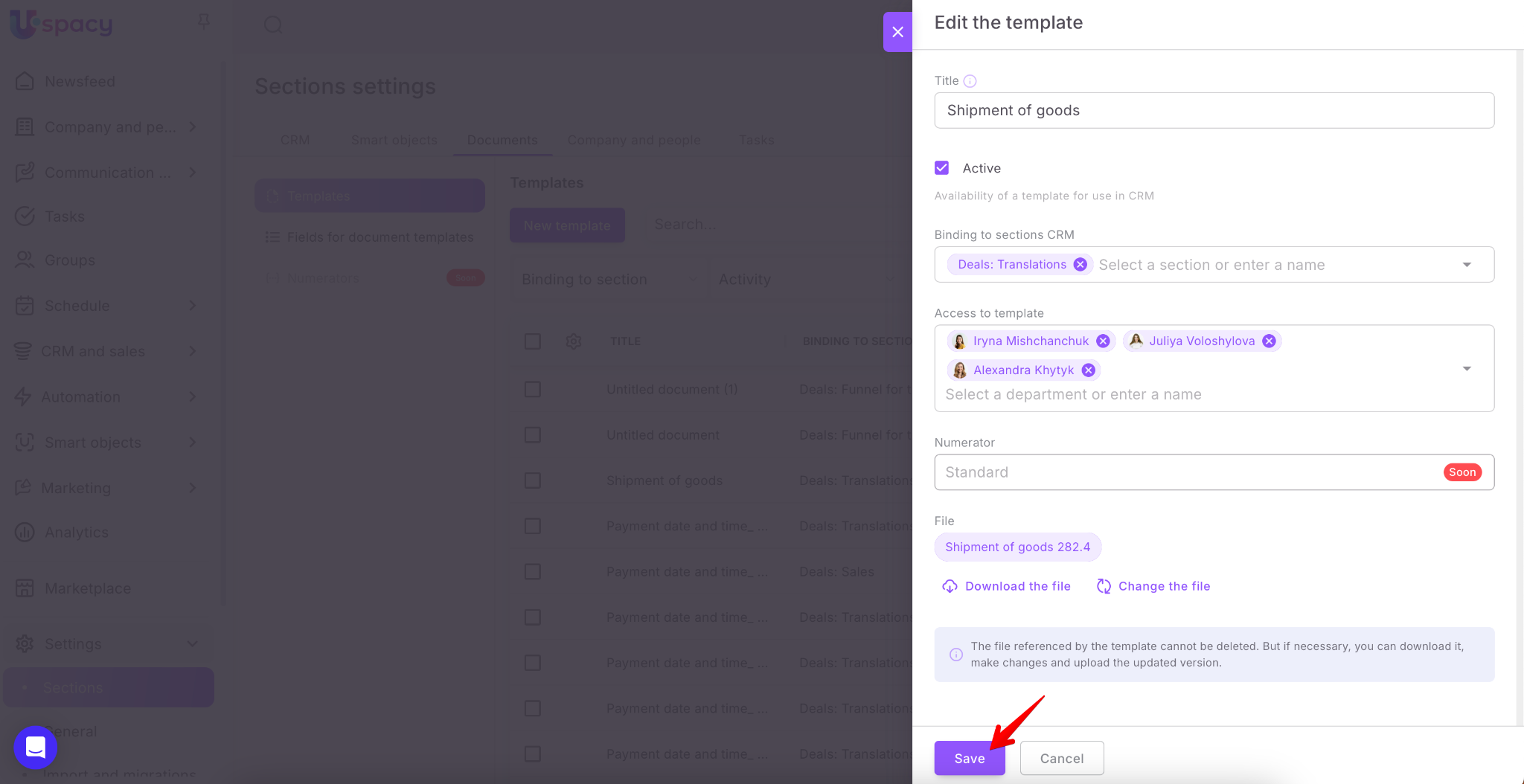
For the edited parameters to take effect, you need to Save everything.
If you deactivate a template, it will remain in the list, but will not be available for selection when generating. At the same time, documents previously created on its basis will not disappear anywhere. They will be displayed in CRM element cards.

To make a template available again for use in entities or smart objects with which it has a binding, just activate the template.
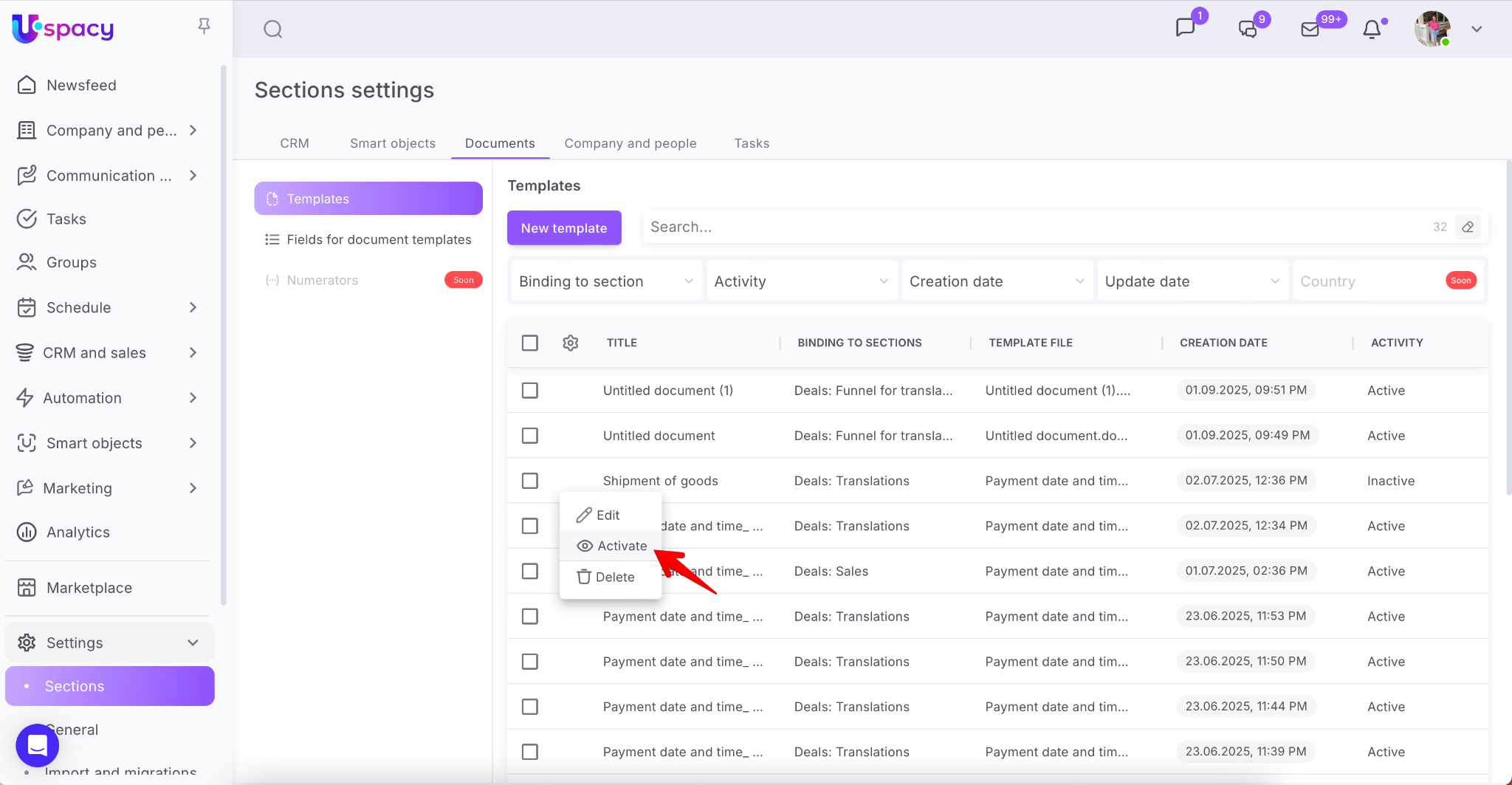
If you decide to delete the template, it will be removed from the system at all. As a result it will be impossible to restore it and you will need to upload it again.
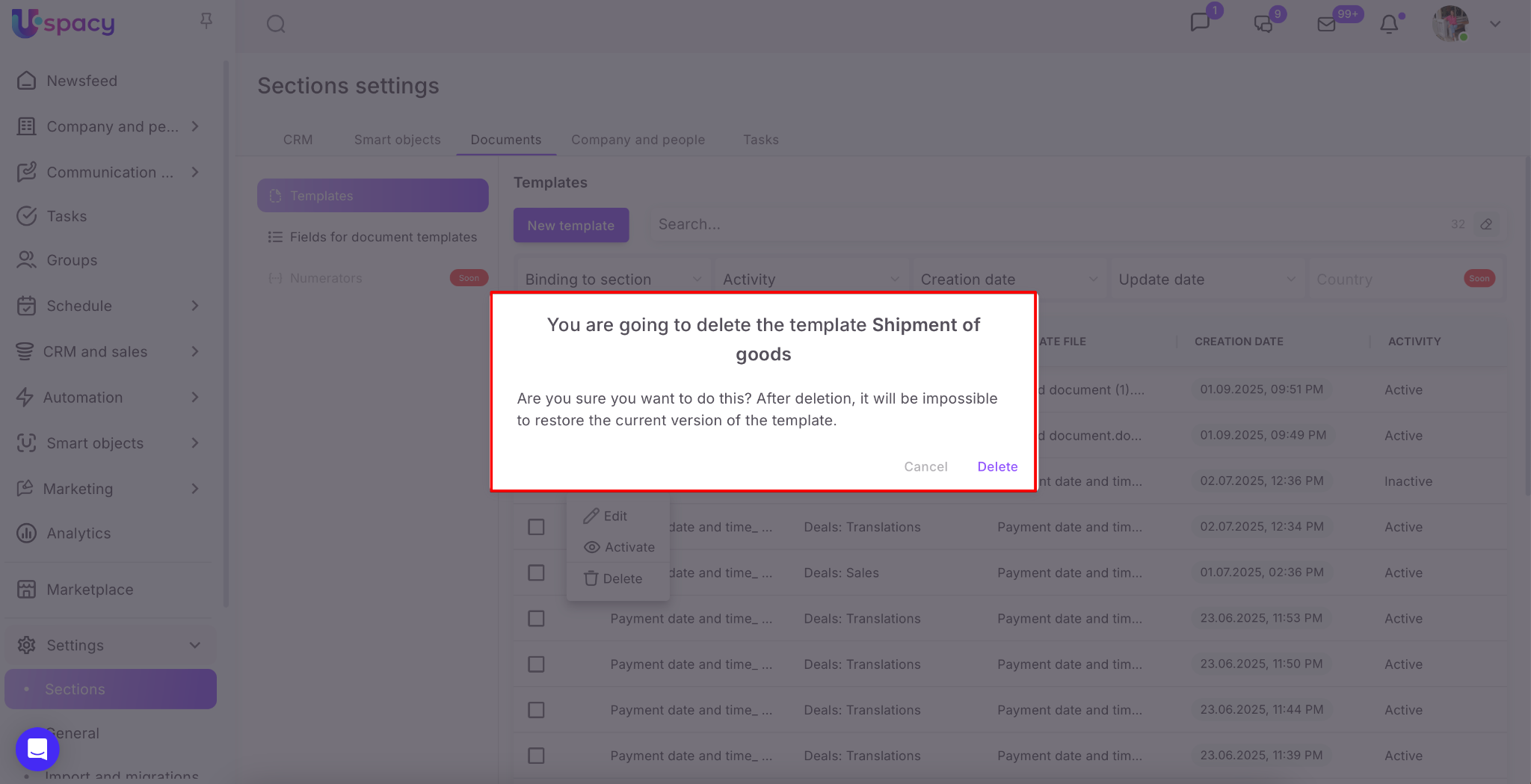
Once deleted, the template disappears from the list. And it will not be possible to select it when generating new documents. At the same time, documents previously created on its basis will not disappear anywhere. They will be displayed in CRM element cards. You can open such documents and make changes to them. But you will not be able to go to the template settings using the viewing form.
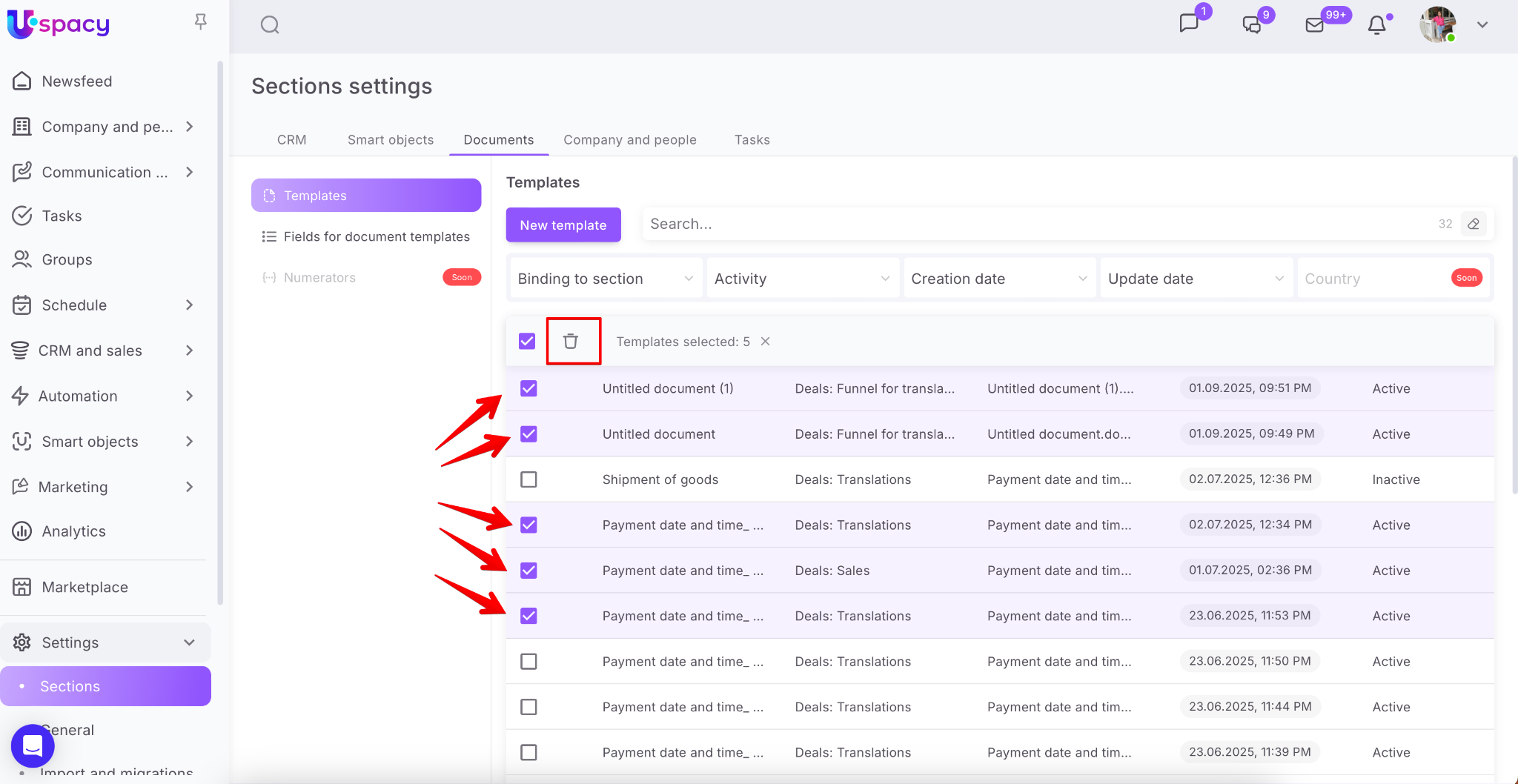
If there is a need to delete several templates at once, you can use mass actions.
There is a search bar and filters above the list of templates: Binding to section, Activity, Creation date, and Update date.
Filters help you find a certain group of templates that are united by common features. For example, you can configure the display in the list of only active templates that are bound to specific funnels in the Deals or Leads (that is, available for use).
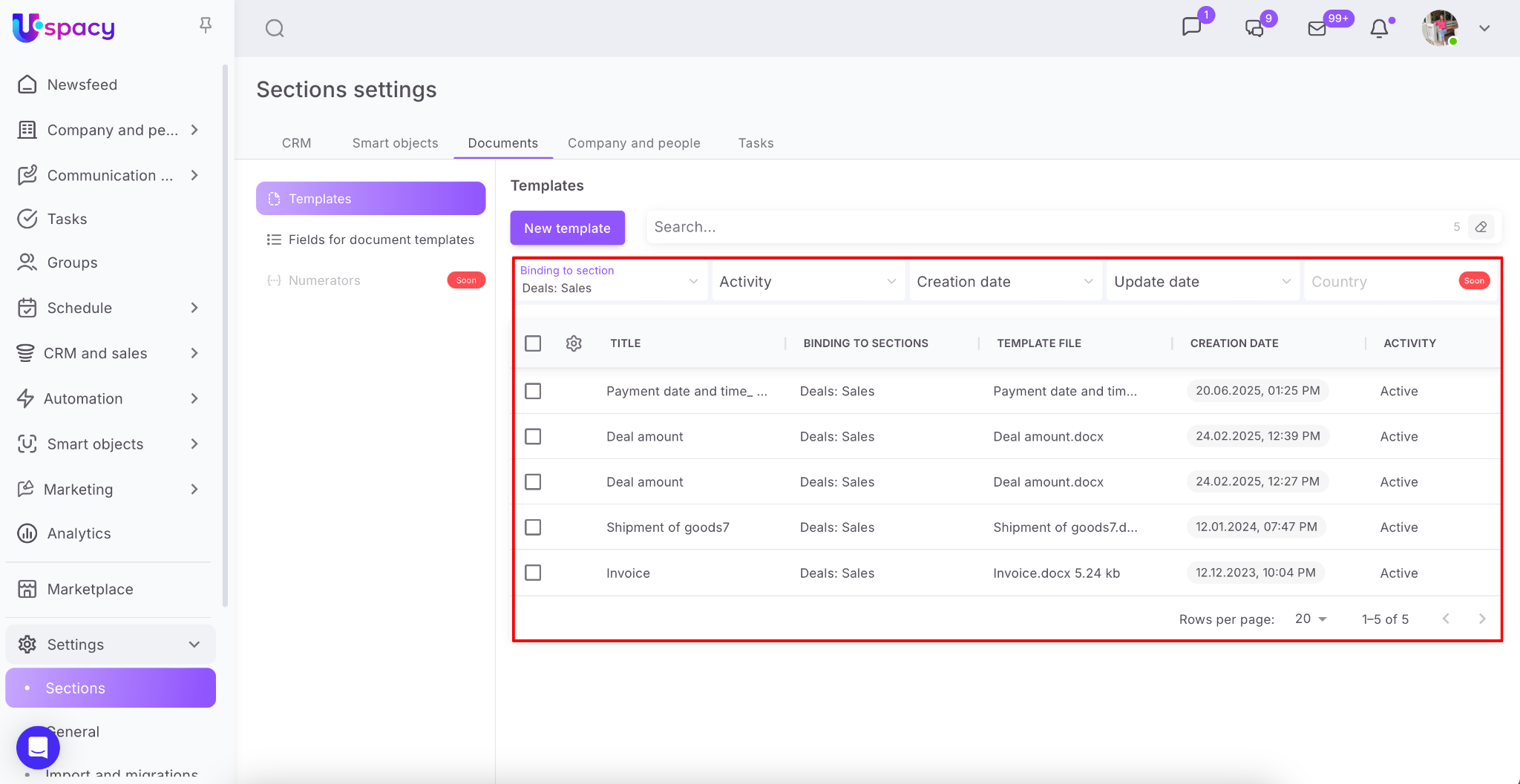
Using the search bar, you can find a template by its name.
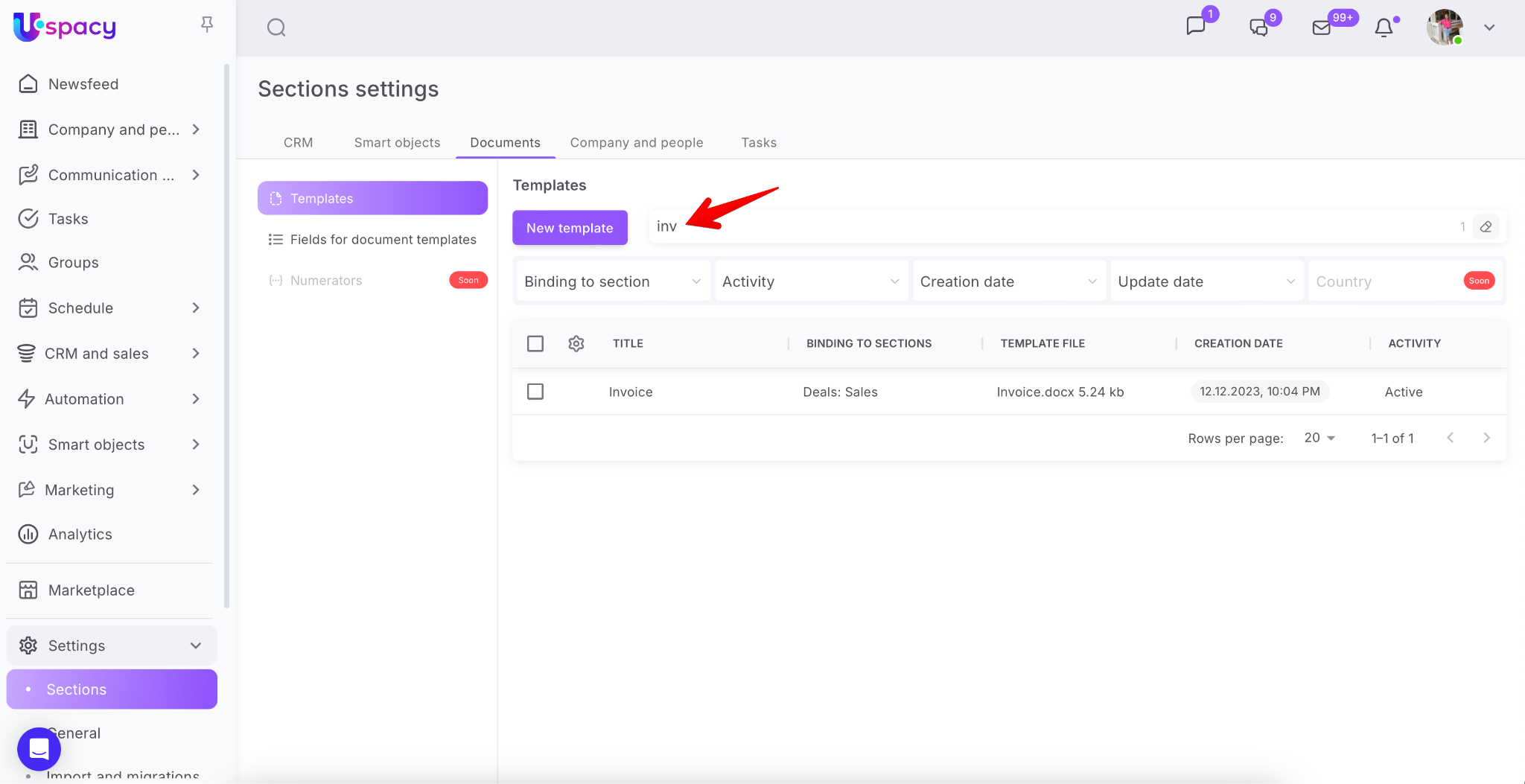
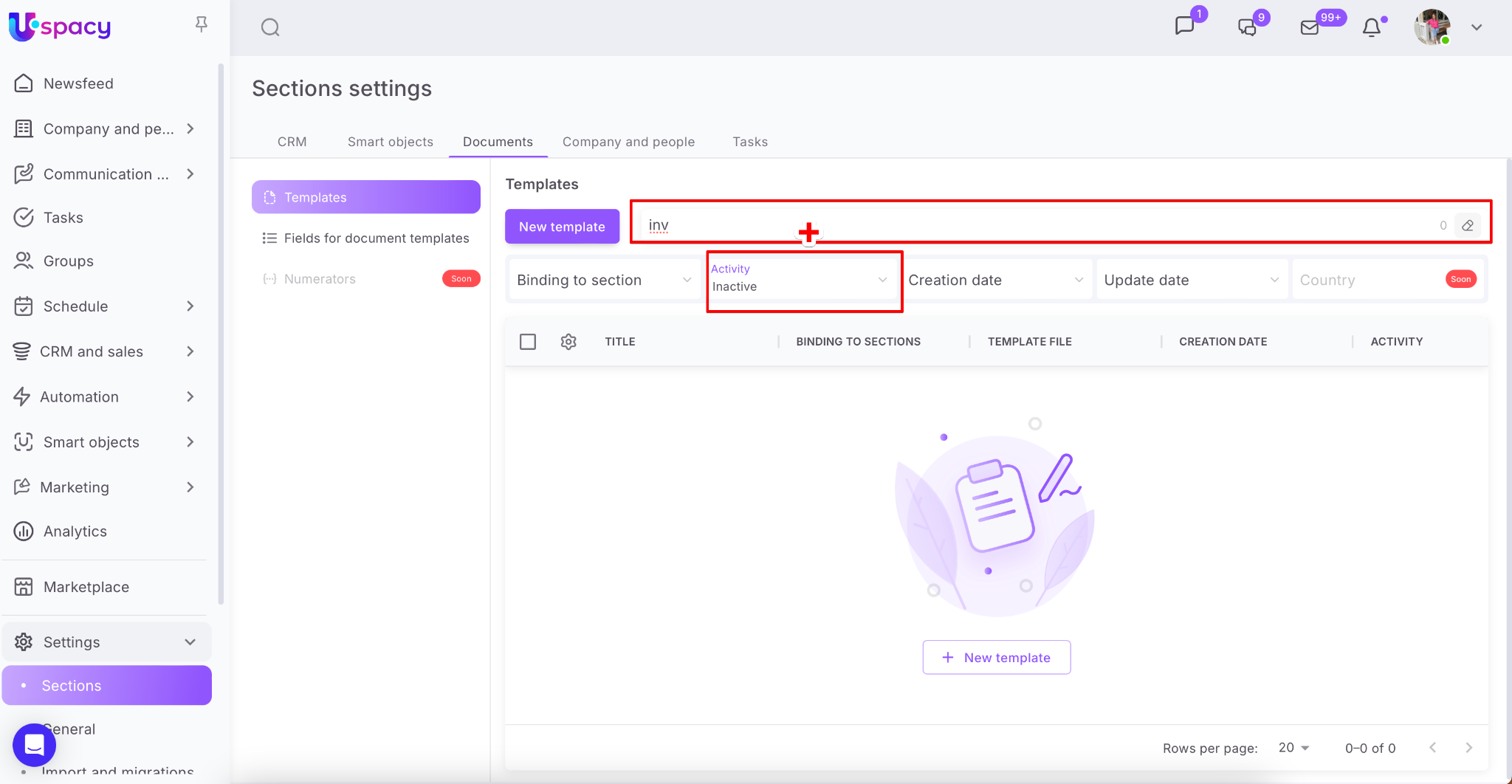
❗️Please note that the search must take filter settings into account. The values specified in each of the filters will affect the search result.
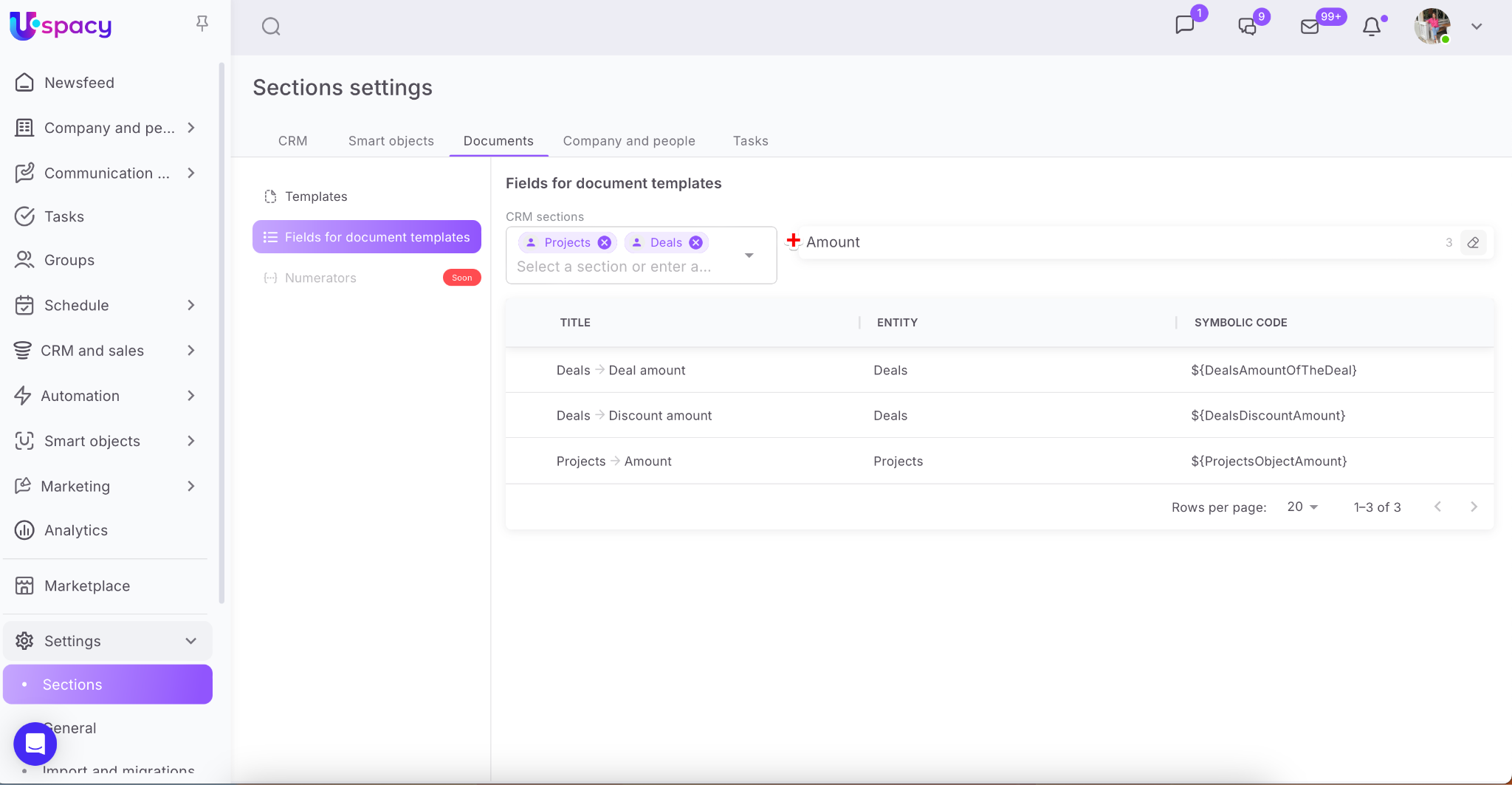
Fields for document templates
This is more of an information block. All fields (both default and custom ones) of all entities and smart objects are stored here, along with their symbolic codes. The latter that are important for the correct work of the document generator.
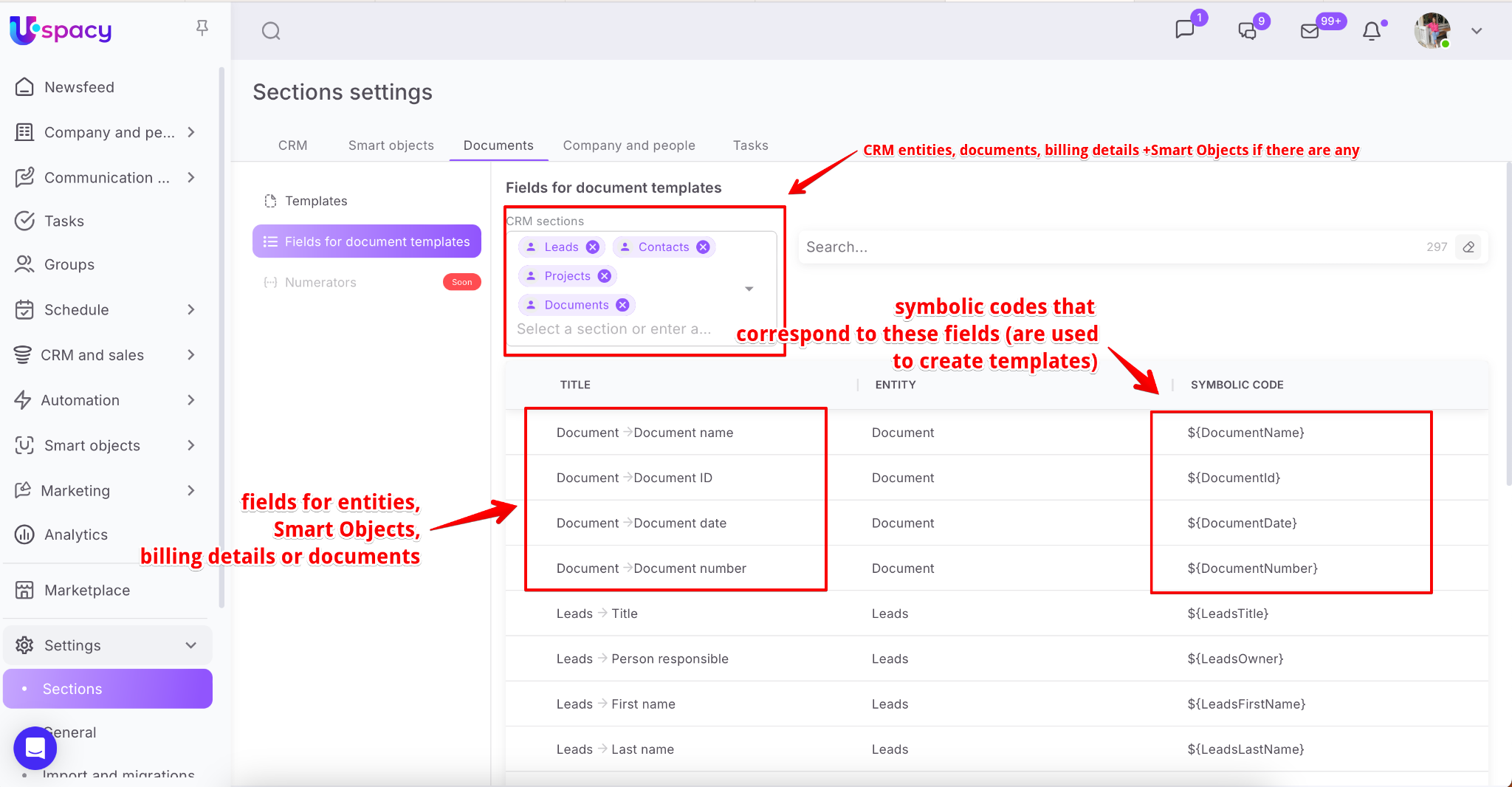
🔍 You can read more about the symbolic codes of the fields in the following article.
For convenience, you can filter fields for specific entities or smart objects. To do this, check the boxes next to the ones you need in the list.
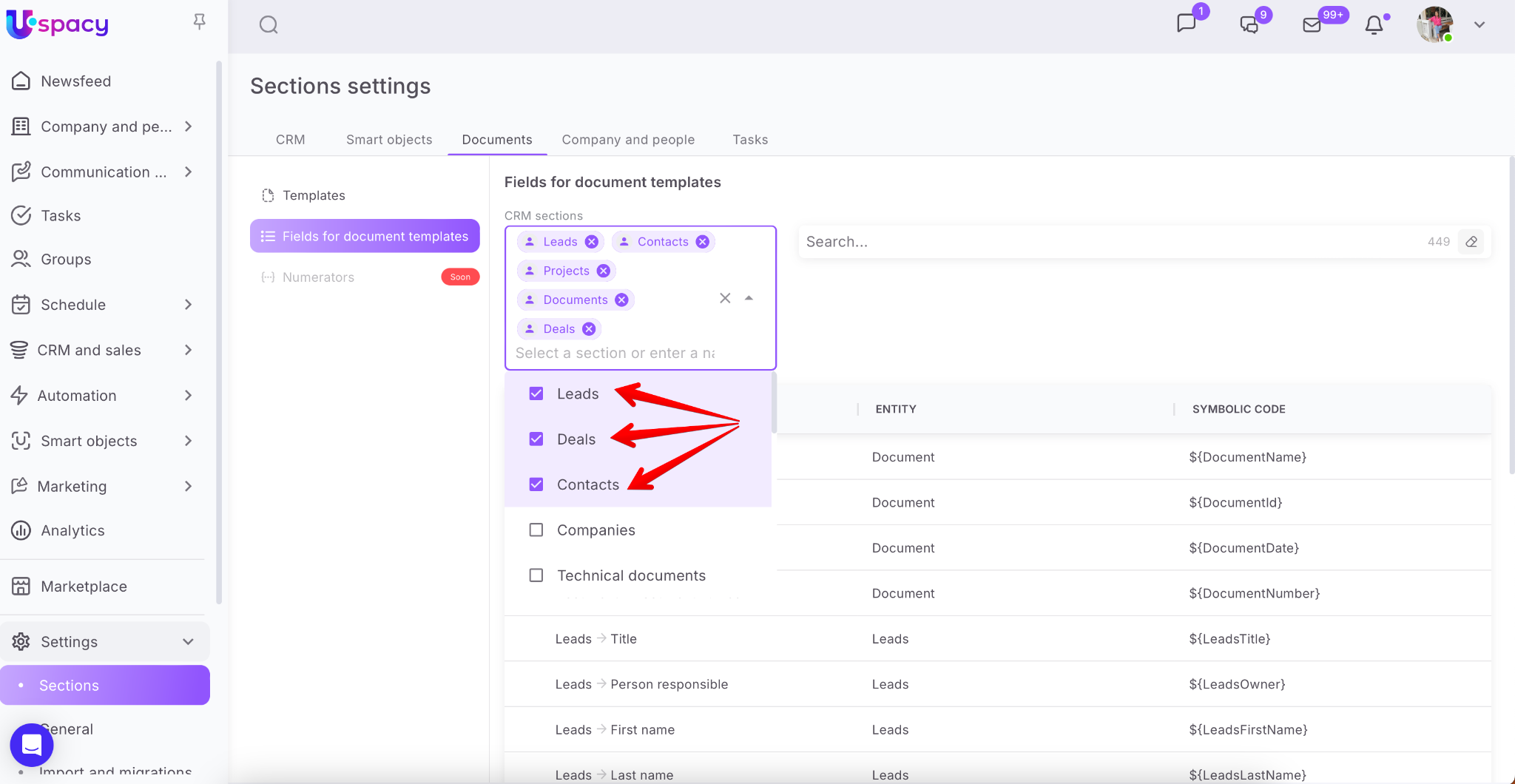
In addition, you can use the search field to find a field by its name.
If you have additional questions or you need to contact the support, send a request to this email [email protected]
Created: December 8, 2023 / Updated: September 22, 2025