If the group no longer functions or is no longer needed for work, it can be deleted at any time.
❗️Please note that only the owner of the group can do this.
To delete a group from Space, you need to open the menu of interaction with this group and click on Delete group.
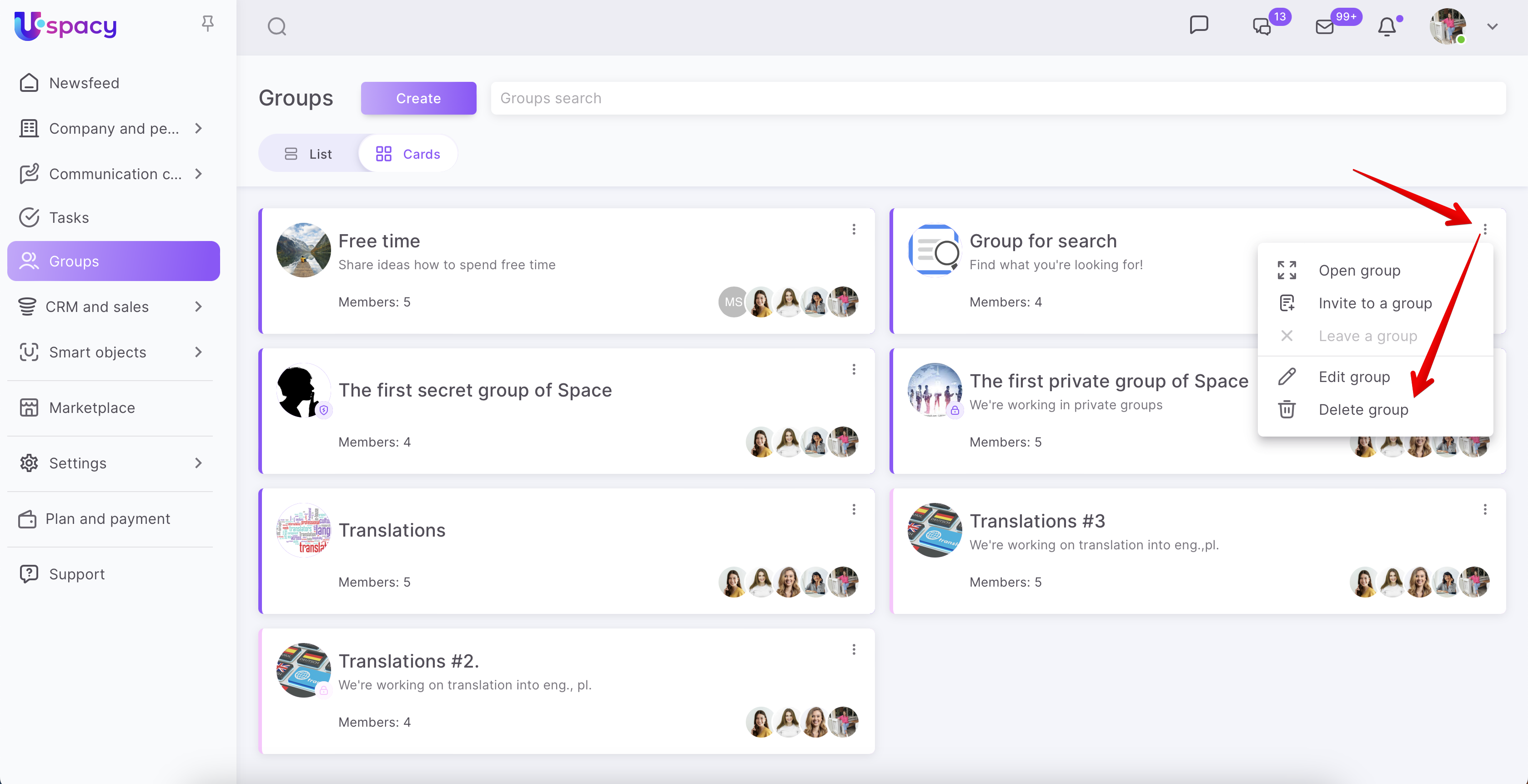
After that a window opens where you need to confirm your actions.
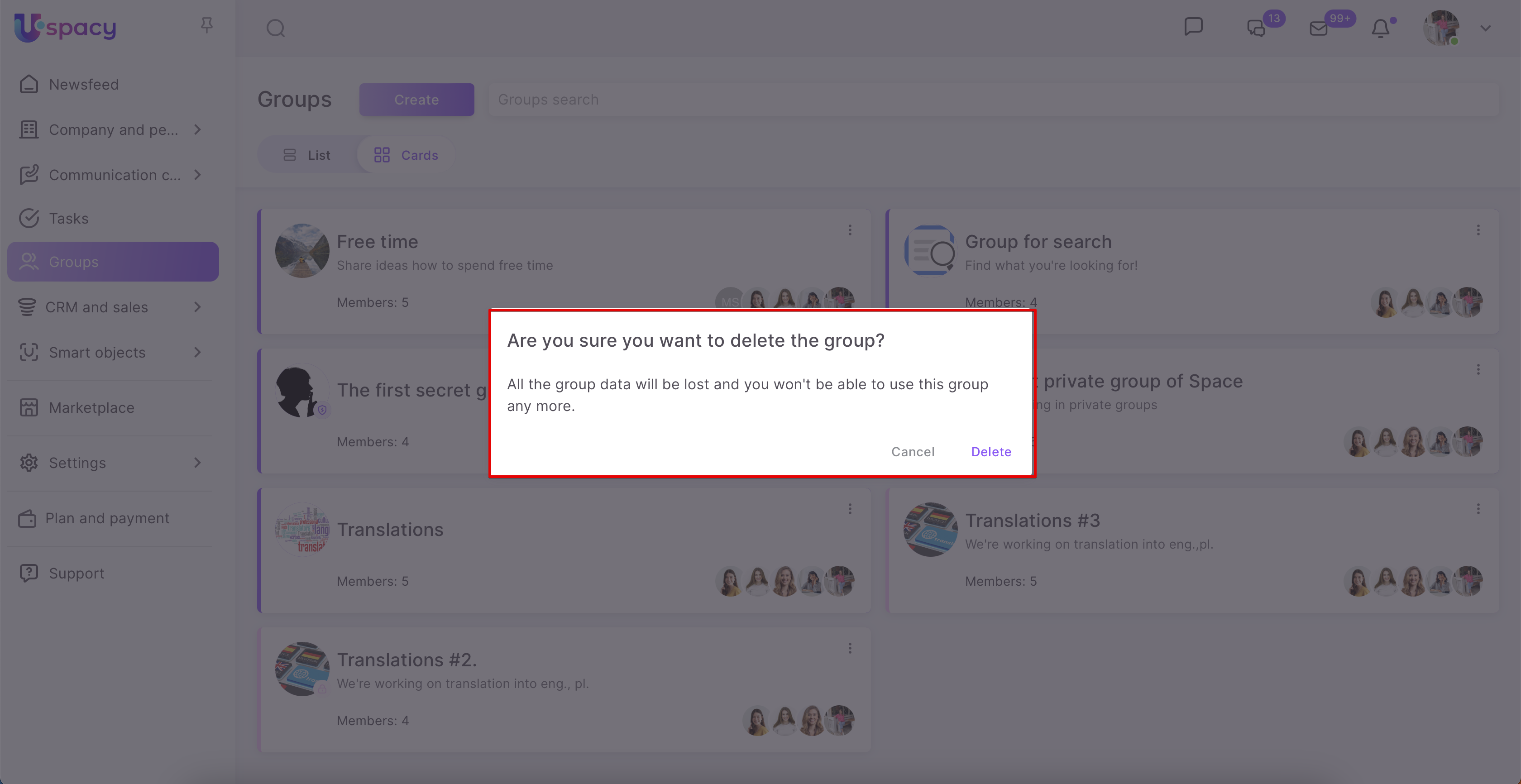
❗️Please note that after deleting the group, it will be impossible to restore it and the data in this group.
If you delete the group, the following is deleted:
- tasks bound to it, regardless of their status;
- chat with all messages;
- posts in the group newsfeed;
- files that were attached to it.
As a result, the group is completely deleted from Space.
If you have additional questions or you need to contact the support, send a request to this email [email protected]
Created: March 22, 2023 / Updated: June 17, 2024