A summary email is an automatically generated message created after a call, which you can send to your client. It’s produced by AI based on the call data (recording and transcription text). This helps save time and makes your communication more efficient.
How to сreate a summary email?
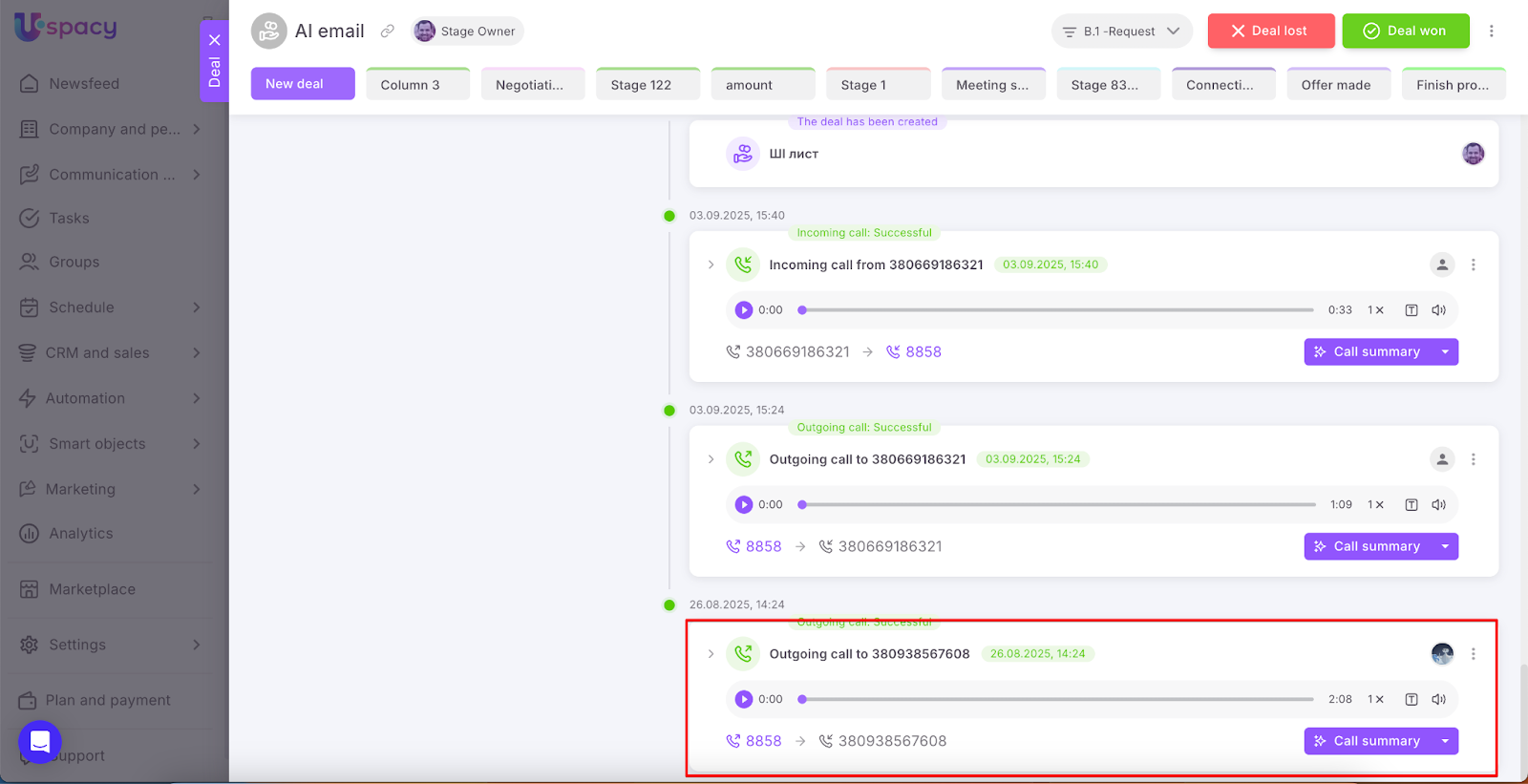
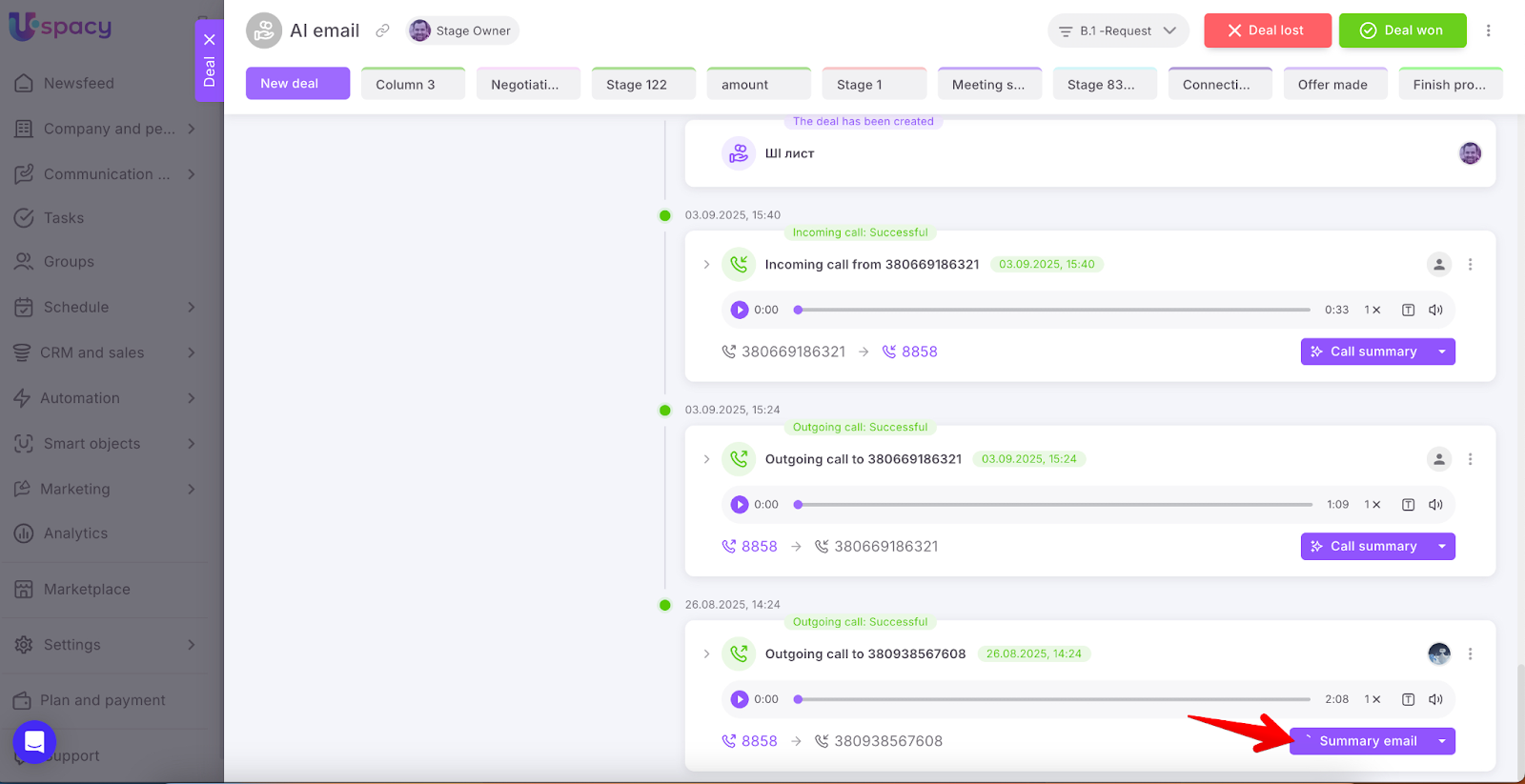
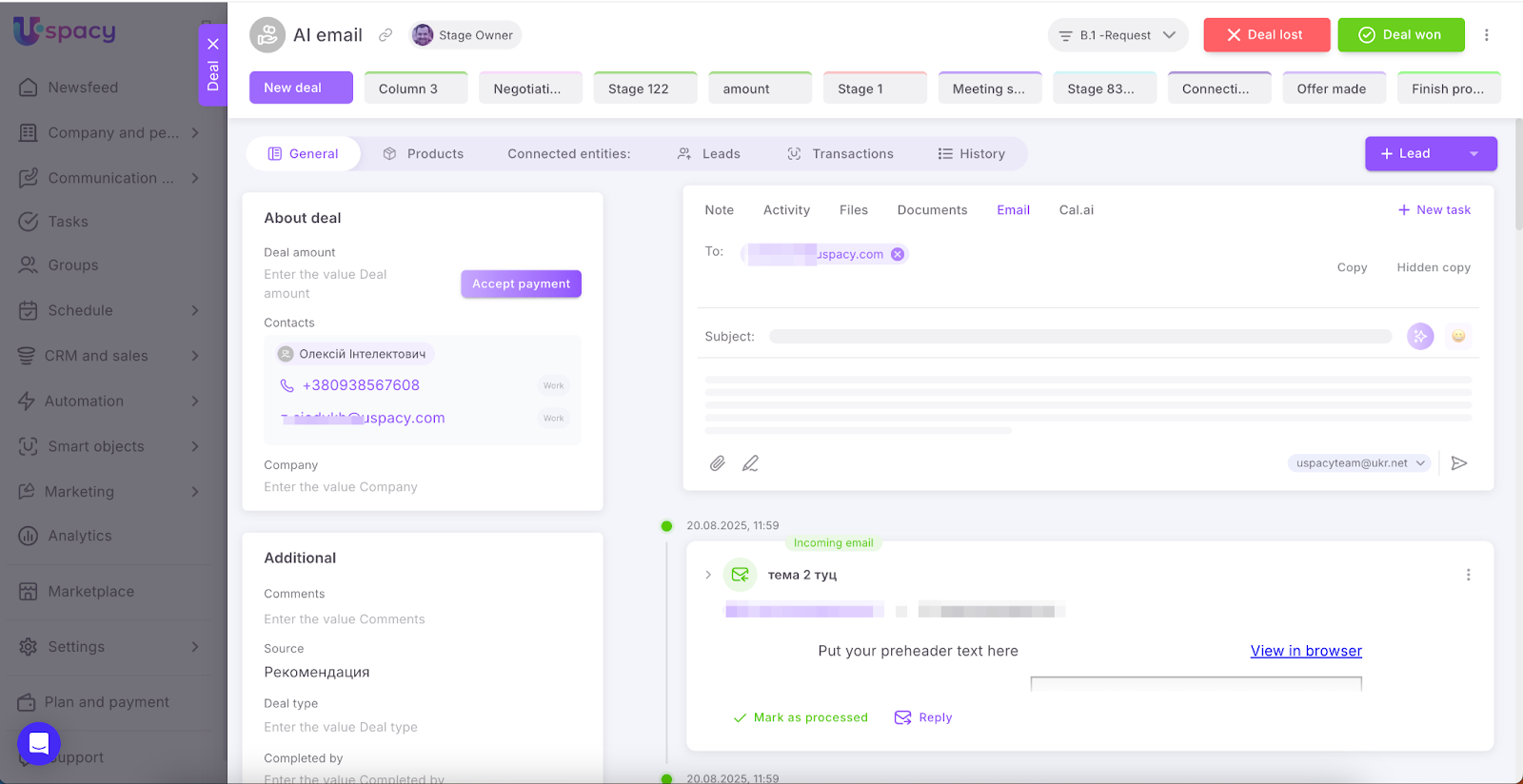
Select the call recording within the CRM card of the relevant element.
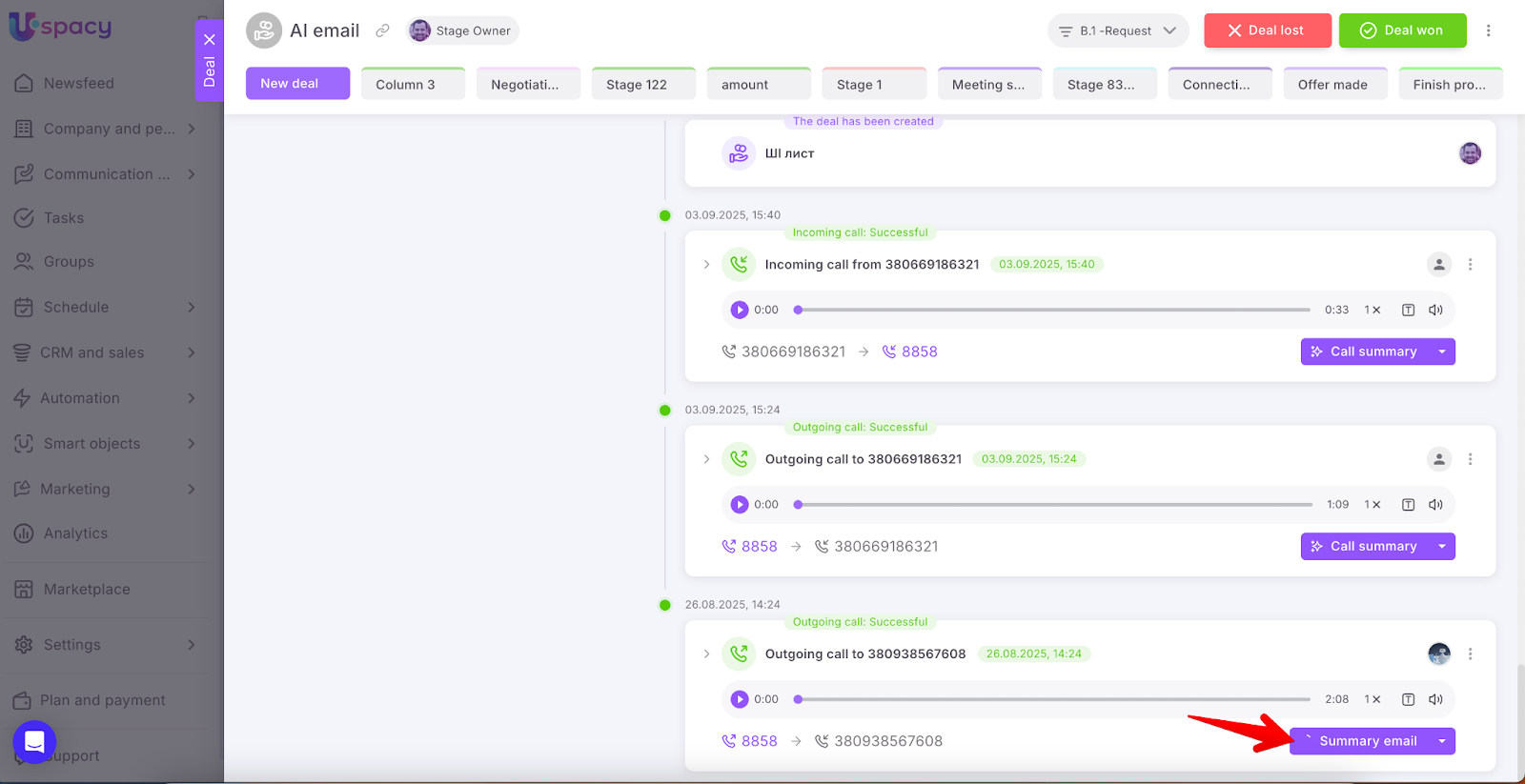
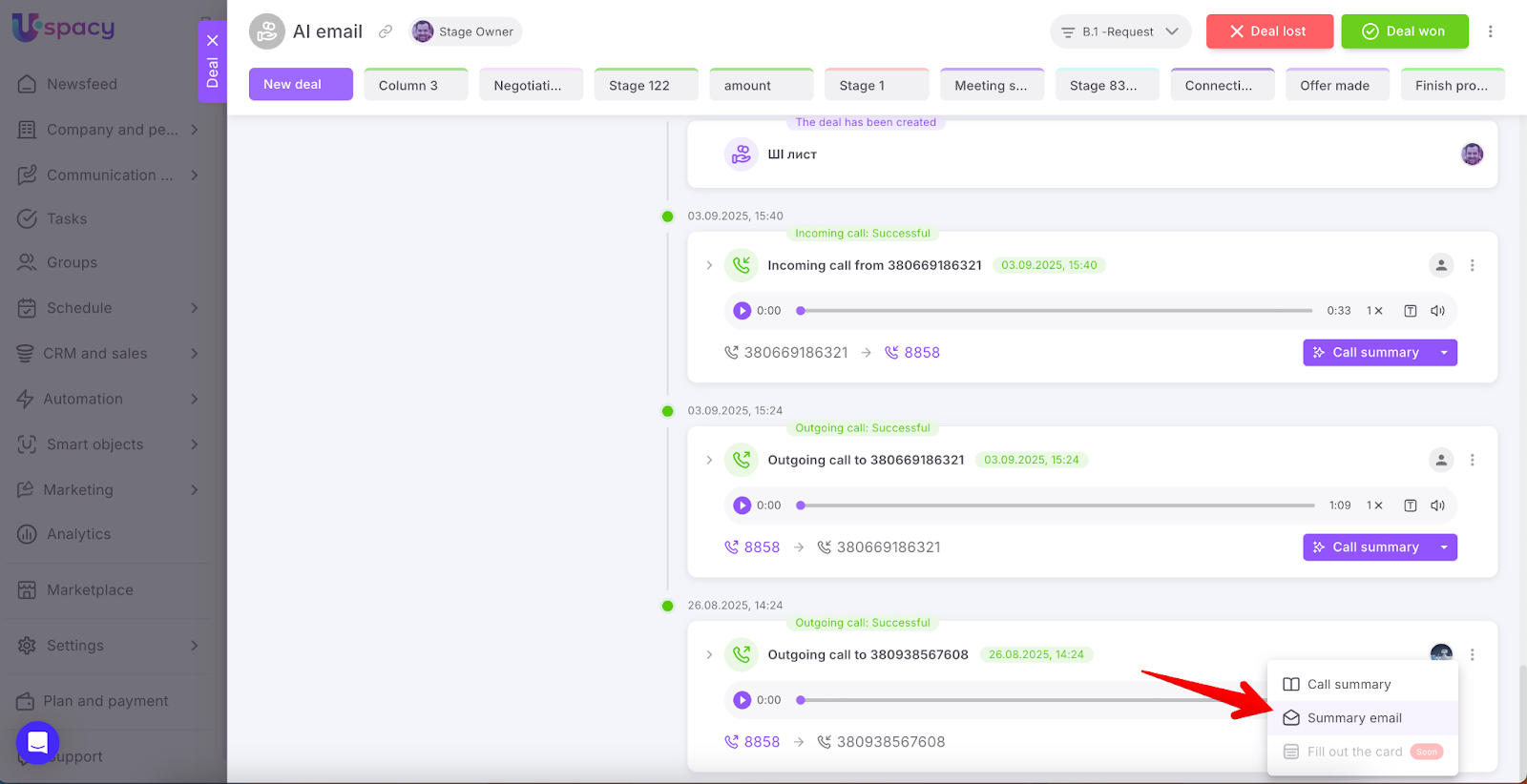
Select the Summary email option powered by AI.
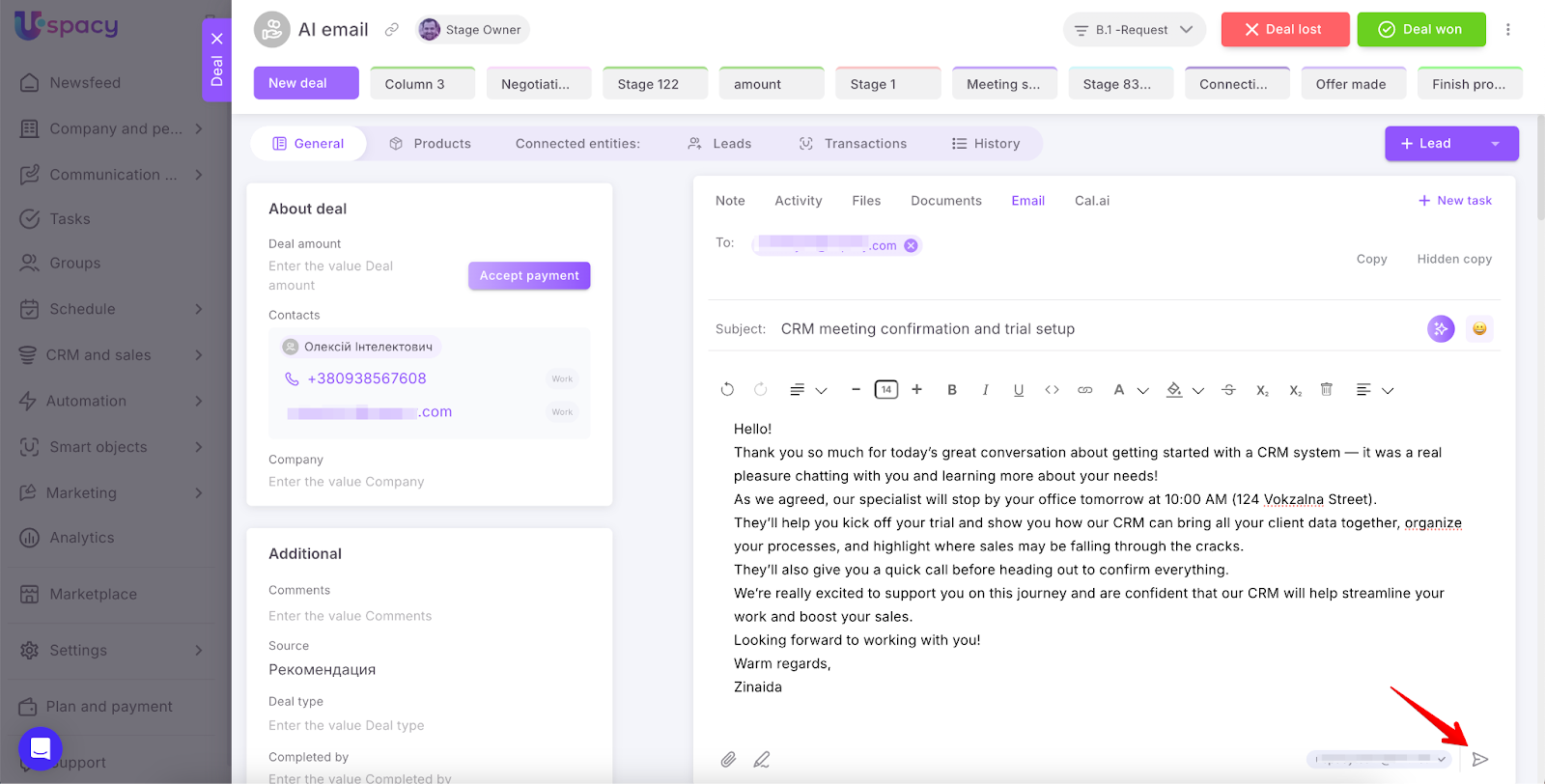
The system will automatically generate the email text based on the call content.
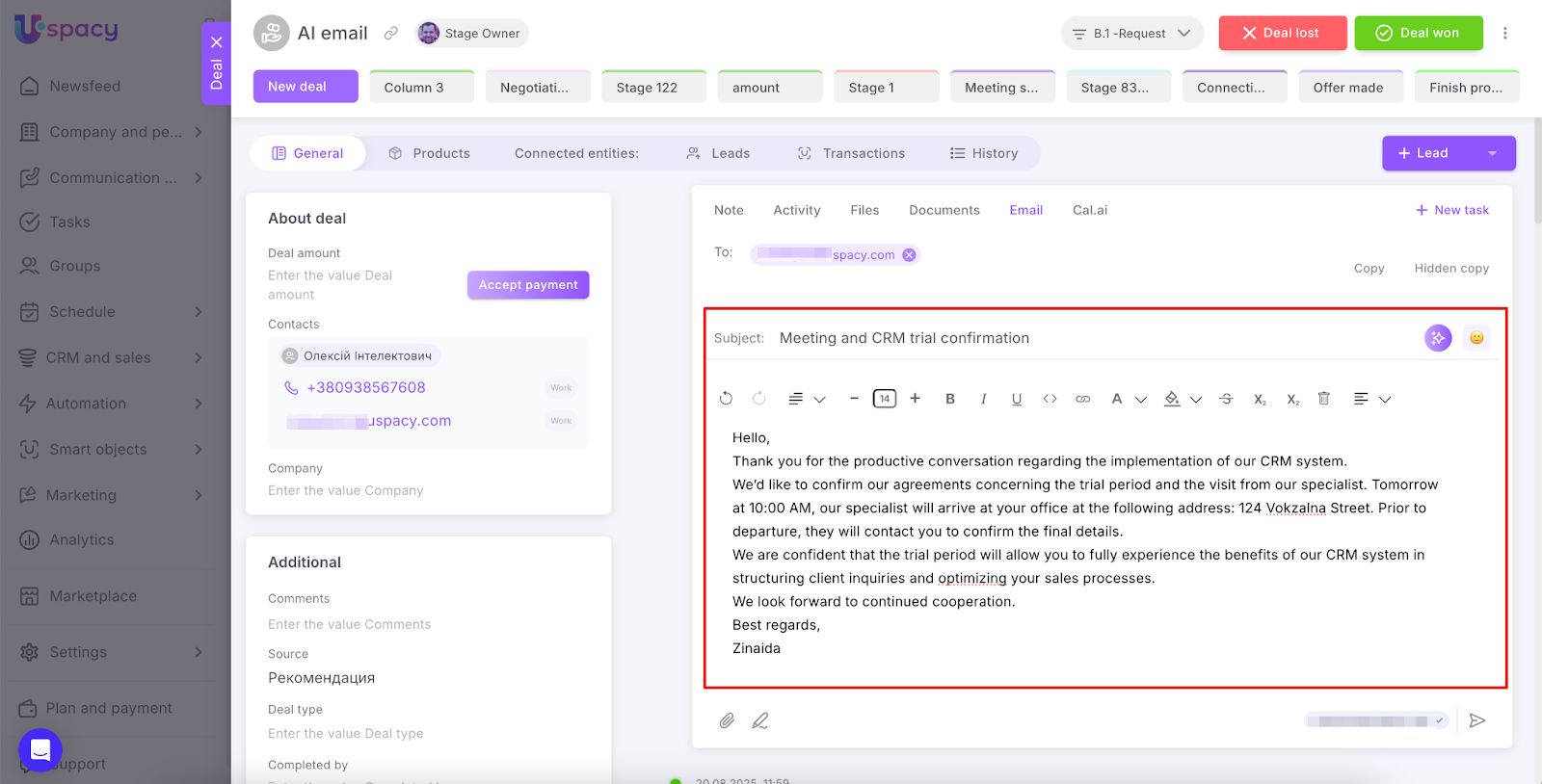
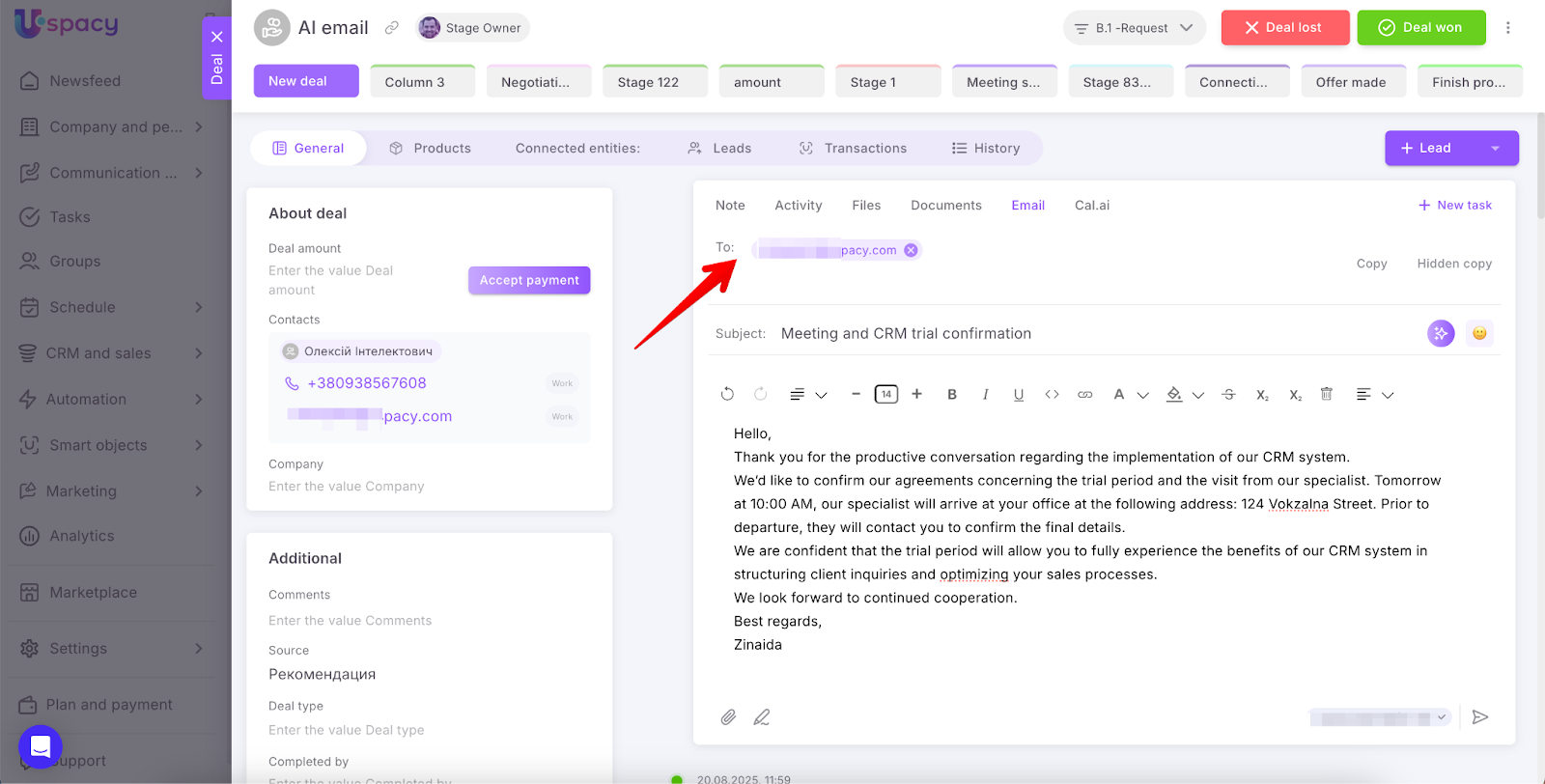
The recipient’s email address will be pulled from the contact or company information stored in the CRM card.
Optionally, you can change the tone of the email: neutral, friendly, formal, casual, excited, grateful, or sad.
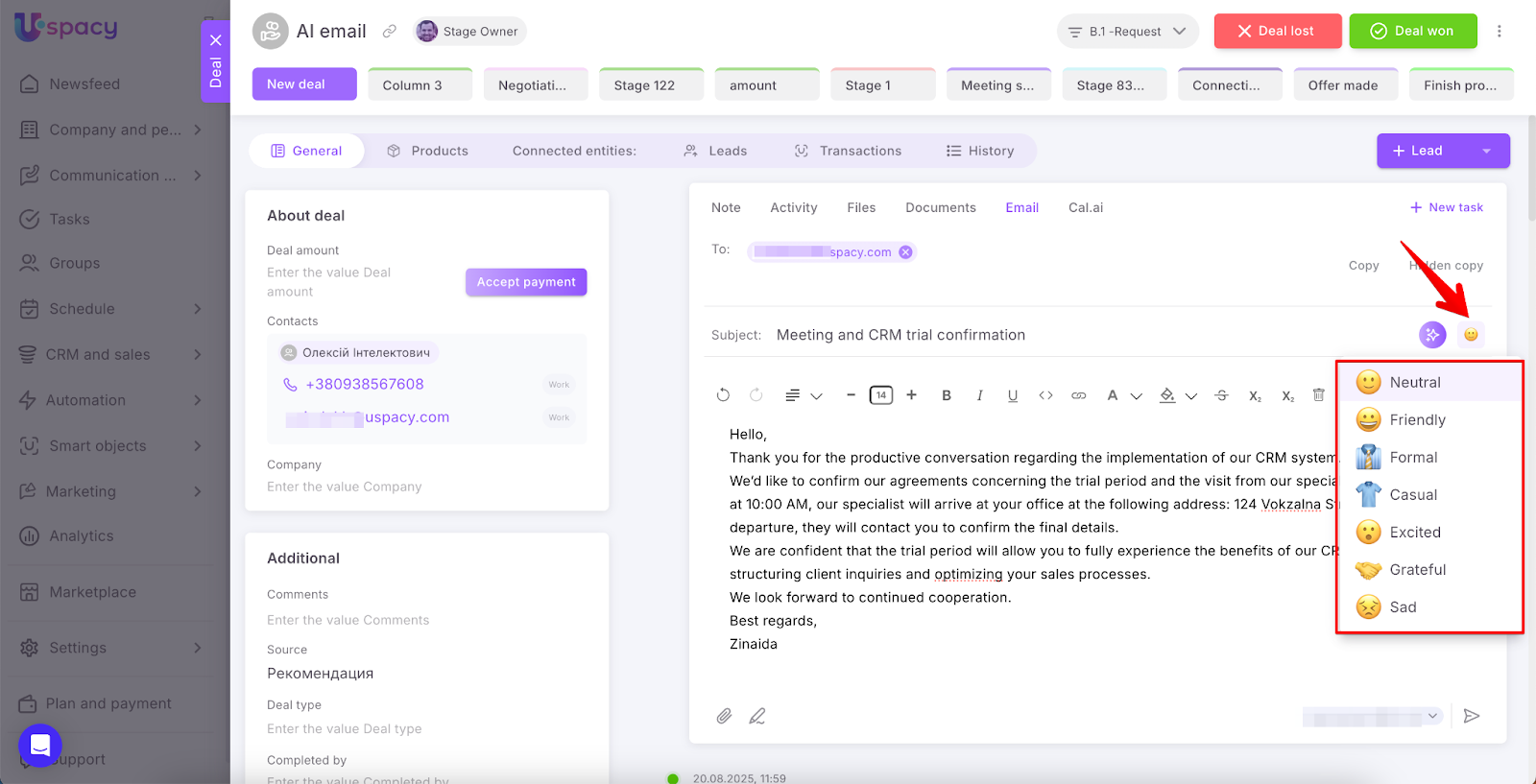
The text will be regenerated according to your tone choice.
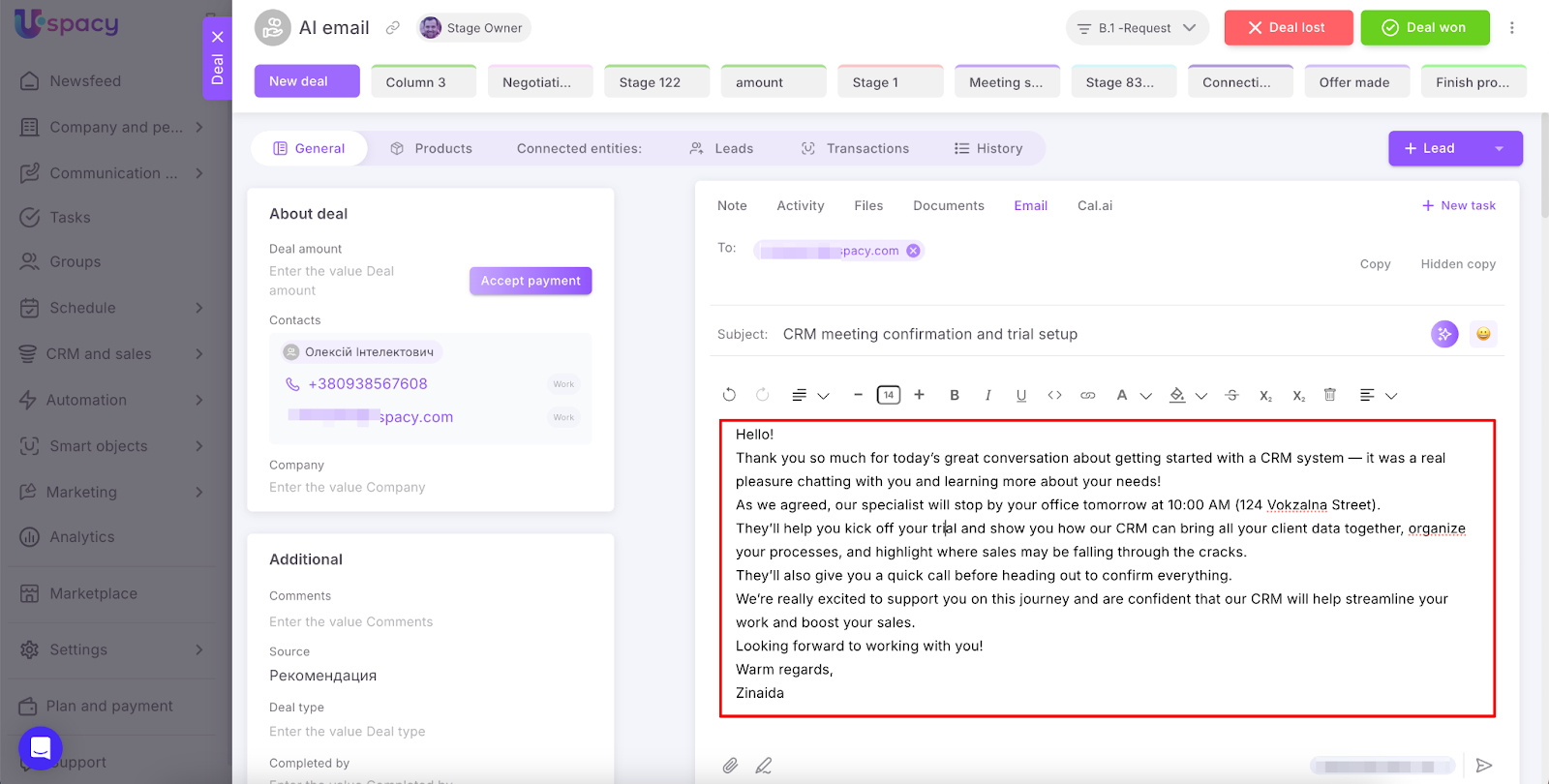
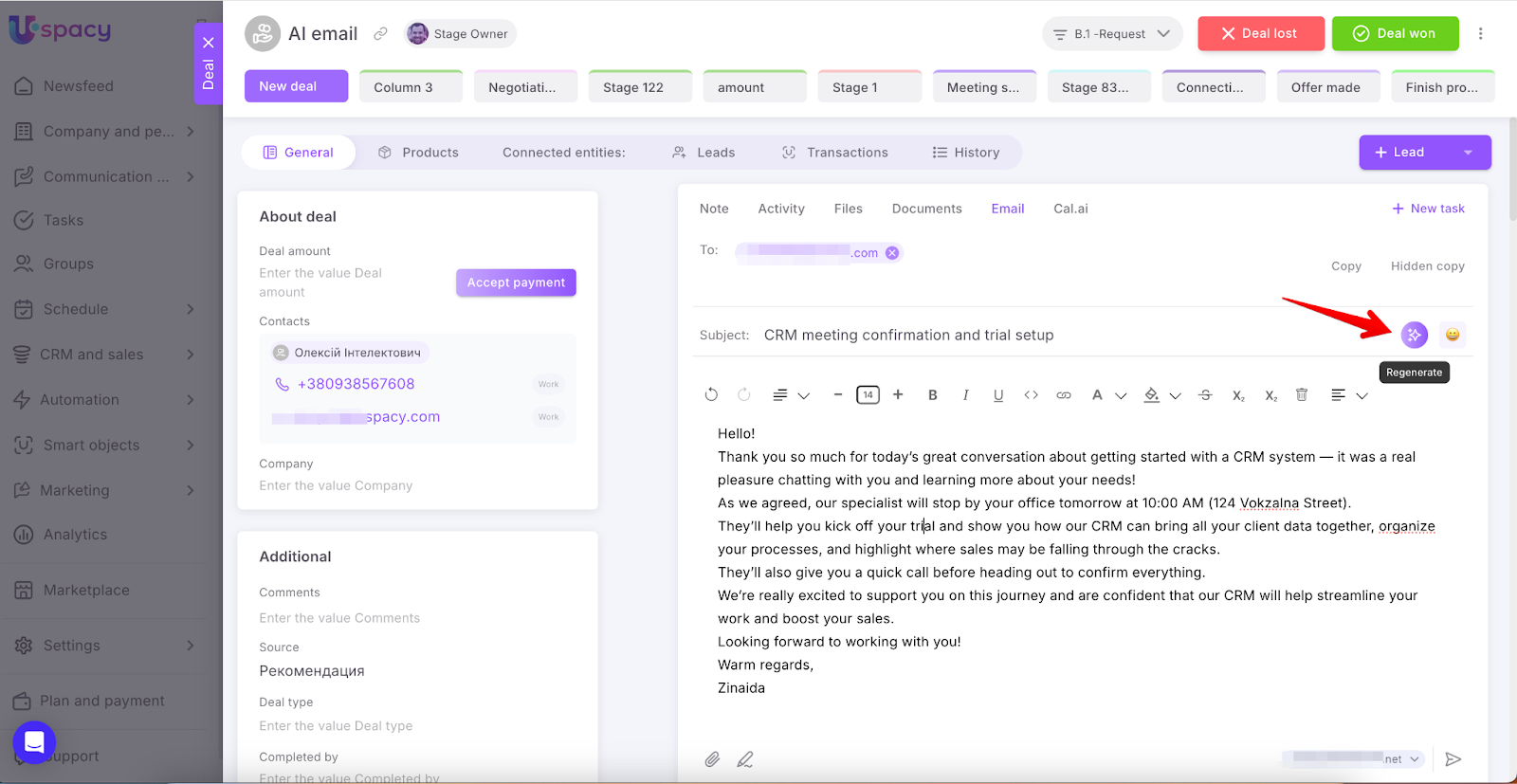
If you’re not satisfied with the generated result, click the special button to regenerate the email content. A new version will be created, retaining your selected tone.
💡The language of the call summary email automatically aligns with the language used during the conversation — whether it’s Ukrainian, English, or another supported language.
💡You can manually edit the text: revise content, format it with the built-in editor, change the email subject, and attach files.
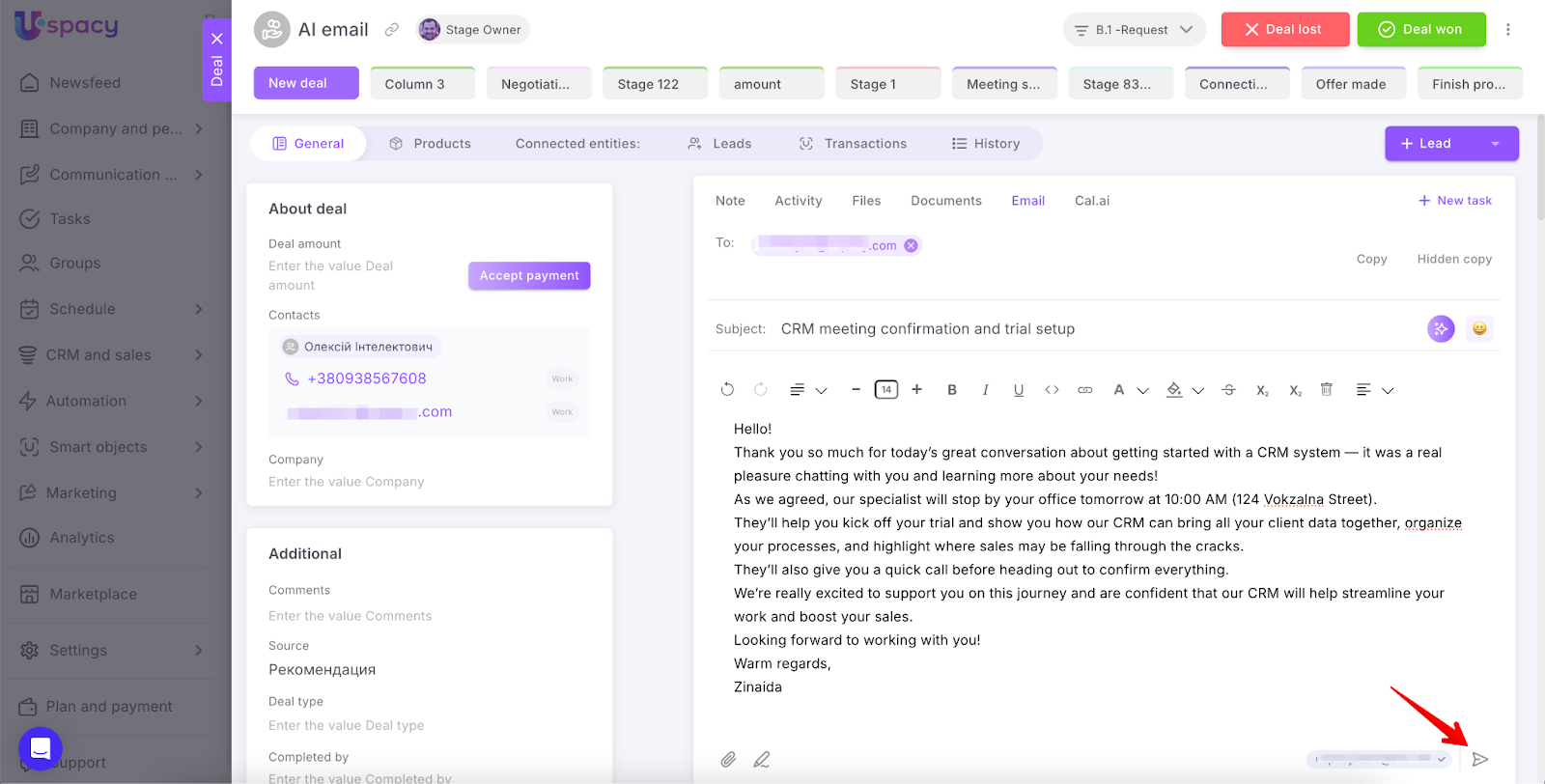
After reviewing and approving the message, proceed by clicking Send.
Features
🟣 The email subject and body are automatically created by AI based on the call recording.
🟣 You can regenerate the email in two ways: with a new tone selection or without changing the tone (only the text updates).
🟣 Tone options help tailor the communication style to fit the situation.
🟣 Manual editing before sending is possible and recommended to ensure accuracy.
🟣 To use the summary email feature, you must connect a mailbox to your Workspace. Otherwise, sending emails won’t be possible.
🔍 For details on connecting mailboxes, see this article of our knowledge base.
🔍 In the Email section, you’ll find all necessary information about this tool’s functionality within Uspacy.
The Summary email feature helps you quickly create quality messages for clients after calls directly from the CRM card. The AI-generated text reflects key agreements and conversation details, saving time, improving communication efficiency, and supporting your professional client interactions.
If you have additional questions or you need to contact the support, send a request to this email [email protected]
Created: September 11, 2025